
TL;DR
HubSpot offers all-in-one CRM starting free while Salesloft costs $125+/user monthly for sales engagement.
– HubSpot provides free plan with 1,500+ integrations across marketing and service
– Salesloft requires custom pricing with conversation intelligence and Rhythm AI included
– HubSpot suits businesses wanting unified platform for marketing, sales, and service
– Salesloft delivers advanced cadence automation for mid-market and enterprise sales teams
– HubSpot wins on value while Salesloft specializes in sales-specific features
Choosing between HubSpot and Salesloft comes down to what you’re actually trying to solve. HubSpot is the all-in-one CRM platform built for businesses that want marketing, sales, and service tools under one roof. Salesloft is a Revenue Orchestration Platform designed specifically for mid-market and enterprise sales teams who need advanced sales engagement and conversation intelligence.
HubSpot vs. Salesloft: Side-by-side comparison table
| Feature | HubSpot | Salesloft | La Growth Machine |
|---|---|---|---|
| Starting price | Free plan available; paid plans start at $20/month | Custom pricing; estimated $125+/user/month | €50/user/month (annual) |
| Free trial | Yes, with free plan forever | 14 days (demo typically required) | 14 days (no credit card required) |
| Key features | CRM, marketing, sales, service, content management | Sales engagement, conversation intelligence, deal management | LinkedIn + Email sequences, enrichment, warmup, AI voice |
| Integration options | 1,500+ integrations including CRMs, marketing tools, communication platforms | Focused on sales tools: Salesforce, LinkedIn Sales Navigator, ZoomInfo | Native: HubSpot, Salesforce, Pipedrive + API |
| Support options | Email, chat, phone (paid plans); extensive knowledge base | Email, phone (paid plans); dedicated account managers for enterprise | Email, chat, knowledge base, dedicated strategist (4+ seats) |
| Best for | Small to large businesses needing an all-in-one marketing, sales, and service platform | Mid-market to enterprise sales teams focused on sales engagement and revenue orchestration | Scaling teams needing multichannel automation |
This article breaks down how HubSpot and Salesloft compare head-to-head across features, pricing, ease of use, integrations, and more. By the end, you’ll know which platform fits your team’s size, budget, and goals.
HubSpot vs. Salesloft: Quick overview
HubSpot
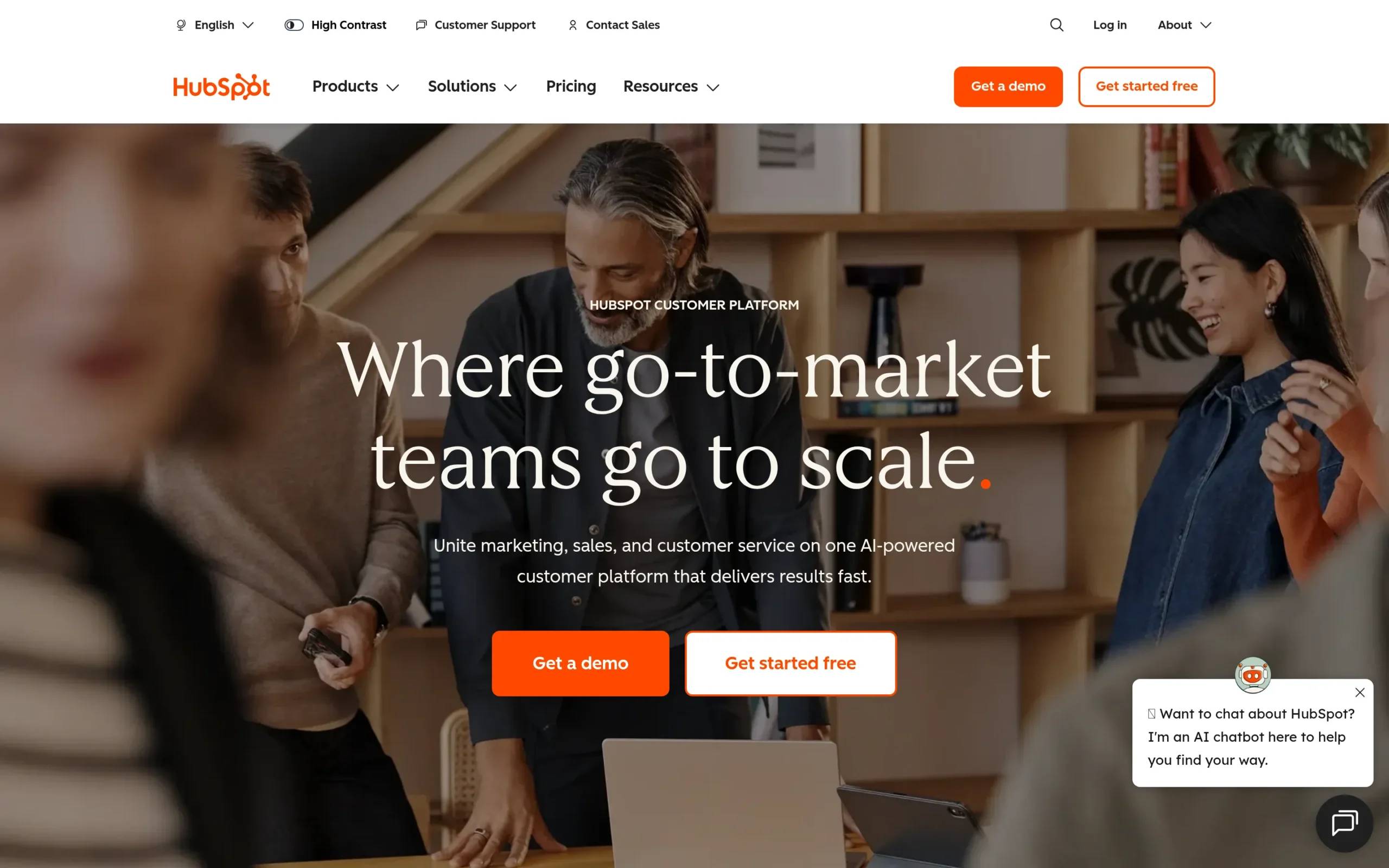
HubSpot is an AI-powered customer platform that brings together marketing, sales, customer service, content management, and operations tools. It’s built to help businesses grow by unifying teams around one system. With over 278,000 customers in more than 135 countries, HubSpot offers everything from CRM and marketing automation to sales pipelines and customer support.
Main selling point: All-in-one platform that connects your entire go-to-market team on a single source of truth, with free tools to get started and scalable hubs as you grow.
Starting price: Free plan available. Paid plans start at $20/month for the Starter plan (includes 2 users for Sales and Service Hubs).
Salesloft
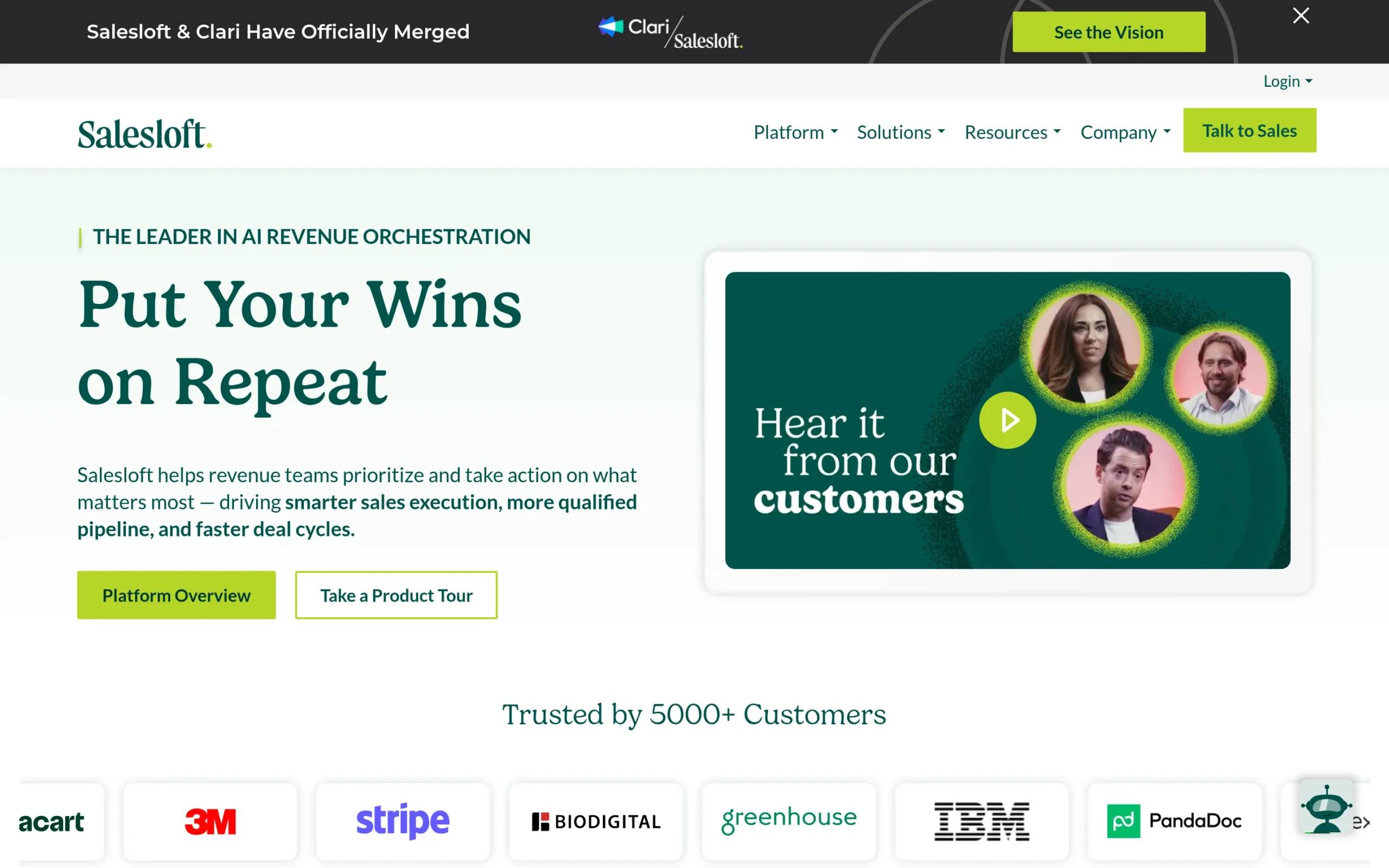
Salesloft is a Revenue Orchestration Platform that helps sales teams prioritize actions, automate workflows, and close deals faster. It combines sales engagement, conversation intelligence, deal management, and forecasting into one platform powered by AI. Salesloft is built for mid-market and enterprise organizations that need to coordinate complex sales motions across multiple teams.
Main selling point: Deep sales engagement and conversation intelligence capabilities with AI-driven insights that help teams coach reps, manage deals, and forecast accurately.
Starting price: Pricing is not publicly available. Salesloft uses custom pricing based on team size and feature needs. Industry estimates suggest starting around $125/user/month for mid-market teams.
HubSpot vs. Salesloft: Head-to-head comparison
Let’s break down how these two platforms stack up across the areas that matter most.
Features and capabilities
HubSpot
HubSpot’s strength is breadth. The platform includes:
- Smart CRM that serves as your single source of truth for customer data
- Marketing Hub for campaigns, content personalization, and marketing automation
- Sales Hub for pipeline management, sales automation, and prospecting
- Service Hub for customer support, help desk, and retention tools
- Content Hub for creating, managing, and distributing content
- Operations Hub for data syncing and workflow automation
HubSpot is built for teams that want one platform to handle everything from lead capture to customer support. The free CRM gives you basic contact management, deal tracking, and email integration. Paid plans unlock automation, custom reporting, advanced segmentation, and AI-powered tools.
Salesloft
Salesloft focuses specifically on the sales process. Key features include:
- Cadence automation to build and nurture sales pipelines
- Rhythm, an AI tool that prioritizes high-value actions based on buyer signals
- Conversations for recording, transcribing, and analyzing sales calls
- Deals for tracking deal status, risks, and next steps
- Analytics for centralized reporting and data-driven decisions
Salesloft excels at helping sales teams execute efficiently. The conversation intelligence feature provides coaching insights, while the cadence builder lets reps create multi-touch sequences across email, calls, and LinkedIn. Unlike HubSpot, Salesloft doesn’t include marketing or customer service tools.
Winner: Depends on your needs. HubSpot wins if you need an all-in-one platform for marketing, sales, and service. Salesloft wins if your focus is purely on sales execution and you need advanced conversation intelligence.
Ease of use
HubSpot
HubSpot is known for its clean, intuitive interface. Most users find it easy to navigate for daily tasks like managing contacts, tracking deals, and sending emails. The platform offers extensive training through HubSpot Academy, which includes free courses and certifications.
The learning curve appears when you get into complex workflows, custom reporting, and advanced automation. Users mention that setting up integrations and customizing dashboards can take time. However, the drag-and-drop builders and templates make it accessible even for non-technical users.
Salesloft
Salesloft’s cadence builder is frequently praised for being intuitive. Within a few weeks, most sales reps can create multi-touch sequences without technical help. The interface is designed for sales teams specifically, so features like call dialing, email tracking, and pipeline views are straightforward.
That said, advanced features like dynamic fields, A/B testing, and deep Salesforce customizations have a learning curve. Implementation typically takes 6-8 weeks for full team adoption, and most customers work with Salesloft’s team during onboarding.
Winner: HubSpot. While both platforms are user-friendly, HubSpot’s broader accessibility and extensive free training resources make it easier for teams with varying technical skills to get started.
Pricing and value
HubSpot
HubSpot’s pricing is transparent and scales with your needs:
- Free plan: CRM, basic marketing, sales, and service tools
- Starter plans: Start at $20/month for Sales Hub or Service Hub (2 users), $20/month for Marketing Hub (1,000 contacts)
- Professional plans: Sales Hub Professional starts at $500/month (5 users), Marketing Hub Professional starts at $890/month (2,000 contacts)
- Enterprise plans: Sales Hub Enterprise starts at $1,200/month (10 users), Marketing Hub Enterprise starts at $3,600/month (10,000 contacts)
Professional and Enterprise plans include onboarding fees ranging from $750 to $12,000 depending on the hub. Costs increase as you add more contacts (for Marketing) or users (for Sales and Service).
HubSpot offers strong value if you’re replacing multiple tools. The free tier is generous, and the lower-tier paid plans are accessible for small businesses. However, costs climb quickly as you scale.
Salesloft
Salesloft does not publish pricing on its website. Based on industry reports and user reviews, pricing typically starts around $125-150/user/month for mid-market teams. Enterprise pricing varies based on team size, features, and contract length.
For a 25-person sales team, annual costs could range from $37,500 to $50,000+. Add-ons like account agents, forecasting, and conversation intelligence may increase costs further.
While expensive, Salesloft justifies its pricing with features that directly impact revenue. Teams using conversation intelligence often see 15-25% improvement in pipeline generation and 10-15% reduction in sales cycle length.
Winner: HubSpot. HubSpot’s transparent pricing and accessible entry points make it a better value for small to mid-sized teams. Salesloft’s ROI is strong for enterprise sales teams, but the higher price point limits accessibility.
Integrations
HubSpot
HubSpot offers 1,500+ integrations through its App Marketplace. Native integrations include:
- CRMs: Salesforce, Microsoft Dynamics
- Email: Gmail, Outlook, Mailchimp
- Communication: Slack, Zoom, Microsoft Teams
- Marketing: Google Ads, Facebook Ads, LinkedIn Ads
- E-commerce: Shopify, WooCommerce
HubSpot also offers open APIs for custom integrations. The platform is designed to be your central hub, so most integrations focus on bringing data into HubSpot rather than pushing it out.
Salesloft
Salesloft integrates deeply with sales-specific tools:
- CRMs: Salesforce (native), Microsoft Dynamics, HubSpot
- Sales tools: ZoomInfo, Outreach, Gong, LinkedIn Sales Navigator
- Communication: Slack, Microsoft Teams, Zoom
- Productivity: Zapier, Calendly
The Salesforce integration is particularly strong. Activities, emails, calls, and dispositions sync bi-directionally with zero errors reported by most users. Salesloft is built to complement your existing CRM rather than replace it.
Winner: HubSpot. With 1,500+ integrations, HubSpot connects to a broader ecosystem. Salesloft’s integrations are strong but narrower in scope, focused primarily on sales and CRM tools.
Sales automation and engagement
HubSpot
HubSpot Sales Hub includes:
- Email sequences with automated follow-ups
- Meeting scheduling and calendar syncing
- Sales automation for task assignment and notifications
- Email tracking for opens and clicks
- Templates and snippets for faster outreach
- Playbooks for standardizing sales processes
HubSpot’s sales automation is solid but not as advanced as dedicated sales engagement platforms. It’s built to work seamlessly with marketing and service tools, so you get a connected experience across the customer lifecycle.
Salesloft
Salesloft is built specifically for sales engagement:
- Advanced cadence automation with multi-touch sequences
- Power dialer for high-volume calling
- Conversation intelligence with call recording, transcription, and AI insights
- Deal management with visibility into risks and next steps
- Analytics that track performance across reps, teams, and campaigns
Salesloft’s conversation intelligence is a standout. It records calls, analyzes talk-to-listen ratios, identifies competitor mentions, and automatically updates CRM fields based on call content. This level of detail helps managers coach reps more effectively.
Winner: Salesloft. For teams that live in sales engagement and need advanced conversation intelligence, Salesloft is in a different league. HubSpot’s tools are solid but not as specialized.
HubSpot vs. Salesloft: Pros and cons
HubSpot strengths and weaknesses
Pros:
- All-in-one platform connecting marketing, sales, and service
- Generous free plan with access to core CRM features
- Intuitive interface with extensive free training resources
- 1,500+ integrations connecting to most business tools
- Scalable from startups to enterprises
Cons:
- Pricing increases quickly as you add contacts and users
- Reporting capabilities are limited in lower-tier plans
- Occasional bugs and performance issues reported by users
- Professional and Enterprise plans require onboarding fees
- Advanced features have a learning curve despite ease of use
User rating:
- Capterra: 4.5/5 (based on 4,413 reviews)
Salesloft strengths and weaknesses
Pros:
- Advanced sales engagement with cadence automation
- Conversation intelligence provides actionable coaching insights
- Seamless Salesforce integration with bi-directional sync
- Built specifically for mid-market and enterprise sales teams
- Analytics help teams forecast accurately and manage deals
Cons:
- Pricing is not transparent and requires contacting sales
- Higher price point limits accessibility for smaller teams
- Steep learning curve for advanced features
- No built-in CRM, requires integration with existing systems
- Focus on sales only (no marketing or service capabilities)
User rating:
- G2: 4.5/5 (based on 2,800+ reviews)
- Capterra: 4.3/5
Which should you choose?
Here are specific scenarios to help you decide:
Choose HubSpot if:
- You need an all-in-one platform for marketing, sales, and customer service
- You want a free CRM to start with and scale up over time
- Your team values ease of use and extensive training resources
- You’re a small to mid-sized business with a limited budget
- You want one platform to connect your entire go-to-market strategy
Choose Salesloft if:
- Your primary focus is sales execution and you already have a CRM
- You need advanced conversation intelligence for coaching and deal analysis
- You’re a mid-market or enterprise sales team with budget for premium tools
- You want deep Salesforce integration that syncs flawlessly
- Your sales process involves high-volume calling and complex multi-touch cadences
Consider both if:
- You’re using HubSpot as your CRM and want to layer Salesloft’s sales engagement capabilities on top. Many companies use HubSpot for marketing and CRM, then integrate Salesloft for advanced sales execution.
Need something different? Check out La Growth Machine
HubSpot and Salesloft are solid choices for their specific use cases. But if you’re looking for a different approach to outreach and prospecting, La Growth Machine offers something unique.
What La Growth Machine does
La Growth Machine is a multichannel sales automation platform built for prospecting. While HubSpot focuses on being your all-in-one CRM and Salesloft specializes in sales engagement, our platform is built to help you find and connect with prospects across multiple channels before they even enter your CRM.
Core capabilities:
- Multichannel prospecting: Automate outreach across LinkedIn, Email, Calls, and Twitter in one sequence
- Lead Enrichment: Automatically find and verify email addresses, phone numbers, and social profiles
- LinkedIn Voice Messages: Send AI-powered voice messages that double reply rates
- Social Warming: Automatically like posts and follow prospects before sending connection requests
- Lookalike Search: Identify companies similar to your best clients and get ongoing opportunities
La Growth Machine is built for the top of your funnel. We help you identify prospects, enrich their data, and run personalized multichannel campaigns to start conversations. Once prospects reply and show interest, you can sync them to HubSpot, Salesforce, or your CRM of choice.
How it fits into your stack
Think of La Growth Machine as the engine that fills your pipeline with qualified conversations:
- HubSpot handles your marketing campaigns, CRM data, and customer lifecycle
- Salesloft manages your sales engagement once leads are in your pipeline
- La Growth Machine finds prospects, enriches their data, and starts conversations before they enter your system
If you’re doing cold outreach, account-based prospecting, or multichannel lead generation, La Growth Machine handles the hard work of finding and connecting with the right people. You’re not replacing HubSpot or Salesloft, you’re adding a specialized tool that focuses on prospecting.
Pricing
La Growth Machine offers simple, transparent pricing:
- Basic Plan: €50/month per identity (includes multichannel prospecting, email enrichment, and core features)
- Pro Plan: €100/month per identity (adds Lookalike Search, Social Warming, Inbox Rotation, and advanced integrations)
- Free trial: 14 days, no credit card required
Worth considering if:
- You need to fill your pipeline with qualified leads through cold outreach
- You want to automate prospecting across LinkedIn, Email, and other channels
- You’re looking for a tool that enriches lead data and finds contact information
- Your focus is on the top of the funnel rather than managing existing opportunities
Frequently asked questions
Is HubSpot better than Salesloft?
It depends on what you need. HubSpot is better if you want an all-in-one platform for marketing, sales, and service. Salesloft is better if you’re focused purely on sales execution and need advanced conversation intelligence. They serve different purposes.
Can I use HubSpot and Salesloft together?
Yes. Many companies use HubSpot as their CRM for marketing and customer data, then integrate Salesloft for advanced sales engagement. Salesloft syncs with HubSpot, so activities and conversations flow between the platforms.
How much does Salesloft cost?
Salesloft does not publish pricing publicly. Industry estimates suggest starting around $125-150/user/month for mid-market teams. Enterprise pricing varies based on team size and features. You’ll need to contact Salesloft for a custom quote.
Does HubSpot have conversation intelligence?
HubSpot offers call recording and basic call tracking, but it does not have the advanced conversation intelligence features that Salesloft provides (transcription, AI analysis, coaching insights, etc.). For deep conversation intelligence, Salesloft is the stronger option.
Which is easier to use, HubSpot or Salesloft?
HubSpot is generally easier to use, especially for teams with varying technical skills. The interface is intuitive, and HubSpot Academy offers extensive free training. Salesloft has a learning curve for advanced features but is straightforward for core sales tasks once your team is trained.
Conclusion
HubSpot and Salesloft both do what they’re built for well. HubSpot gives you a complete platform to manage marketing, sales, and customer service under one roof. Salesloft delivers advanced sales engagement and conversation intelligence for teams that live and breathe the sales process.
The right choice depends on your goals and budget. If you’re a small business looking for an affordable, all-in-one solution, HubSpot makes sense. If you’re a mid-market or enterprise sales team that needs to level up sales execution, Salesloft is worth the investment.
And if you’re looking to fill your pipeline with qualified prospects through multichannel outreach, La Growth Machine is built specifically for that. We focus on the top of the funnel so tools like HubSpot and Salesloft can do what they do best with warm, engaged leads.
Get 3.5X more leads!
Do you want to improve the efficiency of your sales department? With La Growth Machine you can generate on average 3.5x more leads while saving an incredible amount of time on all your processes.
By signing up today, you’ll get a free 14-day trial to test our tool!