

Finding the right CRM and lead management solution can determine whether you convert website visitors into customers or watch them disappear. If you’re using LeadIn or considering it, you’re probably wondering what other options might better fit your needs.
LeadIn alternatives compared
Quick comparison of top LeadIn alternatives:
| Tool | Starting Price | Free Trial | Best For |
|---|---|---|---|
| Pipedrive | $14/seat/month | 14 days | Visual pipeline management and sales-focused teams |
| La Growth Machine | €50/month (annual) | 14 days (no credit card) | Scaling teams needing LinkedIn + Email automation, native enrichment (27M+ companies), and email warmup in one platform |
| Freshsales | Contact for pricing | 21 days | AI-powered lead management and automation |
| Zoho CRM | €29/user/month | Available | Customizable, affordable CRM with extensive integrations |
| HubSpot CRM | Free (paid tiers available) | 30 days (paid tiers) | All-in-one marketing, sales, and service platform |
| Close | $9/month | 14 days | Integrated communication and fast-moving sales teams |
LeadIn, HubSpot’s free WordPress plugin, has helped thousands of businesses capture and manage leads through forms, popups, and basic CRM functionality. But as your business grows, you might need different features, pricing structures, or integration capabilities.
This guide covers the top LeadIn alternatives available in 2026, comparing their key features, pricing, and ideal use cases. Whether you need more advanced CRM capabilities, better customization options, or a different approach to lead management, you’ll find the information you need to decide. We’ll also explore how multichannel outreach tools like La Growth Machine complement your CRM strategy to get more replies.
Why consider LeadIn alternatives?
While LeadIn offers solid functionality for basic lead capture and management, several factors might push you to explore other options:
- Limited advanced CRM features: LeadIn provides basic contact management, but if you need sophisticated pipeline management, advanced automation, or detailed sales forecasting, you’ll outgrow it quickly
- HubSpot ecosystem lock-in: LeadIn works best within the HubSpot ecosystem, which limits flexibility if you prefer other tools or want to avoid depending on a single platform
- WordPress-specific limitations: Since LeadIn is designed for WordPress sites, businesses using other platforms or needing cross-platform solutions will find it restrictive
- Customization constraints: Advanced users often need more control over workflows, custom fields, and integrations than LeadIn’s streamlined interface provides
- Scaling challenges: As your contact database and sales team grow, you’ll need more robust features, team collaboration tools, and reporting capabilities
Every business has unique requirements. What works perfectly for one company might not suit another. The key is finding a CRM solution that aligns with your current needs while offering room to grow.
What to look for in a LeadIn alternative
When evaluating CRM and lead management alternatives, consider these criteria:
- Core CRM functionality: Look for contact management, pipeline visualization, task automation, and reporting features that match your sales process complexity
- Integration ecosystem: Make sure the platform connects seamlessly with your existing tools (email providers, marketing automation platforms, and business software)
- Ease of use and onboarding: Consider the learning curve for your team and whether the platform offers intuitive interfaces and helpful onboarding resources
- Pricing structure and scalability: Evaluate whether the pricing model fits your budget now and remains reasonable as you add users, contacts, and features
- Customization capabilities: Assess how easily you can tailor the system to your specific workflows, create custom fields, and build automation rules
These factors will help you narrow down which alternatives deserve a closer look based on your specific business requirements.
Top LeadIn Alternatives
1. Pipedrive
Overview
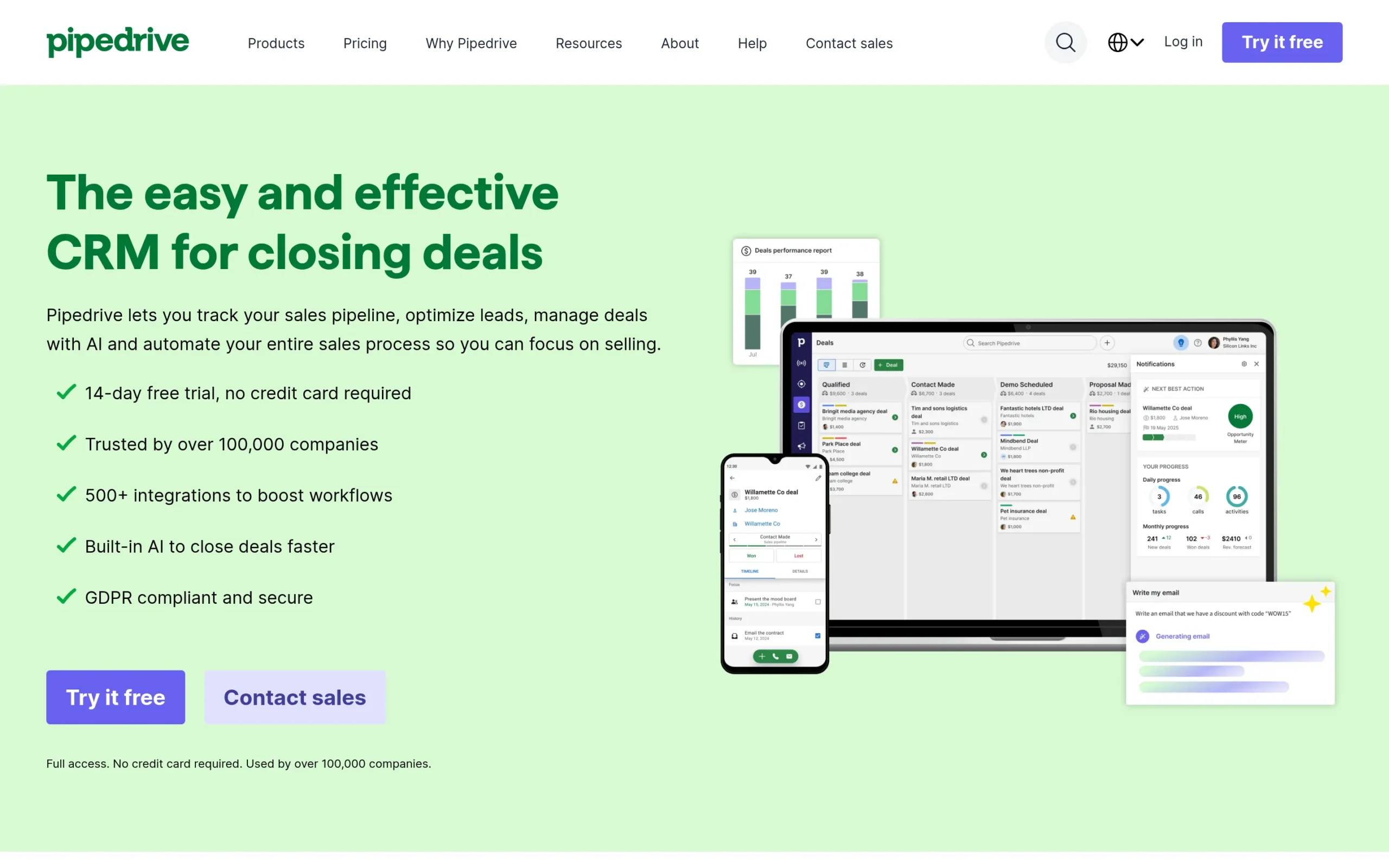
Pipedrive is a sales-focused CRM designed to help teams manage leads, track sales activities, and close more deals through visual pipeline management. The platform prioritizes simplicity and usability, making it popular among small to medium-sized businesses that want powerful functionality without overwhelming complexity. Over 100,000 companies worldwide use Pipedrive.
Key Features
- Visual sales pipeline management: Pipedrive’s kanban-style dashboard makes it easy to track deals and sales activities at a glance, helping you spot bottlenecks and prioritize follow-ups
- Sales automation: Automate repetitive tasks like follow-ups and lead routing using workflow templates or custom automation rules, freeing up time for actual selling
- Real-time insights and reporting: Monitor sales performance, forecast revenue, and access actionable insights through visual reports and dashboards that update in real-time
- Email and communication tools: Two-way email sync, customizable templates, and calendar integration help manage communications efficiently, with easy scheduling for calls via Google Meet and Zoom
- Mobile CRM access: Android and iOS apps allow sales teams to manage activities, prepare for meetings, and follow up with leads from anywhere
Pros & Cons
Pros: Easy-to-use interface with customizable pipelines, fast onboarding process, strong reporting tools, excellent mobile accessibility, and seamless email/calendar integration
Cons: Limited marketing automation capabilities, no native email campaign tools (requires integrations), restricted insights dashboard customization, and lacks integrated ticket management system
Pricing
Pipedrive offers four pricing tiers billed annually: Lite ($14/seat/month), Growth ($39/seat/month), Premium ($59/seat/month), and Ultimate ($79/seat/month). Add-ons for lead capture, project management, and email marketing range from $6.67 to $41 per month. A 14-day free trial is available with no credit card required.
Best For
Small to medium-sized businesses and sales teams looking to streamline their sales processes with a visual, intuitive CRM that focuses on pipeline management and sales automation.
2. Freshsales
Overview
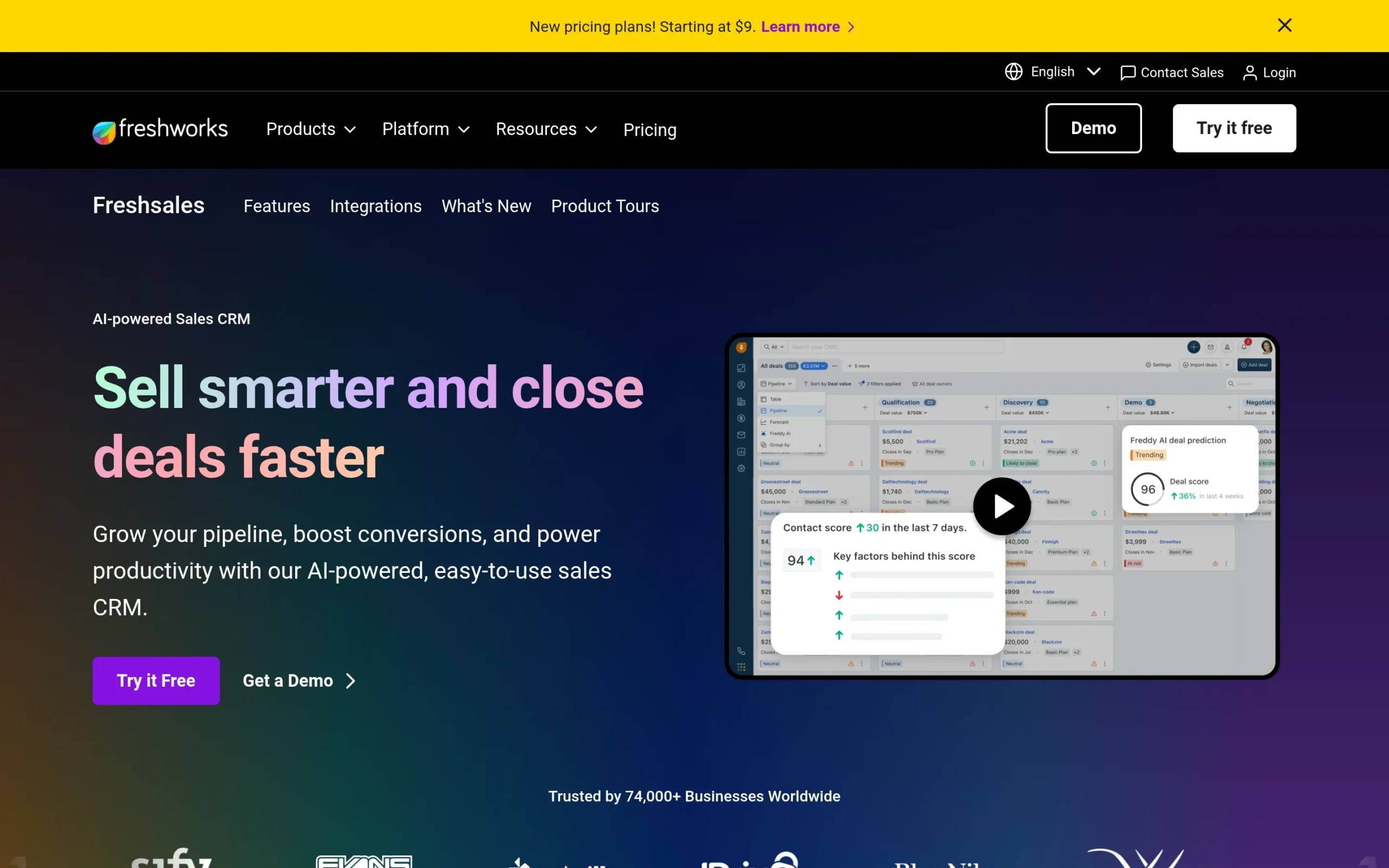
Freshsales is an AI-powered sales CRM designed to help businesses grow their pipeline and boost conversions through intelligent automation and insights. The platform combines traditional CRM functionality with Freddy AI, which assists with lead scoring, email drafting, and identifying the most promising opportunities. Freshsales appeals to teams that want AI capabilities without sacrificing ease of use.
Key Features
- AI-powered sales assistance: Freddy AI highlights the best leads, provides actionable insights, and even drafts emails, making sales teams more efficient
- Comprehensive lead management: Capture, qualify, route, and track leads using AI-driven tools that improve pipeline quality
- 360-degree customer view: Access a complete view of each customer’s interactions, preferences, and engagement history across channels to personalize outreach
Pros & Cons
Pros: User-friendly interface, robust automation features, excellent customer support, and intuitive design that makes tracking customer interactions straightforward
Cons: Occasional software bugs, limited customization options compared to some competitors, and reporting features that lack depth for advanced analytics needs
Pricing
Pricing information is not publicly available. Freshsales offers a 21-day free trial with no credit card required.
Best For
Sales teams and businesses of all sizes looking to improve their sales processes with AI-powered tools that help prioritize leads, automate tasks, and provide intelligent insights for better conversion rates.
3. Zoho CRM
Overview
Zoho CRM is a comprehensive customer relationship management platform designed to help businesses convert leads, engage customers, and grow revenue. The platform offers extensive customization options and integrates seamlessly with the broader Zoho ecosystem and over 1,000 third-party applications. Zoho CRM’s combination of affordability and powerful features makes it attractive for businesses seeking a customizable solution.
Key Features
- Advanced workflow automation: Streamline sales processes with no-code workflows and cadences that automate repetitive tasks and maintain consistent follow-up
- AI assistance with Zia: Use AI for smarter work, including email rewriting, anomaly detection, and predictive lead scoring
- Deep business intelligence: Access nuanced forecasting and performance management tools for informed, data-driven decision-making
Pros & Cons
Pros: Affordable pricing, extensive customization options, strong integration capabilities with Zoho products and third-party apps, user-friendly interface, and comprehensive CRM features
Cons: Occasional performance issues, steep learning curve for new users, limited customer support options, and less robust reporting compared to some competitors
Pricing
Zoho CRM offers two main pricing tiers: Standard (€29/user/month) and Premium (€69/user/month), both billed annually.
Best For
Small to medium-sized businesses, startups, and enterprises looking for a customizable and affordable CRM solution with strong automation capabilities and extensive integration options.
4. HubSpot CRM
Overview
HubSpot offers an AI-powered customer platform that integrates marketing, sales, and customer service tools into a unified system. Used by over 278,000 customers in more than 135 countries, HubSpot provides free CRM functionality along with paid tiers for advanced features. The platform’s strength lies in its all-in-one approach, allowing teams to manage the entire customer journey from first touch to ongoing support.
Key Features
- Marketing Hub: Attract and convert leads by running campaigns, personalizing content, and tracking performance with integrated marketing automation tools
- Sales Hub: Generate quality leads and close deals faster by automating prospecting, managing the sales pipeline, and accelerating revenue growth
- Service Hub: Scale support, improve customer satisfaction, and drive retention with help desk and customer feedback functionalities
Pros & Cons
Pros: All-in-one solution for marketing, sales, service, and CMS; powerful marketing automation tools; scalable platform suitable for growing businesses
Cons: High costs after initial free offerings, rigid annual contracts, limited features in lower-tier plans, and additional costs for technical support and advanced features
Pricing
HubSpot offers various pricing plans across different hubs (Marketing, Sales, Service, CMS, Operations), with tiers including Starter, Professional, and Enterprise. Free tools are available, and specific pricing varies based on features and scale.
Best For
Small to medium-sized businesses and enterprises looking to integrate marketing, sales, and customer service operations on a single platform with powerful automation and AI-driven insights.
5. Close
Overview
Close is a CRM platform designed specifically for fast-moving sales teams that need to manage leads, pipelines, and communications efficiently. The platform integrates calling, emailing, and SMS directly within the CRM, so you don’t need to switch between different tools. Close prioritizes speed and clarity, making it ideal for teams that value quick execution and straightforward workflows.
Key Features
- Integrated communication tools: Call, email, and send SMS from one place, keeping all interactions in context
- Intelligent automation: Automate repetitive tasks like follow-ups and task creation with AI-enhanced features that capture details and streamline processes
- AI-powered sales tools: Access an AI Notetaker that transcribes and summarizes calls, AI Enrich for real-time customer information, and AI Summaries for key details
Pros & Cons
Pros: Easy setup, intuitive dashboards, excellent email and call integration, strong automation features, and Smart Views that help track all sales activities in one place
Cons: Higher cost compared to some alternatives, limited customization options, reporting tools that may lack depth, and may not suit larger teams with complex filtering needs
Pricing
Close offers four pricing plans: Solo ($9/month annually or $19/month monthly), Essentials ($35/month annually or $49/month monthly), Growth ($99/month annually or $109/month monthly), and Scale ($139/month annually or $149/month monthly). A 14-day free trial is available.
Best For
Small to medium-sized sales teams that prioritize speed, clarity, and efficiency, particularly those wanting integrated communication tools (calls, emails, SMS) directly within their CRM.
Why not consider multichannel outreach?
The CRMs above excel at managing relationships and tracking your sales pipeline, but they don’t typically handle the proactive outreach side of lead generation. This is where multichannel outreach tools come in, and where La Growth Machine offers a completely different approach to filling your pipeline.
La Growth Machine: Multichannel Outreach Automation
La Growth Machine helps you reach prospects before they become CRM contacts. Instead of waiting for leads to come to you through forms and popups, La Growth Machine automates personalized outreach across LinkedIn, Email, Voice Messages, Calls, and X (Twitter).
Key Features
- Multichannel prospecting automation: Combine LinkedIn, Email, Calls, Voice Messages, and X to reach leads on their preferred channels. Multichannel prospecting is 3.5x more effective than email-only outreach
- LinkedIn Voice Messages with AI: Send automated LinkedIn voice messages or clone your voice to personalize outreach at scale and double reply rates
- Advanced lead enrichment: Automatically enrich contacts with verified emails using 9 providers with double validation, plus company details, job titles, and other information
How La Growth Machine complements LeadIn alternatives
While CRMs like Pipedrive, Freshsales, or HubSpot manage your leads once they’re in your system, La Growth Machine fills the top of your funnel by actively reaching out to prospects. You can use La Growth Machine to run targeted outreach campaigns, and when prospects respond positively, they flow into your CRM for relationship management and deal tracking. This creates a complete lead generation and management system: La Growth Machine for proactive prospecting, your CRM of choice for relationship management and closing deals.
Which LeadIn alternative is right for you?
Choosing the right CRM depends on understanding your specific needs and priorities:
For visual pipeline management and ease of use: If you want a CRM that’s intuitive from day one with strong pipeline visualization, consider options that prioritize visual workflows and simplicity.
For AI-powered insights and automation: If you’re looking to use artificial intelligence for lead scoring, email drafting, and identifying opportunities, focus on platforms with robust AI capabilities.
For customization and affordability: If budget is a priority and you need extensive customization options, look for platforms offering flexible pricing and deep customization features.
For all-in-one solutions: If you want to manage marketing, sales, and service from a single platform, consider comprehensive solutions that unify these functions.
For communication-focused selling: If your team spends significant time on calls and emails, prioritize platforms with integrated communication tools.
For proactive outreach: If your challenge isn’t managing existing leads but generating new conversations, consider how multichannel outreach automation could complement your CRM strategy.
Frequently asked questions
Can I use multiple tools together?
Absolutely. Many successful teams use a CRM to manage relationships and track deals while using specialized outreach tools to fill the top of their funnel. The key is making sure your tools integrate well so data flows smoothly between systems.
How do I migrate from LeadIn to another CRM?
Most CRMs offer import tools that accept CSV files, making it relatively straightforward to export your contacts from LeadIn and import them into your new system. Many platforms also offer migration assistance or dedicated support to help with the transition.
Should I choose a free CRM or paid option?
Start by evaluating your actual needs. Free CRMs work well for small teams with basic requirements, but as you grow, paid options often provide better automation, reporting, and support. Consider your current needs and anticipated growth over the next 12-24 months.
What’s the difference between a CRM and an outreach tool?
A CRM manages relationships with people already in your database: tracking interactions, managing deals, and organizing customer information. Outreach tools proactively find and contact new prospects to fill your pipeline. Many businesses benefit from using both.
How important are integrations when choosing a CRM?
Very important. Your CRM should connect seamlessly with your email provider, calendar, marketing tools, and any other business software you use. Poor integrations create manual work and data silos that hurt productivity.
Conclusion
The LeadIn alternatives covered in this guide (Pipedrive, Freshsales, Zoho CRM, HubSpot, and Close) each offer strong capabilities for managing leads and customer relationships. Your choice depends on factors like budget, team size, desired features, and integration requirements.
Lead management is just one piece of the puzzle. While these CRMs excel at organizing and nurturing leads once they’re in your system, generating those leads in the first place requires a different approach.
That’s where La Growth Machine comes in, automating multichannel outreach across LinkedIn, Email, and more to keep your pipeline full. When you combine effective outreach automation with solid CRM management, you create a complete system for sustainable growth.
Get 3.5X more leads!
Do you want to improve the efficiency of your sales department? With La Growth Machine you can generate on average 3.5x more leads while saving an incredible amount of time on all your processes.
By signing up today, you’ll get a free 14-day trial to test our tool!