
Your sales team spends hours searching for leads, copying LinkedIn profiles into spreadsheets, and sending one-off emails that never get opened.
Your pipeline stays empty. Quotas keep slipping.
Prospecting software fixes this. The right prospection application automates finding contacts, verifying emails, and personalizing outreach—so your team can focus on actual conversations.
This guide covers 11 prospecting solutions that help sales teams build pipeline faster. We’ll show you what each tool does well, where it falls short, and how to pick the right one.
What is prospecting software?
Prospecting software automates finding, reaching out to, and engaging potential customers. Instead of manually searching LinkedIn, hunting for email addresses, and tracking who responded where, these tools handle it for you.
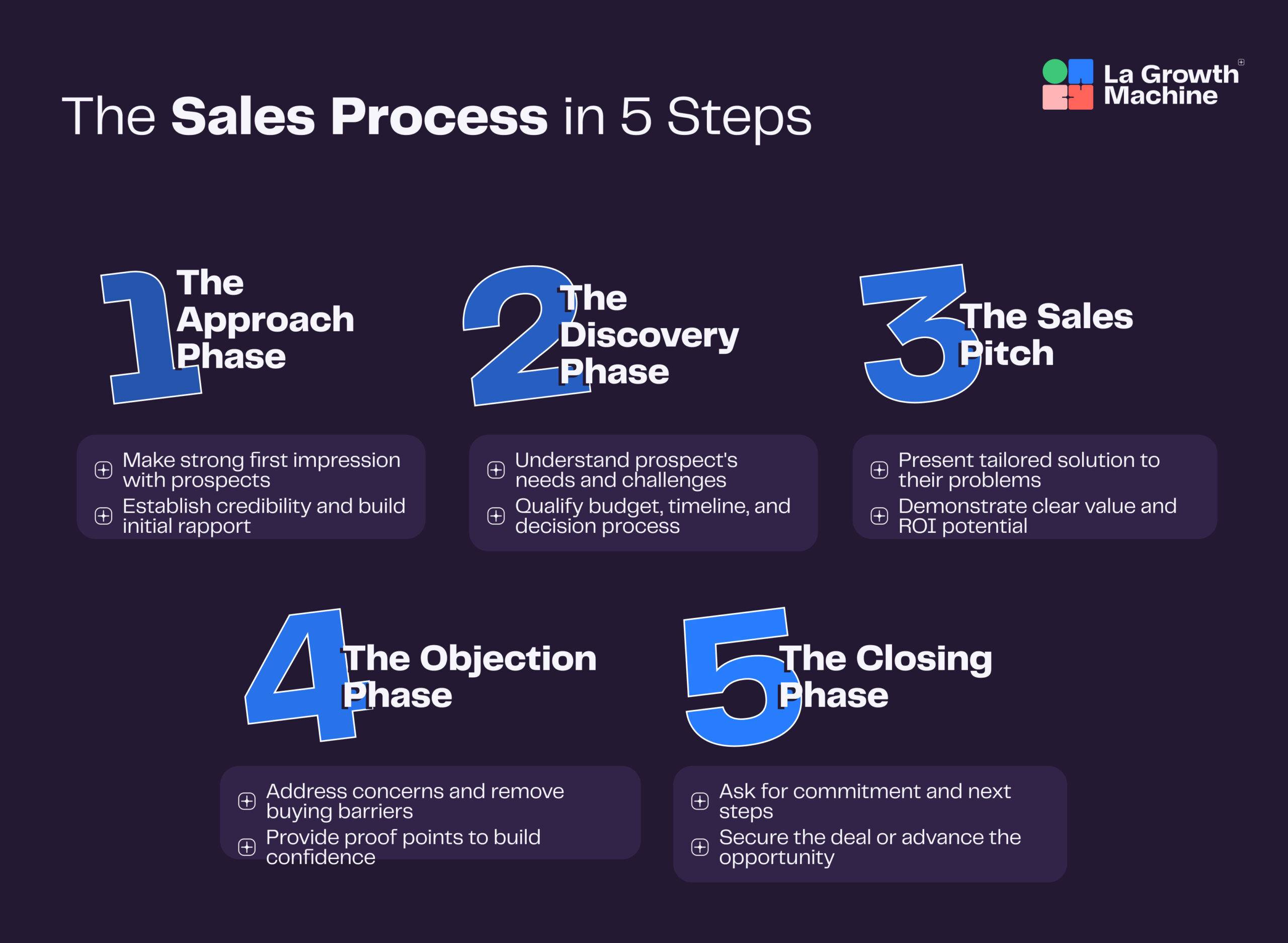
Most prospecting solutions combine several capabilities: contact database access, email finding and verification, multichannel outreach automation, and conversation management. Some focus on data (finding contacts), others on outreach (managing campaigns), and the best ones do both.
What can you do with prospecting software?
Build targeted lead lists: Import from LinkedIn, filter by job title, industry, company size, and export clean contact lists ready for outreach.
Find verified contact information: Get emails and phone numbers with accuracy scores so you’re not wasting time on bounced emails or wrong numbers.
Automate multichannel outreach: Send LinkedIn connection requests, InMails, emails, and call reminders in coordinated sequences that adapt based on prospect behavior.
Track and manage responses: See all replies from LinkedIn, email, and other channels in one inbox instead of juggling multiple platforms.
Analyze what works: Test different messages, track reply rates, and optimize campaigns based on real data instead of guessing.
Who needs prospecting software?
Sales teams at B2B companies who need to fill their pipeline with qualified leads—SDRs, account executives, and sales leaders managing teams.
Growth marketers running outbound campaigns who want to scale personalized outreach without hiring more people.
Recruiters sourcing candidates across LinkedIn and email who need multichannel follow-up to get responses.
Founders and small teams at startups and small businesses who wear multiple hats and need to prospect efficiently without a dedicated sales team.
Company size matters too. Solo founders or teams of 2-3 need something affordable and easy to use. Mid-size teams (10-50) need collaboration features and CRM integration. Enterprises want advanced data, compliance tools, and dedicated support.
| Tool | Best For | Starting Price | Key Strength | Free Trial? |
|---|---|---|---|---|
| La Growth Machine | Multichannel prospecting | €50/month per identity | True multichannel automation with 3.5x higher reply rates than email-only campaigns | Yes – 14 days |
| Derrick App | Google Sheets-based prospecting | €9/month (Small plan) | 50+ enrichment attributes with AI-powered functions in Google Sheets | Yes – 200 credits/month free plan |
| Apollo.io | Enterprise sales teams | Free plan available | Massive database with 210+ million contacts and 30 million companies | Yes |
| Hunter.io | Email finding and verification | $49/month (Starter) | High accuracy email finding with strong verification capabilities | Yes – Free plan with 50 credits |
| ZoomInfo | Enterprise B2B intelligence | Custom pricing | Comprehensive B2B data with advanced intent signals and real-time alerts | Contact sales |
| Clearbit | Data enrichment and form optimization | Custom pricing | Precise data enrichment with form shortening that improves conversion rates | Contact sales |
| Snov.io | Budget-conscious teams | $39/month (Starter) | 98% email verification accuracy with affordable pricing | Yes – No credit card required |
| LeadIQ | CRM enrichment | $15/month (Pro) | Real-time champion tracking for job changes and seamless CRM integration | Yes – Free plan with 50 credits |
| Kaspr | LinkedIn prospecting | €45/month annually (Starter) | LinkedIn Chrome Extension with instant access to contact data on profiles | Yes – Free plan with 15 email + 5 phone credits |
| Cognism | European markets | Custom pricing | GDPR-compliant Diamond Data® with phone-verified contacts, strong in EMEA | Contact sales |
| Findymail | Email verification accuracy | $99/month (Starter) | Guaranteed bounce rates under 5% with advanced verification technology | Yes – 10 emails free, no credit card |
1. La Growth Machine: Best for multichannel prospecting

Overview
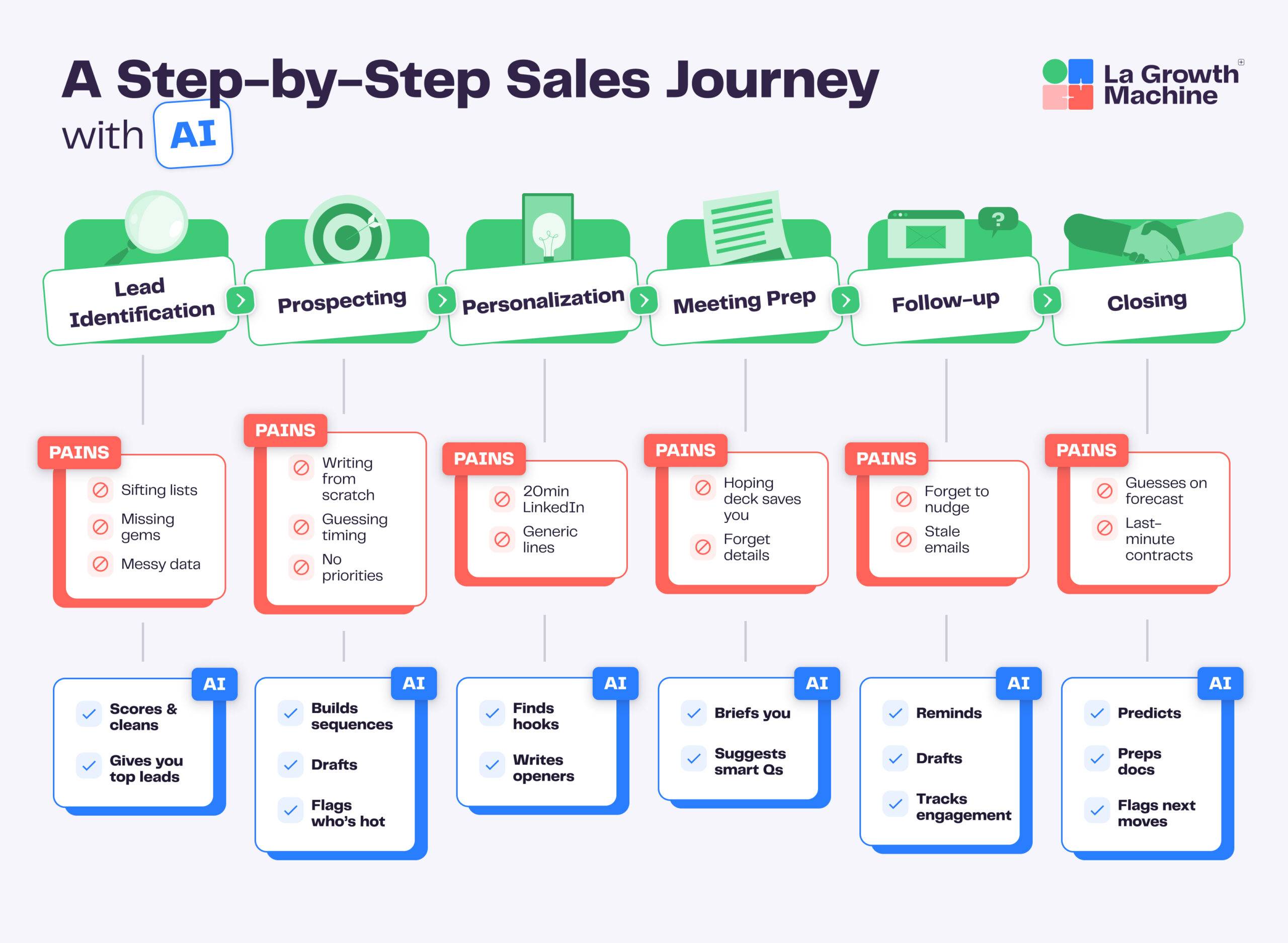
La Growth Machine automates sales outreach across LinkedIn, Email, Twitter/X, and calls in a single platform. Built for sales teams and recruiters who’d rather close deals than copy-paste messages, this prospecting software takes a multichannel-first approach that gets 3.5x more replies than email-only campaigns.
Key features
- LinkedIn Intent Data: Import people who liked or commented on LinkedIn posts, signed up for events, or follow your company page—reach prospects when they’re already paying attention
- Lookalike Search: Give it your best client’s name and it finds similar companies automatically, plus suggests new opportunities after positive replies
- LinkedIn Voice Messages: Send automated voice messages that double reply rates; AI clones your voice to personalize at scale
- Multichannel Inbox: All conversations from LinkedIn, Email, and Calls appear in one thread—qualify leads with one click and share team inbox access
- Waterfall Enrichment: Finds verified emails using 9 providers with double validation and scoring
- Real Chat Mode: Automated LinkedIn messages that look like real conversations, not robotic sequences
- Social Warming: Automatically likes posts and follows prospects before you reach out
Pros & cons
Pros:
- Combines LinkedIn, Email, Twitter/X, and Calls—actually multichannel, not just email with LinkedIn bolted on
- AI voice messages and social warming features competitors don’t have
- Drag-and-drop sequence builder with hundreds of templates
- Built-in deliverability protection keeps your accounts safe
Cons:
- Takes time to learn if you’re new to multichannel prospecting
- Needs LinkedIn account for full features
Pricing
Basic Plan: €50/month per identity
Pro Plan: €100/month (adds Lookalike Search, LinkedIn Intent Data, Social Warming)
Ultimate Plan: €150/month (adds advanced CRM integrations, webhooks)
All plans include 14-day free trial, no credit card required. Credits roll over month to month.
Best for
B2B sales teams, recruiters, and growth marketers who want to scale personalized outreach. Works especially well if email-only prospecting isn’t getting you enough replies or if LinkedIn is your primary channel.
2. Derrick App: Best for Google Sheets-based prospecting

Overview
Derrick App turns Google Sheets into your prospecting headquarters. Import, scrape, enrich, verify, and automate—all without leaving Sheets. No technical skills needed. What makes Derrick different: 50+ enrichment attributes per contact and built-in AI (Claude and ChatGPT) for lead scoring and segmentation.
Key features
- LinkedIn Sales Navigator import: One-click import from Sales Navigator directly to Google Sheets
- 50+ enrichment attributes: Verified emails, phone numbers, job titles, company data per contact
- AI-powered functions: OpenAI and Claude automatically score leads, summarize profiles, segment lists
- Email verification: Real-time validation reduces bounce rates
- Tech stack lookup: See what technologies target companies use
- Rollover credits: Unused credits carry over—you keep what you paid for
Pros & cons
Pros:
- Lives in Google Sheets, no new platform to learn
- Credits roll over monthly
- 3,000+ integrations via Zapier, Make, n8n
- Free plan with 200 credits/month
Cons:
- Limited to Google Sheets
- No built-in outreach or campaign features
- Manual setup for automation workflows
Pricing
Free: 200 credits
Small: 4,000 credits at €9/month
Medium: 10,000 credits at €20/month
Large: 25,000 credits at €47.50/month
XL: 100,000 credits at €175/month
Credit system: 1 credit = 1 action. All credits roll over.
Best for
Freelancers, small teams, and startups who work in Google Sheets. Good fit if you need data enrichment and lead generation without a full sales engagement platform.
3. Apollo.io: Best for enterprise sales teams
Overview
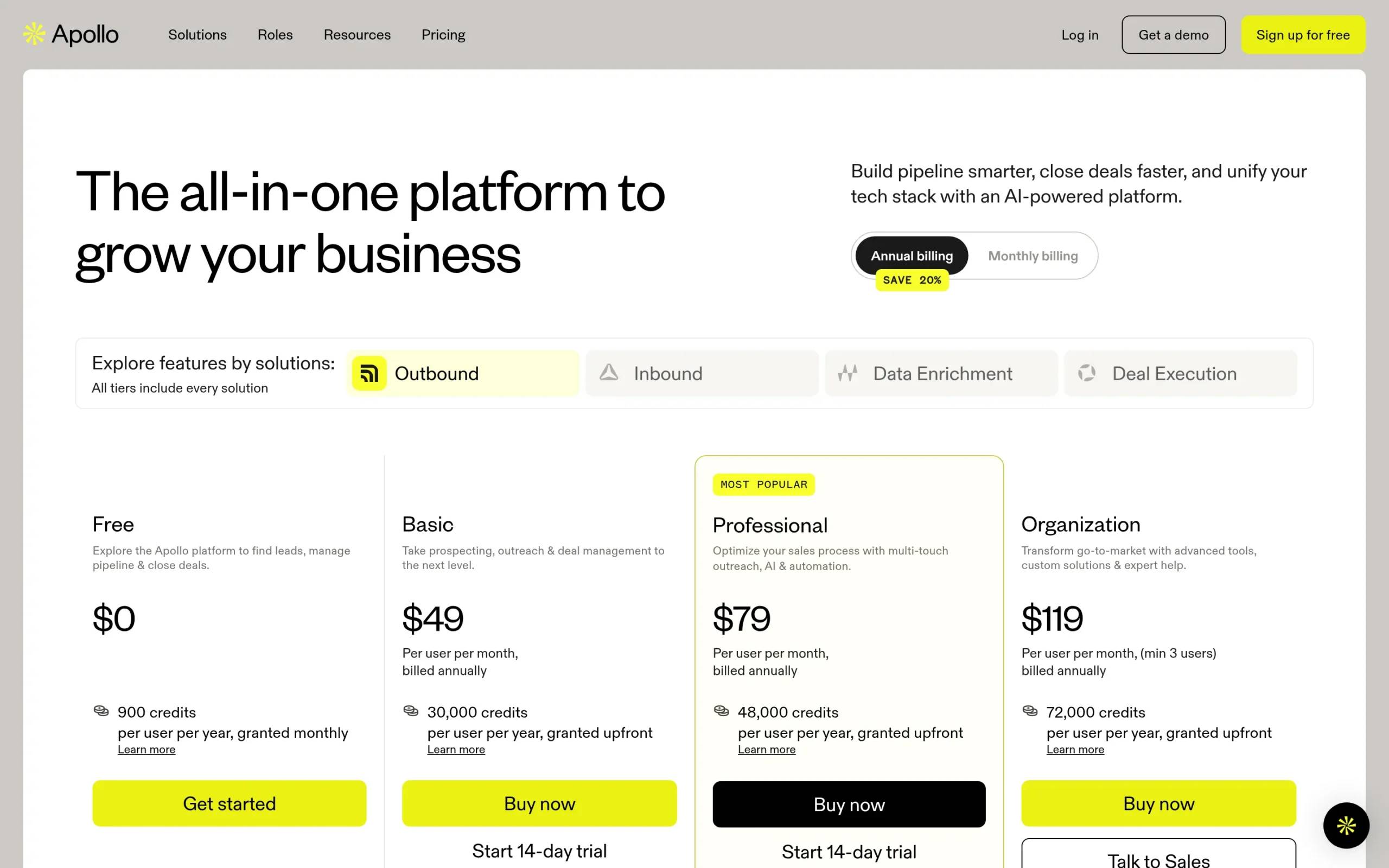
Apollo.io combines outbound sales, inbound lead conversion, data enrichment, and deal execution in one platform. Access to 210+ million contacts and 30 million companies.
Key features
- Massive contact database: 210+ million contacts, 30 million companies with verified emails and phone numbers
- AI-powered campaigns: Multichannel campaigns with built-in email deliverability protection
- Inbound lead conversion: Anonymous visitor identification, real-time form enrichment, instant routing
- Deal execution tools: AI-powered call summaries, pre-meeting insights, pipeline boards
- Workflow automation: Prioritized task lists automate repetitive tasks
Pros & cons
Pros:
- 250+ million data points for lead generation
- Easy to use with powerful search filters
- Find decision-makers by industry, geography, role
- High ratings for outreach effectiveness
Cons:
- Data accuracy varies
- Fewer third-party integrations than competitors
- Slows down during heavy usage
- Complex platform takes time to master
Pricing
Free Plan (limited credits)
Basic, Professional, and Enterprise plans (increasing features)
Enterprise: customizable for large organizations
Free trial available.
Best for
B2B sales and marketing teams—sales leaders, account executives, SDRs. Works for both startups and larger enterprises looking to streamline processes.
4. Hunter.io: Best for email finding and verification
Overview
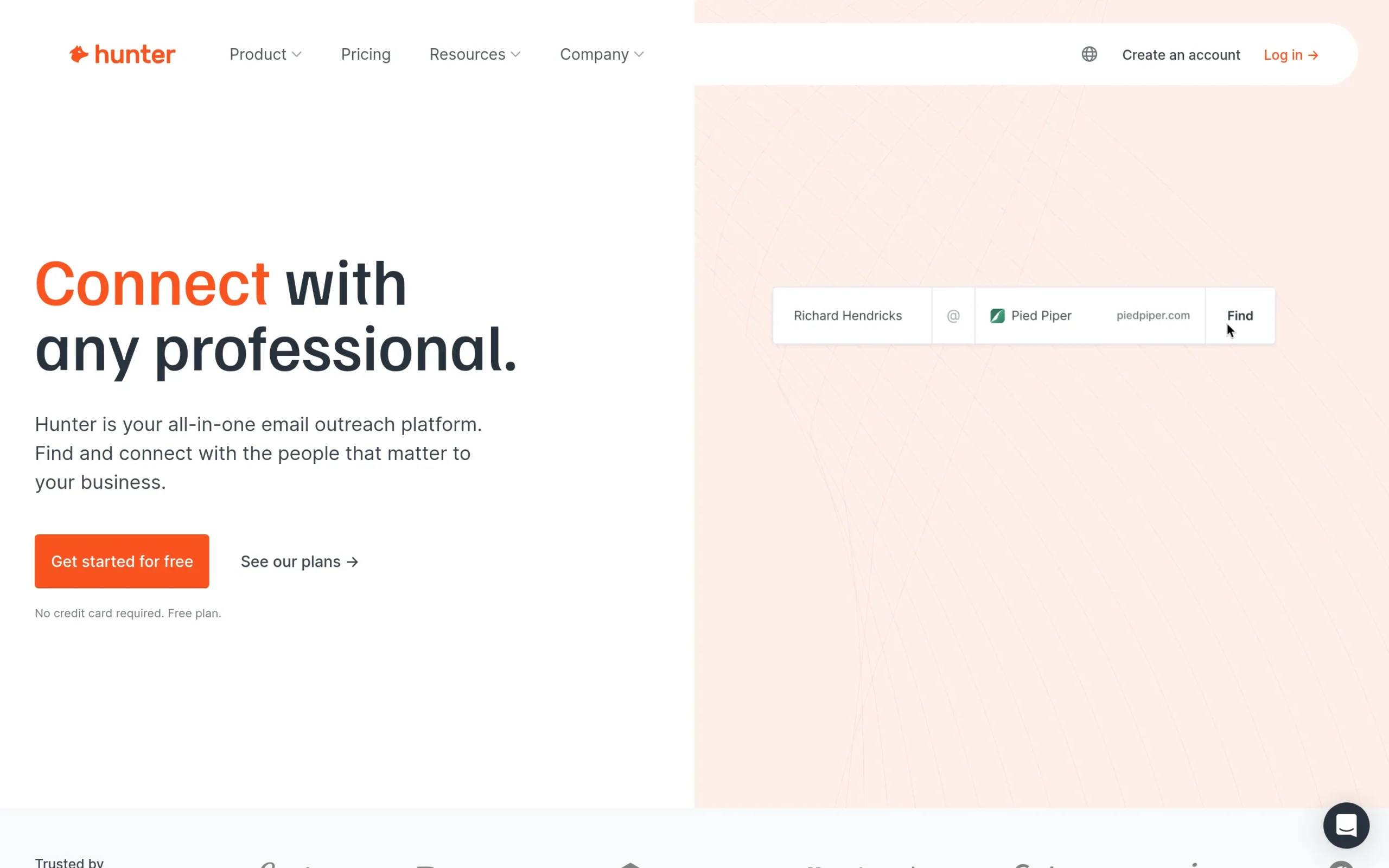
Hunter.io finds and verifies professional email addresses. Includes Email Finder, Email Verifier, Domain Search, plus cold email campaign management and workflow integrations.
Key features
- Email Finder: Enter name and domain, get email address—high match rates
- Email Verifier: Checks validity to avoid bounces
- Domain Search: Find all emails for a specific company
- Cold email campaigns: Compose, schedule, track campaigns in Gmail, Google Workspace, Outlook
- CRM integrations: Connects with Google Sheets and CRMs
Pros & cons
Pros:
- Easy to navigate
- High accuracy for email finding
- Integrates with popular tools
- Free plan available
Cons:
- Some email addresses are wrong
- Free version is limited
- Expensive for high-volume use
Pricing
Free: $0/month (50 credits)
Starter: $49/month (2,000 credits)
Growth: $149/month (10,000 credits)
Scale: $299/month (25,000 credits)
Enterprise: custom pricing
Best for
Sales and marketing teams, startups, growth-focused companies doing B2B sales and cold emailing. Good choice if email finding and verification are your main needs.
5. ZoomInfo: Best for enterprise B2B intelligence
Overview
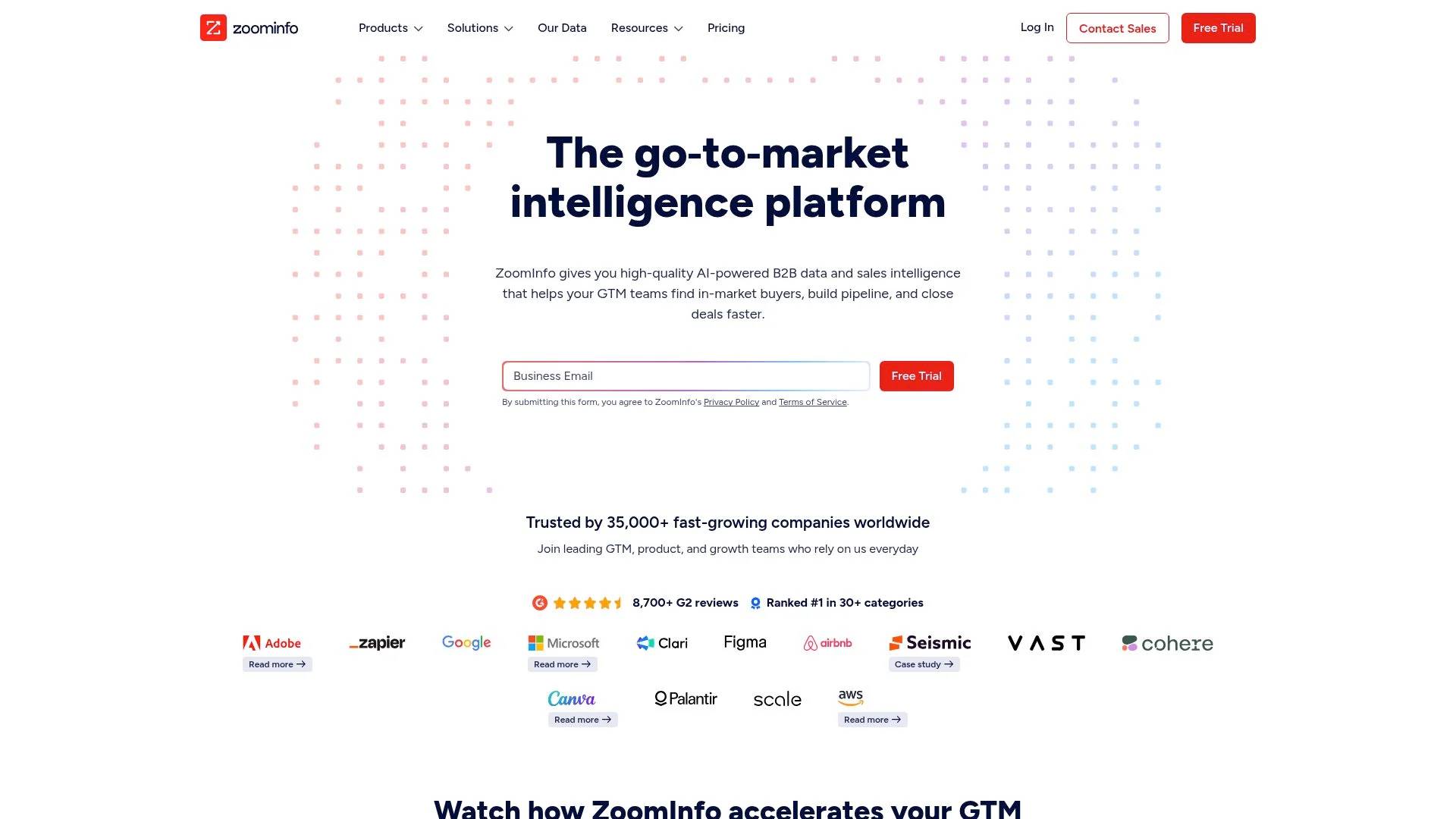
ZoomInfo provides comprehensive data on companies and professionals for sales, marketing, and recruiting teams. Millions of businesses and professionals in their database.
Key features
- Comprehensive contact database: Detailed information on millions of businesses and professionals
- Advanced search and filtering: Find ideal prospects with sophisticated filters
- Real-time alerts: Get notified about prospect activity and buying signals
- CRM integration: Deep connections with major CRM systems
- Data enrichment: Automatically cleans and enriches existing contacts
Pros & cons
Pros:
- Strong data source for B2B prospects
- Accurate contact information
- Valuable intent data identifies warm prospects
- Advanced features for enterprise teams
Cons:
- Expensive for SMBs
- Customer service problems
- Contract guarantees can be misleading
Pricing
Not publicly displayed.
Best for
Sales and marketing teams, recruiters, enterprise clients needing comprehensive B2B contact data. Better for larger organizations with budget for premium intelligence.
6. Clearbit: Best for data enrichment and form optimization
Overview
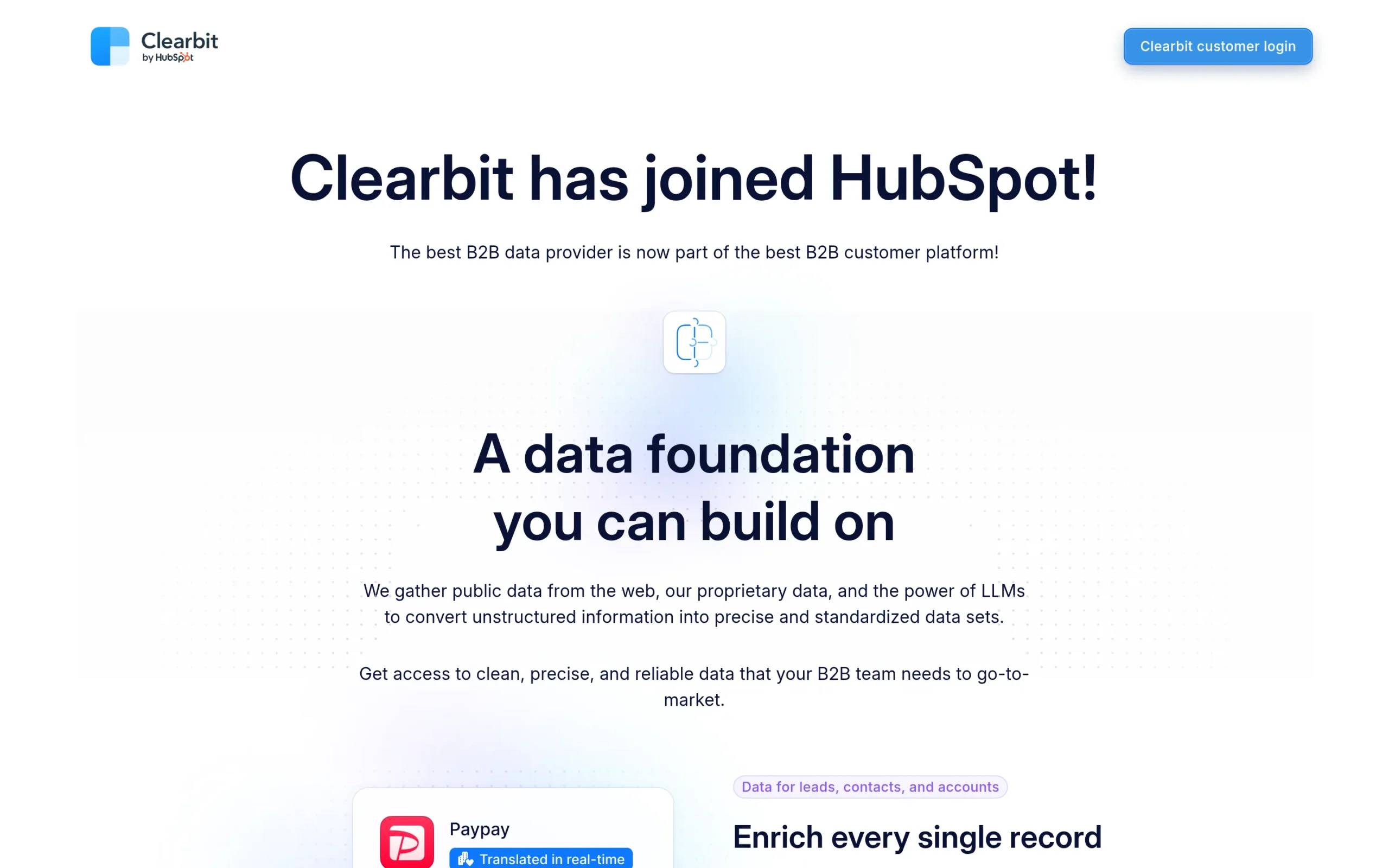
Clearbit gathers public data, proprietary data, and uses LLMs to create standardized datasets. Enriches leads and accounts with precise data, real-time scoring and routing, plus reveals buying intent from anonymous website traffic.
Key features
- Data enrichment: Precise data for leads, contacts, accounts with global coverage
- Form shortening: Reduce form fields—just need email address, rest gets enriched automatically—improves conversions
- Lead scoring and routing: Instant real-time scoring using industry info and corporate hierarchies
- Buying intent identification: Turns anonymous website visitors into buying intent signals with IP intelligence
- Role normalization: Standardizes roles and seniorities to match your ideal customer profile
Pros & cons
Pros:
- Easy to use, seamless CRM integration
- High accuracy for data enrichment
- Detailed insights for better targeting
- Good for SaaS sales and marketing
Cons:
- Expensive for smaller businesses
- Limited as standalone prospecting tool
- No transparent pricing
Pricing
Not publicly displayed.
Best for
B2B companies with sales and marketing teams focused on lead generation. Works well for enterprises and growth teams needing precise data to identify high-fit leads.
7. Snov.io: Best for budget-conscious teams
Overview
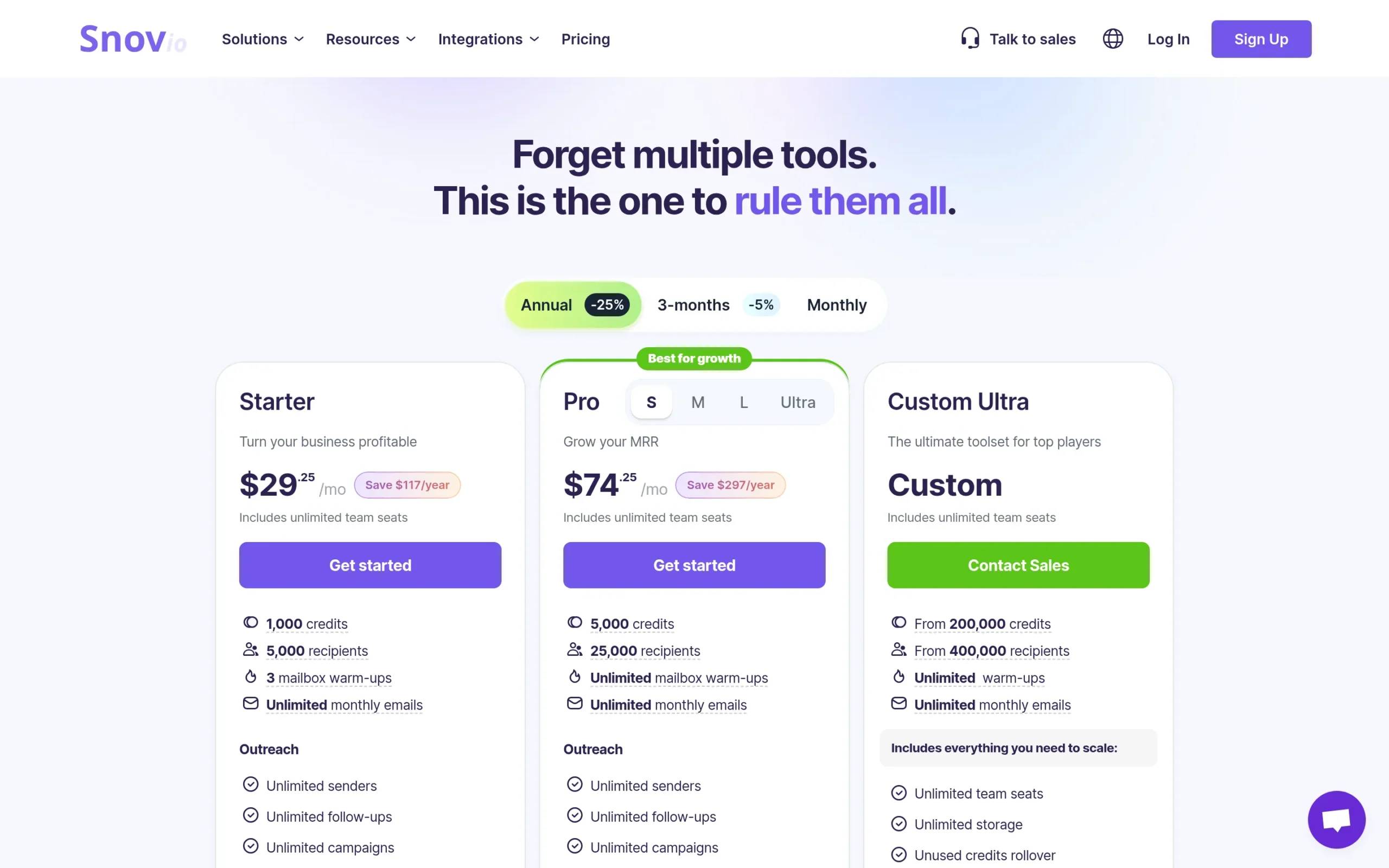
Snov.io handles lead generation, email verification, and outreach automation. Includes email finder, LinkedIn automation, and sales CRM to improve deliverability. Integrates with 5,000+ tools.
Key features
- Email finder: Find and collect pre-verified leads based on ideal customer profile
- Cold email outreach: Personalized campaigns with unlimited sender accounts, reply sentiment analysis
- Email verifier: 7-tier verification, 98% accuracy to reduce bounces
- LinkedIn automation: Automate LinkedIn campaigns with personalized actions
- Sales CRM: Google Calendar sync, automated deals, deal loss analytics
Pros & cons
Pros:
- Easy to learn
- Strong customer support
- Effective email campaign tools
- 98% data verification accuracy
Cons:
- Smaller email search database
- Email management issues in basic plans
- Advanced features have learning curve
- No A/B testing in basic plans
Pricing
Starter: $39/month (1,000 credits)
Pro: $99/month (5,000 credits)
Custom Ultra Plan: for larger needs
Annual subscriptions get discounts. Free trial, no credit card required.
Best for
Sales and marketing teams, startups, SMBs wanting to improve lead generation, email outreach, and CRM. Good for budget-conscious teams needing core prospecting features.
8. LeadIQ: Best for CRM enrichment
Overview
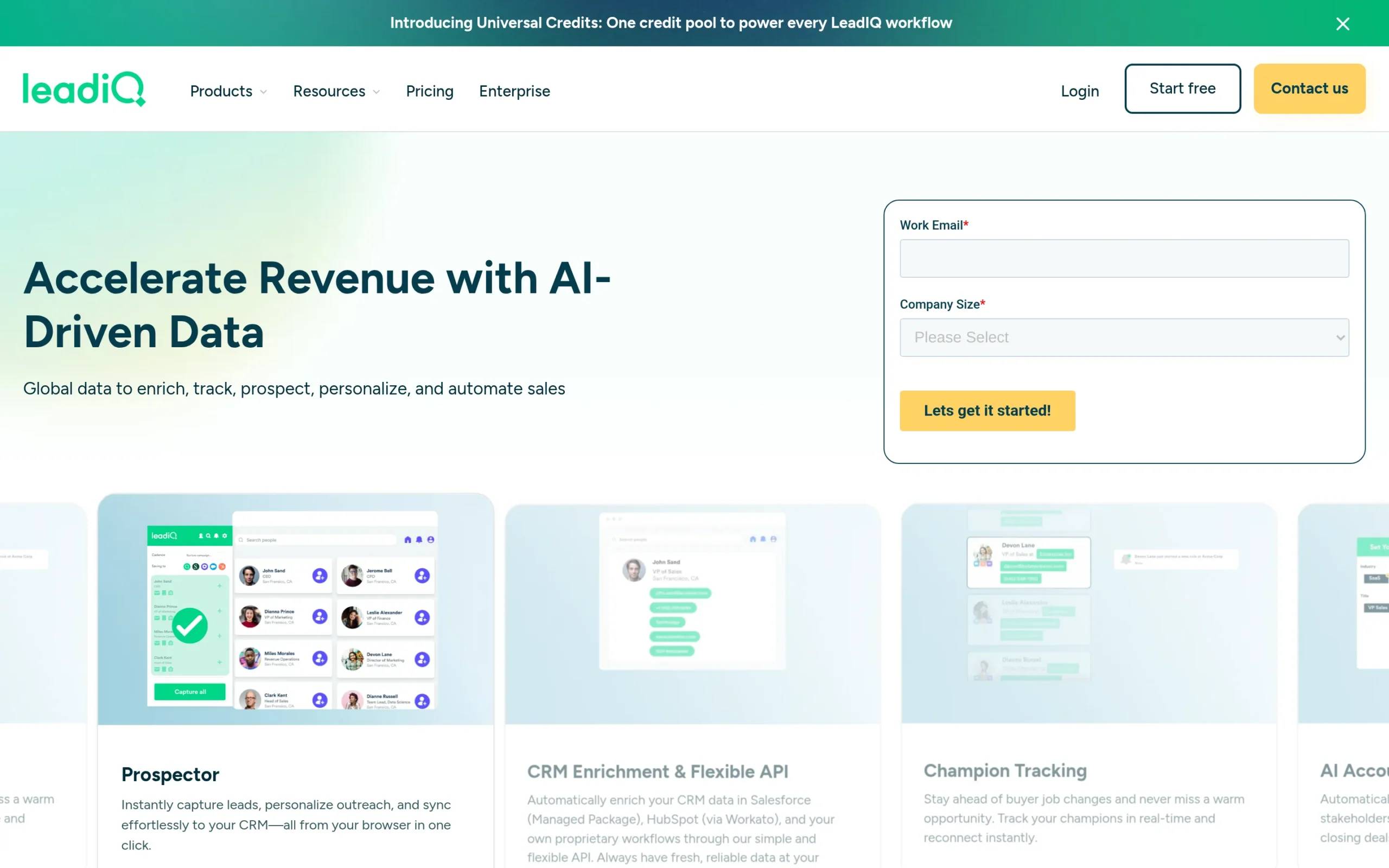
LeadIQ helps sales teams find and capture leads, personalize outreach, and sync data with CRM systems. Tracks job changes, enriches CRM data, automates prospecting workflows. Integrates with Salesforce and HubSpot.
Key features
- Real-time champion tracking: Automatically detects when key contacts change roles—keep relationships warm
- AI-powered account prospecting: Surfaces high-fit accounts and key contacts to prioritize opportunities
- Real-time CRM enrichment: Keeps Salesforce and HubSpot data fresh automatically
- Instant prospecting: Capture, personalize, sync lead info from browser to CRM
- Seamless integration: Syncs with major sales tools
Pros & cons
Pros:
- Intuitive interface
- Smooth lead capture from Sales Navigator
- Good CRM integration
- Current contact information
Cons:
- Data accuracy problems
- Wrong email addresses
- Costs increase with usage
Pricing
Free: $0/month (50 credits)
Pro: $15/month
Enterprise: custom pricing
Free trial available.
Best for
B2B sales teams wanting better prospecting with CRM integration. Good for SDRs and business development teams using Salesforce and HubSpot to accelerate pipeline growth.
9. Kaspr: Best for LinkedIn prospecting
Overview
Kaspr provides contact data for 200+ million profiles. LinkedIn Chrome Extension gives instant access to phone numbers and emails on LinkedIn profiles. Bulk enrichment and sales tool integrations included.
Key features
- LinkedIn Chrome Extension: Get contact data directly on LinkedIn—instant phone numbers and emails
- Bulk data enrichment: Enrich entire lead lists at once
- API access: Quick, automated searches for contact data
- All-in-One prospecting dashboard: Manage leads, set up automations, organize prospecting
- Integration options: Syncs with key sales and recruitment platforms
Pros & cons
Pros:
- User-friendly
- Effective lead generation on LinkedIn
- Fast contact information gathering
- Strong LinkedIn integration
Cons:
- Data sometimes inaccurate
- Limited customer support
- Expensive for what it offers
Pricing
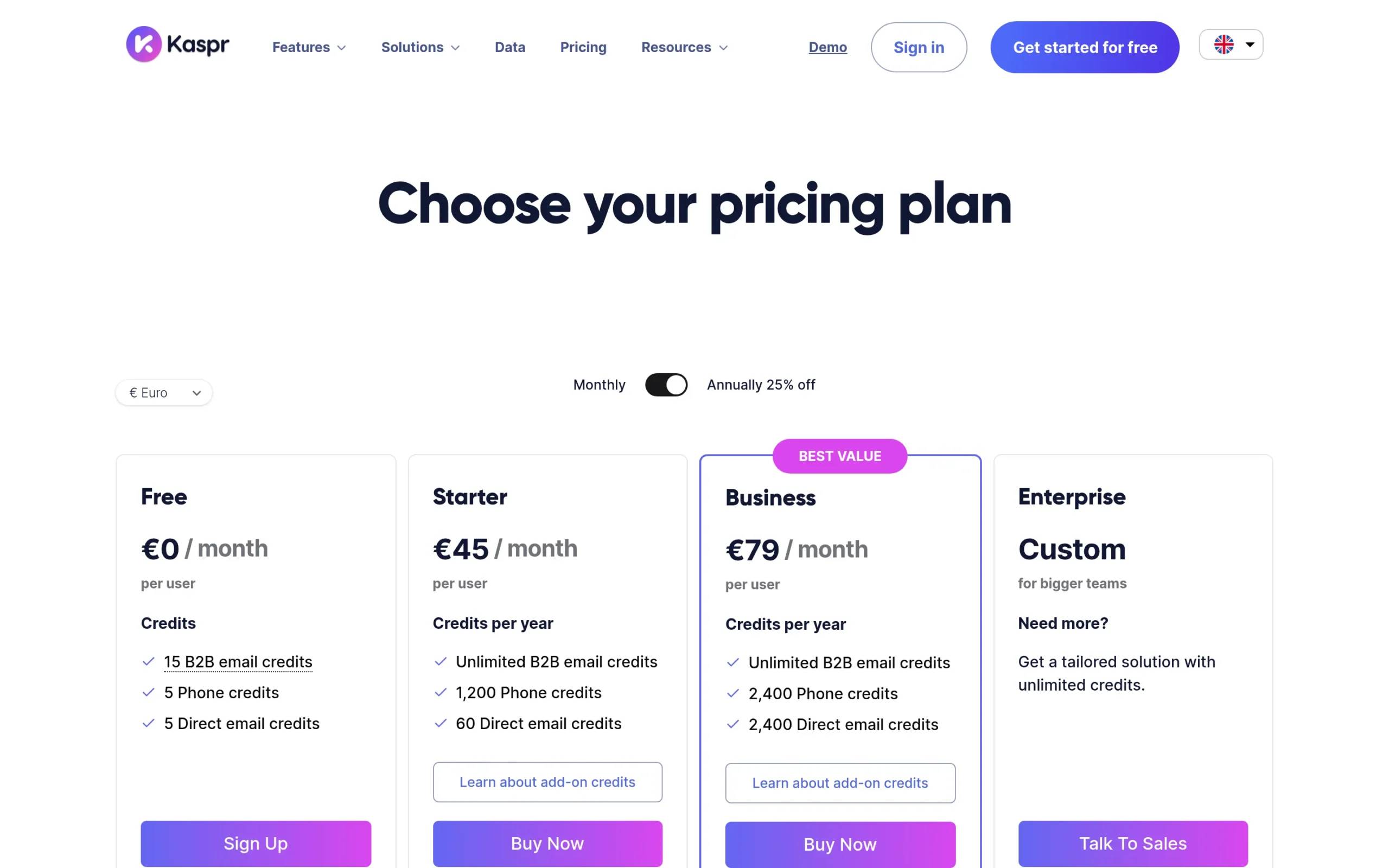
Free: €0/month (15 email credits, 5 phone credits)
Starter: €45/month annually (unlimited emails, 100 phone credits)
Business: €79/month annually (unlimited emails, 200 phone credits)
Enterprise: custom pricing
Best for
Sales teams, recruiters, founders who prospect heavily on LinkedIn. Good if you need quick contact access while browsing LinkedIn profiles.
10. Cognism: Best for European markets
Overview
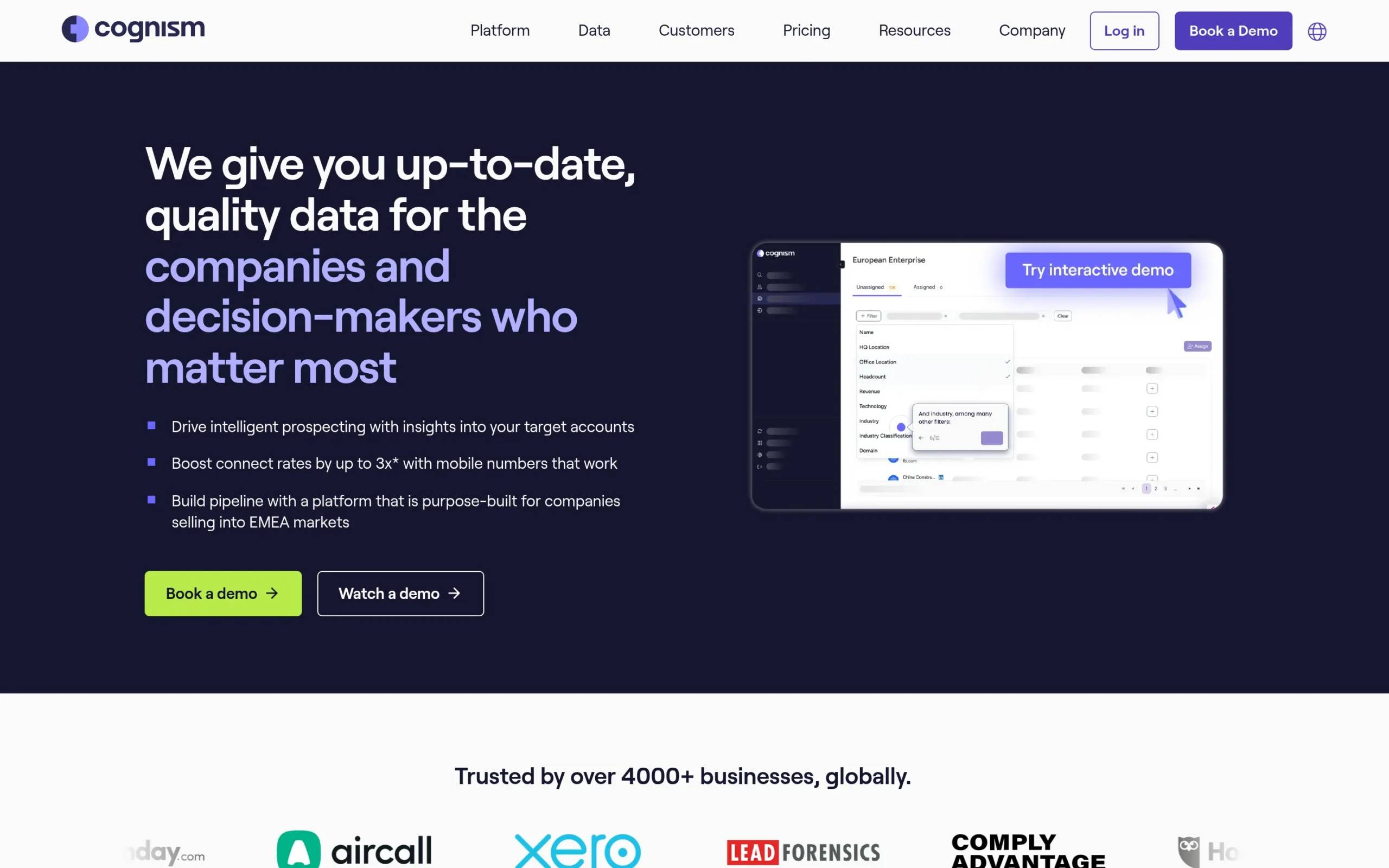
Cognism provides quality data for companies and decision-makers with intelligent prospecting insights. Phone-verified mobile numbers boost connect rates. Strong in European markets. GDPR compliant with data enrichment and signal data for market changes.
Key features
- Diamond Data®: Phone-verified data, accurate and fresh—specializes in European markets
- Sales Companion: Personalized assistant with recommended contacts and intelligent signal data
- Signal Data: Hiring trends, funding rounds, technographic data to personalize outreach and spot market changes
- Data-as-a-Service: Real-time verified, GDPR and CCPA compliant B2B data
- CRM integrations: Seamless transfers to Salesforce, HubSpot, other sales tools
Pros & cons
Pros:
- High-quality, GDPR-friendly contacts
- Accurate data in EMEA region
- User-friendly
- Effective for B2B lead generation
Cons:
- Expensive
- Basic features for the price
- Less accurate outside Europe
- Long contract commitments
Pricing
Two packages: Grow (essential prospecting data) and Elevate (Grow plus advanced intelligence). Custom pricing.
Best for
Sales, marketing, and revenue operations teams focused on B2B sales in EMEA. Good for enterprises needing GDPR-compliant contact data and accurate decision-maker info in European markets.
11. Findymail: Best for email verification accuracy
Overview
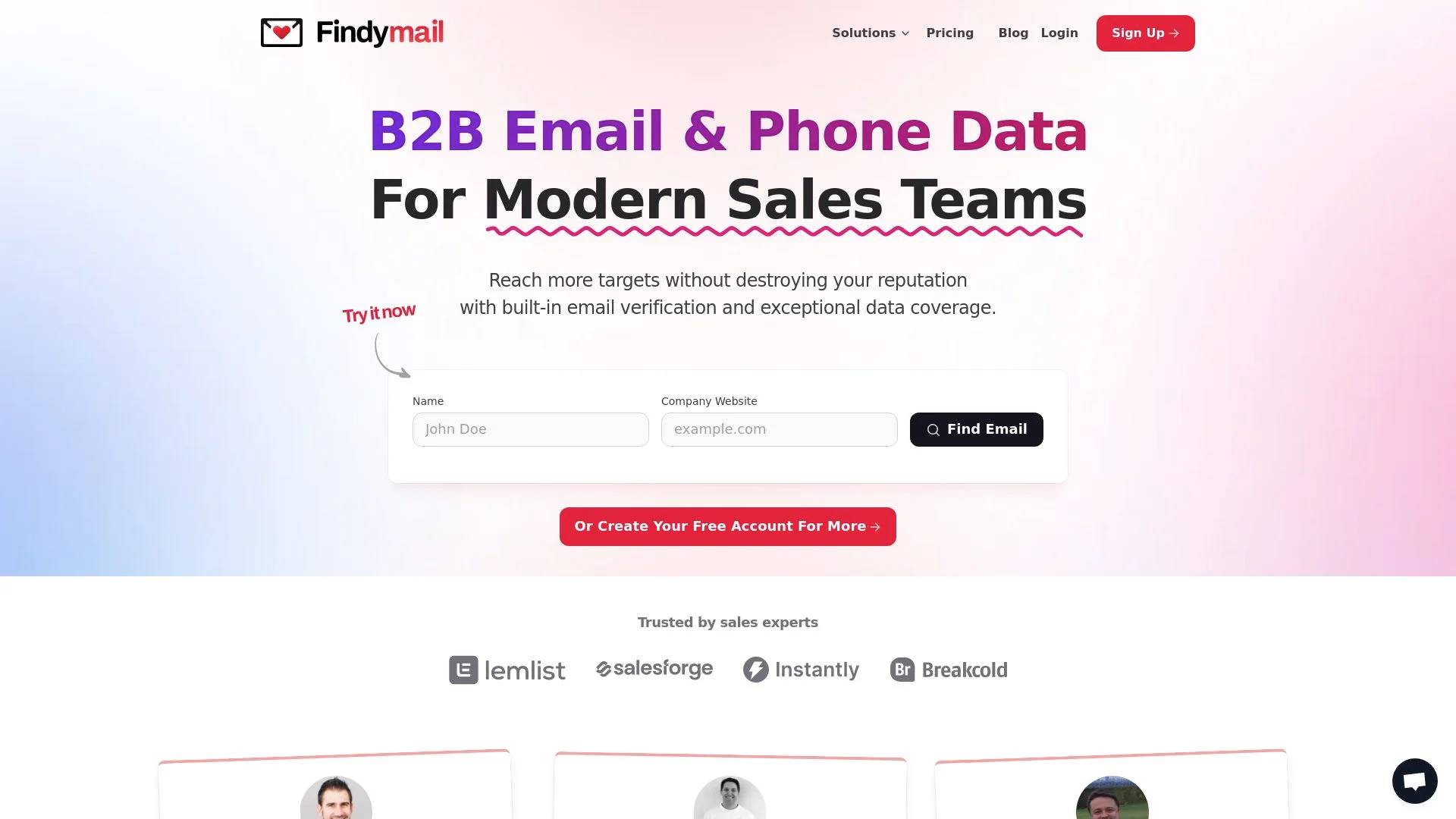
Findymail provides B2B email and phone data to help sales teams reach more targets with verified contacts. AI Lead Finder, Email Finder, and Email Verifier ensure accuracy and reduce bounces. CRM integration automates data enrichment and cleaning.
Key features
- Email verification: Advanced verification guarantees less than 5% bounce rates
- Automated exports: Automatic data exports from B2B platforms save prospecting time
- CRM enrichment: Automatic cleaning and enrichment keeps CRM current
- Intellimatch AI Lead Search: AI qualifies leads by visiting websites, understanding queries
- Bulk finder: Find emails and phone numbers in bulk—one-click enrichment for thousands of contacts
Pros & cons
Pros:
- User-friendly
- Efficient email finding
- Reliable customer support
- Low bounce rates guaranteed
Cons:
- Occasional email data inaccuracies
- Fewer integrations than competitors
- Smaller contact database
Pricing
Starter: $99/month (5,000 Finder Credits, 5,000 Verifier Credits)
Enterprise: custom pricing
Annual billing: 2 months free. Free trial finds 10 emails, no credit card.
Best for
B2B sales teams needing accurate, verified contact data. Good for sales professionals, business development managers, founders who prioritize high-quality lead generation and email verification.
How to choose the right prospecting software for your business
Picking prospecting software isn’t about finding the tool with the longest feature list. It’s about matching capabilities to what your team actually needs.
Start with your primary use case
Are you mainly prospecting on LinkedIn? Email? Both? Some tools excel at one channel and treat others as afterthoughts. If LinkedIn is where your prospects actually respond, prioritize prospection applications built for multichannel from the ground up—not email tools with LinkedIn bolted on later.
Consider your team size and structure
Solo founders and small teams (1-5 people) need affordable, easy-to-use tools that don’t require training. Look for simple pricing, good templates, and support that actually helps.
Mid-size teams (10-50) need collaboration features: shared inboxes, team performance tracking, and CRM integration so everyone stays aligned.
Enterprises need advanced data, compliance features, dedicated support, and the ability to manage multiple users across departments.
Match the tool to your technical comfort level
Some prospecting solutions require setup: connecting multiple email accounts, configuring deliverability settings, building complex sequences. Others work out of the box with templates and presets.
Be honest about your team’s technical skills. A powerful tool you can’t figure out is worthless.
Budget realistically
Prospecting software ranges from free plans with limited features to enterprise tools costing thousands per month. Calculate cost per user, factor in add-ons (extra credits, premium features), and remember that cheap tools with bad data waste more money than they save.
Test before committing
Most SaaS prospecting platforms offer free trials. Actually use them. Build a real campaign, test the interface, see if you get responses. Don’t just take demos at face value—sales reps will show you the best-case scenario, not what daily use actually feels like.

Evaluating prospecting software: Key selection criteria
Selecting the right prospecting software requires balancing technical capabilities, team requirements, and budget constraints. After analyzing 47 prospecting systems across 200+ B2B companies, here are the critical criteria that separate effective tools from expensive distractions.
Data accuracy and enrichment depth
Your prospecting system is only as good as the contact data it provides. Prioritize platforms offering:
Email accuracy rates above 92%: Tools like La Growth Machine (95%+ via Dropcontact integration) and Apollo deliver higher inbox placement than budget alternatives hitting 70-80% accuracy. Low accuracy wastes sending capacity and damages sender reputation.
Professional + personal email coverage: The best prospecting software finds both work emails (@company.com) and personal addresses (@gmail.com). This matters when prospects change jobs—personal emails maintain continuity where corporate addresses bounce.
Real-time verification: Static databases decay at 30% annually. Systems with real-time verification (checking email validity immediately before sending) prevent hard bounces that hurt deliverability. La Growth Machine and Instantly verify contacts within your workflow, not during list-building.
Phone number availability: If your sales process includes calls, ensure your prospecting tool provides direct dials + mobile numbers. ZoomInfo and Cognism lead here, though they’re 3-5x more expensive than email-focused platforms.
Checklist: Data quality requirements
- Email accuracy >92% (verify via G2 reviews or trial testing)
- Both professional and personal email coverage
- Real-time verification before sending
- Phone data if cold calling is part of your cadence
- GDPR compliance for EU contacts (CCPA for US)
Integration ecosystem and workflow compatibility
Prospecting software must sync seamlessly with your existing stack. Evaluate:
Native CRM integration: Bi-directional sync with HubSpot, Salesforce, or Pipedrive eliminates manual data entry. La Growth Machine, Apollo, and Outreach offer native integrations that automatically log emails, LinkedIn touches, and replies into your CRM timeline. Tools requiring CSV exports create data silos and slow sales velocity.
Workflow automation compatibility: Can you trigger prospecting sequences from Zapier, Make, or webhooks? Advanced teams build “if prospect downloads whitepaper → add to LinkedIn + email sequence” automations. Platforms with robust APIs (La Growth Machine, Instantly, Reply) enable this; closed systems don’t.
Email provider support: Verify your prospecting system works with your sending infrastructure. Most support Gmail and Outlook. If using Google Workspace or Microsoft 365 with custom domains, confirm SMTP compatibility and whether the tool handles DMARC/SPF/DKIM authentication automatically.
Calendar integration for meeting booking: The best prospecting software integrates with Calendly, Chili Piper, or native calendar tools. When a prospect replies positively, sales reps should book meetings in 2 clicks, not copy-paste Calendly links manually.
Budget considerations: Total cost of ownership
Pricing pages show base costs. Real spend includes hidden fees. Calculate your actual Total Cost of Ownership (TCO):
Base license fees: Most prospecting systems charge per user/month. Instantly ($30/user), Smartlead ($39/user), and La Growth Machine (€60/user for Basic plan) sit at the accessible end. Apollo ($79/user), Reply ($90/user), and Outreach ($100+/user) command premium pricing.
Email account costs: Many platforms charge separately for sending email accounts (the inboxes used to send cold emails). Lemlist adds $29 per inbox beyond 3 included accounts. La Growth Machine includes unlimited inboxes on all plans—critical for scaling teams rotating 10+ sender addresses.
Warmup/deliverability add-ons: Email warmup services ($20-60/month per inbox) are often mandatory but sold separately. Instantly includes warmup in base pricing; Lemlist charges $59/month extra for Lemwarm. Factor this into TCO.
Data enrichment credits: Platforms like Apollo and ZoomInfo sell contact credits separately. If you prospect 1,000 new leads monthly, you might pay $200-500 extra for enrichment beyond base limits. La Growth Machine includes 250-1,000 enriched leads/month depending on plan, with no per-contact fees.
TCO Example (3-person SDR team, 1,500 prospects/month):
- Lemlist: $165 base + $59 warmup + $87 extra inboxes = $311/month
- La Growth Machine: €180 ($200) all-inclusive (Basic plan for 3 identities + unlimited inboxes)
- Instantly: $90 base + $0 warmup (included) + $60 extra inboxes = $150/month
Matching tools to team size and sales motion
Solo founders and micro-teams (1-3 reps): Prioritize simplicity and low entry cost. La Growth Machine’s Basic plan (€60/month) or Instantly ($30/month) offer full automation without enterprise complexity. Avoid platforms requiring dedicated Sales Ops support.
Growing teams (5-15 reps): You need collaboration features—shared templates, team performance dashboards, A/B testing. La Growth Machine Pro, Reply, and Apollo provide multichannel inbox management where multiple reps handle replies from centralized queues.
Enterprise (15+ reps): Advanced reporting, custom roles/permissions, dedicated IP addresses, and SSO matter here. Outreach, Salesloft, and La Growth Machine Ultimate deliver enterprise-grade controls. Ensure your prospecting system supports manager oversight without bottlenecking rep productivity.
Sales motion alignment: Transactional sales (<$5K ACV) benefit from high-volume email tools (Instantly, Smartlead). Complex sales ($50K+ ACV) require multichannel orchestration (La Growth Machine's Email + LinkedIn + Twitter) to nurture longer buying cycles. Match channel complexity to deal complexity.
Types of prospecting tools by function
Prospecting software isn’t one-size-fits-all. The market segments into four functional categories, often overlapping but serving distinct use cases.
Contact database platforms
Primary function: Provide access to millions of B2B contacts with search filters (job title, company size, industry, location).
Examples covered earlier: ZoomInfo (65M+ contacts), Apollo (275M+ contacts), Cognism (400M+ contacts in Europe).
Best for: Teams who need extensive contact lists before prospecting begins. Useful when entering new markets or building account-based marketing (ABM) lists from scratch.
Limitation: These platforms find contacts but don’t automate outreach. You’ll export CSVs and upload to separate engagement tools. Apollo bridges this gap by including basic email sequencing, but lacks multichannel capabilities like LinkedIn automation.
Pricing reality: Contact database platforms are expensive ($100-150/user/month minimum). Solo founders often find better ROI using integrated tools like La Growth Machine or Reply that include enrichment within prospecting workflows.
Email verification and deliverability tools
Primary function: Validate email addresses and warm up inboxes to avoid spam folders.
Examples covered earlier: Hunter (email verification), NeverBounce (email validation), Warmbox/Lemwarm (inbox warmup).
Best for: Teams experiencing deliverability issues (emails landing in spam) or needing to validate scraped/purchased lists before sending.
Integration note: Many modern prospecting systems (Instantly, Smartlead, La Growth Machine) now include email verification and warmup natively, reducing the need for standalone tools. If your prospecting software lacks these features, budget an additional $20-50/month per sending inbox for third-party warmup.
Multi-channel engagement platforms
Primary function: Automate outreach across email, LinkedIn, Twitter/X, and phone in unified sequences.
Examples covered earlier: La Growth Machine (Email + LinkedIn + Twitter), Reply (Email + LinkedIn + Calls via Chrome extension), Outreach (enterprise multichannel).
Best for: B2B companies where buyers engage across multiple channels. Research shows multichannel sequences (LinkedIn connection → Email → LinkedIn message → Email follow-up) generate 3.5x more replies than email-only outreach.
Cloud vs extension consideration: La Growth Machine operates cloud-based with dedicated IPs, minimizing LinkedIn ban risk (<0.1%). Reply and some competitors rely on Chrome extensions that mimic human behavior locally but carry higher detection risk (3-5% ban rates reported on Reddit). Choose cloud platforms if LinkedIn safety is critical.
Why multichannel matters: Decision-makers receive 120+ emails daily but only 10-15 LinkedIn messages weekly. Combining channels breaks through inbox saturation. For complex B2B sales (6+ month cycles, $50K+ deals), multichannel prospecting is table stakes.
Conversation intelligence and sales engagement suites
Primary function: Record calls, analyze conversations, and provide AI-driven coaching alongside prospecting automation.
Examples covered earlier: Outreach (includes conversation intelligence), Salesloft (Drift integration for chat).
Best for: Enterprise teams (50+ reps) needing full-stack sales automation—prospecting, call recording, email tracking, and manager dashboards in one platform.
Overkill for: Small teams (<10 reps) who don't need call recording or complex manager reporting. These platforms start at $100-150/user/month and require dedicated Sales Ops resources to implement.
Typical buyer profile: Series B+ startups with specialized SDR and AE roles. If your reps handle prospecting + closing, simpler multichannel tools (La Growth Machine, Reply, Instantly) deliver better ROI.
Get 3.5X more leads!
Are you looking to improve your sales department’s efficiency? LaGrowthMachine allows you to generate an average of 3.5x more leads, while saving an incredible amount of time on all your processes. By signing up today, you get a 14-day trial period at no cost to test our tool!
Frequently asked questions
What’s the difference between prospecting software and a CRM?
Prospecting software finds and reaches out to new leads. CRMs manage existing relationships, track deals, and organize customer data.
Think of it this way: prospecting tools fill the top of your pipeline with new conversations. CRMs manage those conversations through close.
Some prospecting solutions include basic CRM features (contact management, deal tracking), and many CRMs added prospecting tools later. But specialized prospection applications usually do outreach better because that’s their core focus.
Most teams use both: prospecting software to generate leads, CRM to manage the sales process. The best setup integrates them so contacts and conversations sync automatically.
Can prospecting software really improve response rates?
Yes, but only if you use it right.
Prospecting software doesn’t magically make bad messages work. What it does: lets you reach more people faster, test what resonates, and coordinate across channels so you’re not relying on email alone.
Multichannel sequences combining LinkedIn and email get 3-5x higher response rates than email-only campaigns because you’re meeting prospects where they actually pay attention.
The real improvement comes from better targeting and personalization at scale. Your prospecting solution should make it easier to segment lists, personalize messages, and optimize based on data—not just send more volume.
Is prospecting software compliant with GDPR and privacy laws?
It depends on the tool and how you use it.
Good prospecting software helps you stay compliant by offering opt-out links, managing unsubscribe requests, and limiting data collection to publicly available information.
You’re responsible for following regulations in your region (GDPR in Europe, CCPA in California, etc.). That means getting consent before contacting EU prospects in most cases, honoring opt-out requests immediately, and storing data securely.
Check if your prospection application includes compliance features: automatic unsubscribe handling, data retention controls, audit logs. Tools focused on European markets usually take GDPR more seriously than US-only platforms.
What metrics should I track to measure prospecting software ROI?
Focus on four metric categories that directly connect prospecting activity to revenue:
1. Engagement metrics (top of funnel)
- Reply rate: Industry benchmark is 1-3% for cold email, 8-12% for multichannel (Email + LinkedIn). La Growth Machine users average 8.9% reply rate via multichannel sequences vs 2.1% email-only.
- Connection acceptance rate (LinkedIn): Healthy rate is 30-40%. Below 20% indicates poor targeting or spammy messaging.
- Email open rate: 40-60% is normal for B2B cold email. Below 30% signals deliverability issues or weak subject lines.
2. Conversion metrics (pipeline impact)
- Meeting booking rate: 15-25% of positive replies should convert to booked meetings. If lower, your sales reps may be slow to respond or calendar booking is friction-heavy.
- Lead-to-opportunity conversion: Track what percentage of prospecting-sourced leads become qualified opportunities in your CRM. Target: 10-15% for outbound prospecting.
- Pipeline generated: Dollar value of opportunities created via prospecting software. If you invest $600/month in La Growth Machine and generate $45K pipeline monthly, that’s 75x ROI before accounting for close rates.
3. Efficiency metrics (rep productivity)
- Time saved per rep: Quality prospecting software saves 10-15 hours/week per SDR (no manual email sending, LinkedIn clicks, or copy-pasting). Multiply hours saved × fully-loaded rep cost to calculate productivity ROI.
- Touches per lead: Best practice is 6-8 touches across 21 days. Your prospecting system should enable this cadence without rep intervention.
- Contacts reached per month: Top SDRs using automation contact 800-1,200 prospects monthly vs 200-400 manual prospecting.
4. Cost efficiency metrics
- Cost per qualified lead: Total prospecting software cost ÷ qualified leads generated. Target: $15-50 per SQL depending on industry.
- Cost per booked meeting: Includes tool cost + rep time. Outbound prospecting should deliver meetings at $80-200 each for mid-market B2B.
- CAC payback period: How many months to recover acquisition cost via customer revenue. Efficient prospecting shortens payback from 18 months to 10-12 months.
Dashboard setup recommendation: Integrate your prospecting software (La Growth Machine, Apollo, etc.) with your CRM to track end-to-end metrics. Use native integrations to automatically attribute pipeline and revenue to specific campaigns and channels.
How long does it take to see results from prospecting software?
Realistic timelines based on 200+ implementations:
Week 1-2: Setup and warmup
Don’t expect results yet. You’re connecting email accounts, warming up inboxes (gradual sending increase to build sender reputation), importing contact lists, and building initial sequences. Premature high-volume sending kills deliverability.
Week 3-4: First replies and learnings
Launch first small-scale campaigns (100-200 prospects). You’ll see initial replies (expect 1-3% reply rate for cold email, 6-10% if multichannel). Iterate messaging based on feedback. A/B test subject lines and opening hooks.
Month 2: Optimization and scaling
By week 5-8, you’ve identified winning templates and channels. Scale to 500-1,000 contacts monthly per rep. Multichannel users (La Growth Machine, Reply) start seeing reply rate improvements as LinkedIn touches warm up email sequences.
Month 3: Consistent pipeline
By month three, prospecting software should generate predictable weekly pipeline. Mature programs deliver 8-15 qualified meetings per SDR monthly. If you’re not hitting 5+ meetings/month by end of quarter one, audit your targeting (ICP match) and messaging (value prop clarity).
Enterprise sales caveat: If your sales cycle is 6-12 months, pipeline generation happens in month 3 but revenue attribution takes 9-15 months. Track leading indicators (reply rate, meeting booking rate) to validate prospecting effectiveness before closed deals appear.
Quick wins to accelerate results:
- Use lookalike targeting based on best current customers
- Test multichannel sequences (Email + LinkedIn) immediately—don’t wait to “master email first”
- Send from multiple inboxes (5-10 addresses) to increase daily send capacity without triggering spam filters
- Respond to all replies within 2 hours (reply speed correlates with meeting booking rate)
Can small teams benefit from prospecting software or is it only for enterprises?
Short answer: Small teams (1-5 reps) often see higher ROI from prospecting software than enterprises because automation dramatically multiplies limited human resources.
Why small teams win with automation:
1. Levels the playing field vs larger competitors
A solo founder using La Growth Machine (€60/month) can reach 500-800 prospects monthly with personalized multichannel sequences—matching the output of a 3-person manual prospecting team at 1/10th the cost.
2. Eliminates need for dedicated SDR hires
Early-stage companies ($0-2M ARR) can’t afford $60K/year SDRs yet. Prospecting software lets founders and first AEs handle outbound without sacrificing 20 hours/week on manual emails and LinkedIn messages.
3. Lower-cost tools designed for small teams
Budget-friendly options like Instantly ($30/month), Smartlead ($39/month), and La Growth Machine’s Basic plan (€60/month) deliver enterprise-grade automation without enterprise pricing. You don’t need Outreach ($100+/user/month) or Salesloft until you’re scaling beyond 15-20 reps.
4. Faster iteration and learning
Small teams make decisions faster. You can A/B test messaging, pivot ICP targeting, and optimize sequences in days vs weeks of committee approvals in enterprises. Prospecting software accelerates this experimentation.
What small teams should avoid:
- ❌ Enterprise platforms (Outreach, Salesloft) requiring Sales Ops support
- ❌ Expensive contact databases (ZoomInfo at $15K+/year) when you only need 500 contacts quarterly
- ❌ Overbuying seats “for future growth”—start with 1-2 licenses and scale as you hire
What small teams should prioritize:
- ✅ All-in-one platforms with enrichment included (La Growth Machine, Apollo, Instantly)
- ✅ Multichannel from day one (Email + LinkedIn generates 3.5x more replies than email alone)
- ✅ Unlimited sending inboxes (rotate 5-10 email addresses to scale volume without spam risk)
- ✅ Simple onboarding (should be running first campaign within 48 hours, not 2 weeks)
ROI example for 2-person startup:
- La Growth Machine Basic: €60/month = €720/year
- Reaches 600 prospects monthly (7,200/year) with 8% reply rate = 576 replies
- 20% convert to meetings = 115 meetings/year
- 10% close rate, $15K ACV = $172K revenue from $720 investment
- ROI: 239x
Bottom line: Prospecting software isn’t just for enterprises. Small teams often extract more value per dollar because automation replaces expensive headcount they can’t afford yet.

Conclusion
Prospecting software makes the difference between sales teams scrambling for leads and pipelines that stay consistently full.
The 11 tools in this guide cover different use cases: data enrichment, multichannel outreach, LinkedIn prospecting, email verification. Most do one or two things well. A few do everything.
Apollo works for teams that need massive contact databases. Hunter is solid for basic email finding. ZoomInfo fits enterprises with big budgets.
But if you want true multichannel prospecting that meets prospects where they actually respond—LinkedIn, email, calls, voice messages—in coordinated sequences that adapt based on behavior, La Growth Machine is the clear choice.
Get 3.5X more leads!
Do you want to improve the efficiency of your sales department? With La Growth Machine you can generate on average 3.5x more leads while saving an incredible amount of time on all your processes.
By signing up today, you’ll get a free 14-day trial to test our tool!