

TL;DR
Kaspr specializes in LinkedIn contact enrichment at €45/month while Phantombuster automates 100+ platforms at €56/month.
– Kaspr provides phone numbers and email finder with instant LinkedIn Chrome extension
– Phantombuster delivers multi-platform scraping with 100+ Phantoms for automation workflows
– Kaspr integrates with HubSpot and Salesforce for direct CRM enrichment sync
– Phantombuster excels at complex automation requiring technical setup and API knowledge
– Choose Kaspr for sales teams or Phantombuster for growth hackers
If you’re looking to scale your prospecting, you’ve probably come across both Kaspr and Phantombuster. Both tools help you extract data and automate prospecting tasks, but they approach the problem differently.
Kaspr vs. Phantombuster: side-by-side comparison table
| Feature | Kaspr | Phantombuster | La Growth Machine |
|---|---|---|---|
| Starting price | €45/month | €56/month | €50/user/month (annual) |
| Free trial | Yes (free plan available) | Yes (14 days) | 14 days (no credit card required) |
| Key features | LinkedIn enrichment, phone numbers, email finder | Multi-platform scraping, 100+ Phantoms, automation | LinkedIn + Email sequences, enrichment, warmup, AI voice |
| Integration options | HubSpot, Salesforce, Pipedrive, Zapier | HubSpot, Pipedrive, API, Zapier | Native: HubSpot, Salesforce, Pipedrive + API |
| Support options | 24/7 chat, email, knowledge base | Community hub, priority support (paid plans) | Email, chat, knowledge base, dedicated strategist (4+ seats) |
| Best for | Sales teams, recruiters, SMBs needing LinkedIn contact data | Growth teams, marketers needing multi-platform automation | Scaling teams needing multichannel automation |
Kaspr is a LinkedIn-focused contact data tool that gives you instant access to phone numbers and email addresses through a Chrome extension. Phantombuster is a web scraping and automation platform that can pull data from LinkedIn, Twitter, Instagram, and dozens of other platforms.
So which one should you choose? In this article, we’ll break down the differences between Kaspr and Phantombuster, compare their features, pricing, and usability, and help you figure out which tool makes sense for your team. We’ll also introduce La Growth Machine as a third option that combines multichannel prospecting with automation.
Kaspr vs. Phantombuster: quick overview
Before we dive into the details, here’s what each tool does.
Kaspr:
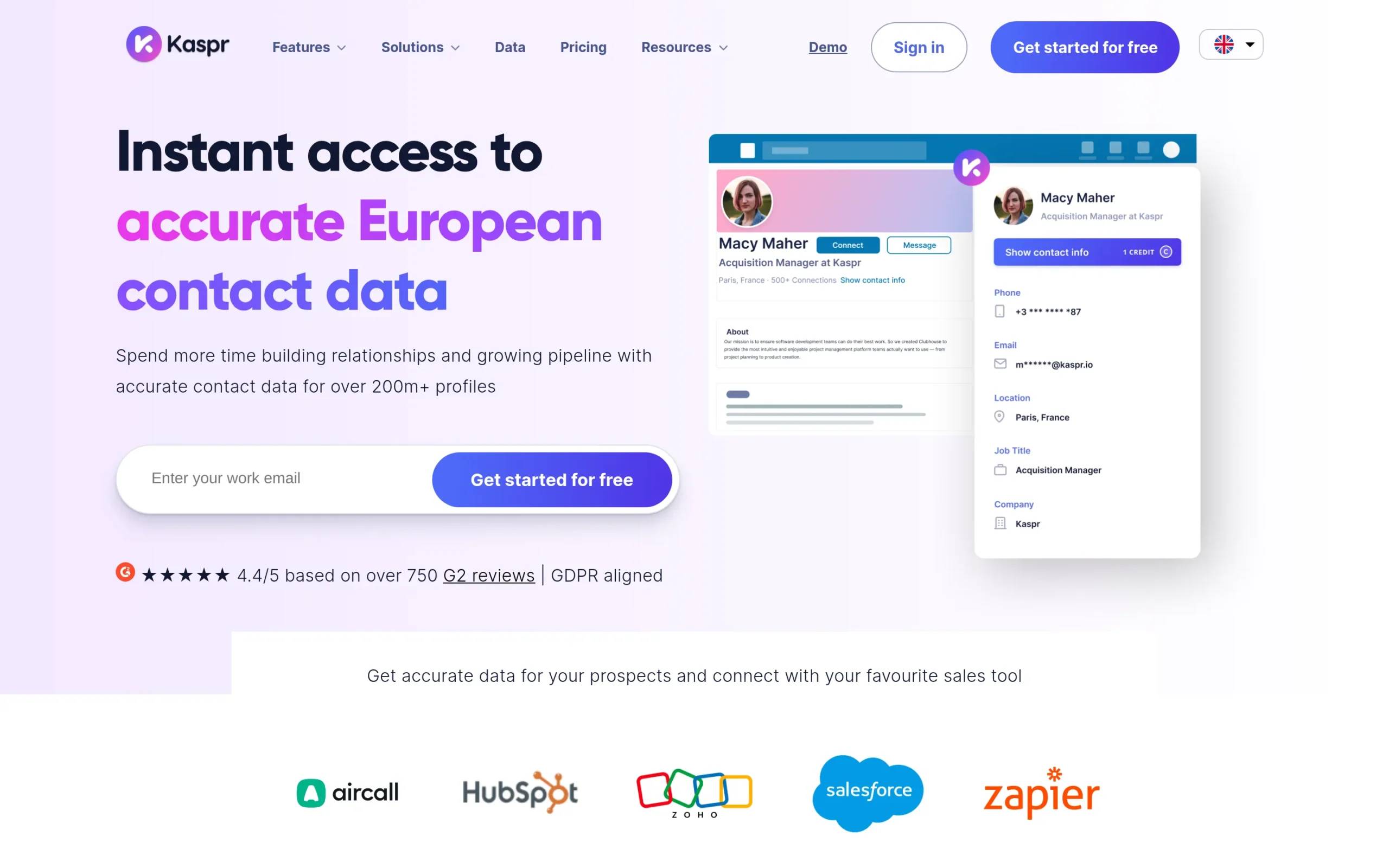
Kaspr is a B2B contact data platform built around a LinkedIn Chrome extension. It specializes in providing accurate phone numbers and email addresses for prospects, with a strong focus on the European market. The tool is designed for individual contributors and small sales teams who want fast, easy access to contact data without manual work.
Main selling point: Instant contact enrichment directly from LinkedIn profiles with verified data and a strong European database.
Starting price: €45/month
Phantombuster:
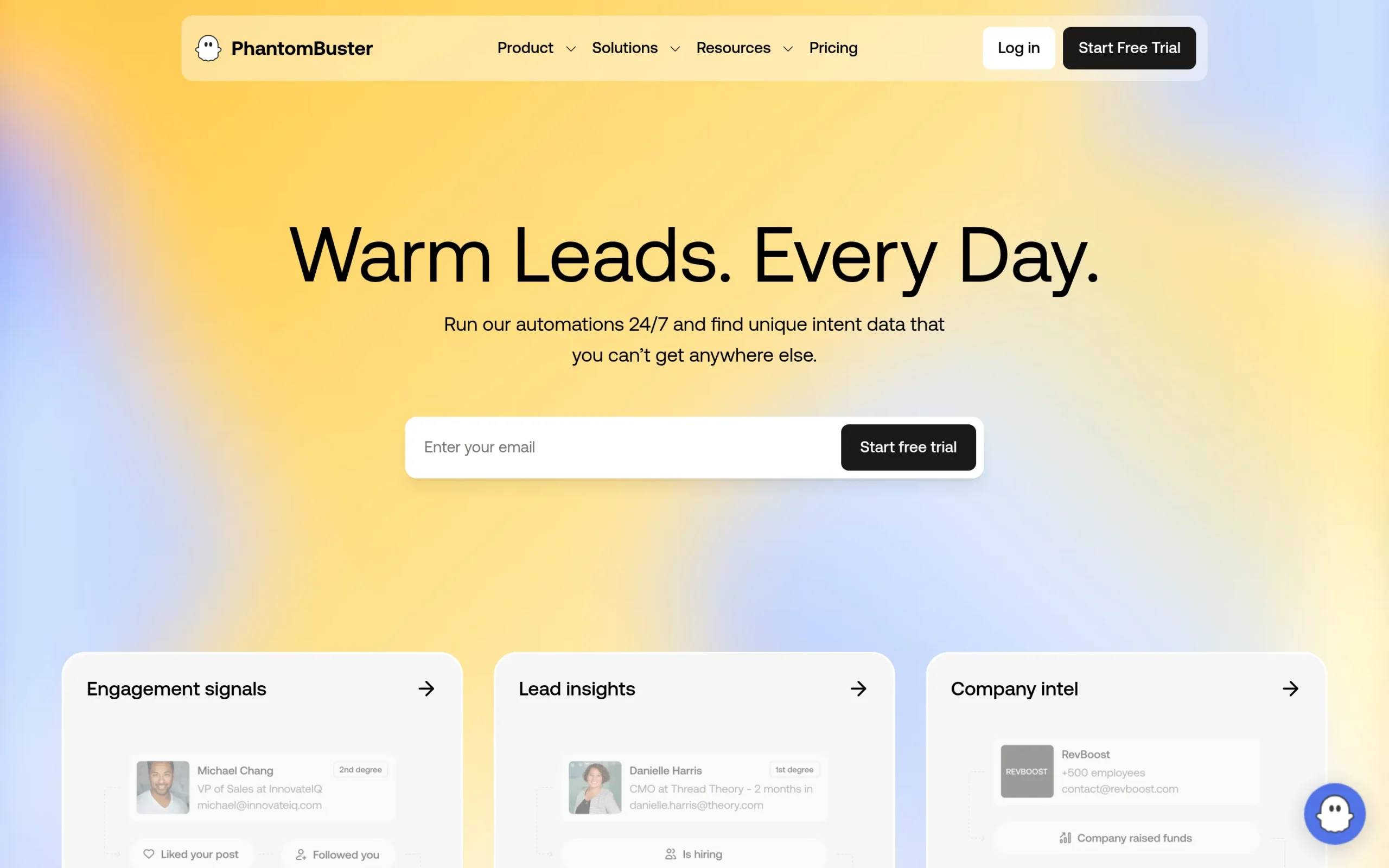
Phantombuster is a cloud-based automation and web scraping tool that lets you extract data from social media platforms and websites. It offers pre-built “Phantoms” (automation scripts) for tasks like LinkedIn profile scraping, Instagram follower extraction, and email finding. It’s built for users who need flexible, customizable automation across multiple platforms.
Main selling point: Multi-platform data extraction and automation with 100+ pre-built scripts.
Starting price: €56/month
Kaspr vs. Phantombuster: head-to-head comparison
Let’s get into the details and see how these tools stack up against each other across the categories that matter most.
Features and capabilities
Kaspr:
- LinkedIn Chrome extension for one-click data enrichment
- B2B email and phone number extraction
- Bulk enrichment from LinkedIn searches, groups, and events
- Direct CRM integrations (HubSpot, Salesforce, Pipedrive)
- Team workspace with stats and notes
- API access for custom workflows
Kaspr’s strength is simplicity. You browse LinkedIn, click the extension, and instantly get contact details. It checks against 120+ data sources in real time, so you’re getting verified information. The tool is built for speed, not complexity.
Phantombuster:
- 100+ pre-built automation scripts (Phantoms)
- Multi-platform scraping (LinkedIn, Twitter, Instagram, Facebook, etc.)
- Cloud-based 24/7 automation
- API access for custom integrations
- Workflow chaining (use one Phantom’s output as another’s input)
- Customizable automation with JavaScript
Phantombuster is more of a Swiss Army knife. It’s not just about LinkedIn. You can scrape Instagram followers, extract tweets, find emails from company websites, and more. But with that flexibility comes a steeper learning curve. You’ll need to set up automations, manage execution time, and configure outputs.
Winner: Depends on your use case. If you need simple LinkedIn contact data, Kaspr wins. If you need multi-platform scraping and complex automation, Phantombuster wins.
Ease of use
Kaspr:
Kaspr is plug-and-play. Install the Chrome extension, connect your LinkedIn account, and you’re ready to go. The interface is clean, and you can see what data is available before you spend credits. Enriching a single profile takes one click. Bulk enrichment is straightforward: run a LinkedIn search, click “Enrich all,” and Kaspr handles the rest.
Phantombuster:
Phantombuster requires more setup. You need to choose a Phantom, configure inputs (like a list of LinkedIn URLs), set execution schedules, and manage output formats. The platform provides documentation and tutorials, but there’s definitely a learning curve. Once you get the hang of it, it’s powerful, but beginners might feel overwhelmed.
Winner: Kaspr. It’s faster to set up and easier to use, especially for non-technical users.
Pricing and value
Kaspr pricing:
- Free plan: €0/month (15 B2B email credits, 5 phone credits, 5 direct email credits per month)
- Starter: €45/month (unlimited B2B emails, 100 phone credits, 5 direct email credits)
- Business: €79/month (unlimited B2B emails, 200 phone credits, 200 direct email credits)
- Enterprise: Custom pricing (unlimited credits, advanced features)
Kaspr’s pricing is based on contact credits. You pay for the data you get, which is straightforward. The free plan is generous enough for light users, and paid plans scale based on how many phone numbers and direct emails you need.
Phantombuster pricing:
- Trial: Free for 14 days (2h execution time, 1k AI credits, 5 slots)
- Starter: €56/month (20h execution time, 10k AI credits, 5 slots)
- Pro: €128/month (80h execution time, 30k AI credits, 15 slots)
- Team: €352/month (300h execution time, 90k AI credits, 50 slots)
Phantombuster’s pricing is based on execution time and automation slots, not on the amount of data you extract. This can be cost-effective if you’re running high-volume scraping, but it’s harder to predict costs if you’re new to the tool.
Winner: Kaspr offers more predictable pricing for contact data. Phantombuster can be better value if you’re running complex automations at scale, but the cost structure is less transparent.
Integrations
Kaspr:
Kaspr integrates directly with HubSpot, Salesforce, Pipedrive, Lemlist, Brevo, Aircall, and Ringover. It also connects to other tools via Zapier. The integrations are designed to be simple: enrich contacts in your CRM or send data to your cold email tool with minimal setup.
Phantombuster:
Phantombuster integrates with HubSpot, Pipedrive, Salesforce (via Zapier), and other platforms through APIs and automation tools like Make and n8n. Because it’s API-first, you can build custom integrations, but that requires technical knowledge.
Winner: Kaspr. Native integrations are easier to set up and more user-friendly.
Data accuracy and compliance
Kaspr:
Kaspr sources data from third-party providers and publicly available sources. It verifies contact information against 120 sources in real time, which means the data is usually accurate. Kaspr is GDPR and CCPA aligned, and it offers direct dial phone numbers, which is a standout feature.
Phantombuster:
Phantombuster scrapes data from publicly available sources like LinkedIn, Twitter, and Instagram. The data is as accurate as what’s available on those platforms. Phone numbers aren’t verified. Phantombuster is GDPR compliant, but CCPA compliance isn’t explicitly stated on their site.
Winner: Kaspr. Better data accuracy and clearer compliance standards.
Kaspr vs. Phantombuster: pros and cons
Kaspr strengths and weaknesses
Pros:
- Simple, fast, and easy to use
- Verified phone numbers and email addresses
- Strong European database (120M+ contacts)
- 24/7 customer support via chat
- Transparent credit-based pricing
Cons:
- Limited to LinkedIn and contact data
- No multi-platform scraping
- Export credits can add up on lower-tier plans
- Less flexibility than Phantombuster
User rating:
- G2: 4.4/5 (based on 500+ reviews)
- Capterra: 3.3/5 (based on 3 reviews)
Phantombuster strengths and weaknesses
Pros:
- Multi-platform scraping (LinkedIn, Twitter, Instagram, etc.)
- 100+ pre-built automation scripts
- Flexible and customizable
- Cloud-based 24/7 execution
- API access for advanced users
Cons:
- Steeper learning curve
- Pricing based on execution time can be confusing
- Phone numbers aren’t verified
- Occasional bugs and maintenance issues
- Support can be slow for complex issues
User rating:
- G2: 4.4/5 (based on 110+ reviews)
- Capterra: 4.5/5 (based on 64 reviews)
Which should you choose?
Here are some decision criteria to help you figure out which tool is right for you:
Choose Kaspr if:
- You primarily prospect on LinkedIn
- You need accurate phone numbers and email addresses fast
- You’re focused on the European market
- You want a simple tool that doesn’t require technical setup
- You’re an individual contributor, sales rep, or recruiter
Choose Phantombuster if:
- You need to scrape data from multiple platforms (Twitter, Instagram, etc.)
- You want to build custom automation workflows
- You have technical skills or a technical team
- You need flexibility to chain multiple automations together
- You’re running high-volume data extraction campaigns
Looking for another option? Consider La Growth Machine
If Kaspr and Phantombuster both feel like they’re missing something, here’s what our platform offers.
What La Growth Machine does:
We’re a multichannel sales automation platform. Instead of just extracting contact data or scraping profiles, we help you automate entire prospecting campaigns across LinkedIn, email, calls, Twitter, and voice messages. Here’s what makes us different:
- Multichannel sequences that combine LinkedIn, email, Twitter, and calls in one campaign
- Lead Enrichment with verified emails from 9 providers
- LinkedIn Voice Messages (automated and AI-personalized)
- Social Warming (auto-like and follow prospects before reaching out)
- Lookalike Search (find companies similar to your best customers)
- LinkedIn Intent Data (import people who liked posts, signed up for events, etc.)
- Multichannel Inbox (manage all LinkedIn and email replies in one thread)
Where Kaspr focuses on data and Phantombuster focuses on scraping, La Growth Machine focuses on conversations. We give you the data you need, then help you reach out in a way that actually gets responses.
How we compare:
Kaspr and Phantombuster are both one-dimensional tools. Kaspr gets you contact data. Phantombuster automates scraping. But what happens after you get the data? That’s where we come in.
With La Growth Machine, you can:
- Enrich leads with phone numbers and emails (like Kaspr)
- Automate LinkedIn actions and messaging (like Phantombuster)
- Add multichannel outreach (email, calls, Twitter)
- Send personalized LinkedIn voice messages at scale
- Manage all conversations in one inbox
If you’re tired of juggling multiple tools, our platform lets you handle everything in one place.
Pricing:
- Basic: €50/month per identity
- Pro: €100/month (includes Lookalike Search, LinkedIn Intent Data, Inbox Rotation)
- 14-day free trial, no credit card required
Best for:
- Sales teams who want to automate outreach, not just data collection
- Growth teams running multichannel campaigns
- Teams who value response rates over raw contact volume
- Anyone who wants to combine data enrichment with outreach automation
Kaspr vs. Phantombuster: FAQs
1. Can I use Kaspr and Phantombuster together?
Yes, you can. Some teams use Phantombuster to scrape LinkedIn URLs and then use Kaspr to enrich those profiles with phone numbers and emails. It’s not the most efficient workflow, but it’s doable.
2. Which tool is safer for LinkedIn scraping?
Both tools carry some risk if you over-automate. Kaspr is generally safer because it enriches profiles one at a time through a Chrome extension. Phantombuster runs bulk automations, which can trigger LinkedIn’s safety mechanisms if you’re not careful with limits.
3. Do Kaspr and Phantombuster offer free trials?
Kaspr offers a free plan with limited credits. Phantombuster offers a 14-day free trial with 2 hours of execution time. Both let you test the platform before committing.
Conclusion
Kaspr and Phantombuster are both solid tools, but they serve different purposes. Kaspr is built for speed and simplicity, giving you instant access to contact data from LinkedIn. Phantombuster is built for flexibility, letting you scrape and automate across multiple platforms.
If you’re looking for something that goes beyond data collection, La Growth Machine might be worth exploring. We don’t just help you find contact information, we help you start conversations and build relationships across multiple channels. That’s what actually moves the needle in sales automation.
Get 3.5X more leads!
Do you want to improve the efficiency of your sales department? With La Growth Machine you can generate on average 3.5x more leads while saving an incredible amount of time on all your processes.
By signing up today, you’ll get a free 14-day trial to test our tool!