TL;DR La Growth Machine now has an official n8n node (@lagrowthmachine/n8n-nodes-lagrowthmachine). Verified by n8n and available straight from the n8n Cloud node search, it covers the whole LGM API: 13 resources and 51 operations. Enrich and sync leads, build audiences, pilot your campaigns (duplicate, rewrite messages, pause and resume), read your inbox, and start a workflow the moment a lead replies. This guide covers the install and the templates you can import today.
La Growth Machine runs multichannel outreach across LinkedIn, email, and more, for sales and growth teams who prospect at scale. n8n is a workflow-automation tool. Connect the two and La Growth Machine talks to the rest of your stack: your CRM, Slack, forms, your data warehouse, an AI model. No code required.
This is the official node, built and maintained by La Growth Machine.
What the node lets you do
The integration ships two building blocks.
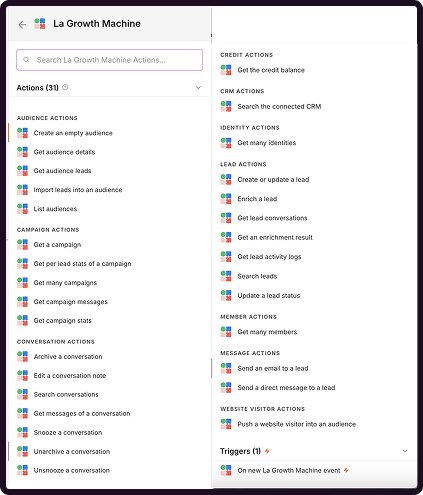
The La Growth Machine action node covers 13 resources and 51 operations: leads (create/update, search, status, enrich, remove from audience), audiences (including LinkedIn, Sales Navigator, post, and event imports), full campaign management (stats, duplicate, settings, pause/resume, rewrite sequence messages, public templates, share by code), conversations (search, archive, snooze, notes), sending LinkedIn and email messages, manual tasks, LinkedIn post enrichment, CRM search, website-visitor push, identities and their AI preferences, members, credits, and workspaces.
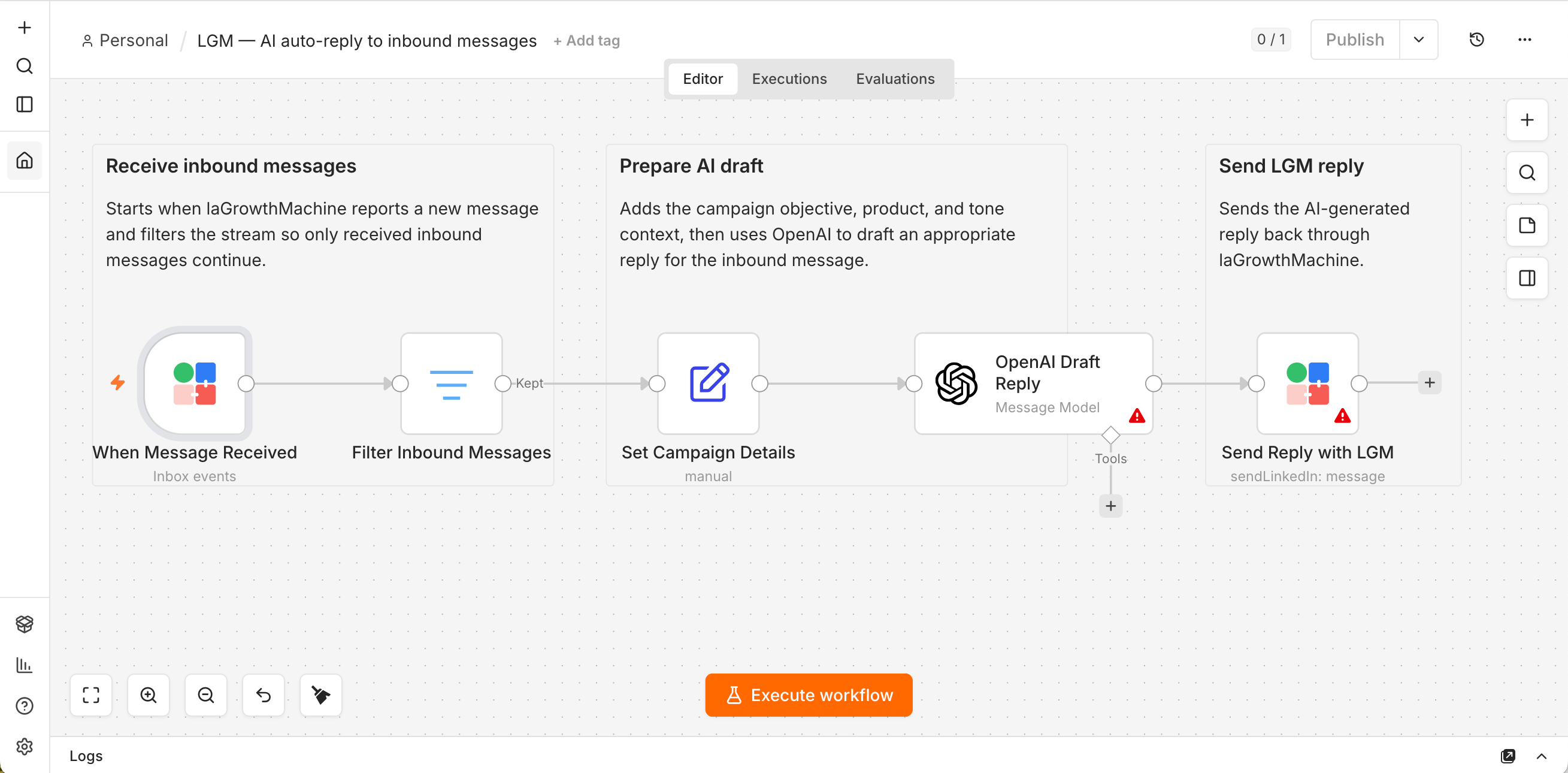
The La Growth Machine Trigger starts a workflow the instant an inbox message is sent or received.
Install the node
On self-hosted n8n
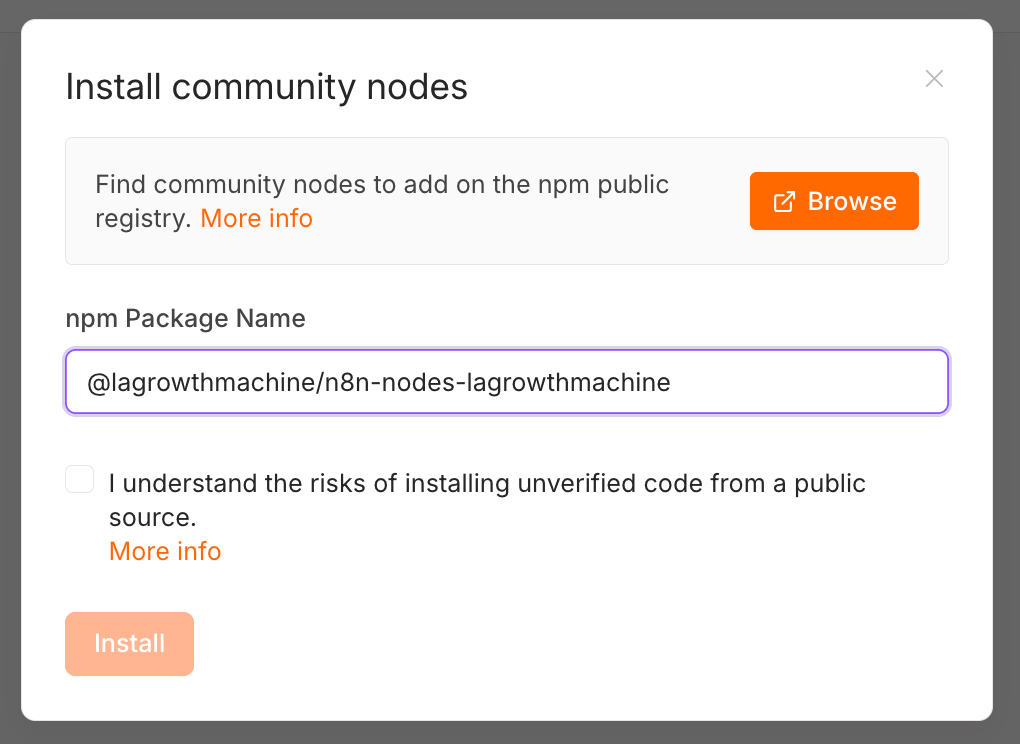
Open Settings → Community Nodes → Install.
Enter @lagrowthmachine/n8n-nodes-lagrowthmachine.
Confirm. The node appears in the panel within seconds.
On n8n Cloud
The node is verified by n8n, so it shows up directly in the node search on Cloud. Type “La Growth Machine” in the node panel and add it, nothing to install.
Connect your API key
In La Growth Machine, open Settings → API and generate a key.
In n8n, add the La Growth Machine node, create a new credential, and paste the key. n8n tests it for you.
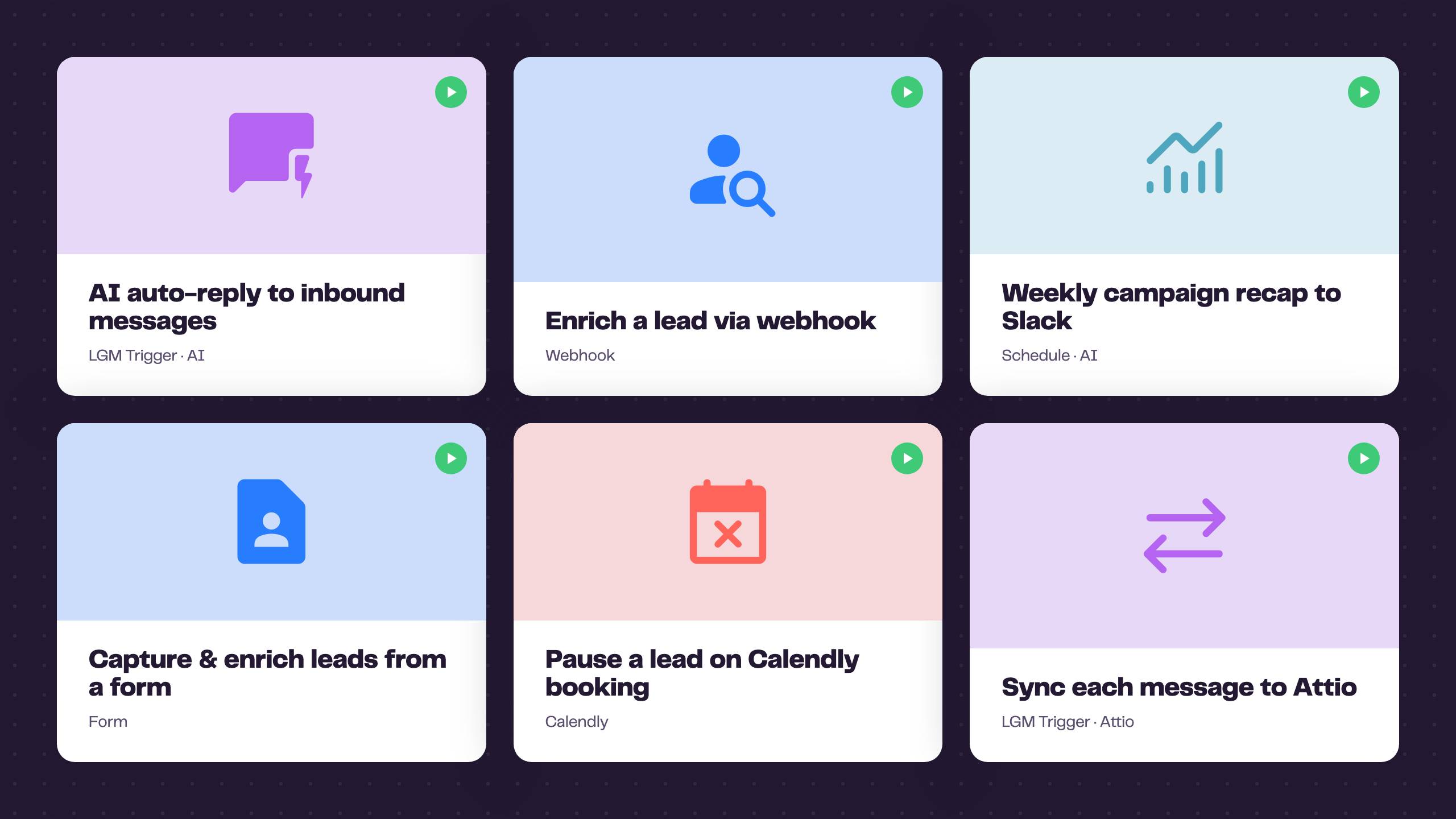
To import one: in n8n, open the workflow menu (top-right ⋯) → Import from URL and paste the template’s link below (or download the JSON and use Import from File). Then add your credentials, set a couple of placeholder values, and run.
AI auto-reply to inbound messages. The Trigger catches a reply, an AI node drafts a response from the campaign objective and the last 20 messages, and the node sends it back. Import this template
Enrich a lead via webhook. POST a lead, get the full enriched profile back synchronously. Import this template
Weekly campaign recap with week-over-week AI highlights. Every Monday, pull your running campaigns, store the numbers, compare them to last week, and post an AI digest to Slack that leads with the biggest movers. Import this template
Capture and enrich inbound leads from a form. A form submission creates the lead in an audience, enriches it, and pings sales on Slack. Import this template
Pause a lead when they book on Calendly. A booking pauses that lead across every campaign, so you stop messaging someone who already said yes. Import this template
Sync each message to Attio. On every message sent or received, find the person in Attio (or create them) and log the message as a dated note. Import this template
Listen for new replies in real time
Add the La Growth Machine Trigger, activate the workflow, and it registers an inbox webhook for you. To act only on messages coming from the lead, add a Filter with {{ $json.received }} set to true.
One requirement: the Trigger needs a publicly reachable n8n. That’s automatic on n8n Cloud. On self-hosted, set a public WEBHOOK_URL. A localhost instance won’t receive events.
Good to know
Rate limit: 50 calls per 10 seconds per key. Use the Return All toggle and add retries for big jobs.
Credits: enrichment costs LGM credits (Email 5, LinkedIn 1, Full 5, LinkedIn post 1). Email enrichment works from a Lead ID, or from a first and last name plus a company. LinkedIn and Full enrichment need a Lead ID. Everything else is free.
Sending messages reaches real leads. Add a human-approval step before you automate replies at scale.
Full operations reference
The node covers 13 resources and 51 operations, plus the Trigger. Every operation maps 1:1 to an endpoint documented at developers.lagrowthmachine.com. Expand any resource to see what it does. Lead: 8 operations
Operation
What it does
Create or Update
Create a lead, or update it if it exists (optionally into an audience)
Search
Find leads by ID, email, LinkedIn, name, or CRM ID
Update Status
Change a lead’s status inside one or more campaigns
Remove From Audience
Remove a lead from one or more audiences (or all of them)
Get Logs
Retrieve a lead’s activity logs
Get Conversations
Retrieve a lead’s conversations
Enrich
Start an email and/or LinkedIn enrichment (consumes credits)
Get Enrich Result
Retrieve the result of a polling enrichment
Audience: 5 operations
Operation
What it does
List
Return all audiences
Create
Create a new empty audience
Import From LinkedIn
Populate from a LinkedIn / Sales Navigator search, a post (likers/commenters), or an event (attendees)
Get Details
Return details about an audience
Get Leads
Return an audience’s leads with their full record
Campaign: 16 operations
Operation
What it does
Get Many
Return campaigns, filtered by status or a name search
Get
Return a single campaign
Get Public
The ready-made catalog and creator templates anyone can duplicate
Get Stats
Aggregated engagement stats for a campaign
Get Lead Stats
Per-lead engagement stats
Get Messages
The message templates of a campaign sequence
Get Steps
The message-carrying steps of the sequence, with step and template IDs
Duplicate
Create a draft copy of one of your campaigns or of a public template
Update Settings
Change the name, audience, enrichment, CRM sync and other settings
Update Status
Pause a running campaign or resume a paused one
Add Step Message
Create the message of an empty sequence step
Edit Message
Replace the content of an existing campaign message
Share by Code
Generate an access code so another LGM account can copy the campaign
Preview From Code
Preview a campaign shared with an access code
Duplicate From Code
Copy a shared campaign into your workspace as a draft
Stop Sharing
Revoke a campaign’s access code
Conversation: 7 operations
Operation
What it does
Get Many
Search and paginate inbox conversations with rich filters
Get Messages
Return all messages of a conversation
Archive / Unarchive
Move a conversation out of, or back into, the active inbox
Snooze / Unsnooze
Hide a conversation until a date, or wake it up
Edit Note
Set or append the note attached to a conversation
Message: 2 operations
Operation
What it does
Send LinkedIn Message
Send a text or voice LinkedIn message via a connected identity
Send Email
Send an email via a connected identity (reply-in-thread, CC/BCC)
Manual Task · Post · Identity · CRM · Website Visitor · Member · Credit · Workspace
Resource
Operation
What it does
Manual Task
Complete Call Task
Log the outcome of a call task (decisive / unreachable, with an optional lead tag)
Manual Task
Complete Message Task
Provide the custom message a campaign step will send to the lead
Post
Enrich
Fetch the content, author and engagement of a public LinkedIn post (1 credit)
Identity
Get Many
Your connected identities
Identity
Get / Save / Delete Preference
Manage the key-value preferences that personalize an identity’s AI-generated content
CRM
Search
Look up a contact in your connected CRM (HubSpot, Pipedrive, Salesforce…)
Website Visitor
Push
Forward a visitor (RB2B / Warmly / Vector) into an audience
Member
Get Many / Get Me
Your workspace members, or the member behind the API key
Credit
Get
The account’s credit balance
Workspace
Get Many
The workspaces the account can act in (multi-workspace accounts)
Trigger: La Growth Machine Trigger
Starts a workflow whenever an inbox message (LinkedIn or email) is sent or received. Registers an LGM inbox webhook on activation, removes it on deactivation. Each event carries the message, the conversation context, the full lead record, and the last 20 messages.
Get started
Install the node, paste your key, and import a template. No La Growth Machine account yet? Start here (14 days free trial).
FAQ
Yes. La Growth Machine builds and maintains it, published under the official @lagrowthmachine npm scope. An unofficial third-party package also exists; the scoped one is official.
No. You configure everything visually in n8n: pick a resource and an operation, fill the fields, connect the nodes.
The node is verified by n8n, so on n8n Cloud just search for “La Growth Machine” in the node panel. On self-hosted n8n, go to Settings → Community Nodes → Install and enter @lagrowthmachine/n8n-nodes-lagrowthmachine.
La Growth Machine → Settings → API. The same page logs every API call for debugging.
Yes, with the La Growth Machine Trigger node. Filter on received = true to act only on incoming replies.
n8n has to be publicly reachable so LGM can POST to it. That’s automatic on Cloud, and needs a public WEBHOOK_URL when self-hosted.
It consumes LGM credits: Email 5, LinkedIn 1, Full 5, and LinkedIn post enrichment 1. Email enrichment works from a Lead ID or from a first and last name plus a company. LinkedIn and Full enrichment need a Lead ID. Other operations are free.
Yes, through a connected identity. Test carefully and add a human-approval step before automating.
50 API calls per 10 seconds per key. Use Return All pagination and add retries for large jobs.
Yes. On a multi-workspace account, fill the optional Workspace ID field of the n8n credential: every request then acts in that workspace. Create one credential per client workspace.
You can pause and resume campaigns, change their settings, duplicate templates and rewrite their messages. The very first launch of a READY campaign happens in the LGM app.
Your API key lives in n8n’s encrypted credential store and is sent only to LGM over HTTPS. Treat it like a password.
For the node itself, open an issue on GitHub at github.com/LaGrowthMachine/n8n-nodes-lagrowthmachine. For your LGM account or API key, start from the Settings → API page in the app.
Most outreach runs blind. La Growth Machine fixes that.
Multichannel sequences, a native MCP server for LLMs and a Skills library for GTM teams.