

TL;DR
Dripify offers cloud automation at $39/month while Octopus CRM costs $9.99/month as Chrome extension.
– Dripify provides drip campaigns with email sequences and 20+ personalization variables
– Octopus CRM delivers basic LinkedIn automation with skill endorsements and campaign funnels
– Dripify includes A/B testing and team management with 24/7 support
– Octopus CRM offers lowest pricing but requires Chrome browser to stay open
– Dripify wins on features while Octopus CRM suits budget-conscious individual users
LinkedIn automation tools can transform how you connect with prospects, but choosing between Dripify and Octopus CRM isn’t always straightforward. Both promise to automate your outreach, but they take different approaches to automation, pricing, and features.
Dripify vs. Octopus CRM: side-by-side comparison table
Here’s a quick reference comparing the key features:
| Feature | Dripify | Octopus CRM | La Growth Machine |
|---|---|---|---|
| Starting price | $39/month (annual) | $9.99/month | €50/user/month (annual) |
| Free trial | 7 days | 7 days | 14 days (no credit card required) |
| Key features | Cloud-based, drip campaigns, email sequences, 20+ personalization variables, A/B testing, team management | Chrome extension, connection requests, bulk messaging, profile visits, skill endorsements, campaign funnels | LinkedIn + Email sequences, enrichment, warmup, AI voice |
| Integration options | Zapier, webhooks | Zapier, HubSpot | Native: HubSpot, Salesforce, Pipedrive + API |
| Support options | 24/7 support, knowledge base, video tutorials | Email support, video tutorials | Email, chat, knowledge base, dedicated strategist (4+ seats) |
| Best for | Sales teams and marketing professionals needing advanced campaign management and analytics | Individuals and small businesses wanting simple, affordable LinkedIn automation | Scaling teams needing multichannel automation |
This comparison breaks down the key differences between Dripify and Octopus CRM so you can make an informed decision. We’ll cover what each tool does well, where they fall short, and who should use each one. By the end, you’ll know which tool fits your LinkedIn prospecting goals.
Dripify vs. Octopus CRM: quick overview
Before we get into details, here’s a snapshot of what each tool brings to the table.
Dripify
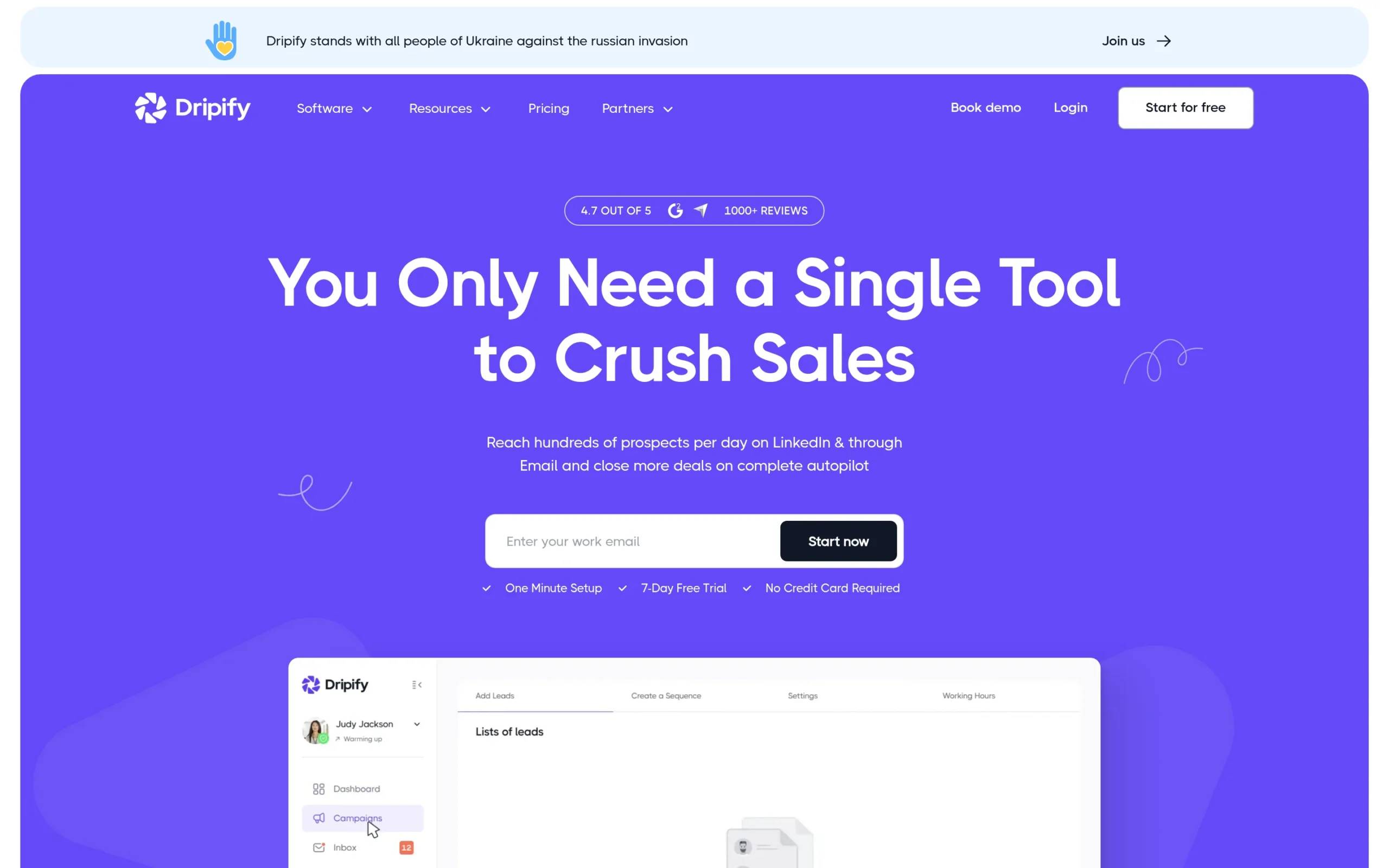
Dripify is a cloud-based LinkedIn automation platform built for sales teams and marketing professionals who need advanced campaign management. The tool automates LinkedIn actions like connection requests, messages, and profile visits while offering drip campaigns that combine LinkedIn and email outreach. Dripify provides detailed analytics, A/B testing, and personalization features to help you optimize campaigns.
Main differentiator: Cloud-based platform with advanced analytics and multi-step drip campaigns Starting price: $39/month (billed annually)
Octopus CRM
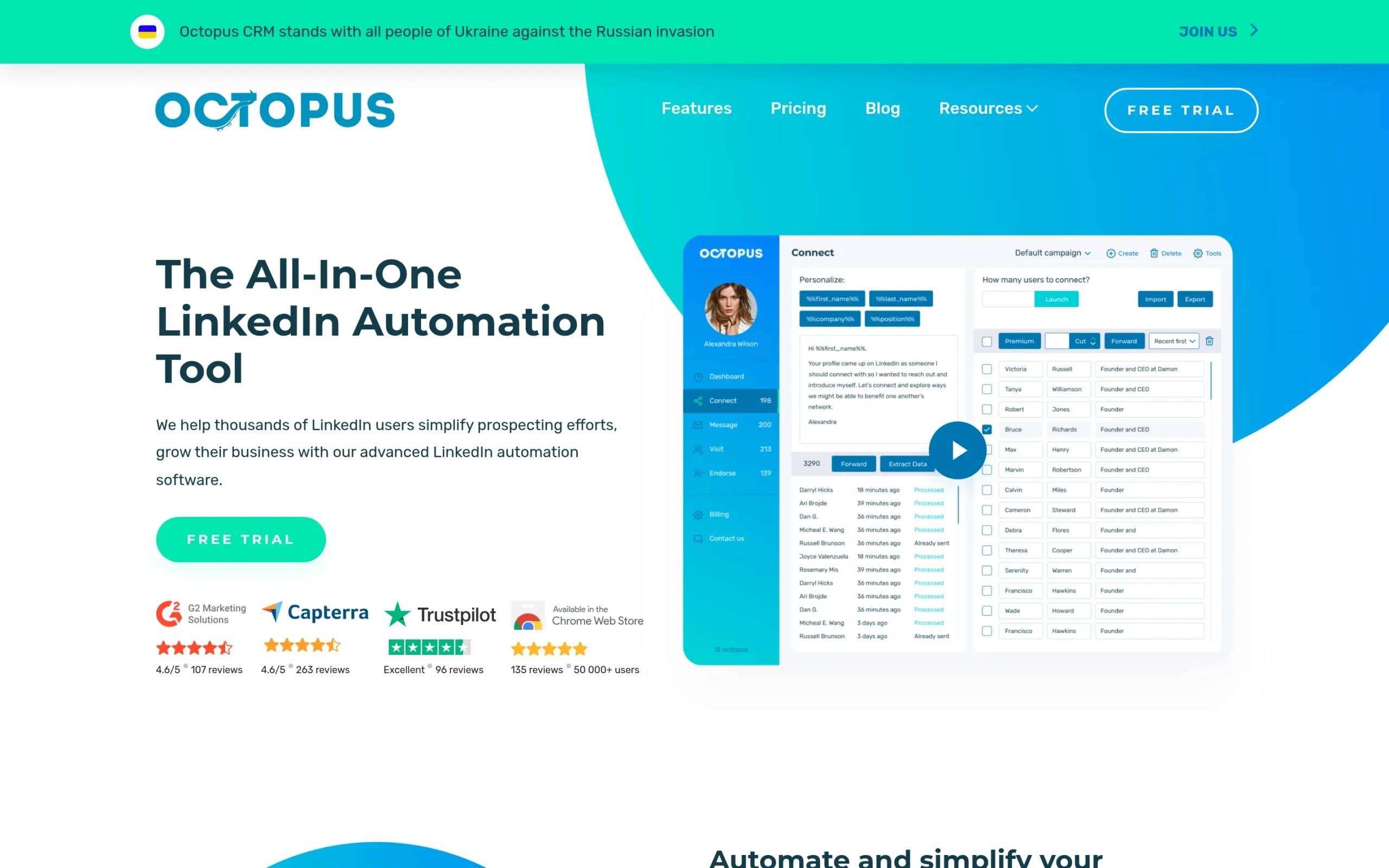
Octopus CRM is a Chrome extension that simplifies LinkedIn automation for individuals and small businesses. The tool handles basic LinkedIn tasks like sending connection requests, messaging contacts in bulk, and automatically visiting profiles. Octopus CRM operates directly through your browser, making it easy to set up without complex configurations.
Main differentiator: Chrome extension with straightforward automation and budget-friendly pricing Starting price: $9.99/month (billed monthly)
Dripify vs. Octopus CRM: head-to-head comparison
Let’s break down how these tools stack up across the features that matter most for LinkedIn prospecting.
Features & capabilities
Dripify
Dripify offers a comprehensive feature set built for marketers who want control over their LinkedIn campaigns:
- Automated LinkedIn actions: connection requests, messages, profile visits, skill endorsements
- Drip campaigns: multi-step sequences combining LinkedIn and email with conditional logic
- Email finder: finds and verifies business email addresses with 100 credits on the Basic plan
- Personalization: 20+ variables including AI-powered icebreakers
- Team management: assign roles, track team performance, manage multiple accounts
- A/B testing: test different message variations to optimize performance
- Dedicated inbox: manage conversations without leaving the platform
Octopus CRM
Octopus CRM focuses on core LinkedIn automation without overwhelming users:
- Automated connection requests with personalization
- Bulk messaging to first-level connections
- Auto profile visits and skill endorsements (up to 7 skills)
- Campaign funnels: connect, message, and follow up in simple sequences
- CSV import/export for lead management
- Zapier and HubSpot integration
- Performance analytics: track profile views, search appearances, and social selling index
Winner: Dripify
Dripify wins with more sophisticated campaign capabilities, email integration, and advanced personalization options. The cloud-based infrastructure allows campaigns to run continuously without keeping your browser open. Octopus CRM covers the basics well but lacks the depth needed for complex, multi-channel campaigns.
Ease of use
Octopus CRM
Octopus CRM wins on simplicity. The Chrome extension installs in minutes, and the interface is straightforward. You search for prospects on LinkedIn, add them to a campaign, and launch. The learning curve is minimal, making it ideal for first-time automation users. The tradeoff: the tool requires your browser to stay open for campaigns to run, and it operates only on Chrome.
Dripify
Dripify has a steeper learning curve due to its richer feature set. The cloud-based platform requires account creation and some initial configuration, typically taking 10-15 minutes. Once set up, the visual campaign builder makes creating sequences intuitive, though understanding all the conditional logic options takes time. The benefit: campaigns run in the background without requiring an open browser, giving you true automation.
Winner: Octopus CRM
For pure ease of use and quick setup, Octopus CRM takes this round. If you want to start automating LinkedIn tasks within minutes and don’t need advanced features, Octopus CRM gets you there faster.
Pricing & value
Dripify pricing
Dripify offers three main plans, all billed annually:
- Basic Plan: $39/month with LinkedIn and email sequences, 100 email finder credits, 1 drip campaign, limited daily quotas, advanced analytics, and 24/7 support
- Pro Plan: $59/month with everything in Basic plus unlimited drip campaigns, full daily quotas, dedicated inbox, CSV export, and webhook integration
- Advanced Plan: $79/month with everything in Pro plus team management, advanced LinkedIn protection, and lead tagging
- Enterprise Plan: custom pricing with premium onboarding and dedicated support
All plans come with a 7-day free trial, no credit card required.
Octopus CRM pricing
Octopus CRM offers four pricing tiers with monthly or annual billing:
Monthly plans:
- Starter: $9.99/month
- Pro: $14.99/month
- Advanced: $21.99/month
- Unlimited: $39.99/month (recommended)
Annual plans (35% discount):
- Starter: $6.99/month
- Pro: $9.99/month
- Advanced: $14.99/month
- Unlimited: $24.99/month
All plans include core automation features, CRM stats, campaign building, and integrations. Higher tiers offer increased daily limits and compatibility with all LinkedIn account types. Octopus CRM also offers a 7-day free trial with no credit card required.
Winner: Octopus CRM
Octopus CRM delivers better value for budget-conscious users. Even the Unlimited plan at $24.99/month (annual billing) costs less than Dripify’s Basic plan. For small businesses or solopreneurs who need basic LinkedIn automation without breaking the bank, Octopus CRM makes more financial sense. That said, Dripify’s pricing reflects its more advanced capabilities, and for teams who need those features, the investment may be worthwhile.
Integrations
Dripify
Dripify offers solid integration options through Zapier, connecting to thousands of apps. It also supports webhook integration on the Pro plan and above, allowing custom workflows and CRM synchronization. While it doesn’t have as many native integrations as some competitors, the Zapier connection covers most needs for connecting to CRMs, spreadsheets, and marketing tools.
Octopus CRM
Octopus CRM integrates with Zapier and HubSpot, providing basic connectivity to push LinkedIn data to other platforms. The integration is straightforward but limited compared to more advanced tools. For users with simple workflows, the available integrations are sufficient, but companies with complex tech stacks may find the options restrictive.
Winner: Dripify
Dripify edges out Octopus CRM with webhook support and more flexible integration options. The ability to create custom workflows via webhooks gives technical teams more control over how data flows between systems.
LinkedIn account safety
Dripify
Dripify implements safety measures including random delays between actions, daily activity limits, and human behavior simulation. As a cloud-based tool, it distributes activity across different IP addresses, which helps avoid detection patterns. However, some users have reported account restrictions when running aggressive campaigns, so staying within LinkedIn’s recommended limits is important.
Octopus CRM
Octopus CRM includes activity control features that alert you if excessive activity is detected on your account. The tool randomizes timing between actions and respects daily limits. Because it operates through your local IP address via a Chrome extension, detection risk exists if LinkedIn flags unusual patterns from your network. Octopus CRM is compatible with all LinkedIn account types (Free, Premium, Sales Navigator, Recruiter).
Winner: Tie
Both tools prioritize safety with similar approaches: random delays, daily limits, and activity monitoring. Neither can guarantee 100% safety since LinkedIn explicitly discourages automation. The key to protecting your account with either tool is using conservative settings and avoiding spam-like behavior.

Dripify vs. Octopus CRM: pros and cons
Dripify strengths & weaknesses
Pros:
- Cloud-based operation means campaigns run 24/7 without an open browser
- Advanced drip campaigns with email integration for true multi-channel outreach
- Detailed analytics and A/B testing for data-driven optimization
- Hyper-personalization with 20+ variables and AI-powered icebreakers
- Team management features for collaborative campaigns
Cons:
- Higher price point may not fit smaller budgets
- Steeper learning curve due to advanced features
- Some users report customer support could be more responsive
- Annual billing required for advertised pricing
User Rating:
- G2: 4.5/5 (based on 319 reviews)
- Capterra: 4.7/5 (based on 476 reviews)
Octopus CRM strengths & weaknesses
Pros:
- Budget-friendly pricing starting at $9.99/month
- Extremely easy to set up and use with minimal learning curve
- Compatible with all LinkedIn account types
- Strong CSV import/export capabilities
- Affordable for individuals and small businesses
Cons:
- Requires browser to stay open for campaigns to run
- Limited to Chrome browser only
- Basic features compared to more advanced tools
- No multi-channel capabilities (LinkedIn only)
- Lacks sophisticated campaign sequencing and conditional logic
User Rating:
- G2: 4.4/5 (based on 117 reviews)
- Capterra: 4.6/5 (based on 263 reviews)
Which should you choose?
The right tool depends on your specific needs, budget, and how you plan to use LinkedIn automation.
Consider Dripify if you:
- Need multi-channel outreach combining LinkedIn and email
- Want detailed analytics and A/B testing to optimize campaigns
- Manage multiple team members who need access to automation
- Have the budget for a more feature-rich platform
- Require campaigns that run continuously without manual intervention
Consider Octopus CRM if you:
- Are working with a limited budget and need basic automation
- Prefer extreme simplicity over advanced features
- Are new to LinkedIn automation and want easy onboarding
- Only need LinkedIn-focused outreach (no email integration needed)
- Don’t mind keeping your browser open while campaigns run
Need something different? Check out La Growth Machine
Dripify and Octopus CRM are solid LinkedIn automation tools, but if you’re looking for something that goes beyond LinkedIn-only automation, La Growth Machine takes a different approach.
What La Growth Machine does
La Growth Machine is an all-in-one multichannel prospecting platform that combines LinkedIn, email, Twitter/X, and phone calls into unified campaigns. Unlike tools focused solely on LinkedIn automation, La Growth Machine helps you reach prospects wherever they’re most active.
The platform automates time-consuming tasks like lead enrichment, finding verified email addresses, multichannel outreach, and reply management. You can create sequences that start with a LinkedIn connection request, follow up with an email, add a Twitter interaction, and even schedule a phone call, all from one campaign.
Key features include:
Multichannel campaigns across LinkedIn, email, X (Twitter), and calls Lead Enrichment with verified emails using 9 providers Social Warming to automatically like posts and follow prospects before outreach LinkedIn Voice Messages to personalize at scale and double reply rates Inbox Rotation to improve email deliverability Lookalike Search that finds similar prospects when someone replies positively Real Chat Mode to make LinkedIn automation look like natural conversations
How it fits into your stack
Dripify and Octopus CRM excel at LinkedIn automation, but they’re limited to one channel. If your prospects don’t respond on LinkedIn, you’re stuck. La Growth Machine solves this by letting you diversify your approach.
For example, you might connect on LinkedIn, follow up via email if they don’t respond, engage with their Twitter content, and request a call, all automatically. This multichannel approach gets 3.5x more replies than LinkedIn-only or email-only campaigns.
If single-channel outreach isn’t getting you the response rates you need, multichannel prospecting might be the missing piece.
Pricing
Starting at €50/month per identity 14-day free trial (no credit card required)
Worth considering if:
- You need to reach prospects across multiple channels, not just LinkedIn
- Lead enrichment and email finding are important to your workflow
- You want advanced features like Voice Messages and Social Warming that differentiate your outreach
Dripify vs. Octopus CRM: FAQs
Is Octopus CRM better than Dripify for beginners?
Yes, Octopus CRM is easier for beginners due to its simple Chrome extension interface and straightforward setup. Dripify offers more advanced features but requires more time to learn and configure.
Can I use Dripify or Octopus CRM with LinkedIn Sales Navigator?
Yes, both tools work with LinkedIn Sales Navigator. Octopus CRM is compatible with Free, Premium, Sales Navigator, and Recruiter accounts. Dripify also integrates with Sales Navigator and offers advanced search capabilities.
Do Dripify and Octopus CRM guarantee my account won’t get restricted?
No automation tool can guarantee your account won’t be restricted, as LinkedIn explicitly prohibits automation. Both Dripify and Octopus CRM include safety features like random delays and daily limits, but safe usage practices are your responsibility. Stay within conservative limits and avoid spam-like behavior to minimize risk.
Conclusion
Dripify and Octopus CRM both automate LinkedIn prospecting, but they serve different audiences. Octopus CRM delivers budget-friendly simplicity for individuals and small businesses who need basic automation. Dripify offers advanced features, multi-channel capabilities, and detailed analytics for teams willing to invest more for better functionality.
If you’re looking to expand beyond LinkedIn-only automation and reach prospects across multiple channels, La Growth Machine offers a different solution worth exploring. The platform combines LinkedIn, email, Twitter/X, and calls into unified multichannel campaigns. With features like Lead Enrichment, Social Warming, and LinkedIn Voice Messages, you can reach more prospects and start more conversations while the platform handles the automation.
Get 3.5X more leads!
Do you want to improve the efficiency of your sales department? With La Growth Machine you can generate on average 3.5x more leads while saving an incredible amount of time on all your processes.
By signing up today, you’ll get a free 14-day trial to test our tool!