
TL;DR
– Personalize messages by researching profiles and identifying common ground.
– Write a catchy subject line under 60 characters to maximize open rates.
– Craft a short, impactful message focused on value for the recipient.
– Include a clear CTA to facilitate a quick response or meeting.
– Track metrics like open and response rates to optimize your approach.
If you’re looking to develop your sales prospecting strategy, LinkedIn InMail will quickly become essential to your business.
More effective than a standard email or a simple connection request, InMail is a tool only accessible by subscribing to LinkedIn Premium.
Unless you benefit from a free trial, this represents a sometimes significant cost for young companies.
However, there’s a high chance that using them will allow you to unlock new business opportunities very quickly.
Provided you know how to go about it and master all its subtleties.
What is an InMail? What is it used for and how do you write one?
Read our guide to the end to become an expert on the subject.
What is LinkedIn InMail?
LinkedIn InMails are a feature reserved for LinkedIn Premium members.
Thanks to them, you can directly contact someone who is not part of your network, without having to send them a connection request.
It’s a LinkedIn tool particularly suited for sales prospecting or recruitment, which has disadvantages as well as advantages.
How many InMails am I entitled to?
It all depends on the subscription you have selected. Here are the monthly limits set by LinkedIn, by type of premium account:
- Premium Career: 5
- Premium Business: 15
- Sales Navigator: 20
- Recruiter Lite: 30
- Sales Navigator Teams: 30
- Sales Navigator Enterprise: 50
- Recruiter Professional: 100
- Recruiter Corporate: 150
To check the number of credits remaining on your subscription, here are the steps to follow:
- Click on your profile icon at the top of your LinkedIn feed
- Select “Access my Premium” from the dropdown menu.
- Under the InMail section, you can view the number of available InMail credits.
The advantages of an InMail
If you’re looking to contact people who fit your persona and get a response quickly, InMail is the solution for you. Here are the advantages:
- The ability to contact anyone: thanks to InMails, you can send a direct message to all LinkedIn users on the network. This is not the case with the free version. You can reach a 3rd-degree connection (no mutual connections) without having to go through a prior connection request.
- A more effective tool than a standard email: if you have your contact’s email, you’ll probably be tempted to use that communication channel. However, if your recipient has never heard of you, you’re likely to end up in the spam folder or trash. An InMail allows you to target a specific person and improve your visibility. According to LinkedIn, an InMail is 2.6x more effective than an email or a phone call.

- Access to your InMail statistics: by monitoring the effectiveness of the messages sent, you can optimize their content. We’ll detail how to do this in the next section.
- InMail credit rewards: you receive an InMail credit back for each message sent that receives a response within 90 days.
Even though InMail has many advantages, LaGrowthMachine offers a slightly different system: with our B2B lead generation tool, you can send a message in two steps. First, you simply visit your lead’s profile, which will trigger them. Second, you send them a connection request with or without a note. Finally, you can send them a message and all necessary follow-ups, via direct messages.
This approach is much more personal and achieves much better results, not to mention that you can automate it and replicate it on a large scale in just a few clicks!

The limitations of an InMail
While InMail is effective for speeding up contact initiation, the solution still has some limitations to consider:
- The price: for a startup, the price of a LinkedIn Premium subscription can quickly be prohibitive. Expect to pay from €34.7 (5 InMails per month) to €124 per month (30 InMails per month) depending on the plan chosen.
- Sending limitations: as you’ve just seen, paying doesn’t give you unlimited InMails. Each month, this number is determined by your subscription. You can only purchase additional credits by subscribing to the Recruiter Corporate plan, by quote.
- Opt-out: It’s possible to uncheck the option to receive InMails when setting up your account. In this case, no one will be able to contact you this way, whether they have a paid subscription or not.
- The “sponsored” mention: an InMail will necessarily include the mention “Sponsored”. Although the B2B world is accustomed to post promotion, the term undeniably creates a sense of mistrust regarding this approach… hence the interest in opting for a more natural variant like what we offer with LaGrowthMachine.
What is LinkedIn InMail used for?
Using InMail sponsored messages can help you in various situations.
Thanks to the advanced search features of the various paid subscriptions, detailed in this article on the benefits of LinkedIn Premium, you are sure to target the right person.
If you target the right person, you have every chance of getting a quick response from your recipient, whether it’s:
- As a recruiter: you can contact any candidate who seems to have the ideal profile.
- As a candidate: conversely, you can precisely research companies that are currently hiring and find the LinkedIn profile of the HR manager in charge of recruitment. It’s a great way to prove your determination for the position (in addition to showing that you already master digital tools).
- As a salesperson or marketer: once you have identified the right prospects and their needs, you can contact them by sending a well-crafted InMail message.
Speaking of crafting a good InMail, let’s look at best practices.

What to do to write a good InMail
With over 700 million registered users on the platform, you can imagine the number of InMails sent each week.
Whether they are used to support your social selling strategy, strengthen your personal branding, find a job, or a candidate, they must in all cases be written in a way that allows you to stand out from the crowd.
Here are some tips to avoid ending up in the trash.
Craft the subject line
InMails allow you to enter a subject line to introduce your message. This is your recipient’s first point of contact.
At LaGrowthMachine, we recommend being very sober and direct on this type of channel, where the approach is much simpler than via email, for example. However, to get better results, it’s best to opt for a multi-channel approach, like the sequence below:

It is crucial to get it right, otherwise your recipient is very likely to put it straight in the trash:
- Personalize the subject line: use your contact’s first or last name. It’s simple, but you can increase your open rate by 50% by using this tip.
- Be impactful: explain in a few words why you are contacting the person. Pique their interest by tapping into their needs from the start.
- Use emojis: be careful, while emojis are highly appreciated by startups and agencies, they are sometimes considered futile or reductive by others. Be sure of yourself before using them.
Be direct and concise
The shorter your message, the better. Attention spans are increasingly reduced.
You don’t want to miss a great opportunity because you got lost in unnecessary verbiage.
- Use keywords at the beginning of your message
- Use information gathered about your contact to capture their attention.
- Identify and leverage their pain points or needs.
- Break up your paragraphs to make them easier to read on mobile.
Break the ice by sharing common experiences
Did you read a LinkedIn post published by your contact about their current difficulties? Did you know a mutual acquaintance? Did you go to the same middle school? Is your LinkedIn cover photo from the same Canva template?
Any pretext is good for breaking the ice and capturing your recipient’s attention.
Don’t overdo it either; you’re not at the local café.
Be natural
Nobody likes reading formatted or overly academic texts.
Avoid formulas that make it sound like you’re writing a legal document; be yourself.
The more enthusiastic and natural your tone, the more likely you are to create a connection with your prospect and start the conversation on the right foot.
Don’t forget to include a Call To Action
Once you’ve opened the dialogue, don’t forget your main objective.
- If you are in full B2B prospecting, direct your contact to a specific resource that meets their needs, invite them to a webinar, introduce them to your offers…
- If you are a recruiter, offer them to discover your job opening, after explaining why their profile interested you.
- If you are a candidate, attach your CV, a portfolio, your website, a WordPress site showcasing your past achievements…
What NOT to do when writing an InMail
Now that we’ve shown you how to write a good InMail message, let’s go over the things you should absolutely avoid, which could damage your reputation or visibility:
Using InMail templates
You’re not the only one looking for advice on writing sponsored messages on LinkedIn.
Therefore, it’s highly likely that the templates (in English or French) you plan to use will also be used by many other people in your industry.
Over time, this becomes noticeable. You will therefore lose credibility.
Using the same InMail content for every send
LinkedIn is watching you. If you send the same message to a few people, that’s one thing.
But if you scale up InMail sending (several hundred people), LinkedIn will notice and categorize you as a spammer.
You will therefore become a target for the B2B social network’s algorithm, which will do everything to reduce your visibility. There’s no worse consequence for your digital prospecting.
Here again, the ultra-personalization of our tool thanks to our variable system proves to be interesting!

Sending group messages
It’s obvious, but you never know. Nobody, and we mean nobody, likes being addressed in a group message.
In addition to proving that you haven’t personalized the body of your message at all, you’ll also demonstrate that you’re aiming for mass-mailing.
It’s a sign of nonchalance, even obvious unprofessionalism, for your contact.
Imagine for a moment receiving an email where all your colleagues and competitors are CC’d, offering you the same service. Not great, is it?
We have now finished reviewing the tips and advice for writing a good InMail.
In just a few minutes, you’ve become an expert in InMail writing.
If you lack inspiration, here are some effective InMail examples that could help you get started.
Effective InMail Examples
There are many ways to use InMails.
The simplest way is to show you how to best leverage the tool, by problem.
Feel free to use our examples as a sending base, without forgetting to always personalize the body of the message and the subject line according to your contact.
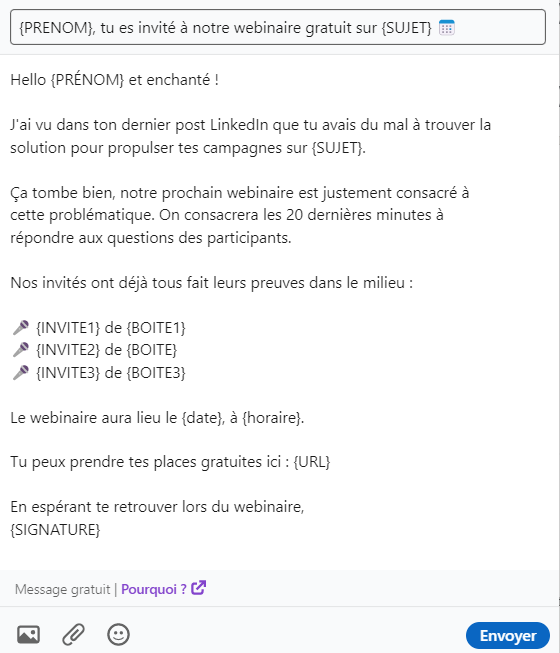
Inviting someone to your event
Subject: {FIRST_NAME}, you’re invited to our free webinar on {TOPIC}
Body: Hello {FIRST_NAME} and nice to meet you!
I saw in your last LinkedIn post that you were struggling to find a solution to boost your campaigns on {TOPIC}.
That’s good timing, our next webinar is dedicated to this issue. We’ll spend the last 20 minutes answering participants’ questions.
Our guests have already proven themselves in the field:
{GUEST1} from {COMPANY1}
{GUEST2} from {COMPANY2}
{GUEST3} from {COMPANY3}
The webinar will take place on {date} at {time}.
You can claim your free spots here: {URL}
Hoping to see you at the webinar,
{SIGNATURE}
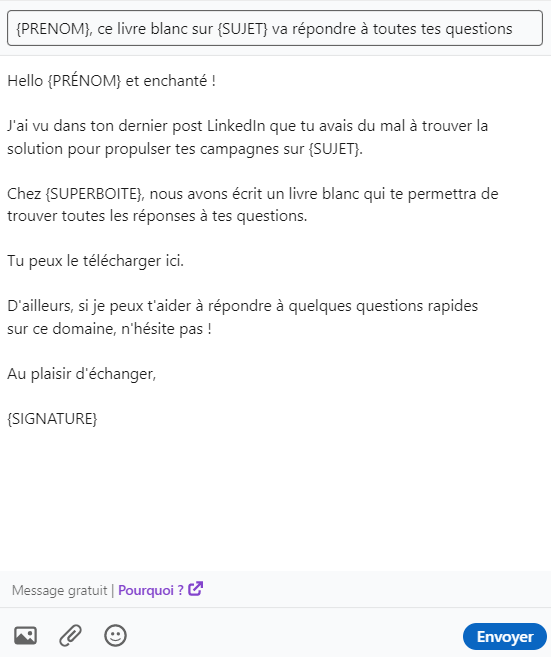
Highlighting specific content
Subject: {FIRST_NAME}, this white paper on {TOPIC} will answer all your questions
Body: Hello {FIRST_NAME} and nice to meet you!
I saw in your last LinkedIn post that you were struggling to find a solution to boost your campaigns on {TOPIC}.
At {SUPER_COMPANY}, we’ve written a white paper that will provide you with all the answers to your questions.
You can download it here.
By the way, if I can help you answer any quick questions on this topic, don’t hesitate!
Looking forward to connecting,
{SIGNATURE}
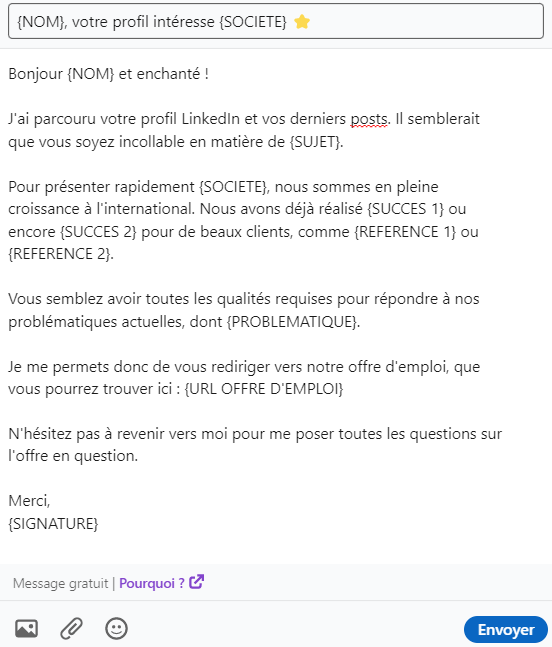
Contacting a potential candidate
Subject: {LAST_NAME}, your profile interests {COMPANY} ⭐
Body: Hello {LAST_NAME} and nice to meet you!
I’ve reviewed your LinkedIn profile and your recent posts. It seems you are an expert in {TOPIC}.
To briefly introduce {COMPANY}, we are growing internationally. We have already achieved {SUCCESS 1} and {SUCCESS 2} for major clients like {REFERENCE 1} or {REFERENCE 2}.
You seem to have all the required qualities to address our current challenges, including {CHALLENGE}.
I am therefore directing you to our job offer, which you can find here: {JOB OFFER URL}
Please feel free to get back to me with any questions you may have about the offer.
Thank you,
{SIGNATURE}
Contacting a recruiter for a job opening
Subject: The {JOB_TITLE} position is perfect for me
Body: Hello {LAST_NAME} and nice to meet you!
LinkedIn recommended your job opening for {JOB_TITLE}. I researched your company and identified the following challenges:
{CHALLENGE 1}
{CHALLENGE 2}
{CHALLENGE 3}
My background and experience seem to align well with your search for the ideal candidate.
I am therefore directing you to my personal website, which details some of my past achievements: {PERSONAL WEBSITE URL}
I hope I have piqued your interest and look forward to meeting you soon for an in-person or virtual interview.
Thank you,
{SIGNATURE}

Conclusion
Now that you’ve learned all the tips and tricks for sending InMails on LinkedIn, it’s time to integrate them into your development strategy.
Whether you’re in the midst of sales prospecting or recruitment, you can save considerable time by automating your message sending.
LaGrowthMachine is the ideal tool for implementing excellent prospecting scenarios.
Our solution automates your lead generation emails, allowing you to focus on refining your copywriting techniques.
The effectiveness is proven: you will multiply your response rate by 3.5x. Take advantage of our 14-day free trial!