
TL;DR
Apollo combine données prospection engagement commercial tandis que Lemlist priorise personnalisation créative délivrabilité.
– Apollo débute 49$/utilisateur/mois avec 275M+ contacts intégrés versus Lemlist 69$
– Lemwarm Lemlist automatise warmup emails maintenir réputation expéditeur hors spams
– Images dynamiques landing pages personnalisées distinguent campagnes prospection froide Lemlist
– Système crédits Apollo peut épuiser plus rapidement que prévu utilisateurs plans
– Apollo intègre 50+ outils contre écosystème limité Lemlist nécessitant Zapier Make
If you’re looking to automate your LinkedIn outreach, you’ve probably come across both Octopus CRM and Waalaxy. Both tools promise to simplify prospecting, save time, and help you connect with more leads, but they take different approaches to LinkedIn automation.
Octopus CRM vs. Waalaxy: side-by-side comparison table
| Feature | Octopus CRM | Waalaxy | La Growth Machine |
|---|---|---|---|
| Starting Price | $6.99/month (annual) | $21/month | €50/user/month (annual) |
| Free Trial | 7 days | 7 days (plus free plan) | 14 days (no credit card required) |
| Operation Type | Browser extension | Cloud-based | Cloud-based |
| LinkedIn Automation | Yes | Yes | Yes, native |
| Email Automation | Basic | Full sequences | Yes |
| Campaign Templates | No | 100+ templates | Yes, customizable templates |
| Funnel Builder | Yes | Via sequences | Yes, multichannel sequences |
| CRM Integrations | HubSpot, Zapier, Salesforce | HubSpot, Salesforce, Pipedrive, Zoho | Native: HubSpot, Salesforce, Pipedrive |
| Email Finder | Yes (via credits) | Yes (credits included) | 5 credits/verified email |
| 24/7 Operation | No (browser must be open) | Yes (cloud-based) | Yes, cloud 24/7 |
| Customer Support | Email only | Live chat + email | Email, chat, knowledge base |
| Best For | Budget-conscious users needing basic LinkedIn automation | Teams wanting intuitive multichannel prospecting | Scaling teams needing multichannel automation |
Octopus CRM positions itself as an affordable, straightforward browser-based tool focused on basic LinkedIn automation with strong CRM integrations. Waalaxy offers a cloud-based platform with multichannel capabilities that combine LinkedIn and email outreach with an intuitive user interface.
This article breaks down how these two tools compare across features, pricing, ease of use, integrations, and more. We’ll help you figure out which tool fits your prospecting strategy and when you might want to consider a different approach altogether.
Octopus CRM vs. Waalaxy: quick overview
Before we get into specifics, here’s a snapshot of what each tool offers.
Octopus CRM
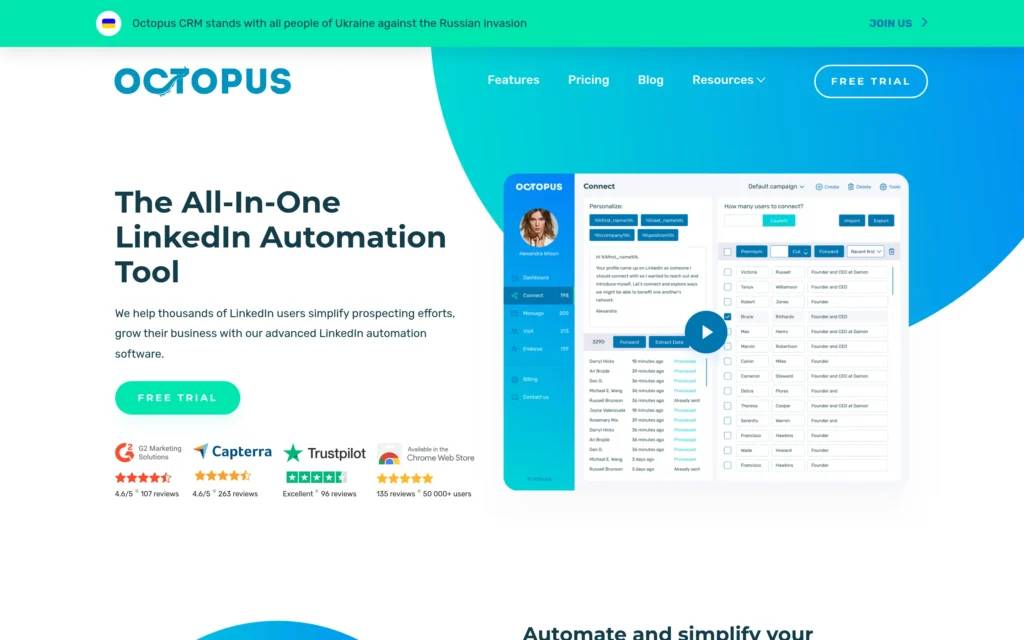
Octopus CRM is a browser extension for LinkedIn automation that’s been around since 2018. It automates repetitive LinkedIn tasks like sending connection requests, messaging contacts, endorsing skills, and visiting profiles.
What it does: Automates LinkedIn prospecting actions directly from your browser with a focus on affordability and CRM connectivity.
Why people choose it: Budget-friendly pricing that makes LinkedIn automation accessible to individuals and small teams, with strong integration capabilities for HubSpot, Pipedrive, and Salesforce.
Starting price: $9.99/month (monthly billing) or $6.99/month (annual billing)
Waalaxy
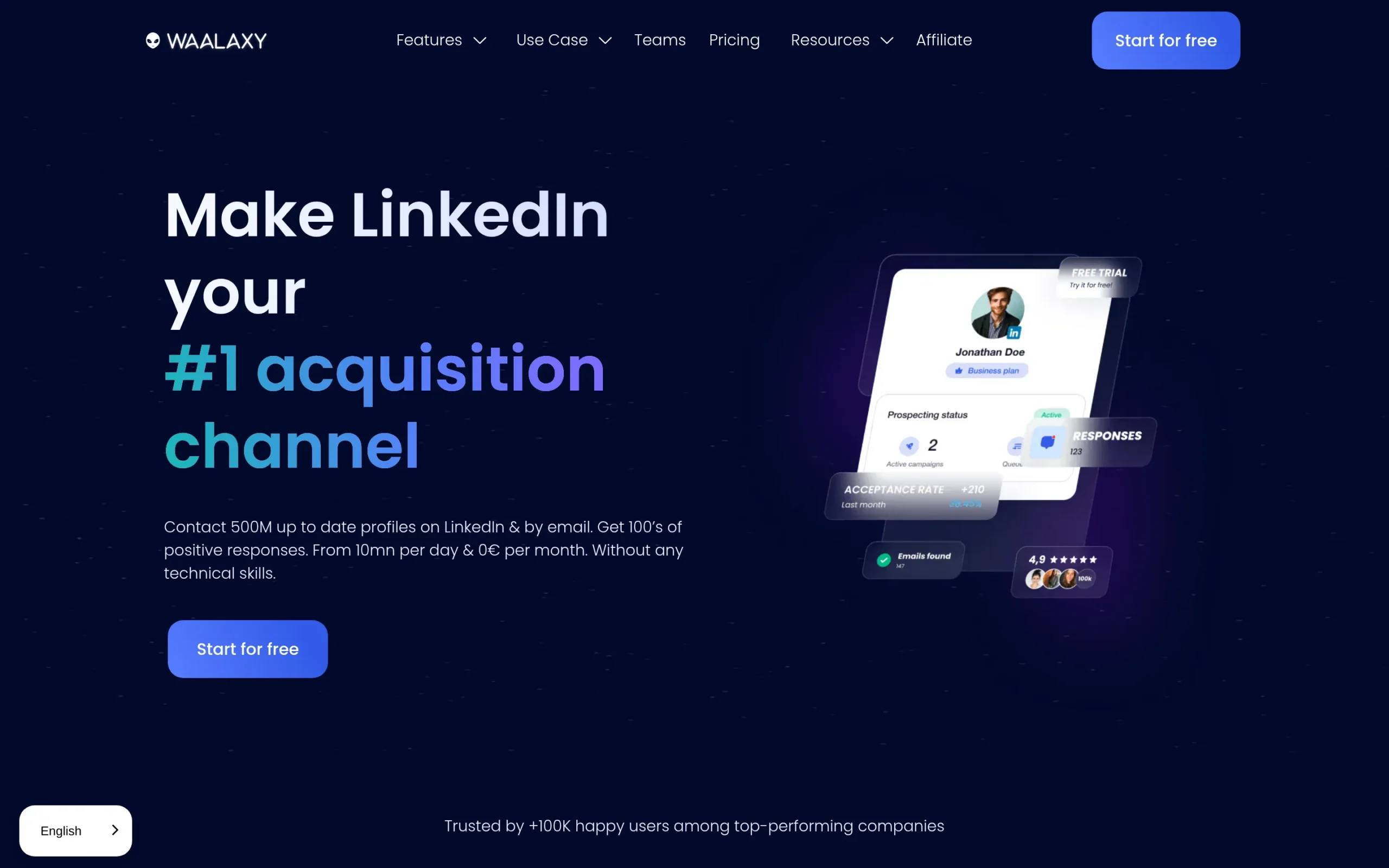
Waalaxy is a cloud-based LinkedIn automation and prospecting platform built with user experience and multichannel outreach in mind. It operates independently of your browser and combines LinkedIn automation with email sequences.
What it does: Automates LinkedIn and email prospecting campaigns from a cloud platform that runs 24/7, featuring pre-built campaign templates and an intuitive interface.
Why people choose it: One of the easiest-to-use LinkedIn automation tools available, with a clean interface, 100+ ready-made campaign sequences, and seamless multichannel capabilities.
Starting price: $21/month (Pro plan, monthly billing)
Octopus CRM vs. Waalaxy: head-to-head comparison
Let’s compare how these tools stack up across the categories that matter most when choosing a LinkedIn automation platform.
Features & capabilities
Octopus CRM
Octopus CRM covers the essentials of LinkedIn automation through a Chrome extension that sits on top of your LinkedIn account. Key features include:
- Automated connection requests with personalized notes
- Bulk messaging to first-degree connections
- Automatic profile visits to increase visibility
- Skills endorsements for relationship building
- Funnel builder to create multi-step prospecting sequences
- CSV import/export for prospect management
- Activity control system that monitors LinkedIn limits
The tool operates directly from your browser, which means your computer needs to be on and LinkedIn logged in for campaigns to run. The funnel builder lets you sequence automated actions like connecting, then sending a thank you message, then following up if there’s no response.
Waalaxy
Waalaxy takes a more comprehensive approach to prospecting automation, offering both LinkedIn and email capabilities from a cloud-based platform:
- LinkedIn automation (invitations, messages, profile visits)
- Email finder and enrichment with 25-10,000 credits depending on plan
- 100+ pre-built campaign sequences organized by use case and difficulty
- Multichannel campaigns combining LinkedIn and email touchpoints
- Cloud-based operation that runs campaigns 24/7
- Smart reply detection and automated follow-ups
- AI message writer (Waami) to create outreach copy
- CSV import and export functionality
- LinkedIn Inbox add-on for enhanced conversation management
Because Waalaxy operates in the cloud, campaigns continue running whether your computer is on or off. The pre-built sequences are categorized by goal (sales, recruitment, networking, etc.) and difficulty level, making it easier to get started without building campaigns from scratch.
Winner: Waalaxy
Waalaxy offers more comprehensive features with its multichannel approach, cloud-based operation, and extensive template library. While Octopus CRM covers LinkedIn automation basics, Waalaxy provides more flexibility and options for teams looking to scale their outreach beyond just LinkedIn.
Ease of use
Octopus CRM
Octopus CRM uses a split interface between a browser extension and a web dashboard, which some users find disjointed. The campaign setup process is straightforward but not particularly guided:
- Install the Chrome extension
- Navigate to LinkedIn and activate the extension
- Select prospects and send them to your CRM dashboard
- Configure campaign settings and launch
The interface is functional but dated, with limited visual feedback on campaign performance. Several users mention the UI is harder to use than competitors, and there’s a learning curve even for those familiar with automation tools. The dashboard provides statistics but lacks the polish and intuitiveness of more recent platforms.
Waalaxy
Waalaxy consistently receives praise for its intuitive, clean interface. The platform guides users through campaign creation with clear visual workflows:
- Import prospects from LinkedIn with one click
- Choose from categorized sequence templates
- Customize messages with visual preview
- Review campaign summary before launch
The interface uses color coding to indicate prospect status (gray for not connected, orange for waiting, blue for connected) and provides helpful tooltips throughout. Campaign sequences are displayed visually, making it easy to understand what actions will happen and when. The dashboard presents statistics in an accessible way without overwhelming users with data.
User reviews consistently highlight Waalaxy’s ease of use as a major strength, with beginners able to launch campaigns quickly and experienced users appreciating the streamlined workflow.
Winner: Waalaxy
Waalaxy’s clean, intuitive interface makes it significantly easier to use than Octopus CRM. The visual campaign builder, helpful guidance, and logical organization reduce the learning curve and make the platform accessible to users at all experience levels.
Pricing & value
Octopus CRM
Octopus CRM offers four pricing tiers with annual billing providing a discount:
- Starter: $9.99/month (or $6.99/month annually) – includes basic automation features, personal CRM, auto invites, bulk messages, profile visits, skills endorsements
- Pro: $14.99/month (or $9.99/month annually) – adds funnel building and import/export capabilities
- Advanced: $21.99/month (or $14.99/month annually) – includes activity control and advanced features
- Unlimited: $39.99/month (or $24.99/month annually) – unlimited features, works with Premium, Sales Navigator, and Recruiter accounts
All plans include a 7-day free trial with no credit card required. Special pricing is available for agencies managing 20+ accounts.
The pricing structure makes Octopus CRM one of the most affordable LinkedIn automation tools available. However, the browser-based architecture and limited features mean you get what you pay for at these price points.
Waalaxy
Waalaxy offers a freemium model plus four paid tiers:
- Freemium: €0/month – 80 invitations per month, LinkedIn automation, pre-filled templates, 25 email finder credits
- Pro: $21/month (€19 billed monthly) – 300 invitations per month, unlimited campaigns, automated follow-ups, 25 email finder credits, CRM sync
- Advanced: $44/month (€49 billed monthly) – 800 invitations per month, all Pro features, live chat support
- Business: $66/month (€69 billed monthly) – 800 invitations per month, cold email sequences, 500 email finder credits, multiple sender accounts, priority support
- Enterprise: Custom pricing for teams of 5+ seats
Quarterly billing provides a 20% discount, and annual billing cuts costs by 50%. A 7-day free trial is available for all paid plans. The LinkedIn Inbox add-on is available as an optional upgrade.
Waalaxy’s pricing is higher than Octopus CRM, but the cloud-based operation, multichannel capabilities, and superior user experience justify the premium. The freemium tier lets users test the platform risk-free.
Winner: Tie with reasoning
This depends on your priorities. Octopus CRM wins on affordability with the lowest entry price on the market, making it accessible for individuals and small businesses on tight budgets. Waalaxy offers better value for teams that need reliable 24/7 operation, multichannel outreach, and a better user experience. You’re paying more with Waalaxy, but you’re getting significantly more capability.
Integrations
Octopus CRM
Octopus CRM’s integration capabilities are one of its strongest features:
- Direct integration with HubSpot
- Zapier connectivity providing access to 1,000+ apps
- CSV import and export (on Pro and higher plans)
- Webhook support for custom integrations
The Zapier integration means you can connect Octopus CRM to virtually any CRM, Google Sheets, Slack, and other business tools. This makes it particularly valuable for teams already invested in specific CRM ecosystems.
Waalaxy
Waalaxy offers CRM integrations through multiple channels:
- Native integrations with HubSpot, Salesforce, Pipedrive, Zoho, NoCRM
- Zapier and Make (formerly Integromat) for 2,000+ app connections
- CSV import and export for all plans
- API access for custom integrations
The platform also syncs data to CRMs automatically, sending information about prospect status, campaign interactions, and responses. However, some users note that CRM integrations are less extensive than Octopus CRM’s offerings.
Winner: Octopus CRM
While both tools offer solid integration options, Octopus CRM edges ahead with its focus on deep CRM connectivity. The platform was designed with integrations in mind, making it the better choice for teams whose primary concern is seamless data flow between LinkedIn outreach and their existing sales stack.
LinkedIn safety features
Octopus CRM
Octopus CRM includes basic safety features:
- Daily limits on connection requests and messages
- Activity control system that detects excessive LinkedIn activity
- Delays between actions to mimic human behavior
- Immediate alerts if the system detects risky activity levels
However, as a browser-based extension, Octopus CRM has inherent limitations. LinkedIn can more easily detect browser-based automation, and users have reported account restrictions. The tool requires your browser to remain open, creating additional detection risk.
Waalaxy
Waalaxy operates from the cloud with built-in safety features:
- Weekly invitation limits (300 for Pro, 800 for Advanced/Business)
- Smart delays between actions
- Cloud-based operation reduces browser detection risk
- Automatic duplicate prevention
- Compliance with LinkedIn’s weekly invitation caps
The cloud-based architecture provides better protection than browser extensions, though Waalaxy uses shared IP infrastructure which presents some account risk. The platform automatically manages pacing to stay within safe limits.
Winner: Waalaxy
Waalaxy’s cloud-based operation and automatic limit management provide better account safety than Octopus CRM’s browser-based approach. While neither tool is completely risk-free (all LinkedIn automation carries some level of risk), Waalaxy’s infrastructure reduces the chances of triggering LinkedIn’s detection systems.
Octopus CRM vs. Waalaxy: pros and cons
Let’s break down the key strengths and weaknesses of each platform.
Octopus CRM strengths & weaknesses
Pros
- Most affordable LinkedIn automation tool with plans starting at $6.99/month annually
- Strong CRM integrations with HubSpot, Pipedrive, Salesforce via direct connect and Zapier
- Funnel builder lets you create multi-step prospecting sequences
- Simple browser extension setup that works immediately
- Low barrier to entry for individuals and small teams
Cons
- Browser-based architecture requires computer to stay on and LinkedIn logged in
- Higher account restriction risk compared to cloud-based alternatives
- Outdated interface that’s harder to navigate than newer tools
- Limited customer support with slow response times reported by users
- No sequential email campaigns or multichannel capabilities
User Rating:
- G2: 4.4/5 (based on 120+ reviews)
- Capterra: 4.6/5 (based on 263 reviews)
Waalaxy strengths & weaknesses
Pros
- Intuitive LinkedIn automation tool with clean, user-friendly interface
- Cloud-based operation runs campaigns 24/7 regardless of computer status
- 100+ pre-built campaign templates organized by use case and difficulty
- Multichannel capabilities combining LinkedIn and email in unified sequences
- Email finder with enrichment credits included in all plans
Cons
- Higher pricing starting at $21/month compared to budget alternatives
- Some users report occasional reliability issues and downtime
- Limited customization for highly specialized workflows
- Shared IP infrastructure presents some account risk
- Chrome-only extension (no Firefox or other browser support)
User Rating:
- G2: 4.6/5 (based on 500+ reviews)
- Capterra: 4.4/5 (based on 250+ reviews)
- Chrome Web Store: 4.8/5 (based on 2,000+ reviews)
Which should you choose?
The right tool depends on your specific needs, budget, and prospecting strategy. Here are decision criteria to help you choose:
Consider Octopus CRM if:
- Budget is your primary concern and you need the lowest possible price
- You need strong CRM integration and already use HubSpot, Pipedrive, or Salesforce
- You’re comfortable with browser-based tools and can leave your computer running
- Your prospecting strategy focuses exclusively on LinkedIn without email follow-ups
- You want to build custom funnels that link multiple campaigns together
Consider Waalaxy if:
- You value ease of use and want an intuitive platform that’s simple to learn
- You need campaigns to run 24/7 without keeping your computer on
- You want to combine LinkedIn and email outreach in multichannel sequences
- Pre-built campaign templates would help you launch faster
- You’re willing to invest more for a better user experience and cleaner interface
Consider both tools if:
- You have multiple team members with different technical skill levels
- You’re testing which approach (browser-based vs. cloud) works better for your workflow
- You want to compare results before committing to one platform
Need something different? Check out La Growth Machine
Octopus CRM and Waalaxy are both solid choices if you’re focused specifically on LinkedIn automation. But if you’re looking for true multichannel sales automation that goes beyond LinkedIn prospecting, La Growth Machine takes a different approach.
What La Growth Machine does
La Growth Machine is a multichannel outreach platform designed for B2B sales teams that need to reach prospects across multiple channels in one cohesive workflow. Unlike tools focused purely on LinkedIn, our platform combines LinkedIn, email, calls, and X (Twitter) in automated sequences.
We’re not just a LinkedIn automation tool. We handle:
Multichannel sequences that blend LinkedIn actions, emails, voice messages, calls, and X interactions in a single campaign. Research shows multichannel prospecting delivers 3.5x more replies than email-only outreach.
LinkedIn Intent Data that lets you import people who liked or commented on LinkedIn posts, signed up for events, or follow your company page. Target prospects when they’re already showing interest.
Waterfall Email Enrichment using 9 different providers with double validation and scoring. Automatically find and verify professional emails without manual hunting.
LinkedIn Voice Messages with AI cloning that doubles reply rates. Record one message and our AI personalizes it at scale.
Lookalike Search that analyzes your best clients and automatically finds similar companies with matching profiles.
How it fits into your stack
If you’re using Octopus CRM or Waalaxy for LinkedIn prospecting, you’d use those tools when your primary focus is automating LinkedIn connection requests and messages. They excel at that specific use case.
You’d use La Growth Machine when:
- You want to reach prospects across multiple channels (LinkedIn, email, calls, social) in coordinated campaigns
- You need advanced enrichment to find accurate contact data
- Your sales process requires voice messages, call reminders, or X engagement
- You want to target prospects showing buying intent on LinkedIn
- You need a unified inbox to manage conversations across all channels
The tools could potentially work together if you’re running dedicated LinkedIn campaigns alongside broader multichannel outreach, though most teams find La Growth Machine handles their complete prospecting needs.
Pricing
Starting at €50/month per identity, with all core multichannel features included. 14-day free trial available.
Worth considering if
- You need multichannel outreach beyond LinkedIn-only automation
- Finding accurate email addresses and contact data is a priority
- You want to combine LinkedIn prospecting with email, calls, and social touches
- Your sales strategy requires multiple touchpoints across different channels
Octopus CRM vs. Waalaxy: FAQs
Can I use Octopus CRM or Waalaxy with a free LinkedIn account?
Yes, both tools work with free LinkedIn accounts. However, you’ll have better results with LinkedIn Premium or Sales Navigator, which provide advanced search filters and the ability to send more connection requests. Sales Navigator is particularly valuable for targeted prospecting because it lets you search by specific criteria like company size, job title, and industry.
How many connection requests can I send per week?
LinkedIn limits all users to approximately 100 connection requests per week, regardless of which automation tool you use. Octopus CRM offers a “connect by email” feature that bypasses this limit by sending invitations through email instead of LinkedIn’s internal system. Waalaxy enforces weekly caps of 300-800 invitations per month depending on your plan, which translates to roughly 75-200 per week.
Will using automation tools get my LinkedIn account banned?
All LinkedIn automation carries some level of risk because it violates LinkedIn’s terms of service. However, the risk varies by tool and usage. Browser-based tools like Octopus CRM face higher detection risk, while cloud-based platforms like Waalaxy have better safety records. To minimize risk: stay within daily limits, personalize messages, avoid spammy behavior, and gradually ramp up activity on new accounts. Neither tool can guarantee complete safety.
Conclusion
Octopus CRM and Waalaxy both solve the problem of manual LinkedIn outreach, but they approach it differently. Octopus CRM offers budget-friendly LinkedIn automation with strong CRM integrations, making it a good fit for cost-conscious users who need basic prospecting capabilities. Waalaxy provides a more complete solution with its cloud-based operation, intuitive interface, and multichannel sequences, justifying the higher price for teams that value reliability and ease of use.
Your choice comes down to whether you prioritize affordability (Octopus CRM) or user experience and multichannel capability (Waalaxy). Both tools will help you automate LinkedIn prospecting and save time on manual outreach tasks.
If your needs extend beyond LinkedIn-specific automation to true multichannel prospecting with enrichment, intent data, and voice capabilities, La Growth Machine offers a different category of solution worth exploring. Our platform handles the complete prospecting workflow from finding prospects to managing conversations across multiple channels.
Get 3.5X more leads!
Do you want to improve the efficiency of your sales department? With La Growth Machine you can generate on average 3.5x more leads while saving an incredible amount of time on all your processes.
By signing up today, you’ll get a free 14-day trial to test our tool!