


Intent signals that fill your campaign
Post likers, new hires, site visitors, every day.
- Any LinkedIn post
- New leads daily

10,000+ GTM teams run their outreach on La Growth Machine



 Use case€1.2Mqualified pipeline with multichannel outreach
 InvoxUse case€430kpipeline from one LinkedIn + email campaign
 Kodiak HubUse case$500kin pipeline generated with La Growth Machine
 Use case30 to 35%of pipeline now from outbound, up from ~10%
 Use case12%of replies converted
 UtilaUse case15%+reply rate across campaigns
Catch intent wherever it shows up

Turn a LinkedIn post into leads
Everyone who liked or commented a competitor’s post on outbound, Heads of Sales only.
Paste any LinkedIn post: yours, an influencer’s or a competitor’s. The people who like or comment it and match your persona land in your audience, and new ones are added every day. LinkedIn events work the same way.
task_altOnly people who match your persona come in.

Reach people in their new role
New Heads of Customer Success at software companies of 51 to 500 people, in the US.
Pick Job change or Recently hired, then set your persona. La Growth Machine spots the people who just took the role and adds them to your audience, so your first message arrives in their first months.
infoCareer signals use your Sales Navigator account.

Your website visitors, in your sequence
Visitors of our pricing page, identified by RB2B.
Connect RB2B or Warmly with the ready-made La Growth Machine URL. Each visitor they identify lands in your audience, with the page they saw, and starts your sequence. Form fills can take the same path through Zapier, Make or n8n.

New leads join the campaign that’s running
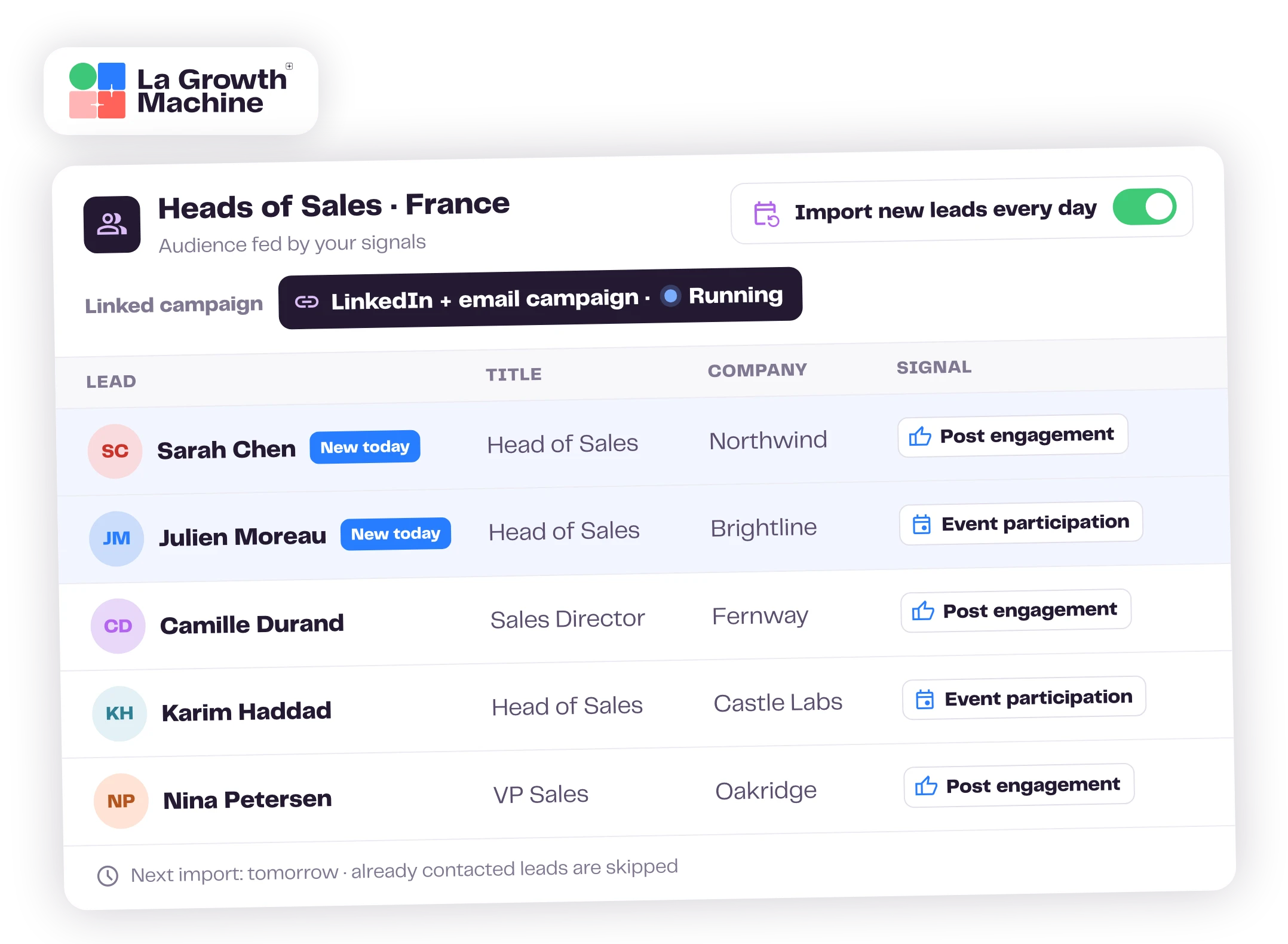
Audience “Post engagers, daily” attached to our LinkedIn and email campaign.
Attach the signal’s audience to a campaign. Each day, the new matches start the sequence on LinkedIn and by email, without a new import or a new launch. Pause the signal any time from your audiences.
task_altSkip the leads you already contacted, or the ones in your CRM list.
in qualified pipeline at Mindflow, from campaigns on people engaging with LinkedIn posts.
Mindflow, published customer story
You decide who comes in
Every signal runs through your persona, and you can stop it any time.
- filter_altYour persona on every lead
- person_offSkip leads already contacted
- pause_circlePause in one click
Every signal you can use
Four families of signals, each with your persona filters.
See all signals and settings expand_more
thumb_upSocial activity
- Post engagement: people who like or comment a LinkedIn post, yours or anyone’s
- Event participation: people who register for a LinkedIn event
- Hot leads: people in your persona who viewed your profile (Sales Navigator)
workCareer activity
- Job change: people who just changed jobs or companies (Sales Navigator)
- Recently hired: people in their role for less than a year (Sales Navigator)
- New opportunity in your network: job changes among your 1st-degree connections (Sales Navigator)
- New opportunity in your company followers: job changes among the people who follow your page (Sales Navigator)
targetAudience fit
- ICP match: new people who match your Sales Navigator criteria
- CRM lists: leads who enter a HubSpot or Pipedrive list join every day
languageInbound activity
- Website visit: visitors identified by RB2B or Warmly, through a ready-made URL
- Form submission: form fills sent through Zapier, Make or n8n
- New followers of the company page you manage
filter_altPersona
- Job title, function, seniority, industry, company size, location
- At least one criterion per signal
- Choose the identity used to import
tuneImport settings
- Import the people who already match, or only new ones
- Skip already contacted leads and leads in a CRM list
- Auto-enrich new leads at import (email, LinkedIn data)
- Edit, pause or stop a signal from your audiences list
Set up your first signal in a few clicks
Pick where the intent comes from.
Audiences Create an audience Configure a signal
Paste your La Growth Machine visitor URL in RB2B or Warmly pick the audience
Send each new submission to a La Growth Machine audience

We've got you.
Your performance is our retention plan. Our team answers fast when you need help, and growing teams get their own Outreach Expert to review their campaigns and send a quarterly report with the actions that matter.
Talk to our teamReach people while it’s fresh
Pick a signal, set your persona, and let new leads come in every day.
Frequently asked questions
Which plans include Signals? Can I try it during the free trial? add
Signals is open on every La Growth Machine plan and during the 14-day free trial. Leads who enter a HubSpot or Pipedrive list can join every day on the Ultimate plan, and website visitors from RB2B or Warmly connect with your API key, on Pro and Ultimate.
What can trigger an import? add
Social activity (likes and comments on a LinkedIn post, LinkedIn event registrations, profile views), career activity (job changes, recent hires), audience fit (new people who match your ideal customer profile) and inbound activity (website visits, form submissions, new followers of your company page). Each signal comes with your persona filters.
Do I need Sales Navigator? add
Not for posts, events, company page followers, website visits and forms: they work with a regular LinkedIn account, or none for the website and forms. Job changes, recent hires, profile views and ICP match use Sales Navigator.
How often are new leads added? add
Most signals are checked every 24 hours, from the moment you turn them on, and the new matches join your audience and the campaign attached to it. Website visitors sent by RB2B or Warmly arrive as soon as they're identified.
Can I skip leads I've already contacted? add
Yes. In the import settings, you can skip the leads you've already contacted and the leads that are already in a CRM list.
Can I use a post that isn't mine? add
Yes. Any LinkedIn post works: yours, an influencer's or a competitor's. For a LinkedIn event, your identity must be registered to it.
Does it use credits? add
Leads are unlimited on every plan. Credits are only used if you turn on auto-enrichment, and only for the leads that aren't enriched yet.
Can I stop or change a signal? add
Yes. Edit its persona, pause it or stop it any time from your audiences list.
How is this different from a separate intent data tool? add
Signals puts the people straight into your La Growth Machine audience, filtered by your persona, and they start your LinkedIn and email sequence the same day. You don't export a CSV or keep a second tool in sync.
Can I keep the visitor or signal tool I already use? add
Yes. RB2B and Warmly have a ready-made La Growth Machine URL, and any other tool can send leads to an audience through our API, Zapier, Make or n8n.
Which signal should I start with? add
Start with a LinkedIn post on your topic: it's the signal our customers use most. Then add job changes for timing, or website visits for inbound. Keep one audience, one signal and one message: a job change doesn't call for the same opener as a post like.