


Clay + La Growth Machine: enrich in Clay, start conversations in La Growth Machine.
Build and personalize your list in Clay, then push every lead straight into a La Growth Machine audience. Your AI-written openers become custom attributes, and the multichannel sequence starts on its own.
Works during your 14-day free trial
Clay builds the perfect list. La Growth Machine turns it into conversations.
Clay is where you find, enrich and qualify. La Growth Machine is where you reach people on LinkedIn, email and voice, with safe limits and one inbox for every reply. The integration removes the CSV in between.
Find and enrich
Build your table in Clay with the sources and waterfalls you already use.
Personalize
Write an icebreaker per lead with a Clay AI column or Claygent.
Push
The Create or update lead action sends each row to a La Growth Machine audience.
Engage
The campaign attached to the audience starts on LinkedIn, email and voice.
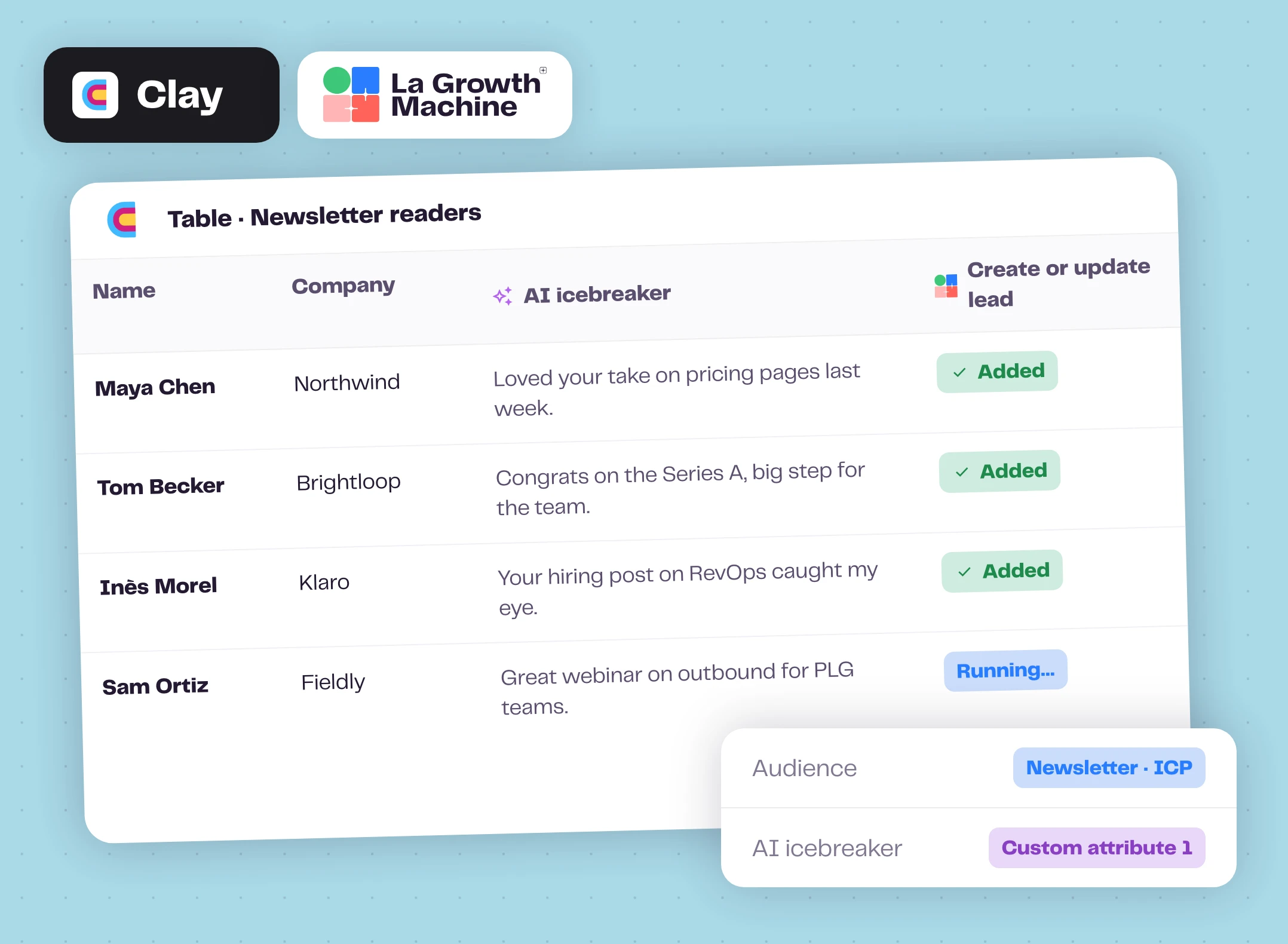
From a Clay table to an audience, in one column
Add the Create or update lead with La Growth Machine action to your table, pick the audience, and map your columns. Job title, company size, AI-written openers: everything you built in Clay comes along.
A LinkedIn URL is enough to create a lead, or a pro email, or a first name, last name and company. Add an "only run if" condition to push only the rows that fit your ICP.
The two Clay actions
- Create or update lead: adds a lead to a La Growth Machine audience, with contact fields and custom attributes. By default it only fills empty fields.
- Search Lead: finds a lead in La Growth Machine by LinkedIn URL, email or lead ID.
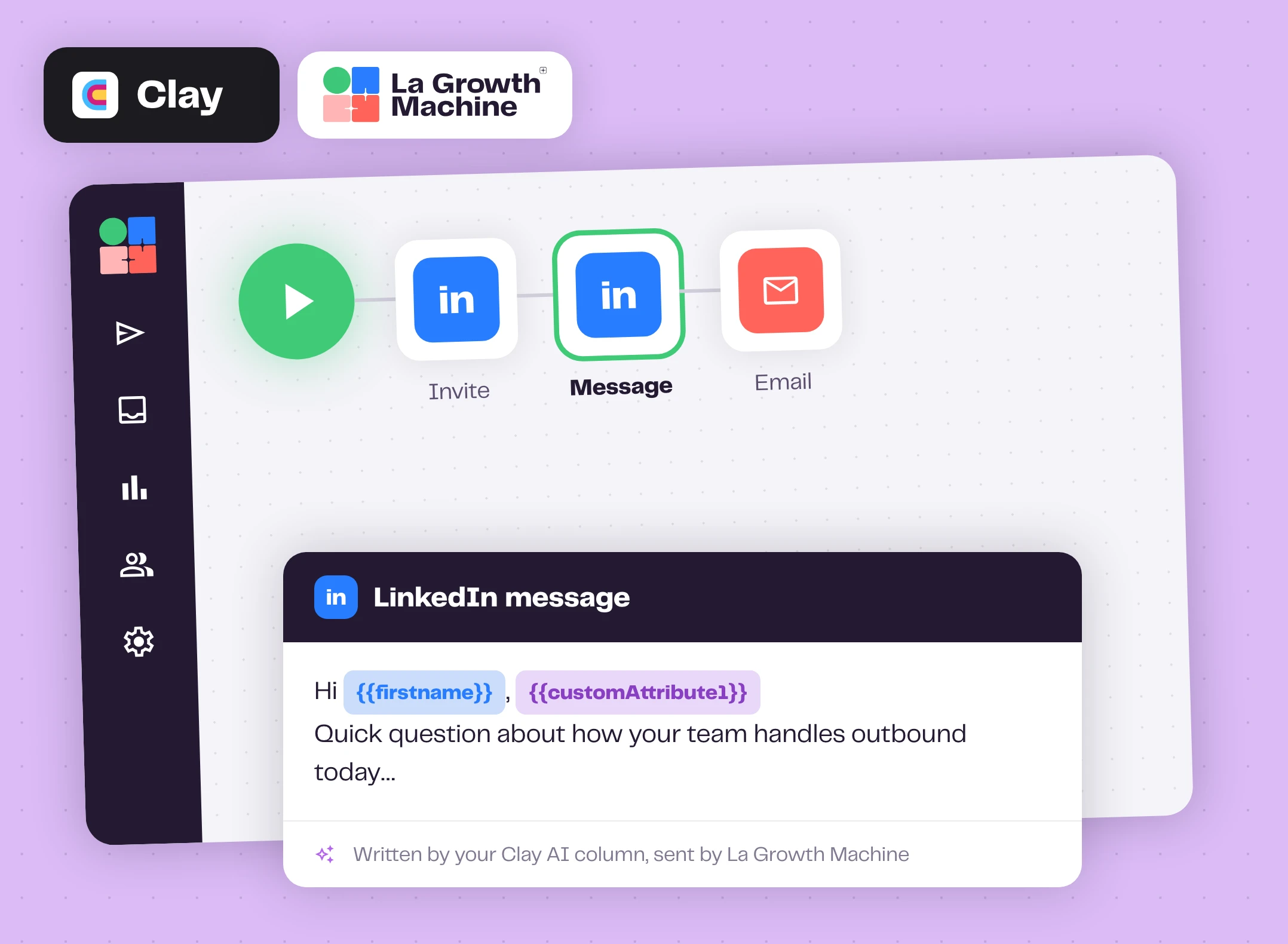
Your AI openers, in every message
Map any Clay column to one of the 20 custom attributes of a lead, then drop {{customAttribute1}} into your LinkedIn message or email. The opener Clay wrote for each person opens the conversation.
Leads land in the audience and the campaign attached to it starts right away. No export, no import, no copy and paste.
Tips from our team
- Keep AI openers short, around 25 words.
- Use one audience per Clay table and campaign.
- Test on 5 to 10 leads before running the whole table.
- Custom attributes ignore line breaks: use <br> in the value.
- Rename attributes in All settings, Custom labels.
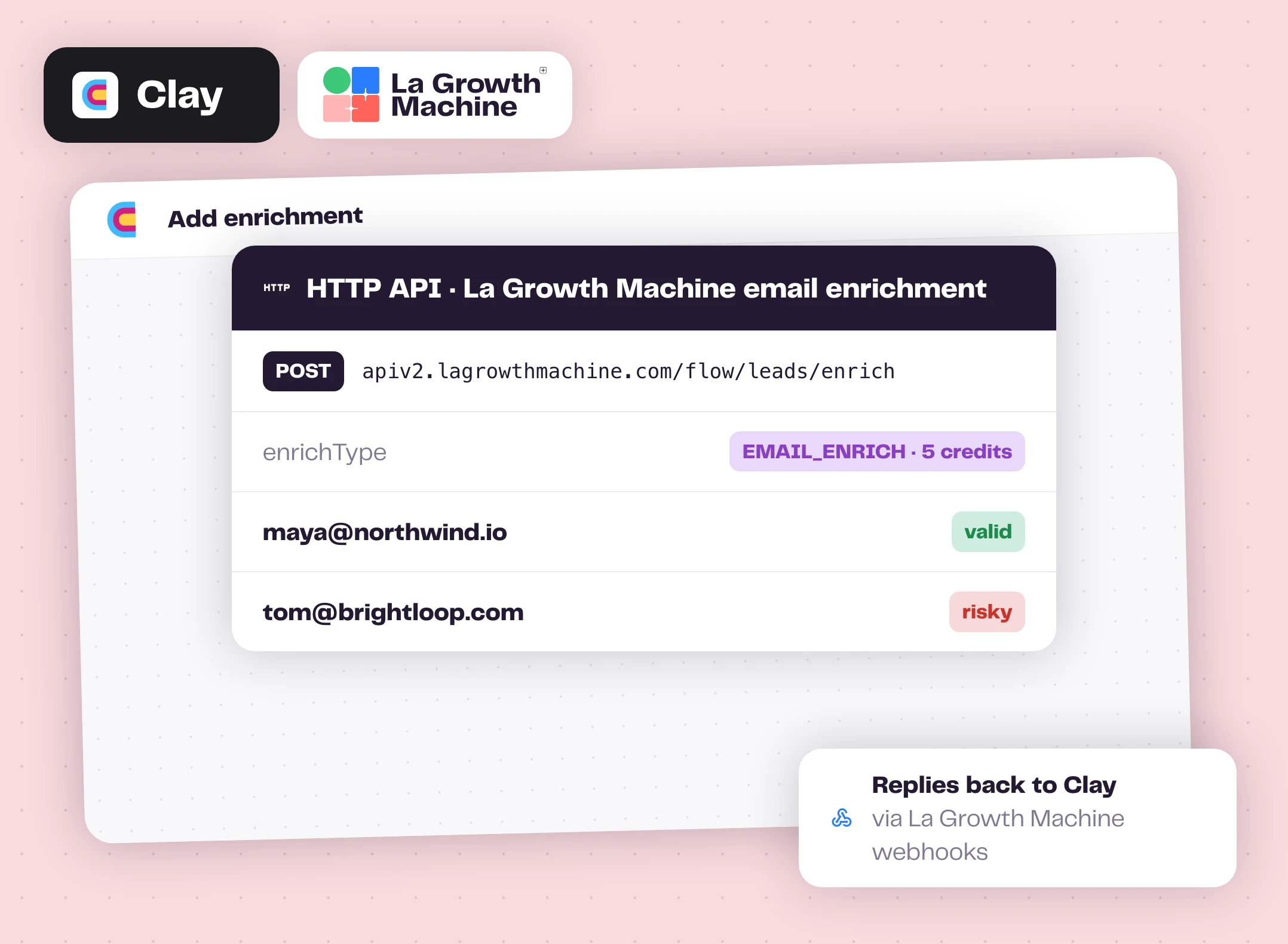
La Growth Machine enrichment, as a Clay column
Call La Growth Machine's email waterfall from a Clay HTTP API column: send a name and a company, get back a pro email with its status, valid or risky. Filter out leads with no email before you activate them.
And the data can flow back: La Growth Machine webhooks send replies, engagement and sequence status to your Clay table.
What it costs
- Email enrichment: 5 La Growth Machine credits per lead, no lead ID needed
- LinkedIn enrichment: 1 credit, full enrichment: 5 credits (both need a lead ID)
- The HTTP API column needs a Clay Growth plan
How to get started?
Connect once, then push from any table.
- Step 1
Copy your API key
In La Growth Machine: All settings, Integrations & API, API.
- Step 2
Prepare the campaign
Create an audience, attach it to a campaign, and place your custom attributes in the sequence.
- Step 3
Connect in Clay
Settings, Connections, Add connection, La Growth Machine, paste your key.
- Step 4
Add the action column
Choose the audience, map your columns, test on a few rows, then run the table.
Clay works with these La Growth Machine features
Once your Clay table sends leads to an audience, these features take over.
LinkedIn Automation
Automate connection requests, messages and voice notes on LinkedIn.
Discover the featureGo further with Clay
Webinars, playbooks and guides from the La Growth Machine team and our partners.
3 Clay + La Growth Machine templates
Past clients who changed jobs, a recruiting pipeline, specific talents: each with its campaign.
Get the templatesClay vs La Growth Machine enrichment cost
Find out how much an enriched lead really costs you.
Try the toolTurn buying signals into meetings using Clay & La Growth Machine
Clay and La Growth Machine run outbound as one loop, from signal detection to conversation.
Watch the replayClay x LGM: 3 workflows that transform your pipeline
Felix Frank (StackOptimise) builds Clay x La Growth Machine workflows step by step.
Watch the replayMastering multichannel prospecting with LGM x Clay
Segment with Clay, run ICP checks, then launch the multichannel campaign in La Growth Machine.
Watch the replayTransform Online Mentions into Customers
Buska mentions filtered in Clay, then engaged. 20+ qualified meetings a week reported.
Open the playbookFrequently asked questions
Which plans do I need?
La Growth Machine Pro or Ultimate, and Clay Launch or higher. It also works during the La Growth Machine free trial. Calling our enrichment from a Clay HTTP API column needs a Clay Growth plan.
Who built the integration?
Clay built it and it lives in Clay, connected with your La Growth Machine API key.
Will La Growth Machine overwrite the data I send from Clay?
No. La Growth Machine's enrichment only fills empty fields, so what you imported from Clay stays as it is.
How many custom fields can I send?
Each lead has 20 custom attributes. Custom attribute values must be text.
Can I send data back to Clay?
Yes, with La Growth Machine webhooks: replies, engagement and sequence status can be pushed back to your Clay table.