


Zapier + La Growth Machine: turn every reply into action, in any app.
Our official Zapier app starts a Zap the moment a lead replies, keeps any CRM up to date, and lets thousands of apps add leads and update statuses in La Growth Machine.
Available on Pro, Ultimate and during your free trial

A reply is where the deal starts. Zapier makes sure nothing waits.
When a lead answers on LinkedIn or by email, the CRM needs updating, the intent needs reading and someone needs to know. With the La Growth Machine app, a Zap does it the moment the reply lands.
Sync any CRM
Salesforce, Attio, Zoho, folk, Close, Copper: log the reply on the right contact.
Read the intent
Let ChatGPT sort the reply, then split your Zap into paths.
Share it
Alert the owner, the team, or your client in their own channel.
Close the loop
Mark a lead as converted when they book a meeting, and the sequence stops.
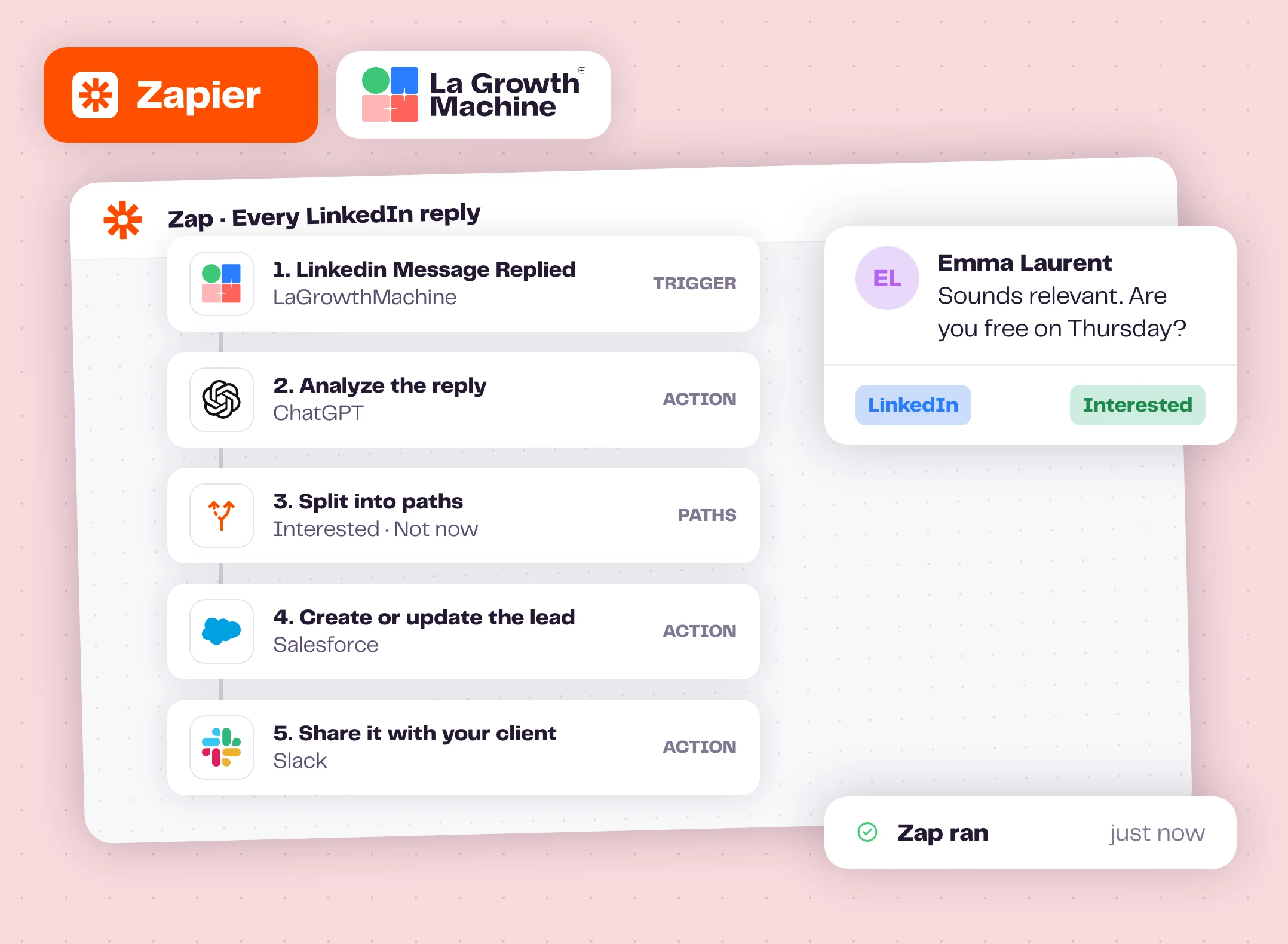
Every reply can start a Zap
The Linkedin Message Replied and Email Replied triggers fire as soon as a lead answers. Each event carries the lead's full data, the identity that contacted them, the campaign, and the message itself.
Chain what you need: ChatGPT to read the intent, Paths to route it, your CRM to log it, Slack to tell the owner, or your client if you run outbound for them. It all happens automatically, while the lead is still in the conversation.
All La Growth Machine triggers expand_more
- Email: sent, opened, clicked, replied
- LinkedIn: profile visited, contact request sent and accepted, message sent and replied
- Lead: goal reached, status changed in campaign, unsubscribed, resubscribed, profile enriched, sequence ended
- Twitter (X), on the Ultimate plan: DM sent, tweet liked, account followed or unfollowed, retweet, tweet
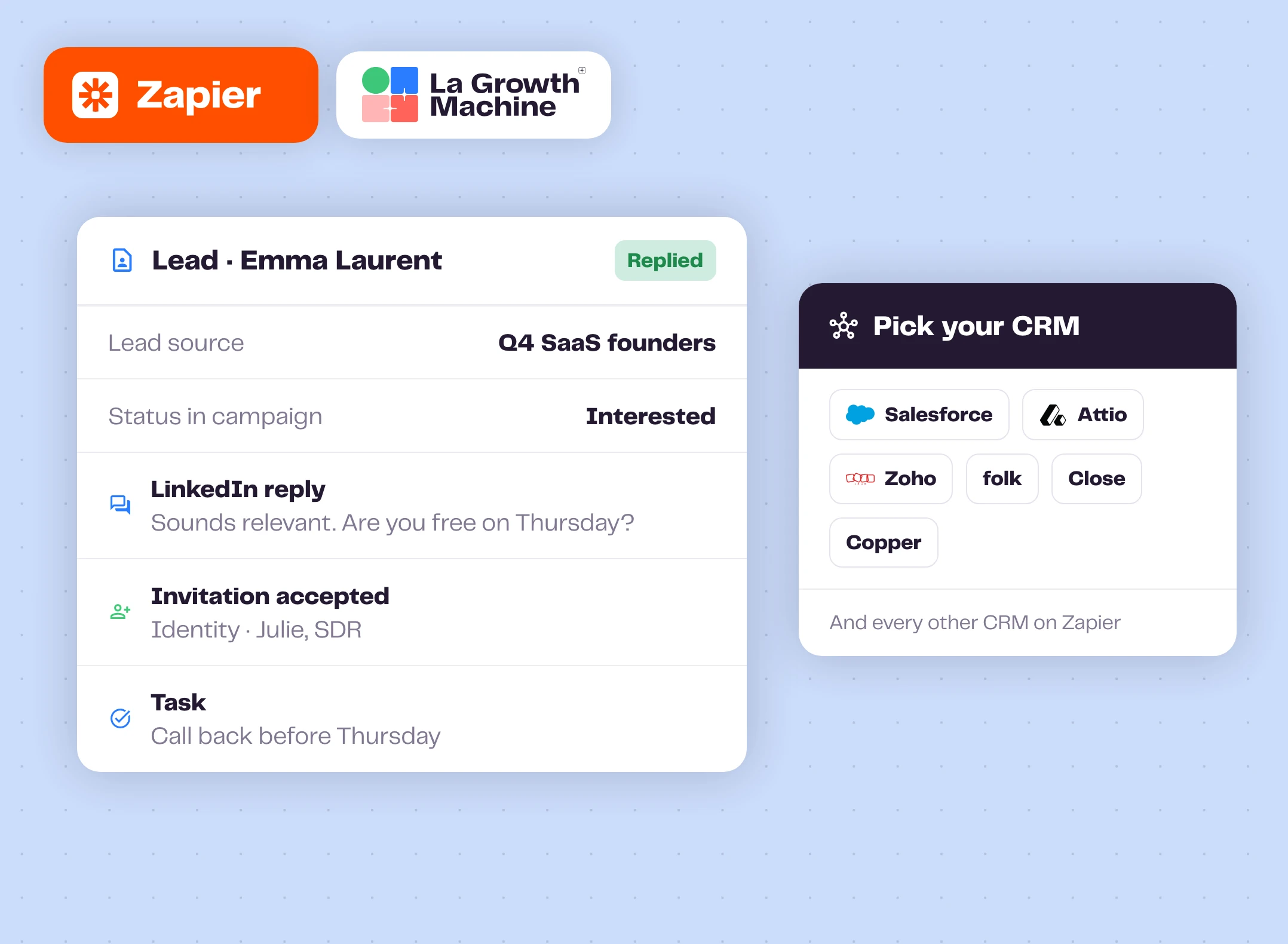
Any CRM on Zapier, even the ones we don't sync natively
La Growth Machine syncs natively with HubSpot and Pipedrive. For Salesforce, Attio, Zoho, folk, Close, Copper or any other CRM on Zapier, one Zap per CRM keeps your records up to date. Use the "create or update" actions to avoid duplicates.
Already on HubSpot? Each event also carries the HubSpot contact ID, so a Zap can write campaign data into your contact properties.
What you can log in your CRM expand_more
- Create or update the contact when a lead replies or gets enriched
- Every reply, as a task or an activity
- The campaign name as lead source
- The lead's status in the campaign
- The identity that reached out
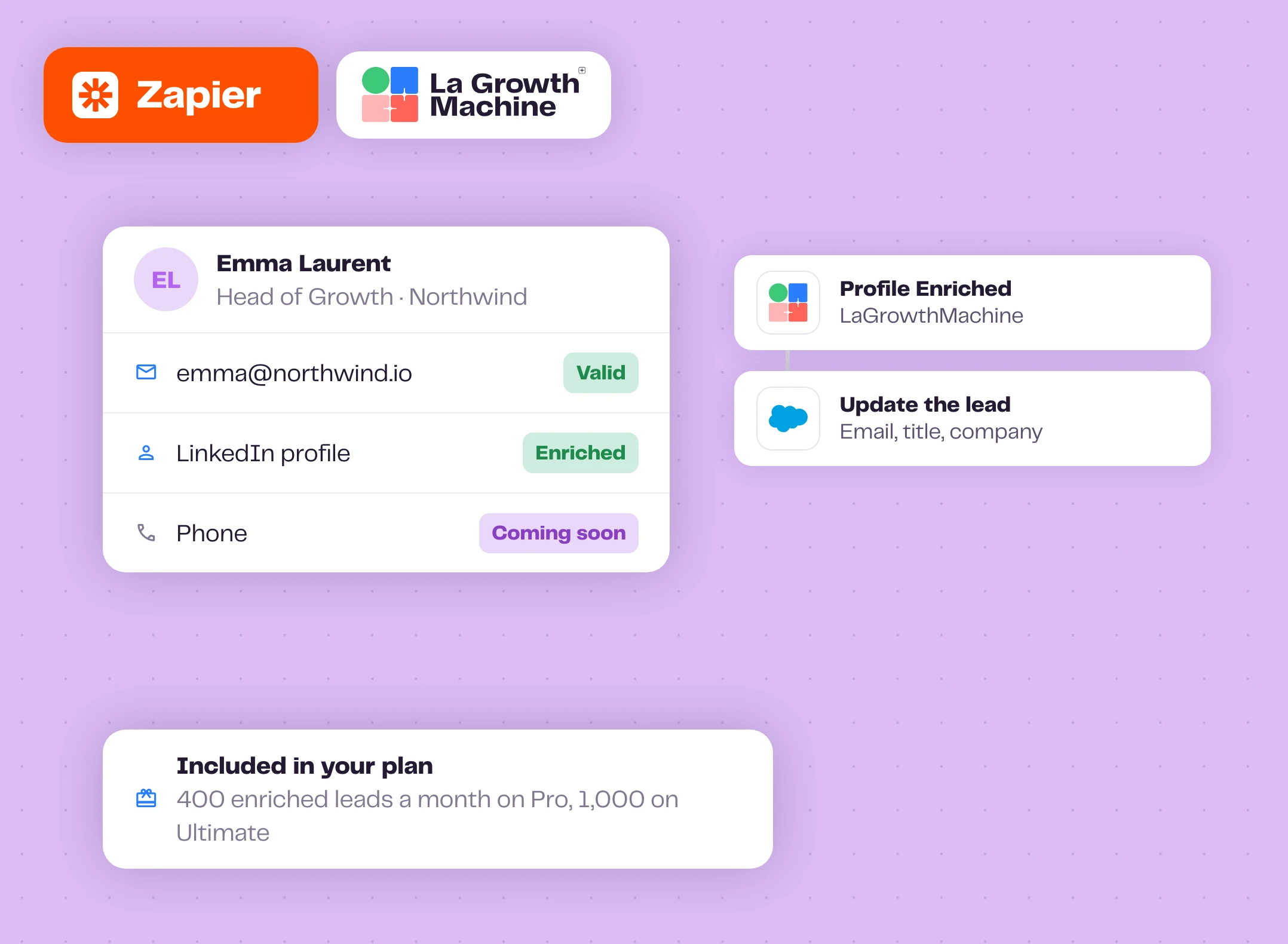
Enriched data, straight to your CRM
La Growth Machine finds the professional email and refreshes the LinkedIn profile of the leads in your campaigns. The Profile Enriched trigger sends the result to the CRM of your choice. Phone numbers are coming soon.
No extra enrichment tool and no extra bill: it uses the enrichment already included in your plan, 400 enriched leads a month on Pro and 1,000 on Ultimate.
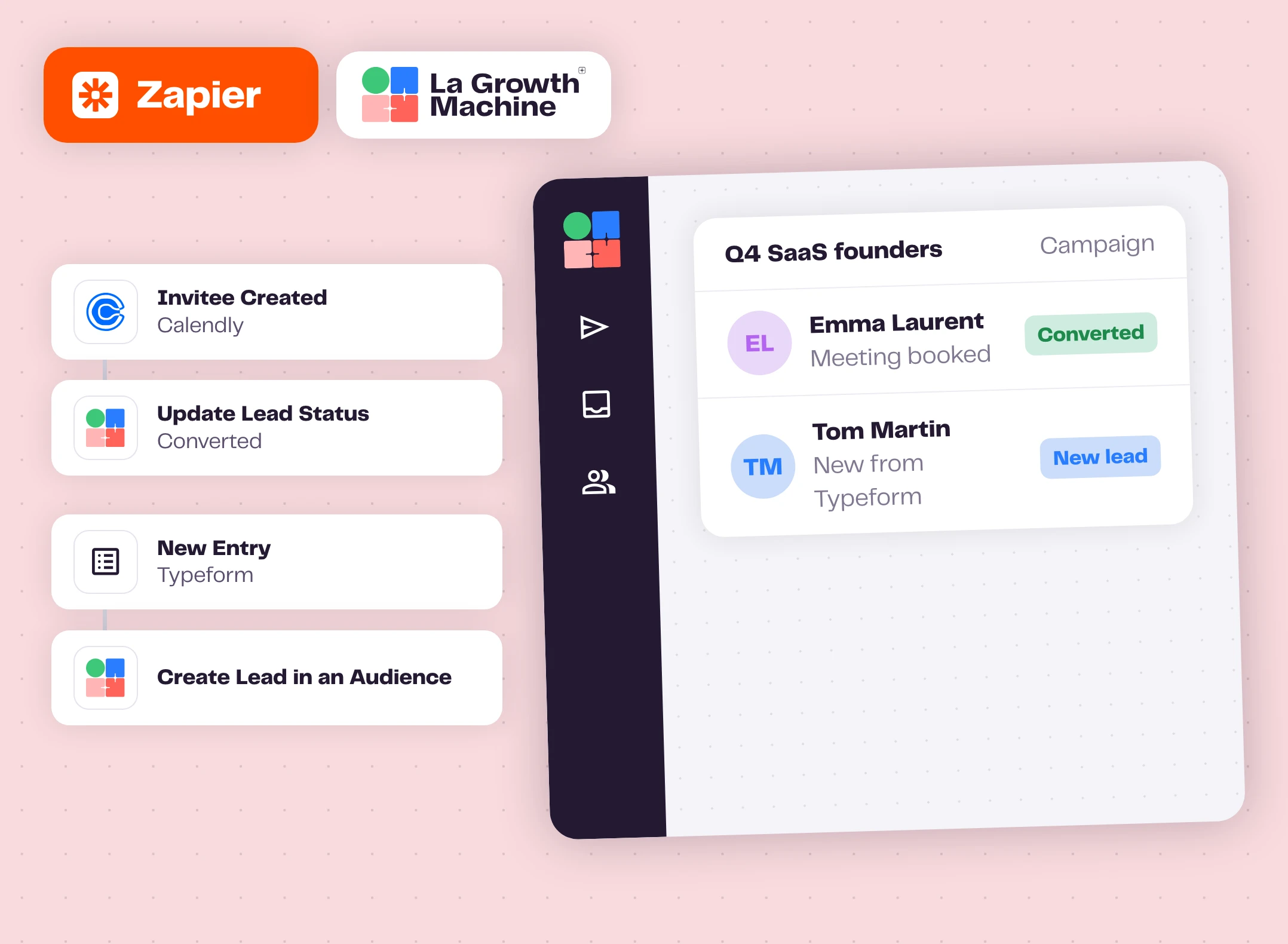
And act on La Growth Machine from any app
A meeting booked in Calendly marks the lead as converted and stops the sequence. A new Typeform entry, a Google Sheets row or an Airtable record becomes a lead in the right audience.
Leads added to a campaign's audience enter the running sequence automatically.
Actions and search expand_more
- Create Lead in an Audience, with up to 10 custom attributes
- Import Leads From LinkedIn Search URL
- Remove Lead From Audience
- Update Lead Status
- Search a Lead
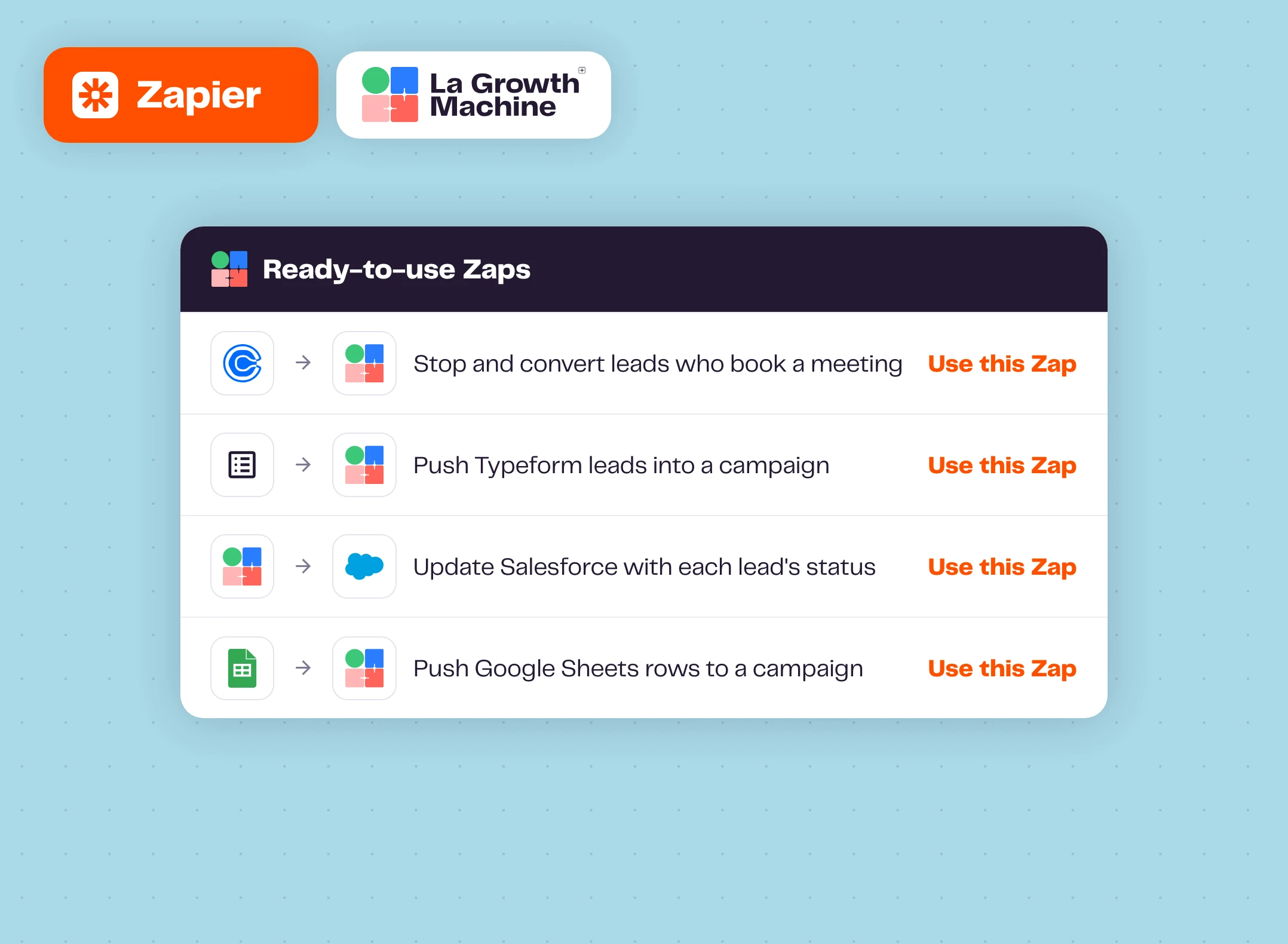
Start from ready-made Zaps
Three Zaps are ready on the Zapier page of La Growth Machine: stop and convert leads who book a Calendly meeting, push Typeform leads into an activation campaign, update Salesforce with each lead's status.
More are one click away, with step-by-step guides in our help center.
How to get started?
Your first Zap in five minutes.
- keyStep 1
Copy your API key
In La Growth Machine: All settings, Integrations & API, API.
- add_circleStep 2
Create a Zap
In Zapier, search LaGrowthMachine and pick a trigger or an action.
- linkStep 3
Connect your account
Paste your API key and choose the campaigns to watch.
- play_circleStep 4
Test and publish
Test with a real event, then turn the Zap on.
Zapier works with these La Growth Machine features
Zaps react to replies and enrichment, and add leads to your running sequences.
Multichannel Inbox
All your LinkedIn and email conversations in one place.
Discover the feature arrow_forward person_searchWaterfall Enrichment
Find and verify professional emails across top providers, on every plan.
Discover the feature arrow_forward timelineMultichannel Sequences
Combine LinkedIn and email steps in one sequence.
Discover the feature arrow_forwardGo further with Zapier
Webinars, playbooks and guides from the La Growth Machine team and our partners.
Allbound is the new outbound: build your social selling machine with LGM and Zapier
Ivan Escobar (Overdrive) captures LinkedIn leads, enriches them and runs the outreach automatically.
Watch the replay arrow_forward play_circleWebinar replayTurn more inbound leads into deals: the ultimate automation workflow
Bastien Paul (Hublead) automates inbound lead handling with Zapier or Make and La Growth Machine.
Watch the replay arrow_forward schoolAcademyHow to integrate with anything using Zapier, Make and APIs
A chapter of the La Growth Machine Academy.
Read the chapter arrow_forward articleArticleZapier or Make: choosing the best automation tool
Strengths, limits and pricing of both, for sales automation.
Read the article arrow_forwardFrequently asked questions
Which plan do I need? add
The Zapier integration is available on Pro, Ultimate and during the free trial.
Is the Zapier app official? add
Yes. La Growth Machine builds and maintains the LaGrowthMachine app on Zapier.
Can I connect Salesforce or Attio? add
Yes. Salesforce, Attio, Zoho, folk, Close, Copper and the other CRMs on Zapier connect to La Growth Machine through a Zap.
Are Zaps retroactive? add
No. A Zap reacts to new events. For replies you already received, export them from the campaign overview with the Replied filter.
Zapier, Make or n8n? add
All three are official. Zapier is the quickest to start with, Make is great for visual multi-branch scenarios, and n8n is built for teams who want the most control.