


n8n + La Growth Machine: act on every reply, automatically.
The official La Growth Machine node for n8n, built by our team and verified by n8n. Start a workflow the second a lead replies, keep any CRM up to date, pilot your campaigns, and enrich leads with the credits already in your plan.
Verified by n8n · Available from the Pro plan
A reply is where the deal starts. n8n takes it from there, instantly.
When a lead answers on LinkedIn or by email, a lot has to happen: update the CRM, read the intent, answer, tell the right person. With the La Growth Machine trigger, n8n does all of it the moment the reply lands, without anyone watching the inbox.
Sync your CRM
Log the reply and the conversation on the right contact, in any CRM.
Read the intent
Let an AI model sort the reply and update the lead status.
Answer
Draft or send the next message from the right identity.
Share it
Alert the owner, the team, or your client in their own channel.
Every reply starts a workflow
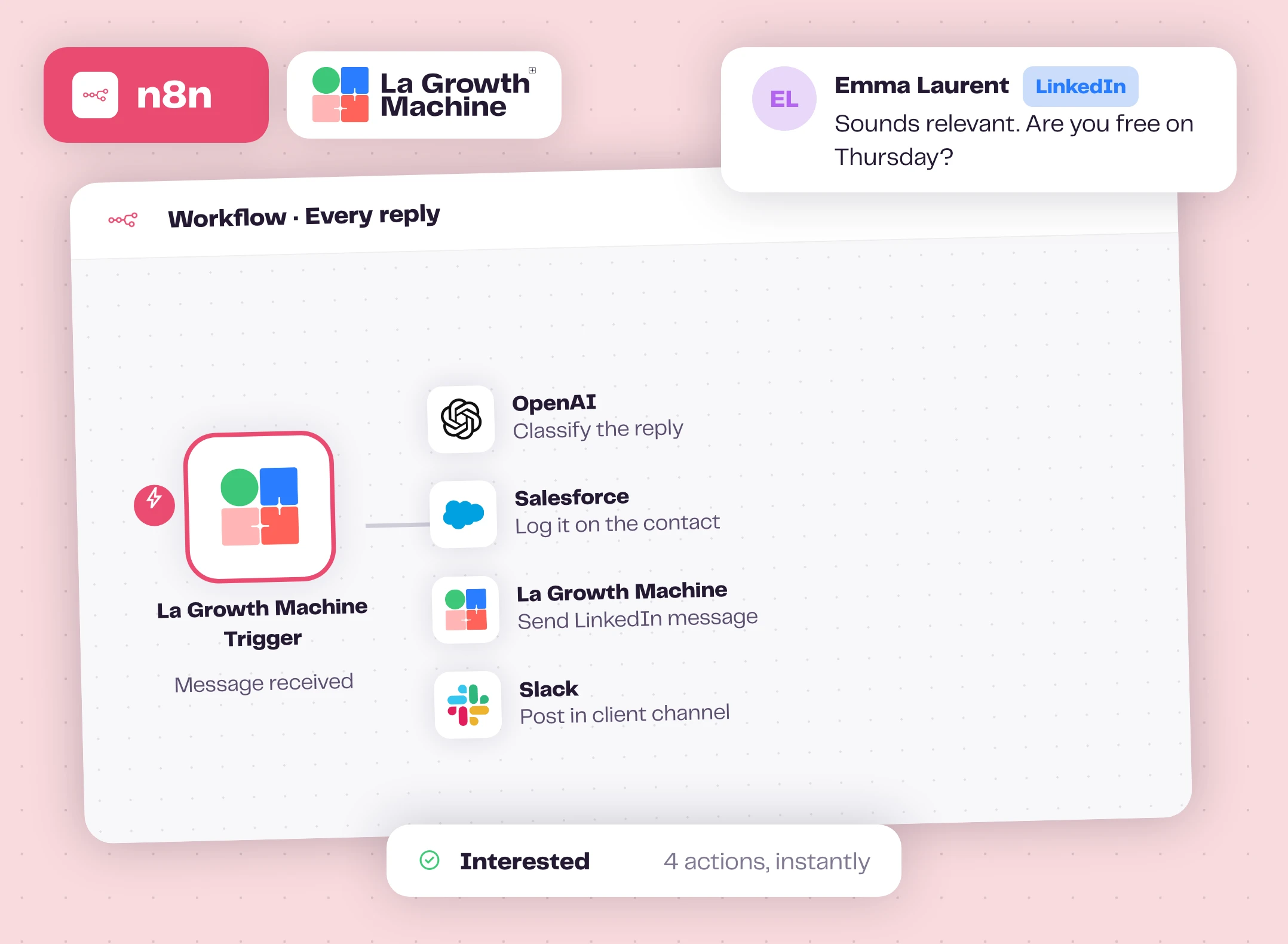
The La Growth Machine Trigger fires on every LinkedIn or email message, sent or received. Filter on received and your workflow runs the second a lead answers, with the message, the conversation, the full lead record and the last 20 messages.
Log it in your CRM, let an AI model sort the intent, draft the answer and send it from the right identity, or post it in your client's Slack channel if you run outbound for them. It all happens automatically, while the lead is still in the conversation.
What teams build on a reply expand_more
- Log the reply and the whole conversation in the CRM
- Classify the intent and update the lead status: interested, wrong timing, not interested, out of office
- Draft an answer with AI and send it with Send LinkedIn Message or Send Email, after a human check if you prefer
- Notify the owner, the team or your client
- Snooze or archive the conversation, or add a note to it
How the trigger connects expand_more
When you activate the workflow, the trigger registers a webhook in La Growth Machine. Deactivate it and the webhook is removed. Nothing to add to your campaigns: the trigger listens to your inbox. On self-hosted n8n, set a public WEBHOOK_URL so La Growth Machine can reach your instance.
Any CRM on n8n, even the ones we don't sync natively
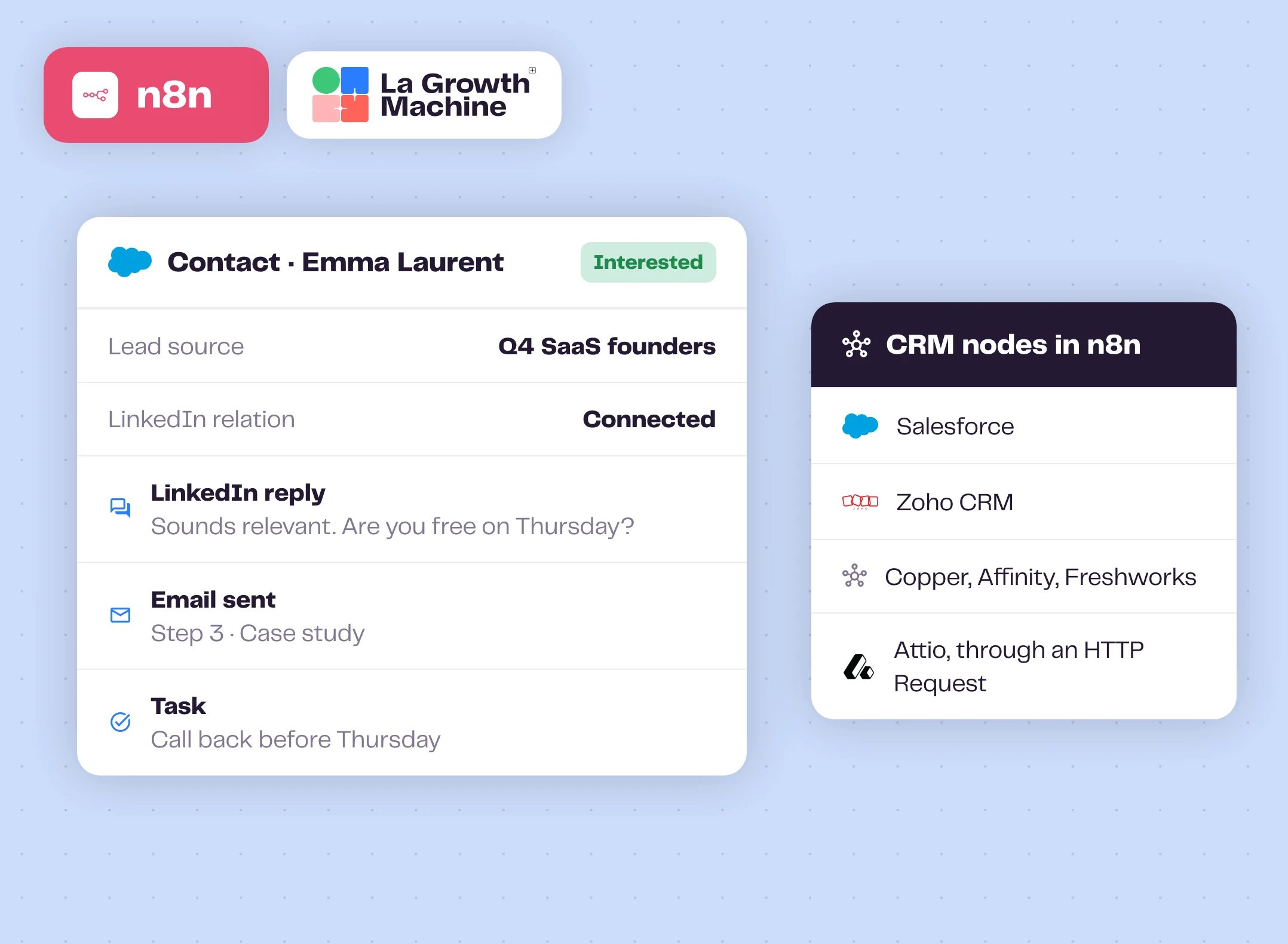
La Growth Machine syncs natively with HubSpot and Pipedrive. For everything else, n8n does the job: Salesforce, Zoho CRM, Copper, Affinity and Freshworks CRM have their own n8n nodes, and the HTTP Request node reaches any CRM with an API, like Attio.
Your sales team sees every touch where they already work, without anyone copying and pasting.
What you can log in your CRM expand_more
- Create or update the contact when a lead replies or accepts your invitation
- Every LinkedIn and email message, as an activity, a task or a note
- The LinkedIn connection status
- The campaign name as lead source, and the identity that reached out
- The lead status: interested, call booked, not interested
Enrichment included, right inside your workflows
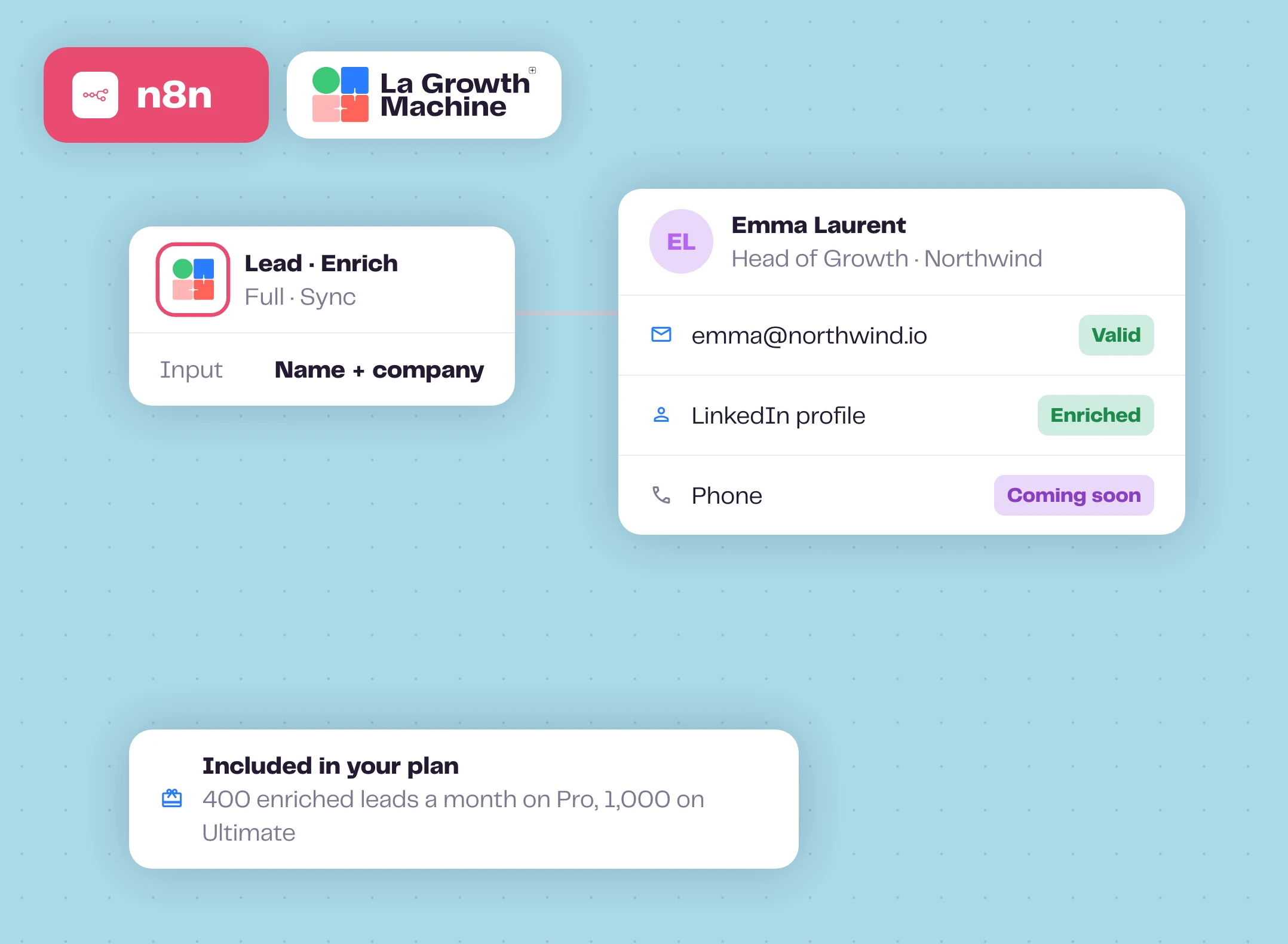
The Enrich operation finds a professional email from a name and a company, or refreshes a LinkedIn profile, in the middle of any workflow. Phone numbers are coming soon.
No extra enrichment tool and no extra bill: it uses the enrichment already included in your plan, 400 enriched leads a month on Pro and 1,000 on Ultimate. Need more? Buy extra credits any time.
Enrichment options expand_more
- Email: 5 credits, pro email and email status, from a name and a company
- LinkedIn: 1 credit
- Full, LinkedIn profile and email: 5 credits
- LinkedIn post, content and engagement of any public post: 1 credit
- Get the result by polling, in sync, or by webhook
- Every other operation is free
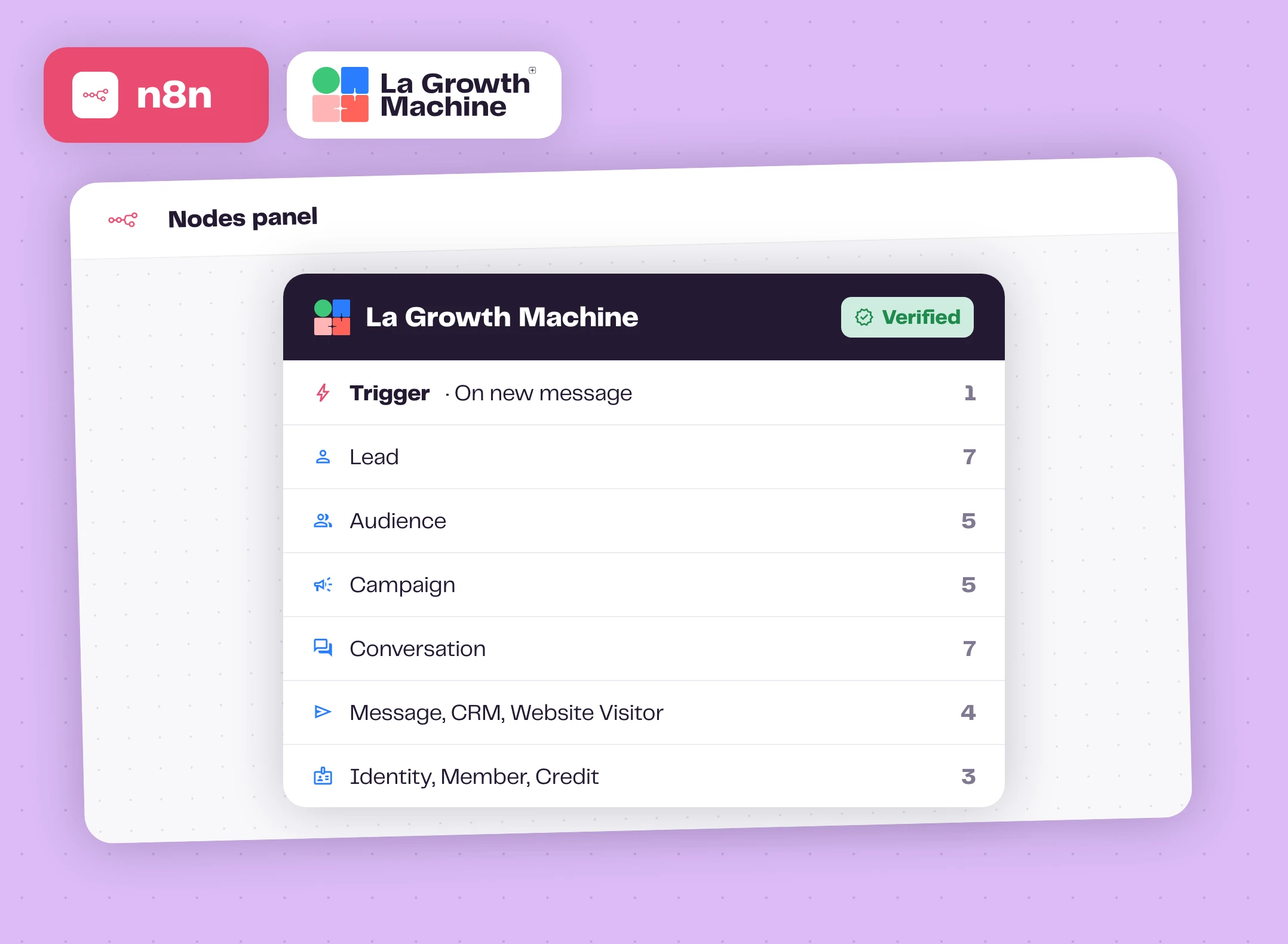
One node, 51 operations
Beyond replies, the node drives your whole outreach: create leads and audiences, import a LinkedIn or Sales Navigator search, duplicate a campaign, rewrite its messages, pause and resume it, read its stats, complete manual tasks, work your inbox.
List operations handle pagination for you with a Return All toggle, and every call shows up in your API logs in La Growth Machine.
The 13 resources expand_more
| Resource | Operations |
|---|---|
| Lead | Create or Update, Search, Update Status, Remove From Audience, Get Logs, Get Conversations, Enrich, Get Enrich Result |
| Audience | List, Create, Import From LinkedIn, Get Details, Get Leads |
| Campaign | Get Many, Get, Get Public, Get Stats, Get Lead Stats, Get Messages, Get Steps, Duplicate, Update Settings, Update Status, Add Step Message, Edit Message, Share by Code, Preview From Code, Duplicate From Code, Stop Sharing |
| Conversation | Get Many, Get Messages, Archive, Unarchive, Snooze, Unsnooze, Edit Note |
| Message | Send LinkedIn Message, Send Email |
| Manual Task | Complete Call Task, Complete Message Task |
| Post | Enrich |
| CRM | Search |
| Website Visitor | Push |
| Identity | Get Many, Get Preferences, Save Preference, Delete Preference |
| Member | Get Many, Get Me |
| Credit, Workspace | Get |
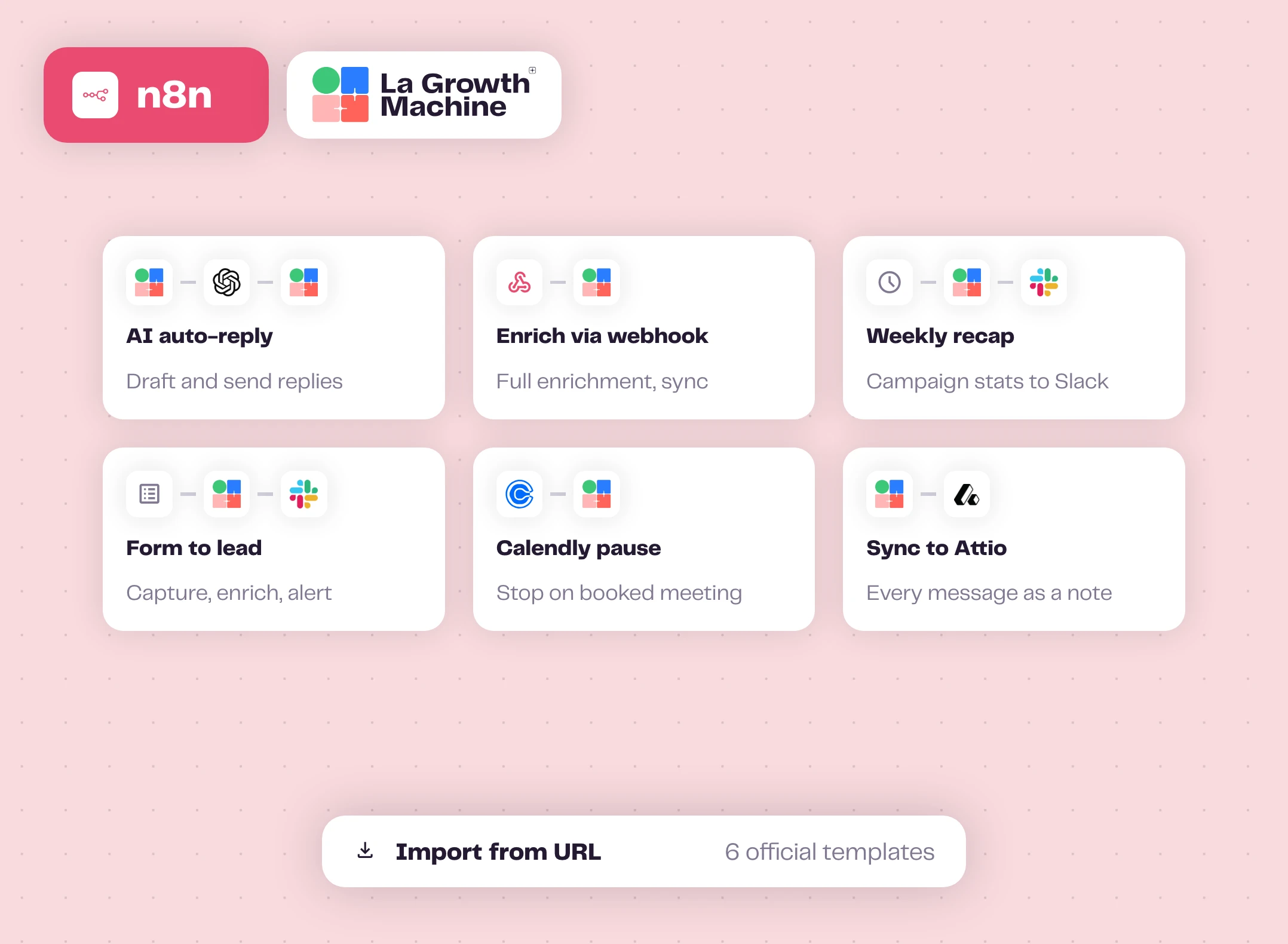
Start from 6 official templates
Each template is a ready-to-import workflow. In n8n, use Import from URL, connect your La Growth Machine credential, and adapt it to your stack.
The AI auto-reply template is a good first one: it answers inbound messages with a draft you can review before it goes out.
How to get started?
From install to first workflow in a few minutes.
- downloadStep 1
Add the node
In n8n, search La Growth Machine in the nodes panel. On self-hosted n8n, you can also install @lagrowthmachine/n8n-nodes-lagrowthmachine from Settings, Community Nodes.
- keyStep 2
Add your API key
Copy it in La Growth Machine under Settings, Integrations & API, API, and paste it into the La Growth Machine API credential.
- account_treeStep 3
Build your workflow
Start from the trigger, pick an operation, or import a template.
- play_circleStep 4
Activate and refine
Run it, check each execution, and adjust until it works exactly your way.
n8n works with these La Growth Machine features
Your workflows react to replies and enrichment, and can send LinkedIn messages.
Multichannel Inbox
All your LinkedIn and email conversations in one place.
Discover the feature arrow_forward person_searchWaterfall Enrichment
Find and verify professional emails across top providers.
Discover the feature arrow_forward sendLinkedIn Automation
Automate connection requests, messages and voice notes on LinkedIn.
Discover the feature arrow_forwardGo further with n8n
Webinars, playbooks and guides from the La Growth Machine team and our partners.
Automate La Growth Machine with n8n: the official node
Every resource and operation, the trigger, and the official templates, explained.
Read the article arrow_forward menu_bookPlaybookHow to Build Your First Multichannel AI Sales Agent
An agent with an LLM, memory and web research, wired to La Growth Machine with n8n or Make.
Open the playbook arrow_forward schoolAcademyHow to build your first AI sales agent
A step-by-step chapter of the La Growth Machine Academy.
Read the chapter arrow_forwardFrequently asked questions
Is this node official? add
Yes. La Growth Machine builds and maintains it under the @lagrowthmachine npm scope, and n8n has verified it. Other packages with a similar name are not ours.
Does it work on n8n Cloud? add
Yes. The node is verified by n8n, so you can add it on n8n Cloud straight from the nodes panel. It works on self-hosted n8n too.
Do I need to add a step to my campaigns? add
No. The La Growth Machine Trigger listens to your inbox, so every reply from every campaign can start a workflow. You can limit it to some campaigns.
Does enrichment cost extra? add
No. It uses the enrichment included in your plan: 400 enriched leads a month on Pro, 1,000 on Ultimate. You can buy more credits if you need them.
Which La Growth Machine plan do I need? add
A plan with API access, available from the Pro plan. Limits: 50 API calls per 10 seconds per key.
I run outbound for several clients. Can one n8n drive them all? add
Yes. On a multi-workspace account, create one La Growth Machine credential per client workspace and fill its Workspace ID field: every workflow using that credential acts in that workspace.
Can I launch a campaign from n8n? add
You can pause and resume campaigns, change their settings, duplicate templates and rewrite their messages. The very first launch of a READY campaign happens in the La Growth Machine app.