


ChatGPT + La Growth Machine: your outbound, one prompt away.
Connect ChatGPT to your La Growth Machine workspace with our official MCP server. Check your campaigns, work your inbox and act on your outreach in plain language, with a confirmation before every change.
Open source · ChatGPT on the web
Stop switching tabs to know how your outreach is doing.
ChatGPT gets the same tools as every client of the La Growth Machine MCP server: campaigns and stats, audiences and leads, your inbox, enrichment and messaging. You ask, it reads your live data, and it acts when you say so.
Report
Stats for every running campaign, per step and per channel.
Triage
See who's waiting for a reply, snooze or archive in bulk.
Build
Audiences from a Sales Navigator search, a post or an event.
Send
LinkedIn messages, voice messages and emails from your identities.
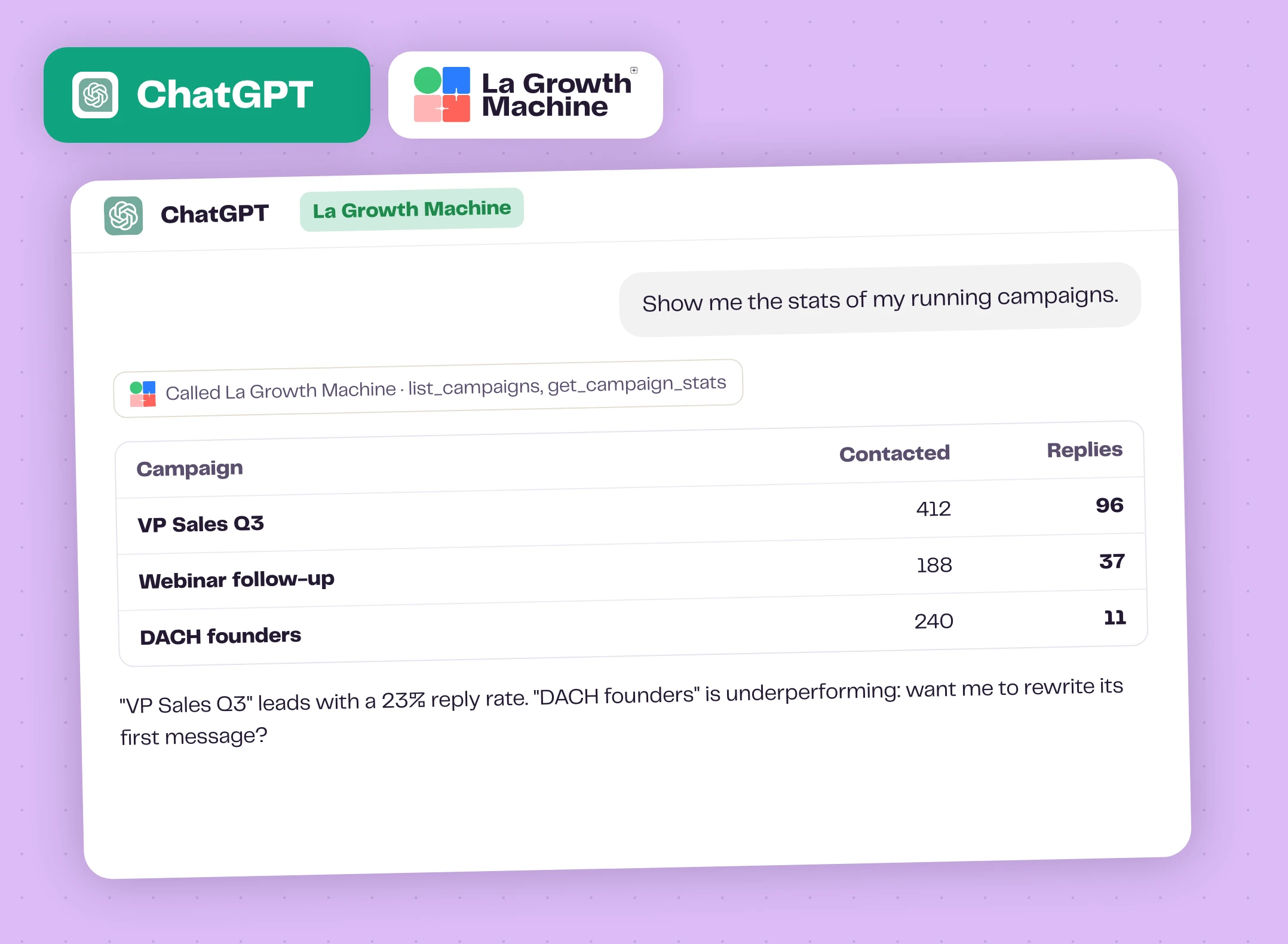
Live answers from your workspace
"Show me the stats of my running campaigns." ChatGPT calls La Growth Machine, reads the numbers and points out what needs attention. Ask a follow-up and it digs into the steps, the channels or the replies.
Data is fetched on demand and used only inside your conversation.
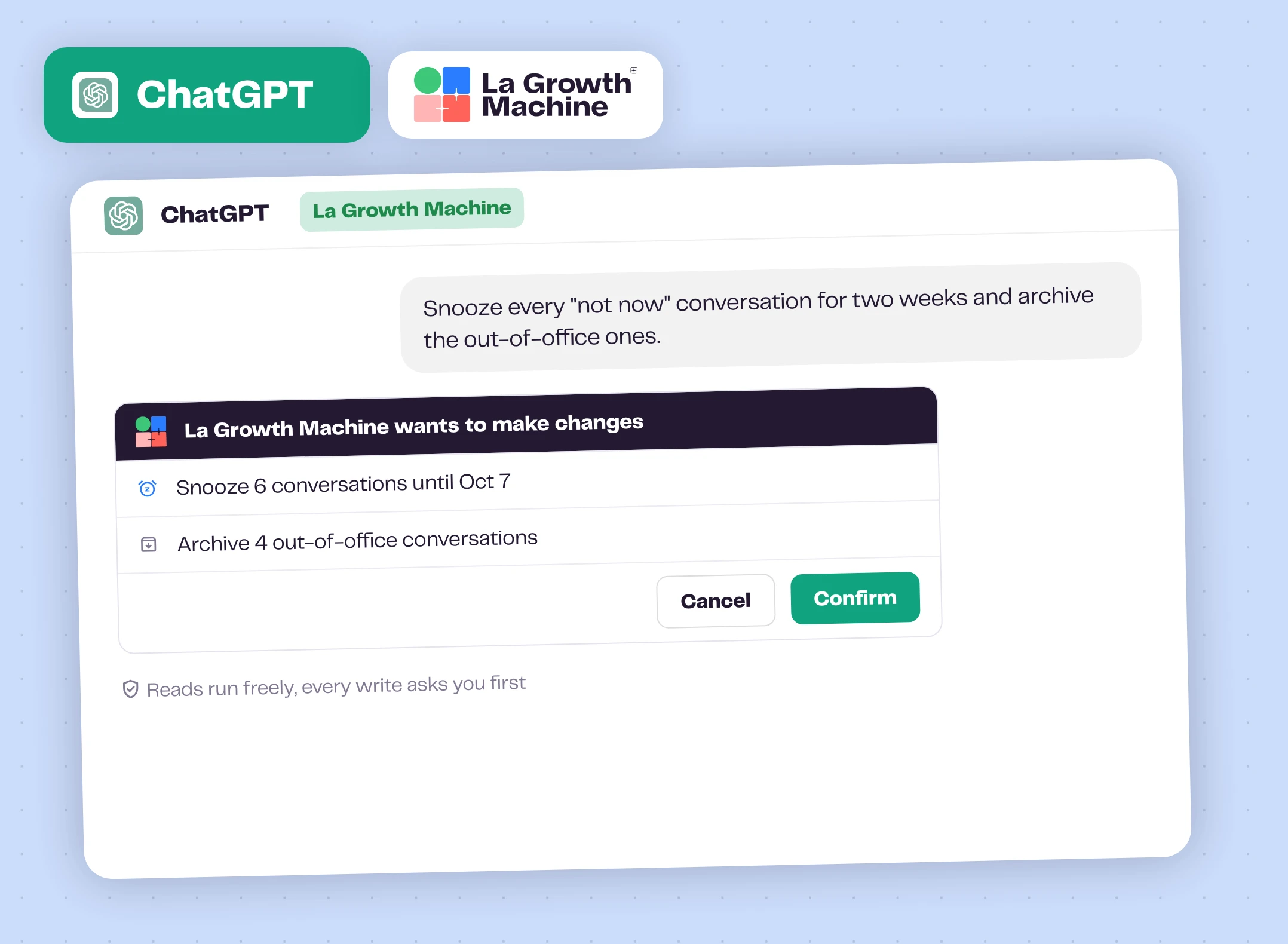
Changes happen only when you confirm
"Snooze every not-now conversation for two weeks and archive the out-of-office ones." ChatGPT prepares the changes and waits for your go-ahead.
Reads run freely, every write asks you first, and enrichment shows its credit cost before it spends anything.
Add our GTM skills too expand_more
Download a skill from our library, then in ChatGPT go to Plugins, Skills, "+" and upload it from your computer. Try the Reply Draft Assistant on your latest replies.
How to get started?
Add La Growth Machine from ChatGPT's plugin directory.
- extensionStep 1
Open Plugins
In ChatGPT, open Plugins and search for La Growth Machine.
- add_linkStep 2
Add La Growth Machine
Add it from the directory. Prefer a custom MCP server? Use https://mcp.lagrowthmachine.com/mcp with OAuth.
- verified_userStep 3
Connect
Sign in to your La Growth Machine account and approve access.
- chatStep 4
Ask
Enable La Growth Machine in a chat and try "Show me the stats of my running campaigns".
ChatGPT works with these La Growth Machine features
Check them and act on them in plain language, with a confirmation before every change.
Multichannel Inbox
All your LinkedIn and email conversations in one place.
Discover the feature arrow_forward timelineMultichannel Sequences
Combine LinkedIn and email steps in one sequence.
Discover the feature arrow_forward person_searchWaterfall Enrichment
Find and verify professional emails across top providers.
Discover the feature arrow_forwardGo further with ChatGPT
Webinars, playbooks and guides from the La Growth Machine team and our partners.
La Growth Machine MCP
The server behind the ChatGPT integration, and every client it works with.
Explore arrow_forward hubResourceGTM skills library
Free skills for outreach, campaigns and replies. Upload them to ChatGPT.
Explore arrow_forward articleGuide14 LGM Analysis Agent prompts
Prompts to query your outreach data with AI.
Read the guide arrow_forward articleArticleMCP vs API: what is the difference, and when to use each
Pick the right interface for your use case.
Read the article arrow_forwardFrequently asked questions
Which ChatGPT plans can connect it? add
The ChatGPT plans that give access to plugins. In a company workspace, ask an admin if you can't add it yourself.
Is La Growth Machine in the ChatGPT plugin directory? add
Yes. Search for La Growth Machine in ChatGPT's plugins and connect it with your La Growth Machine account. Adding it as a custom MCP server with the URL above still works: same server, same tools.
Can ChatGPT change things without asking? add
No. Every write, like sending a message, editing a campaign or spending credits, asks for your confirmation first.
Is it the same as the Claude integration? add
Yes, it's the same official MCP server and the same tools. Only the setup differs.