
TL;DR
– Make has an official MCP server with 67 tools that connects an assistant to your Make account
– It lets an assistant run, create and modify scenarios, work with data stores and records, inspect executions, and manage teams and orgs
– Connect it at mcp.make.com with an MCP token or OAuth
– Use it to operate the Make scenarios that drive La Growth Machine: run or edit a scenario, manage the leads data store, oversee scenarios across the team
Make has an official MCP server, built by Make. It lets an AI assistant like Claude run and modify your Make scenarios and the entities around them, from connections and webhooks to data stores, teams, and organizations. In practice it can:
- run, activate, create, and update scenarios
- read and write data stores and their records
- inspect executions to debug what ran
- manage teams, organizations, hooks, and keys
It works with Claude, ChatGPT (OpenAI), and any other assistant or LLM that supports the Model Context Protocol.
This guide covers what the Make MCP does, how to connect it, and a concrete angle for go-to-market teams: operating the Make scenarios that drive La Growth Machine.
New to the protocol? Start with what an MCP server is.
What is the Make MCP
The Make MCP server is Make’s official implementation of the Model Context Protocol, the open standard that lets AI applications talk to external systems. It connects an assistant to your Make account.
The angle here is control. Where a workflow builder writes automations from scratch, the Make MCP gives deep, granular control over the scenarios you already run and the data behind them, with 67 tools.
Weighing Make against Zapier for this?
See our guide on how to choose between Zapier and Make.
It works with Claude, ChatGPT (OpenAI), and any other assistant or LLM that supports the Model Context Protocol.
What the Make MCP lets you do
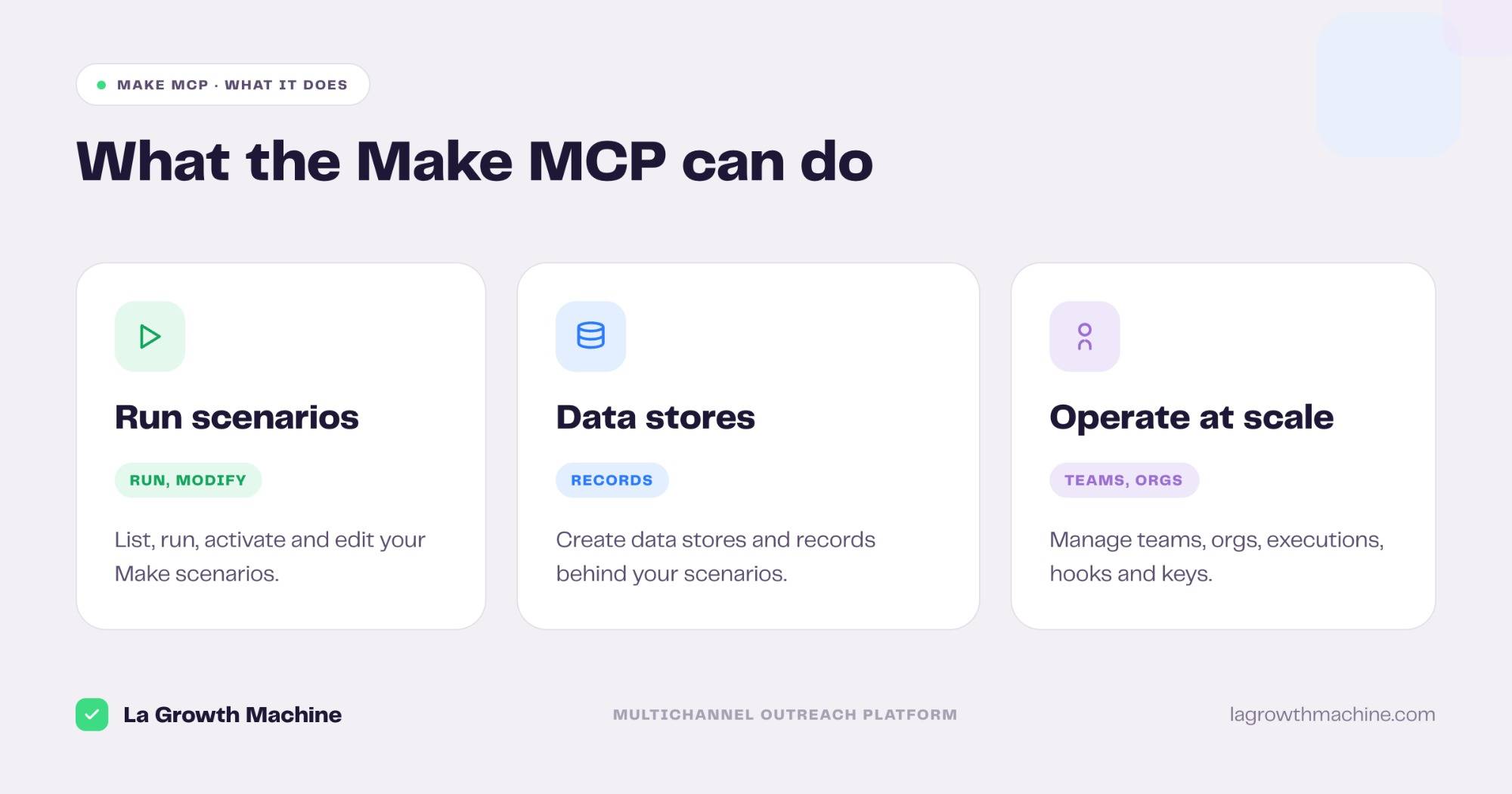
The 67 tools cover the whole Make account. Grouped:
- Run and manage scenarios – list, run, activate, deactivate, create, update, and delete scenarios.
- Work with data stores – create data stores and add, update, or delete records, the lightweight database behind your scenarios.
- Inspect executions – read executions and their details to debug what ran and why.
- Operate at scale – manage teams, organizations, hooks, keys, and folders.
A few examples:
- “Run the scenario that syncs today’s leads.”
- “Add these rows to the leads data store and dedupe it.”
- “Show me why last night’s execution failed.”
How to install the Make MCP
Setup runs through Make’s hosted endpoint.
- Connect your account. Point your MCP client at
https://mcp.make.comand authenticate with an MCP token or OAuth. See the Make MCP server docs. - Scope it. It acts on your Make account with the access you grant, so connect a workspace you control.
- Use it in ChatGPT and Codex too. OpenAI supports MCP, so you can add this server in ChatGPT through connectors or in OpenAI Codex.
It works with Claude, ChatGPT (OpenAI), and any other assistant or LLM that supports MCP.
For the full walkthrough on adding an MCP server to your assistant, see what an MCP server is and how to install one.
Concrete use cases: operate your La Growth Machine scenarios
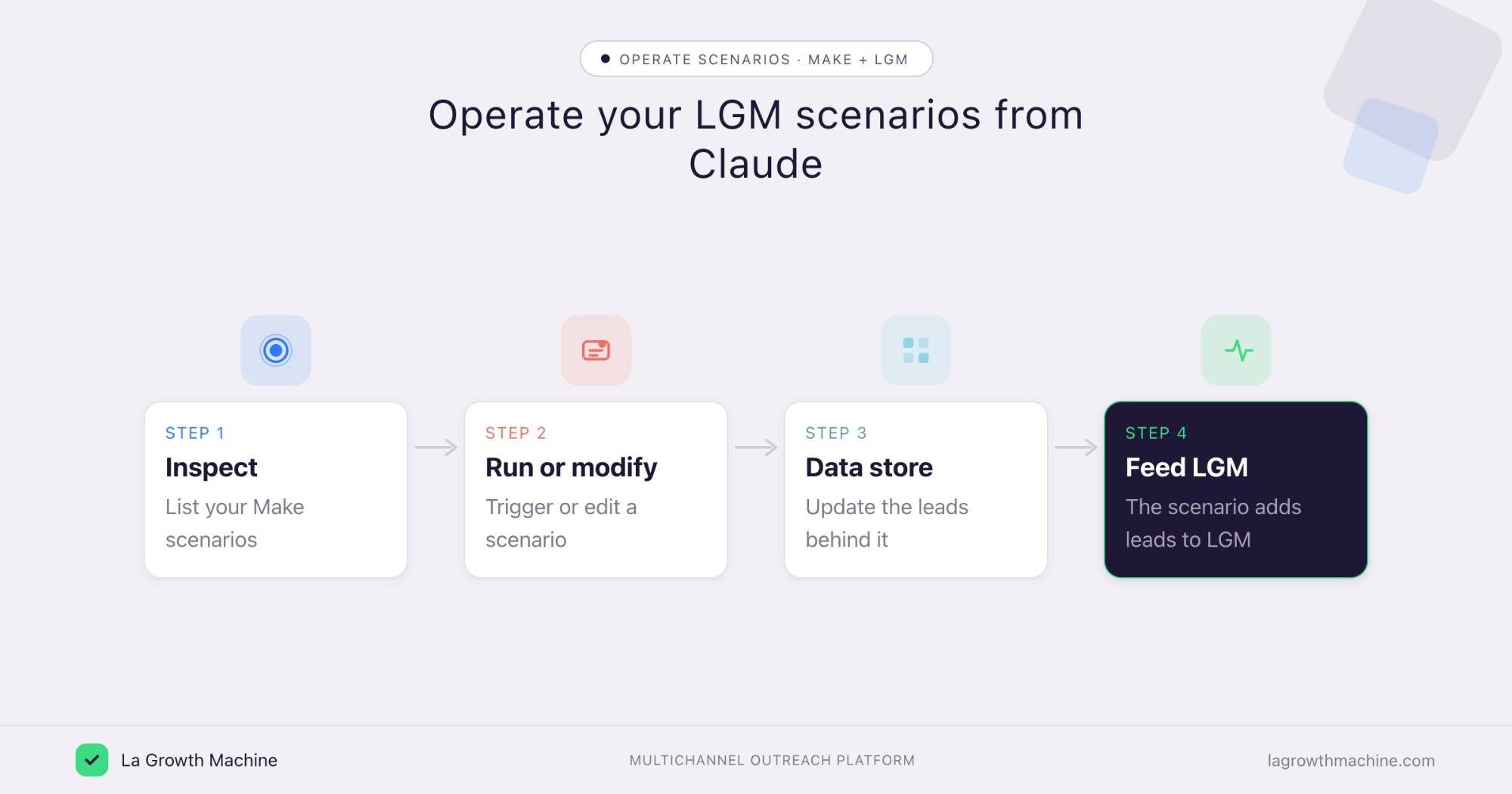
La Growth Machine has a native two-way integration with Make. The Make MCP lets you operate the scenarios that drive it, and the data behind them, from Claude, without opening the Make canvas.
Run or modify an LGM scenario on demand
What it produces
The scenario that feeds your outreach runs when you need it, and a quick edit ships without a trip to the builder.
Prompts to try:
- Run the scenario that adds today’s leads to my La Growth Machine audience.
- Deactivate the old onboarding scenario and activate the new one.
- Change the filter on this scenario to skip leads with no email.
Manage the leads data store behind your audience
What it produces
A clean, deduped data store of leads that your scenario uses to feed a La Growth Machine audience.
Prompts to try:
- Add these rows to the “Leads” data store and remove duplicates.
- Show me the records added this week before they sync to La Growth Machine.
Operate scenarios across the team
What it produces
Oversight across teams and organizations, so the whole stack of scenarios stays healthy, not just one person’s.
Prompts to try:
- List every active scenario in our team that touches La Growth Machine.
- Check the last execution of each and flag the ones that failed.
Then let La Growth Machine build the campaign
Once the data store feeds an audience, the Multichannel Campaign Builder turns it into a full LinkedIn and email sequence, with every message ready to send.
Example output of the skill:
Cold outbound to Heads of Sales at French B2B SaaS startups. Lead angle: “your reps spend 40% of the week on manual prospecting.”
See the Multichannel Campaign Builder skill.
These run on Make’s native La Growth Machine integration, and the Make MCP is what operates the scenarios from the assistant. See the La Growth Machine integration on Make and the rest of the La Growth Machine integrations.
Tips and security
The Make MCP can run and change automations, so scope it with care.
- Use trusted connectors. Make’s connector is official, built by Make. Only enable connectors from developers you trust.
- Watch what runs. Running a scenario triggers real actions, so confirm before you run or activate one.
- Connect a workspace you control. The assistant acts with the access your token grants.
Frequently asked questions
Does Make have an official MCP server?
Yes. Make ships an official MCP server that connects an assistant to your Make account, with 67 tools.
What can the Make MCP do?
It lets an assistant run and manage scenarios, work with data stores and records, inspect executions, and manage teams, organizations, hooks, and keys.
How do I connect Make to Claude?
Point your MCP client at https://mcp.make.com and authenticate with an MCP token or OAuth. It works with Claude, ChatGPT (OpenAI), and other MCP hosts.
Can I automate La Growth Machine with Make?
Yes. La Growth Machine has a native two-way integration with Make. Use the Make MCP to run or modify the scenarios that feed your audiences and to manage the data behind them.
How is this different from the n8n or Zapier MCP?
The Make MCP is built for granular control of your existing scenarios and data stores. The n8n MCP builds workflows from a prompt, and the Zapier MCP reaches thousands of apps for cross-app actions.