

TL;DR
– Most LinkedIn automation fails because it skips warm-up, sends generic messages, and has no follow-up logic — leading to ignored requests and zero replies.
– An effective automated LinkedIn outreach strategy starts with a clean, enriched prospect list, a positioning angle, and a clear channel strategy before a single message is sent.
– La Growth Machine automates the full pipeline — Social Warming, conditional sequences, LinkedIn Intents, and email fallbacks — so your outreach adapts to each prospect’s behavior automatically.
– The result is a system that generates booked meetings at scale without requiring manual intervention at every step, with native CRM sync to HubSpot, Pipedrive, or Salesforce.
Most LinkedIn automation fails for the same reasons: messages that sound like they were written for a thousand people at once, zero warm-up before a connection request lands in someone’s inbox, no logic for what happens after the first message, and a tunnel-vision approach that treats LinkedIn as if it were the only channel that exists. The result? Request ignored, follow-up unseen, opportunity gone.
What actually works looks different. Effective LinkedIn outreach automation is not about sending more messages faster. It is about building a system that warms up a prospect before you ever reach out, adapts based on their behavior, and follows up across channels when LinkedIn alone is not enough. When you get that system right, you stop chasing and start booking.
This guide walks through exactly how to build that system — from defining your ICP and building your list, to setting up conditional sequences, to deploying LinkedIn Intents that trigger outreach when prospects engage with your content. By the end, you will have a repeatable pipeline that generates replies without requiring manual intervention at every step.
LinkedIn Outreach Strategy Comparison
Before diving into the build, here is how different approaches stack up against each other:
| Strategy Type | Automation Level | Channels | Personalization | Results |
|---|---|---|---|---|
| Manual LinkedIn | None | LinkedIn only | High (but unscalable) | Low volume, inconsistent |
| Basic automation | Low (messages only) | LinkedIn only | Template-based | Higher volume, low reply rates |
| Advanced automation with LGM | Full (warming + sequences + fallbacks) | LinkedIn + Email + (Voice) | Dynamic variables + conditional logic | High volume + high reply rates |
The gap between basic and advanced automation is not just a feature difference. It is the difference between a tool that sends messages and a platform that runs a sales pipeline for you.
The Foundation: What Your LinkedIn Outreach Strategy Needs Before You Automate
Automation amplifies what is already there. If the foundation is weak, automation makes it weaker faster. Before you set up a single sequence, three things need to be in place.
A Clean, Enriched Prospect List
Your list is the raw material for everything else. A vague ICP produces a list of people who share a job title but have nothing in common beyond that. A sharp ICP — defined by industry, company size, growth stage, tech stack, hiring signals, or any combination of criteria that correlates with fit — produces a list where personalization is actually possible.
Every contact on your list needs a LinkedIn URL at minimum. Verified emails are the fallback when LinkedIn does not convert. Phone numbers unlock additional channels for high-intent accounts. The more complete the record, the more channels you can activate — and the better your fallback logic works when one channel goes cold.
A Positioning Angle
The single most common mistake in LinkedIn outreach is leading with a pitch. Nobody accepts a connection request to be sold to. The positioning angle answers three questions before you write a single word of copy: why you, why now, and why this specific person. That combination — relevance, timing, and specificity — is what turns a message into a conversation starter.
Your angle does not have to be elaborate. It could be a shared signal (they just hired a sales team, you help sales teams do X), a content hook (they posted about a problem you solve), or a direct relevance play (their company matches a profile where your customers typically see results). What it cannot be is generic.
Channel Strategy
LinkedIn-first is the default for B2B outreach, and for good reason: acceptance rates on a well-warmed profile outperform cold email for many personas. But LinkedIn-only is a constraint, not a strategy. When a prospect accepts but does not reply, or is simply more responsive to email, you need a fallback. Deciding in advance whether you are running LinkedIn-first with email backup, or a full multichannel sequence with both channels active from the start, determines how you build your sequences.
Step-by-Step: Building Your Automated LinkedIn Outreach Strategy
Step 1: Define Your ICP and Build Your Prospect List
Start with LinkedIn Sales Navigator. Sales Navigator‘s advanced filters let you slice by seniority, function, company size, geography, industry, years in role, and recent activity signals like job changes. Use boolean search to combine criteria precisely. A search that returns 500 people who genuinely fit your ICP is more valuable than one that returns 5,000 people who only partially match.
Beyond Sales Navigator, LinkedIn’s standard search with URL manipulation, company alumni filters, and event attendee lists are underused sources for building targeted prospect pools. Export your results with LinkedIn URLs — that is the anchor identifier for everything that follows in your enrichment workflow.
Step 2: Enrich Your List
A LinkedIn URL alone does not give you a multi-channel strategy. Enrichment fills the gaps. The recommended approach is waterfall enrichment: start with the LinkedIn URL to confirm identity and pull available profile data, then run email enrichment against that matched profile, then add phone where available.
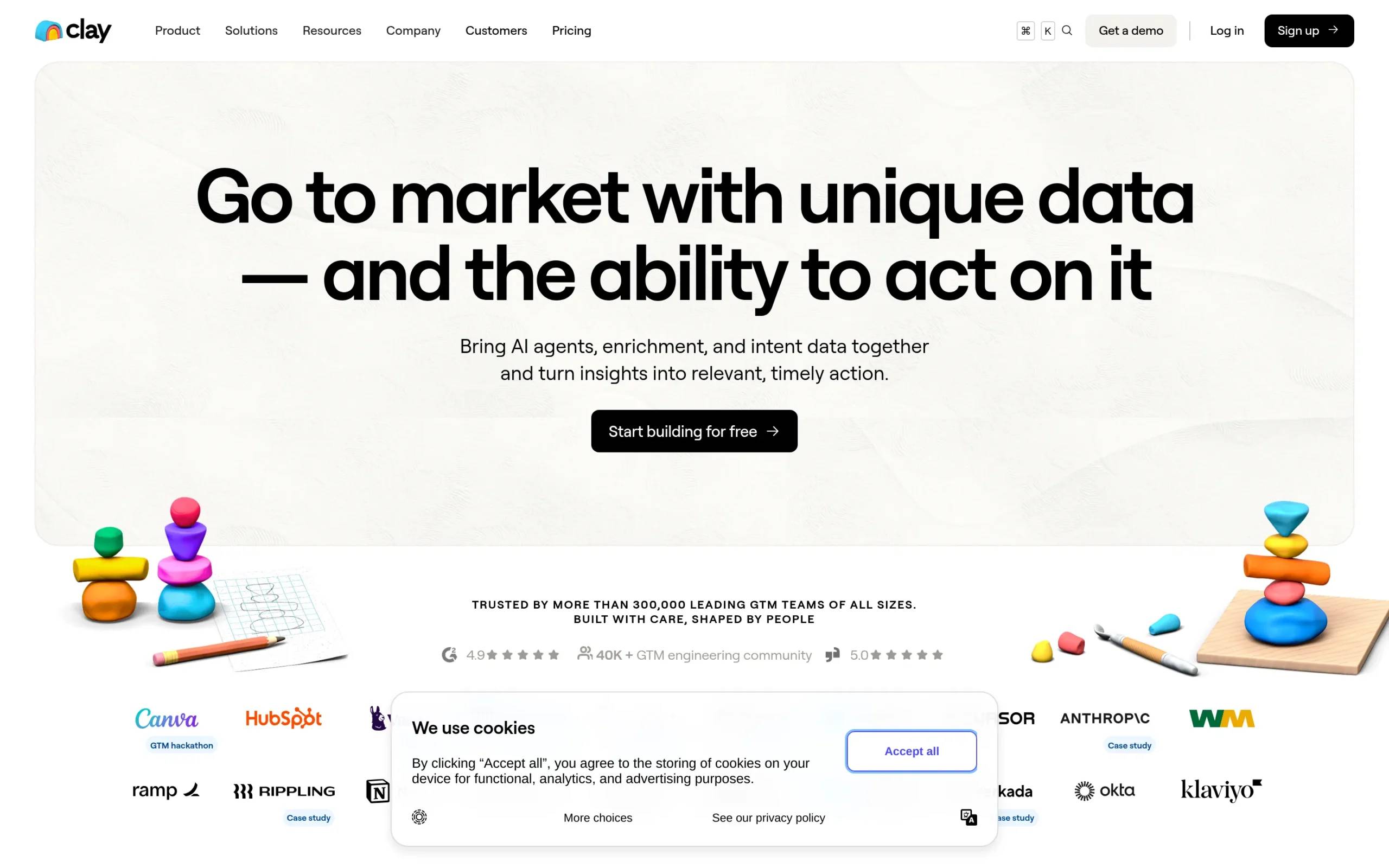
La Growth Machine runs this enrichment natively inside the platform. You import your list, LGM pulls verified emails and additional data points automatically, and your sequence has access to the enriched fields as personalization variables. Clay is another strong option for enrichment workflows, particularly when you are combining multiple data sources or running conditional enrichment logic before importing into your outreach platform.
Step 4: Build Your Connection Request Sequence
The connection request is the first message your prospect will read. Two formats work, and the choice between them depends on context.
A personalized note (up to 300 characters on LinkedIn) works best when you have a specific, genuine hook — a shared connection, a post they wrote, a recent company milestone. The note should reference that hook directly and ask nothing. No pitch, no CTA, no ask. The goal is to get accepted, not to sell.
A blank connection request (no note) often outperforms notes when the hook is weak or the profile warm-up has been thorough. If someone has seen your profile twice already, a blank request from a familiar face converts surprisingly well.
Step 5: Set Up Conditional Follow-Ups
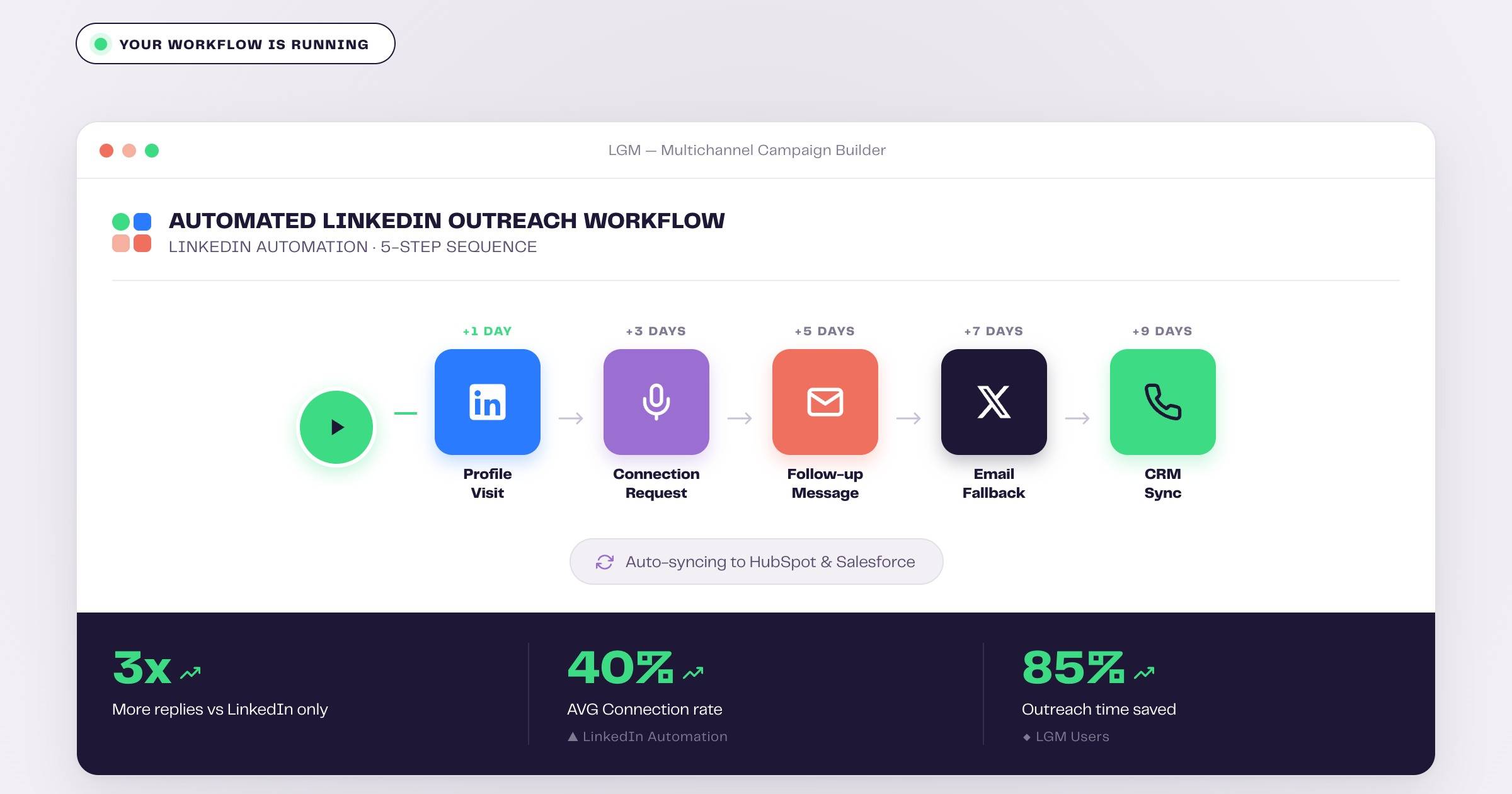
The sequence logic after acceptance is where most outreach tools fall short. A single follow-up message sent to everyone regardless of their behavior is not a strategy — it is a spray. Conditional follow-ups adapt to what the prospect actually does.
The logic looks like this: accepted but no reply triggers follow-up message A (value-first, one question, no pitch). No reply after three to five days triggers follow-up message B (social proof angle or alternative framing). Still no reply triggers an email fallback — the sequence automatically shifts to the enriched email address and continues the conversation on a different channel.
La Growth Machine’s conditional workflow builder lets you set these branches visually. Each branch fires based on whether the prospect replied, visited your profile, clicked a link, or did nothing. The result is a sequence that behaves like a human following a playbook, not a broadcast tool sending the same message to everyone.
Step 6: Add LinkedIn Intents
LinkedIn Intents is an LGM feature that triggers a sequence automatically when a prospect engages with your content or visits your profile. A prospect who liked your post about sales automation and matches your ICP criteria can be automatically enrolled in a sequence that references that exact post. A profile visitor who fits your target persona gets a connection request within hours of their visit.
Intents turn passive signals into active pipeline. Instead of manually checking who engaged with your latest LinkedIn post and then building a list, the platform handles enrollment continuously. This is particularly effective for TOFU lead generation — you are reaching out to people who have already shown interest, which means your message is relevant before the first word.
Step 7: Monitor in Unified Inbox and Sync to CRM
Volume without visibility creates chaos. La Growth Machine’s unified inbox aggregates all LinkedIn and email conversations from your sequences into a single view, so you can manage replies without switching between LinkedIn and your email client. You can reply, tag, disqualify, and qualify directly from the inbox.
CRM sync closes the loop. LGM integrates natively with HubSpot, Pipedrive, and Salesforce. Every reply, every accepted connection, every booked meeting flows back to the CRM automatically. Your pipeline stays current without manual data entry.
LinkedIn Message Templates That Get Replies in 2026
Connection Request With Note
Hi [First Name], saw your post on [specific topic] — exactly the challenge our customers in [their industry] run into. Wanted to connect.
Keep it under 200 characters. No pitch. Reference something specific. One hook is enough.
First Follow-Up (After Acceptance, No Reply)
Hi [First Name], thanks for connecting. We help [ICP description] do [specific outcome] — [Company] achieved [result] in [timeframe]. Worth a quick chat?
Lead with value. End with one question. No attachments, no wall of text.
Second Follow-Up (No Reply After 5-7 Days)
[First Name], wanted to share one thing before I close the loop — [brief social proof or insight relevant to their role]. If timing is off, happy to reconnect later.
Social proof or an insight positions you as useful, not persistent. The “close the loop” framing creates low-stakes urgency.
Email Fallback (No LinkedIn Reply After 7 Days)
Subject: [Company name] + [your company name]
Hi [First Name], reached out on LinkedIn last week — following up by email in case that is a better channel for you. [One-sentence value prop]. Open to a 15-minute call?
The subject line is direct. The body acknowledges the prior outreach without being apologetic. One CTA only.
What to Avoid in LinkedIn Outreach Automation
Too many daily actions. LinkedIn monitors account activity. Sending 80 connection requests per day from a fresh account, or running high-volume sequences on a profile with no warm-up history, triggers restrictions. Keep daily connection requests under 20-30 for new accounts and scale gradually.
Copy-pasting the same message to everyone. Template fatigue is real. If your message could have been sent to 10,000 people with the same text, it reads like it was. Use dynamic variables — first name, company name, recent activity, industry — to make every message feel intentional.
Skipping warm-up. Jumping straight to a connection request without any prior touchpoint consistently produces lower acceptance rates. Profile visits and post likes are low-effort signals that make your name familiar before the request lands.
No conditional logic. A sequence that treats an accepted connection the same as a non-responder is wasting both channels. Build branches. People who accept but do not reply need a different message than people who have not accepted yet.
Not syncing to CRM. Without CRM sync, every reply that turns into a booked meeting disappears into a LinkedIn notification or an email thread. You lose attribution, you lose follow-up history, and your pipeline data is always incomplete.
How La Growth Machine Handles This Automatically
La Growth Machine is built around the workflow described in this guide. Social warming happens automatically before every connection request — no manual setup required. LinkedIn Intents monitors your prospect list and content engagement continuously, enrolling matching profiles without you having to trigger sequences manually.
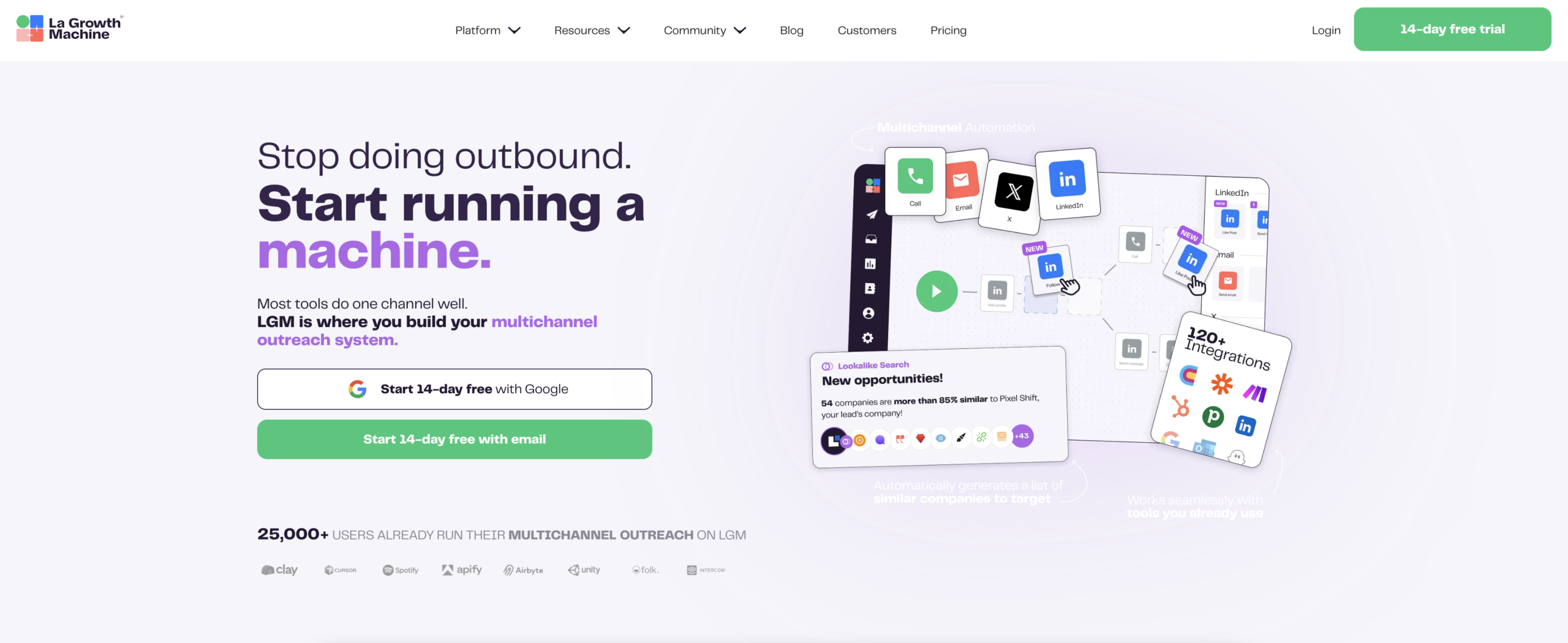
The conditional workflow builder covers every branch in the reply/no-reply decision tree. You set the logic once, and the platform handles execution across both LinkedIn and email. Voice Messages AI lets you send personalized voice notes at scale — a differentiator that almost no one else in a prospect’s inbox is using.
The unified inbox keeps all conversations in one place regardless of channel. And native CRM integrations with HubSpot, Pipedrive, and Salesforce mean your pipeline data stays accurate without manual updates.
Pricing starts at Basic (60 EUR/month per identity), Pro (120 EUR/month per identity), and Ultimate (180 EUR/month per identity). Most teams running active outreach sequences use the Pro tier for access to the full conditional workflow builder and multichannel capabilities.
Frequently Asked Questions
How many LinkedIn connection requests can I send per day safely? For established accounts with a good history, 20-30 per day is a safe range. For newer accounts or profiles with no prior automation history, start at 10-15 and scale up over 4-6 weeks. La Growth Machine enforces safe sending limits automatically and adjusts based on account age.
Do I need Sales Navigator to run a LinkedIn outreach strategy? Not strictly, but LinkedIn Sales Navigator makes list building significantly more precise. The advanced filters and lead tracking features justify the cost for any team doing serious prospecting volume. For smaller lists, LinkedIn’s standard search is workable.
What is the difference between a connection request with a note and without? Neither is universally better. With-note requests work when you have a specific, genuine hook. Without-note requests work when your profile has been warmed up and your prospect has already seen your activity. Test both with your ICP and let your acceptance rate data guide the default.
How long should a LinkedIn outreach sequence be? For most B2B personas, three to five touchpoints across LinkedIn and email over two to three weeks is sufficient. Beyond that, the diminishing returns are significant and the risk of a negative brand impression increases. If someone has not responded to five well-crafted, personalized touchpoints, they are not interested right now.
What makes LinkedIn Intents different from a standard sequence? Standard sequences require you to manually identify and enroll prospects. LinkedIn Intents automates enrollment based on behavioral signals — a prospect who engages with your content or visits your profile is automatically added to the appropriate sequence. The relevance is built in from the start.
Can I use La Growth Machine if I am not a technical user? Yes. LGM is designed for sales and marketing teams, not developers. The workflow builder is visual and drag-and-drop. The enrichment, warming, and intent features all run automatically once configured. Most teams go from setup to their first sequence live in under a day.
Build the System Once, Let It Run
The teams consistently generating pipeline from LinkedIn are not the ones sending the most messages. They are the ones who built a system that warms before it reaches out, adapts based on responses, and never lets a hot prospect slip through a gap between channels.
La Growth Machine handles the automation layer — warming, sequencing, intents, fallbacks, and CRM sync — so your team focuses on the conversations that actually move toward a meeting, not on manually managing a spreadsheet of follow-ups.
Start your 14-day free trial of La Growth Machine and have your first automated LinkedIn outreach sequence live this week.