


Get started
Most teams don't skip ICP work. There's a persona doc, a market sizing exercise, real research behind the firmographics. But an ICP built from research is still a hypothesis, it's not the same as an ICP confirmed by revenue. If nobody checks the two against each other, you can spend months prospecting a profile that looks right on paper but rarely turns into a closed deal.
The Won-Deal ICP Finder runs that check for you. It reads your closed-won deals, clusters them into named archetypes, and shows which channels actually generated the revenue, not just the most deals. You find out fast whether your ICP and your revenue agree.
- Find the ICP your revenue proves, from the deals you already won
- Get named archetypes ranked by revenue, not deal count
- See which channel actually drove that revenue, not just the most deals
- Know exactly when your CRM can't tell you which campaign won the deal
Connect your CRM
The audit runs on your own deal data, so first give your AI assistant a way to read it. Connect your CRM through its MCP so Claude reads your deals live, or export your closed-won deals to a CSV and hand it over. Here are the three we see most, with the docs and the one-click connectors for Claude and ChatGPT.
 HubSpot
 Add to Claude
 Airtable
On another CRM? No connector, no problem, export your closed-won deals to a CSV and paste the file. The audit works exactly the same.
Audit your closed-won deals
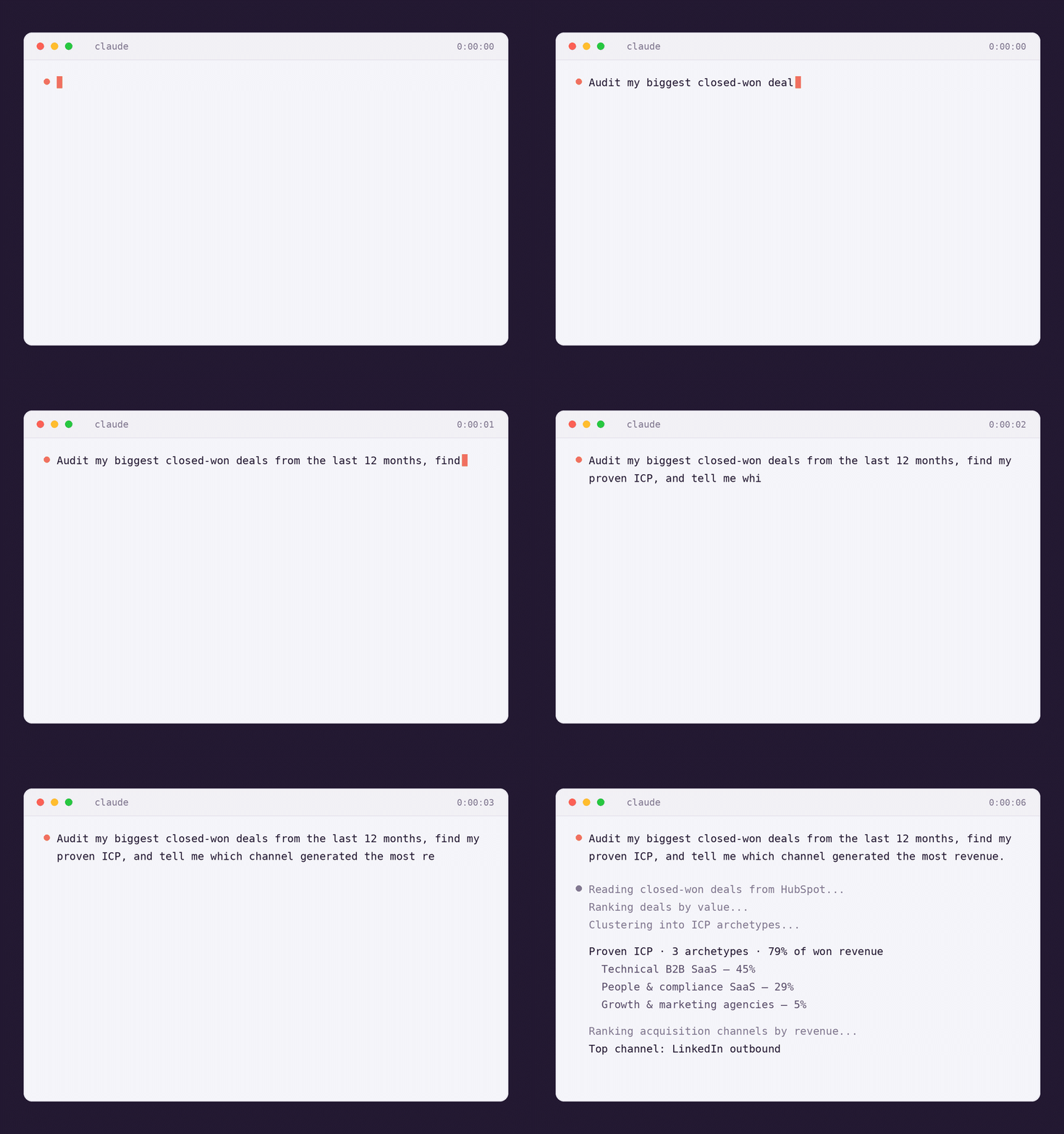
Ask Claude to audit your deals
Prompt Claude with the Won-Deal ICP Finder skill, your CRM connected or a CSV pasted in. No clean "Closed Won" status required, it works with what you have.
What you'll get: Claude ranks your deals by value, not by a "Closed Won" status that may not exist in your CRM, and inspects your deal, company and contact records to find where acquisition source actually lives.
Claude names your proven ICP
Claude clusters your ranked deals into 2 to 4 named archetypes, each defined by industry, size, geography and buyer persona, not by a guess but by what actually closed. This is a real (anonymized) run from our own audit.
One thing to flag: archetypes are only as clean as your CRM data. A deal missing an industry or size field gets flagged, not guessed at.
See which channel actually drove it
Claude ranks the top 5 acquisition sources behind your biggest deals, by revenue generated, not by how many deals they touched. If the field only carries a broad channel and no campaign detail, Claude flags that blind spot instead of guessing at it.
One honest caveat: the channel that won each deal is only as good as your CRM hygiene. If your sync overwrites the source field, your CRM can name the account, not what actually reached it.
Re-run it a different way
One cut of the data rarely tells the whole story. Reply in plain words to narrow the window, isolate a region, or use a different value field, and Claude re-runs the audit and hands back updated archetypes and channel ranking.
What you'll get: the same shape of output, rebuilt on the narrower slice, so you can compare it against the full-year view and see if your proven ICP holds up regionally.
Bonus: track your proven ICP over time
Your ICP moves as your product and market do. Have Claude save each run's archetypes to an icp-history.md file, then re-run the audit every quarter and compare. You'll see a segment growing, shrinking, or new revenue proving out somewhere you weren't looking.
- run: 2026-Q3
top_archetype: Technical B2B SaaS (45%)
top_channel: LinkedIn outbound
- run: 2026-Q2
top_archetype: Technical B2B SaaS (41%)
top_channel: LinkedIn outbound
Want to act on an archetype right away? The Sales Nav Search Builder skill turns any archetype into a ready-to-click LinkedIn search, that's its own playbook.
Prompts to try on your pipeline
Copy one, swap in your CRM and your segment, and send it to Claude. In plain English, French, German, any language.
One audit, always current
- →Swap the CRM: connect Attio or Airtable instead of HubSpot, the audit runs the same way
- →Save it once: keep
icp-history.mdso you can see your proven ICP shift deal by deal, quarter by quarter - →Go from proven ICP to prospect list: hand an archetype to the Sales Nav Search Builder skill when you're ready to act on it
Find your proven ICP
Get the skill and run it on your own closed-won deals. It starts with one audit.
Get the skill