


Make + La Growth Machine: act on every reply, automatically.
A verified Make app, maintained by La Growth Machine. Start a scenario the second a lead replies, keep any CRM up to date, and use the enrichment already included in your plan.
Available from the Pro plan · 14 Days Free
A reply is where the deal starts. Make takes it from there, instantly.
When a lead answers on LinkedIn or by email, La Growth Machine sends the event to Make the moment it happens. Your scenario updates the CRM, reads the intent, alerts the right person, and writes back into your campaigns.
Sync any CRM
Salesforce blueprints ready to import, or any CRM available on Make.
Read the intent
Route each reply with an AI module and a router.
Share it
Alert the owner, the team, or your client in their own channel.
Report
Send campaign numbers to a sheet, a dashboard or your inbox.
Every reply starts a scenario
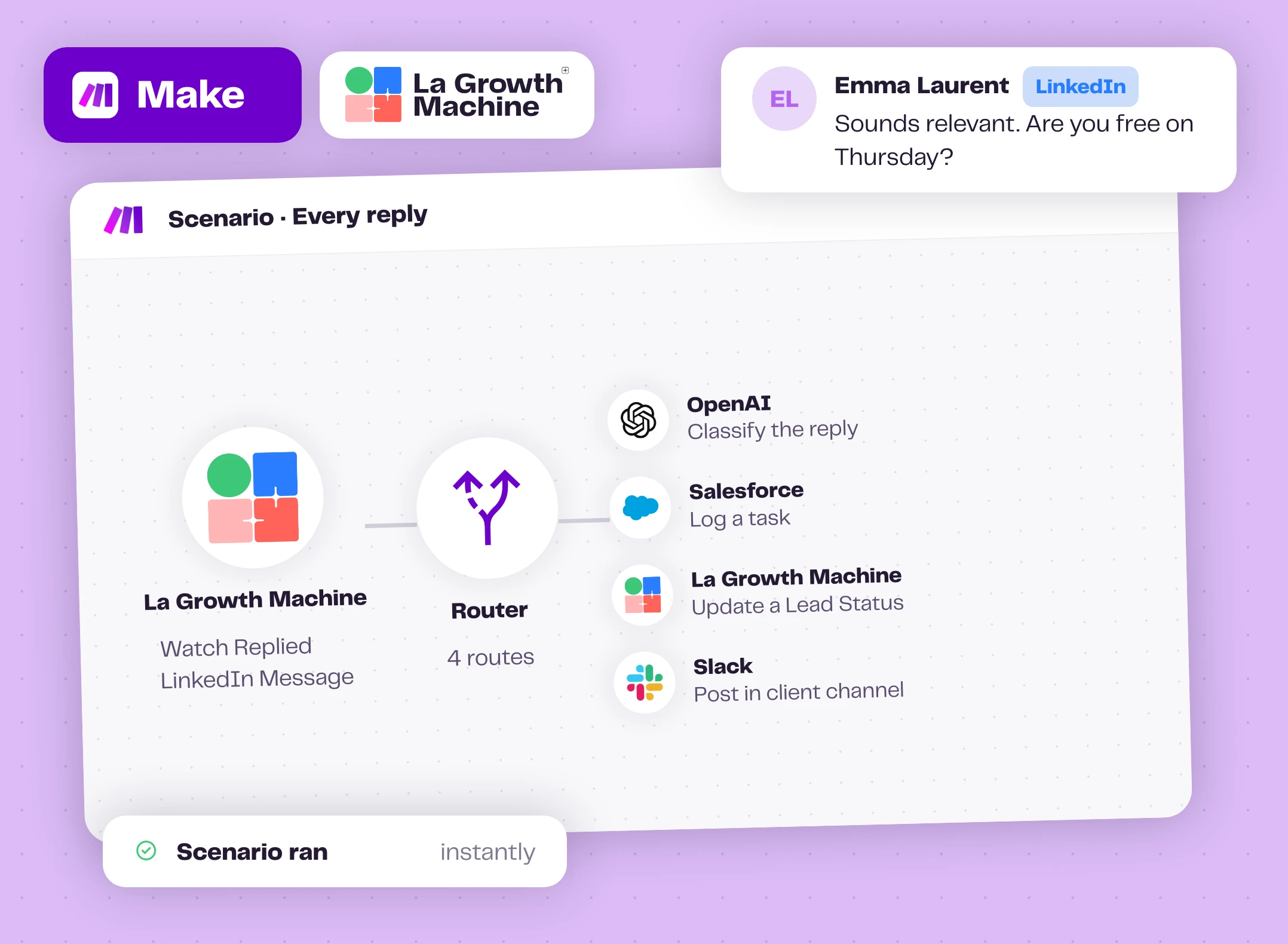
The Watch Replied LinkedIn Message and Watch Replied Email triggers are instant: your scenario runs the second a lead answers, on all your campaigns or only the ones you choose.
Add a router and do everything at once: log the reply in your CRM, let an AI module sort the intent, update the lead status, post it in your client's Slack channel if you run outbound for them. No one has to watch the inbox.
What teams build on a reply expand_more
- Log the reply as a task on the CRM contact
- Classify the intent and update the lead status
- Move interested leads to a new audience
- Send a LinkedIn message to a lead
- Notify the owner, the team or your client
Any CRM on Make, even the ones we don't sync natively
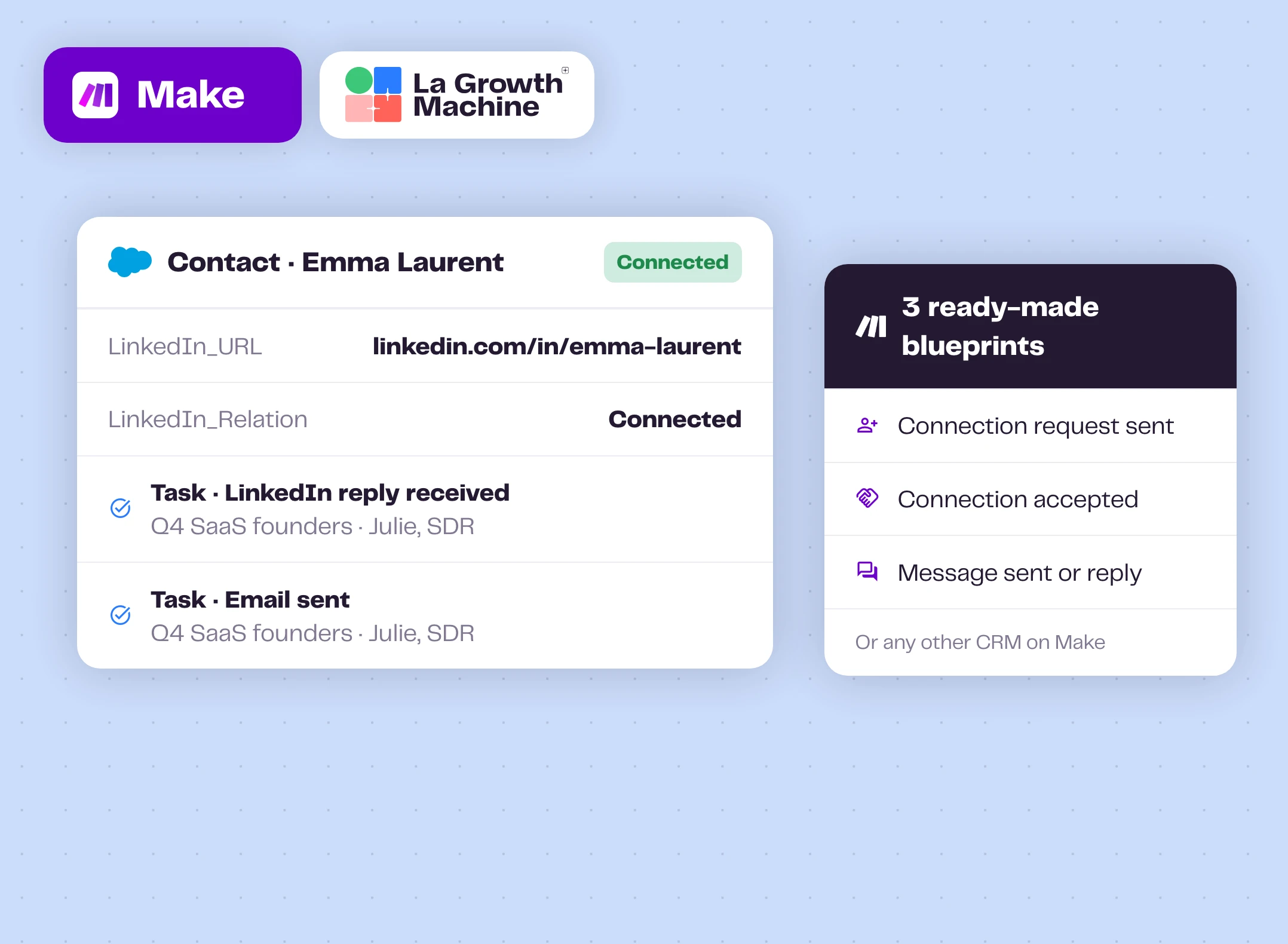
La Growth Machine syncs natively with HubSpot and Pipedrive. For Salesforce, our help center gives you three blueprints to import: connection request sent, connection accepted, and every message sent or received logged as a task on the contact.
Using another CRM? Any CRM available on Make works the same way, and a blueprint also assigns the right Pipedrive owner.
What you can log in your CRM expand_more
- Find or create the account and the contact
- The LinkedIn relation: request sent, connected
- Every LinkedIn and email message, with subject, body, campaign and identity
- The lead status and the campaign name
Enrichment included, ready for your scenarios
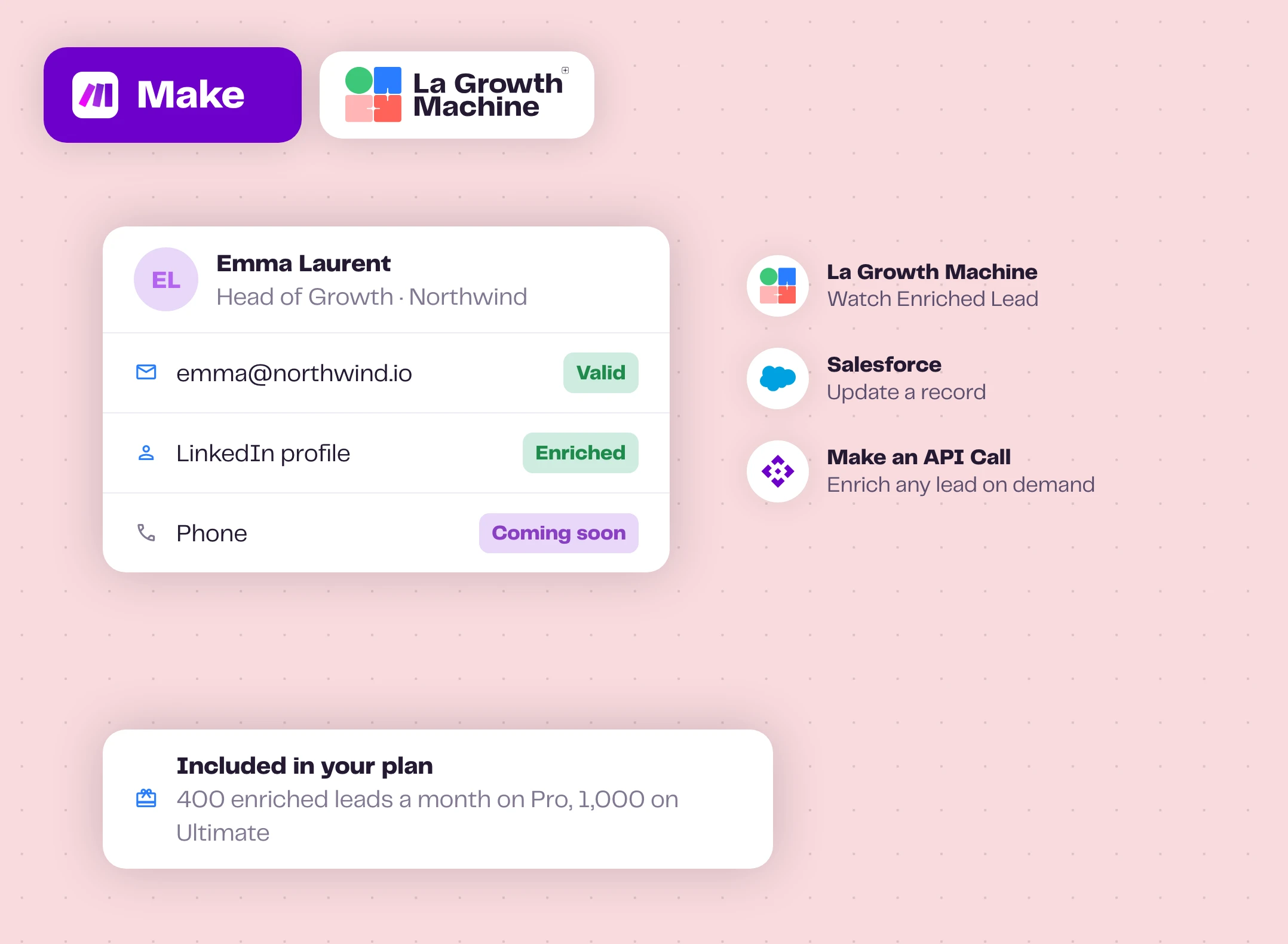
La Growth Machine finds the professional email and refreshes the LinkedIn profile of your leads. The Watch Enriched Lead trigger sends the result to your CRM, and the Make an API Call module can enrich any lead on demand. Phone numbers are coming soon.
No extra enrichment tool and no extra bill: it uses the enrichment already included in your plan, 400 enriched leads a month on Pro and 1,000 on Ultimate.
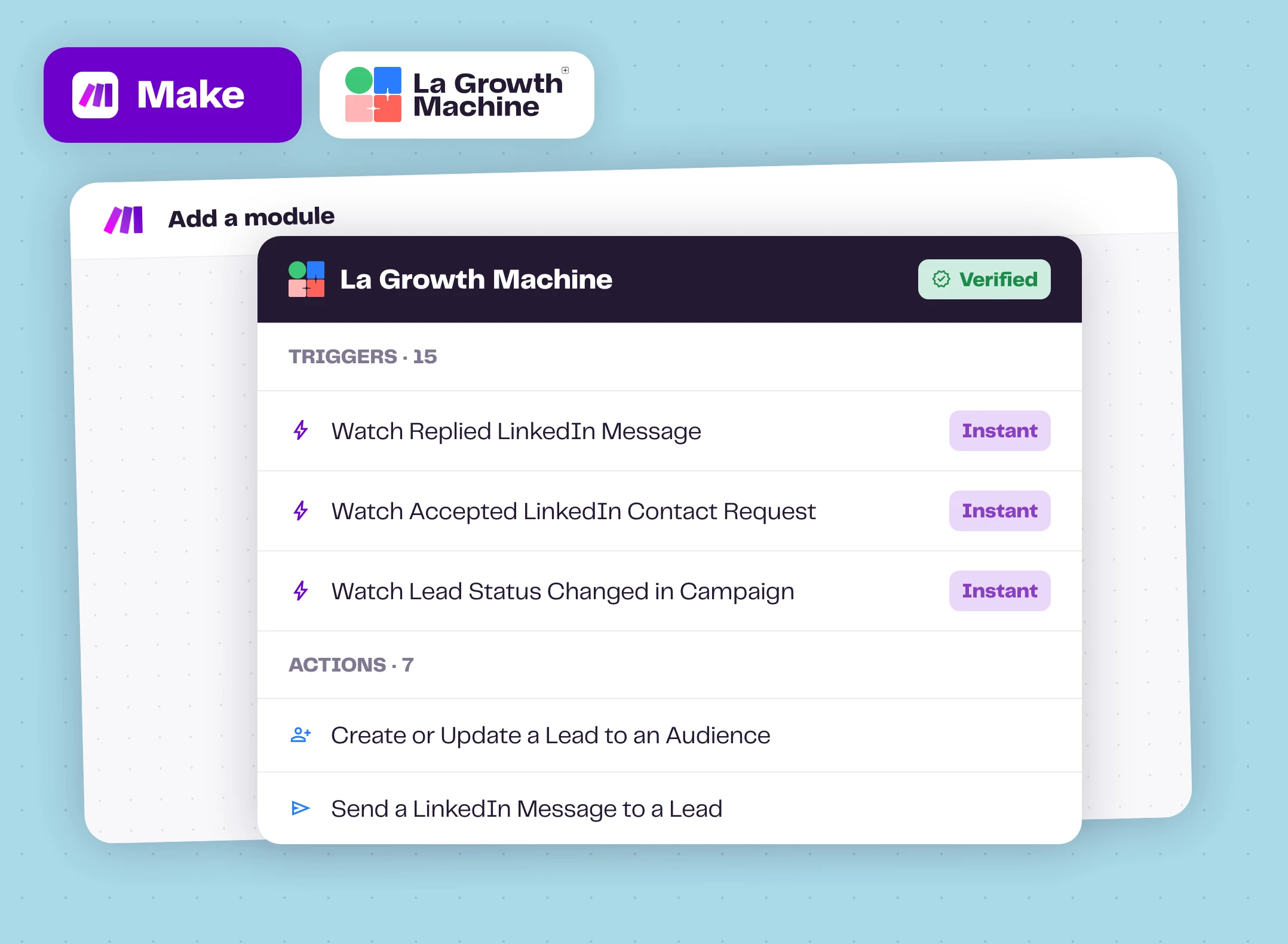
15 triggers, 7 actions, both directions
Triggers cover the whole lead journey: LinkedIn, email, enrichment, audiences, status changes and the end of a campaign. Actions write back into La Growth Machine: add or update a lead in an audience, import from LinkedIn, send a LinkedIn message, update a status.
Need something else? The Make an API Call module reaches any endpoint of the La Growth Machine API.
All triggers and actions expand_more
Triggers: Watch Accepted LinkedIn Contact Request, Watch Clicked Email, Watch Converted Lead, Watch Ended Campaign, Watch Enriched Lead, Watch Lead Status Changed in Campaign, Watch LinkedIn or Email Event, Watch New Lead in Audience, Watch Opened Email, Watch Replied Email, Watch Replied LinkedIn Message, Watch Sent Email, Watch Sent LinkedIn Contact Request, Watch Sent LinkedIn Message, Watch Visited LinkedIn Profile.
Actions: Create or Update a Lead to an Audience, Import a Lead from LinkedIn Search, Make an API Call, Remove a Lead from an Audience, Search a Lead, Send a LinkedIn Message to a Lead, Update a Lead Status.
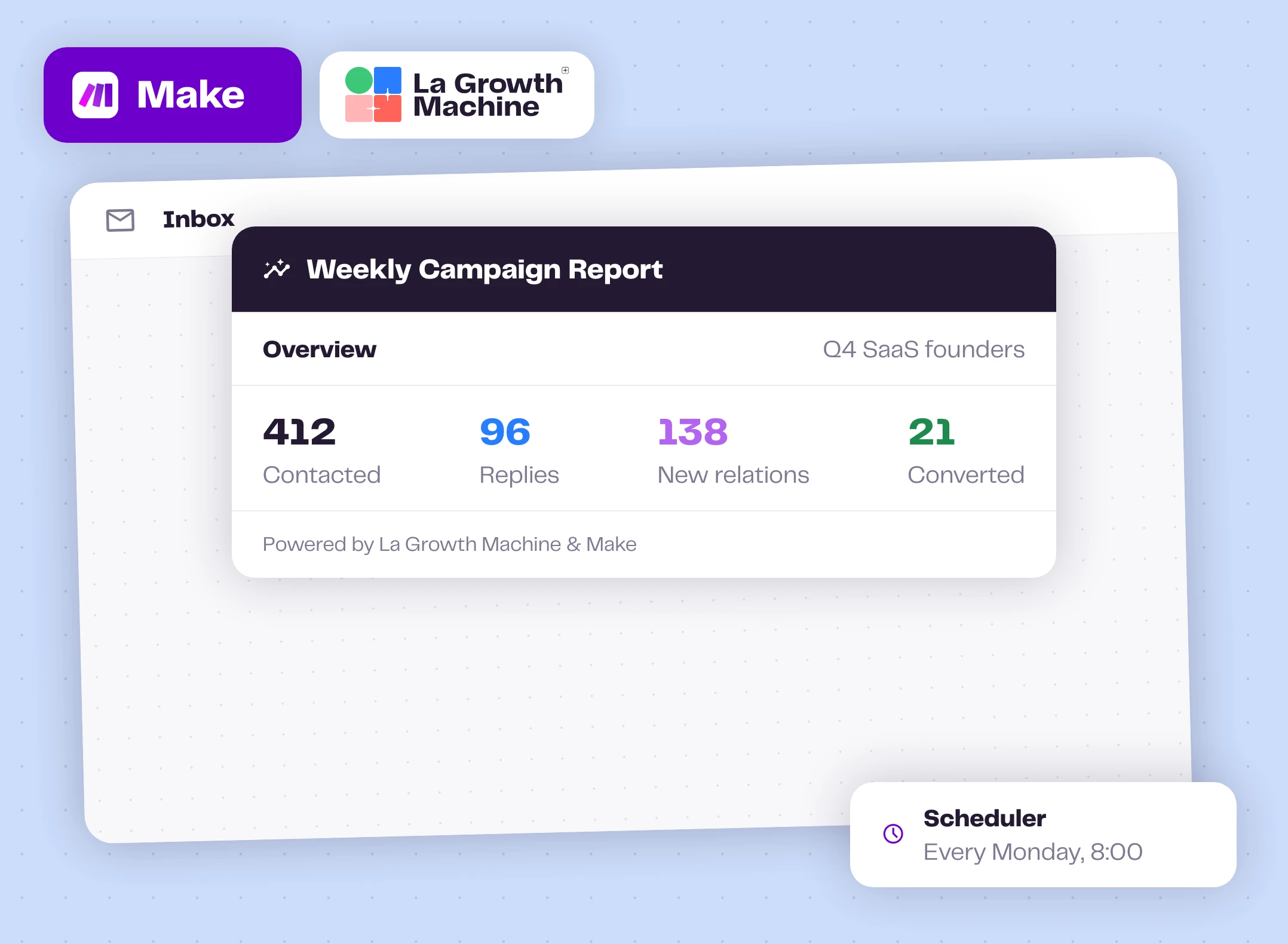
Start from ready-made scenarios
The Make page of La Growth Machine suggests three scenarios to start from: a summary report when a campaign ends, website visitors added to an audience, and a Microsoft Teams alert for each new reply.
Our help center has more, as blueprints you import in one click: re-create your connection, pick your campaigns, and you're live.
Blueprints and guides expand_more
How to get started?
Your first scenario in four steps.
- person_addStep 1
Create a Make account
Make has a free plan to get started.
- keyStep 2
Copy your API key
In La Growth Machine: All settings, Integrations & API, API.
- linkStep 3
Connect La Growth Machine
Add a La Growth Machine module in Make, create a webhook for triggers, then create the connection with your key.
- play_circleStep 4
Build and run
Add filters, routers and actions, run it once, then turn it on.
Make works with these La Growth Machine features
Your scenarios react to replies and enrichment, and can send LinkedIn messages.
Multichannel Inbox
All your LinkedIn and email conversations in one place.
Discover the feature arrow_forward person_searchWaterfall Enrichment
Find and verify professional emails across top providers, on every plan.
Discover the feature arrow_forward sendLinkedIn Automation
Automate connection requests, messages and voice notes on LinkedIn.
Discover the feature arrow_forwardGo further with Make
Webinars, playbooks and guides from the La Growth Machine team and our partners.
5 automations pour booster ta prospection avec Make + LGM
Antoine Magliulo (Makerz.ai) builds five scenarios: CRM always up to date, instant LinkedIn engagement on signup, enrichment, reply scoring.
Watch the replay arrow_forward menu_bookPlaybookHow to Build Your First Multichannel AI Sales Agent
An agent with an LLM, memory and web research, wired to La Growth Machine with n8n or Make.
Open the playbook arrow_forward play_circleWebinar replayTurn more inbound leads into deals: the ultimate automation workflow
Bastien Paul (Hublead) automates inbound lead handling with Make or Zapier and La Growth Machine.
Watch the replay arrow_forward schoolAcademyHow to integrate with anything using Zapier, Make and APIs
A chapter of the La Growth Machine Academy.
Read the chapter arrow_forward articleArticleZapier or Make: choosing the best automation tool
Strengths, limits and pricing of both, for sales automation.
Read the article arrow_forwardFrequently asked questions
Which La Growth Machine plan do I need? add
The Make integration is included from the Pro plan.
Is the Make app official? add
Yes. It's listed as Verified by Make and maintained by La Growth Machine as the official vendor.
Can one scenario use several La Growth Machine triggers? add
No. Each scenario is linked to a single La Growth Machine trigger. Build one scenario per event you want to react to.
Does Make cost anything? add
Make has a free plan. Each module run uses Make credits, so scenarios running at volume usually need a paid Make plan.
Can I connect Salesforce? add
Yes, through Make. Our help center provides three ready-made blueprints for connection requests, accepted connections and messages.