
TL;DR
– Airtable has an official MCP server that brings your bases into a Claude conversation
– Its 12 tools list bases and tables, read schema, and create or update records, fields and tables
– Connect it at mcp.airtable.com/mcp with OAuth
– Use Airtable as the working table for a multi-tool pipeline: collect engagers, enrich, check Stripe, then launch a personalized La Growth Machine sequence
Airtable has an official MCP server, built by Airtable. It brings your operational data into the flow of a Claude conversation: you can ask questions, create and update records, and analyze data without leaving the chat. In practice it can:
- list bases, tables, and records
- create and update records, tables, and fields
- read and edit a table’s schema
- search across your bases
It works with Claude, ChatGPT (OpenAI), and any other assistant or LLM that supports the Model Context Protocol.
This guide covers what the Airtable MCP does, how to connect it, and a deeper, more technical use case: running a post-engagers pipeline with Airtable as the working table, orchestrated across several MCP servers, all the way to a personalized La Growth Machine sequence.
New to the protocol? Start with what an MCP server is.
What is the Airtable MCP
The Airtable MCP server is Airtable’s official implementation of the Model Context Protocol, the open standard that lets AI applications talk to external systems. It exposes your bases to an assistant as a set of typed tools.
That makes Airtable a natural working layer for an assistant: structured data the AI can read as input, and a place it can write results back to, mid-conversation.
It works with Claude, ChatGPT (OpenAI), and any other assistant or LLM that supports the Model Context Protocol.
What the Airtable MCP lets you do
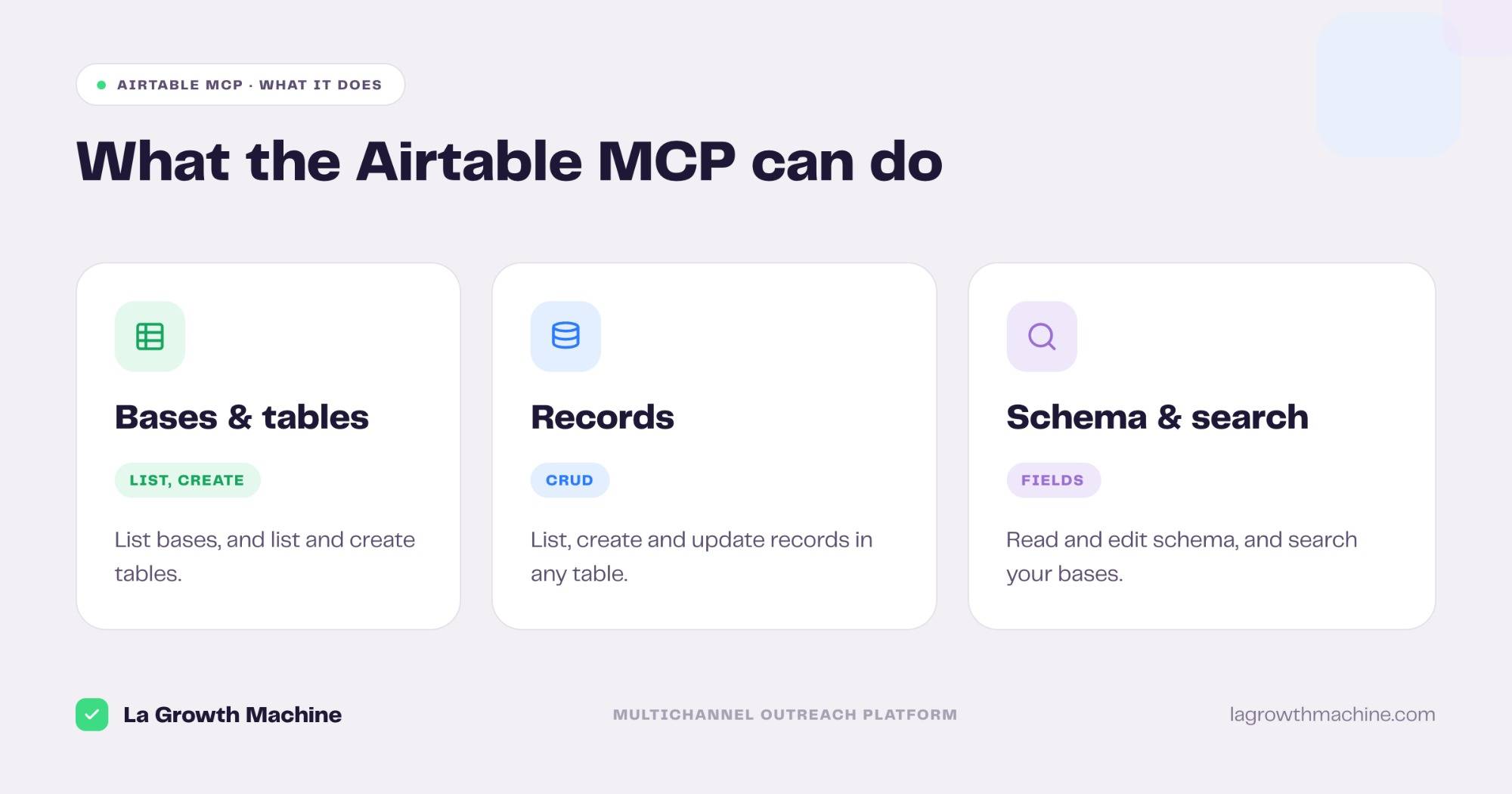
The server ships 12 tools across your workspace. Grouped:
- Bases and tables – list bases, search bases, list tables for a base, and create or update tables.
- Records – list, create, and update records in any table.
- Fields and schema – read a table’s schema, and create or update fields.
- Utility – ping to check the connection.
A few examples:
- “List the records in my Engagers table that have no email yet.”
- “Add a Stripe status field and mark which contacts are customers.”
- “Create a table for this week’s post engagers with name, company, and post.”
How to install the Airtable MCP
Setup runs over OAuth.
- Connect your account. Point your MCP client at
https://mcp.airtable.com/mcpand authenticate with OAuth. See the Airtable MCP server docs. - Use it in ChatGPT and Codex too. OpenAI supports MCP, so you can add this server in ChatGPT through connectors or in OpenAI Codex.
For the full walkthrough on adding an MCP server to your assistant, see what an MCP server is and how to install one.
This is Airtable’s own walkthrough of the setup, and a base built from a plain-language prompt:
Use case: a post-engagers pipeline with Airtable at the center
This is the part where Airtable earns its place. On its own, an MCP that reads a CRM or sends a message is useful. Airtable is different: it is the working table that lets you chain several tools into a real pipeline, with a row per lead and a column per step. This is the kind of motion a GTM engineering team runs, and it is a pattern we use at La Growth Machine.
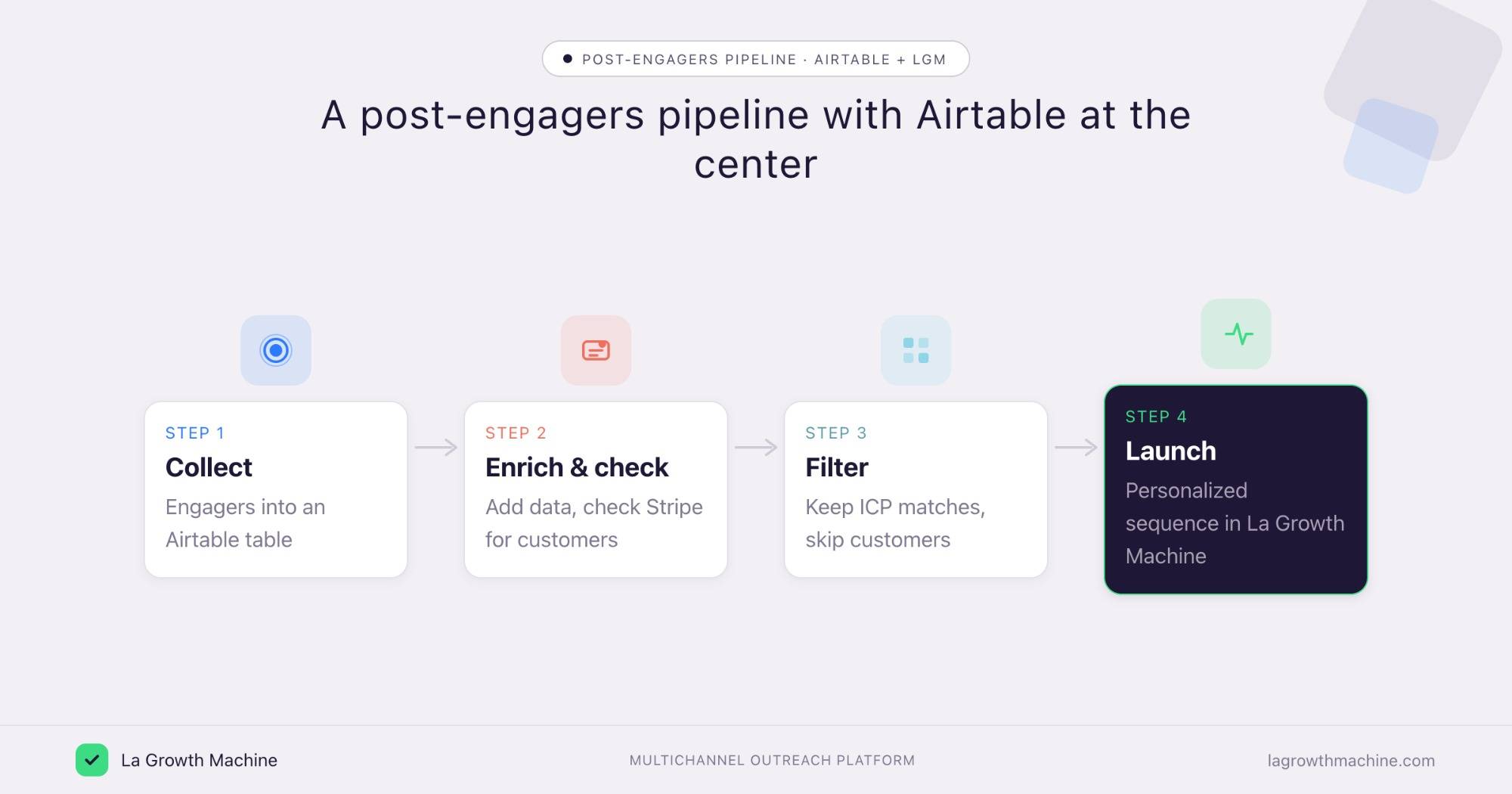
Here is the flow, orchestrated from one assistant across several MCP servers.
1. Collect the engagers
Drop everyone who engaged with a LinkedIn post into an Airtable table, one row each, with the post they engaged with. Airtable is the source of truth for the run.
2. Enrich each row
For every engager, call an enrichment tool to add a verified email, role, and company data, and write it back to the row.
3. Check Stripe for existing customers
Call the Stripe MCP to flag who is already a paying customer. You do not want to cold-pitch a current client, so this column changes the routing.
4. Filter on your conditions
Keep the rows that match your ICP and are not already customers. The assistant reads the table, applies the rule, and marks the keepers.
5. Launch a personalized sequence in La Growth Machine
Push the matches into a La Growth Machine sequence through the LGM MCP, and personalize the opener with the exact post each person engaged with. Airtable holds the post, so the message can reference it.
Example of the Airtable working table mid-run:
The whole pipeline is just MCP calls the assistant chains: Airtable for the table, an enrichment tool, Stripe for the customer check, and La Growth Machine for the outreach.
The sequence itself is written by the Multichannel Campaign Builder skill.
The LGM MCP and the GTM skills are open source in the gtm-system repo if you want to wire your own version.
Prompts to try:
- Read my Engagers table, enrich the rows with no email, and add the data back.
- Add a “Customer” column and use Stripe to mark which engagers are already paying.
- Take the rows that are not customers and match our ICP, and queue them to a La Growth Machine sequence with an opener that references their post.
(This is a pattern we run at La Growth Machine. The numbers in the example above are illustrative, not internal data.)
More ways GTM teams use it
Beyond the flagship pipeline, the Airtable MCP fits smaller jobs too.
- Spin up a base from a prompt. Describe the base you need and let Claude create the tables, fields, and sample records, then fill it from the conversation.
- Personalize from a content table. Keep your value props, case studies, or post angles in Airtable, and let the assistant pull the right one into a message.
- Keep a lead table tidy from chat. Dedupe, fill gaps, and update statuses without opening Airtable.
- Analyze a base in the conversation. Ask questions of a table and get a read without exporting to a spreadsheet.
There is no native Airtable integration with La Growth Machine (yet). You connect them by orchestrating both MCP servers from the assistant, or through an automation layer like Zapier, n8n, or Make. See the La Growth Machine integrations.
Tips and security
The Airtable MCP can read and change your bases, so scope it with care.
- Connect a least-privilege user. Limit it to the bases the task needs.
- Use least-privilege scopes. Read scopes like
schema.bases:readanddata.records:readcover most work, add write scopes only when a task needs them. - Confirm before writes. Let it read and search freely, but confirm before it creates or overwrites records.
- Mind the data. Bases often hold customer data, so review what the assistant can reach before you share results.
- Use trusted connectors. Airtable’s connector is official, built by Airtable.
Frequently asked questions
Does Airtable have an official MCP server?
Yes. Airtable ships an official MCP server at https://mcp.airtable.com/mcp, with 12 tools for bases, tables, fields, and records.
What can the Airtable MCP do?
It lets an assistant list bases and tables, read a table’s schema, create and update records, fields, and tables, and search your bases, all in conversation.
How do I connect Airtable to Claude?
Point your MCP client at https://mcp.airtable.com/mcp and authenticate with OAuth. It works with Claude, ChatGPT (OpenAI), and other MCP hosts.
Can I build a multi-tool pipeline with the Airtable MCP?
Yes, and that is its strength. Use Airtable as the working table, then chain an enrichment tool, the Stripe MCP, and the La Growth Machine MCP from the assistant. The LGM side is open source in the gtm-system repo.
Can I connect Airtable and La Growth Machine?
Not natively (yet). Orchestrate both MCP servers from the assistant, or connect them through Zapier, n8n, or Make.