
TL;DR
– Lusha has an official MCP server that brings verified B2B contact and company data into Claude
– Its 17 tools search and enrich contacts and companies, surface buyer signals, and find lookalikes
– Connect it at mcp.lusha.com with your Lusha API key
– Pair it with La Growth Machine: prioritize in-market accounts from buyer signals, then launch a personalized sequence
Lusha has an official MCP server, built by Lusha. It brings verified B2B contact and company data into a Claude conversation: search and enrich people and accounts, surface buyer signals, and find lookalikes, all without leaving the chat. In practice it can:
- search and enrich contacts with verified emails, direct and mobile numbers
- search and enrich companies with firmographic data
- surface contacts and companies showing buyer intent
- find lookalikes of your best accounts
It works with Claude, ChatGPT (OpenAI), and any other assistant or LLM that supports the Model Context Protocol.
This guide covers what the Lusha MCP does, how to connect it, and a go-to-market use case: turning verified data and buyer signals into outreach with La Growth Machine.
New to the protocol? Start with what an MCP server is.
What is the Lusha MCP
The Lusha MCP server is Lusha’s official implementation of the Model Context Protocol, the open standard that lets AI applications talk to external systems. It connects an assistant to Lusha’s sales intelligence database of 300M+ verified contacts.
So instead of exporting lists, you ask for the people and accounts you want and Lusha returns verified, enriched data in the conversation, with the compliance posture Lusha is known for.
It works with Claude, ChatGPT (OpenAI), and any other assistant or LLM that supports the Model Context Protocol.
What the Lusha MCP lets you do
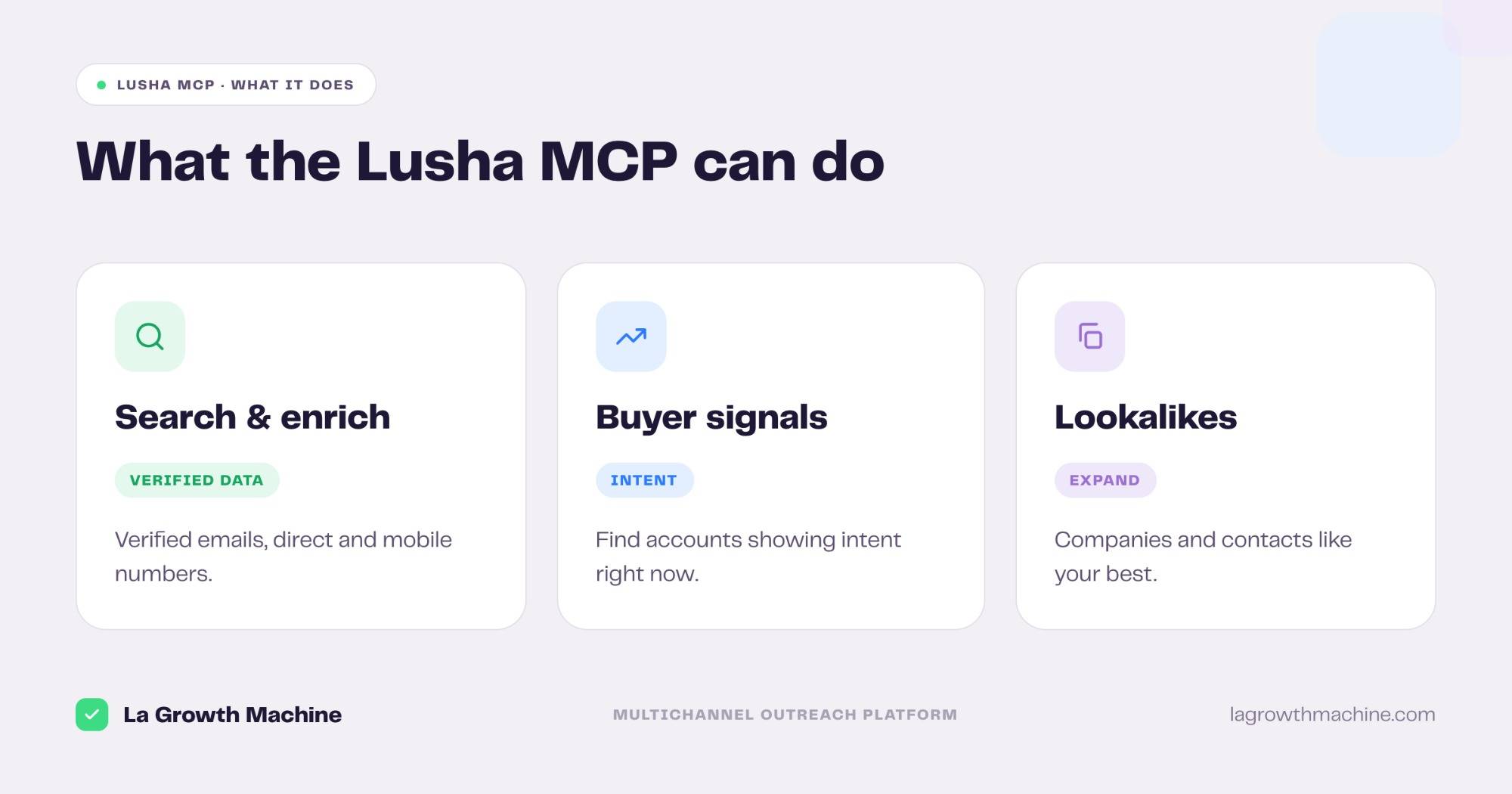
The server ships 17 tools across prospecting and intelligence. Grouped:
- Search and enrich: search contacts and companies, then enrich them with verified emails, direct and mobile numbers.
- Buyer signals: find and filter the contacts and companies showing intent right now.
- Lookalikes: surface companies and contacts that resemble your best accounts.
- Usage: check your account usage and remaining credits.
A few examples:
- “Find RevOps leaders at Series B SaaS companies in EMEA and enrich their direct numbers.”
- “Which of my target accounts are showing buyer signals this week?”
- “Give me 20 companies that look like my top three customers.”
How to install the Lusha MCP
Setup runs over your Lusha API key.
- Connect your account: point your MCP client at
https://mcp.lusha.comand authenticate with your Lusha API key (thex-api-keyheader). See the Lusha MCP documentation. - Use it in ChatGPT and Codex too: OpenAI supports MCP, so you can add this server in ChatGPT through connectors or in OpenAI Codex.
For the full walkthrough on adding an MCP server to your assistant, see what an MCP server is and how to install one.
Concrete use cases: from verified data to outreach
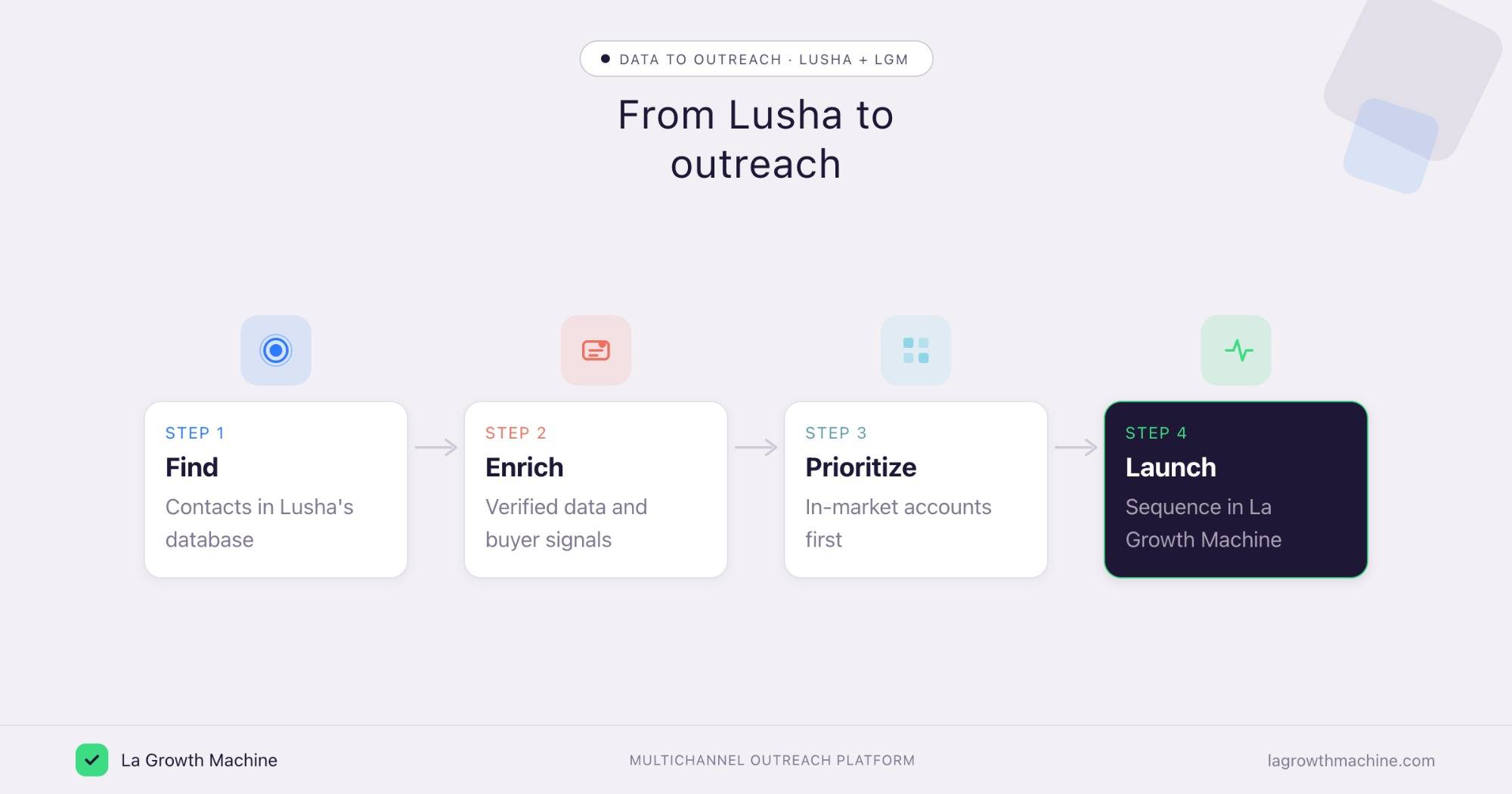
Lusha is the data layer. La Growth Machine runs the outreach. Connect both to the assistant and verified contacts and intent flow straight into a campaign.
Research an account before a call
What it produces
A quick, verified brief on an account: who the decision makers are, their direct numbers, and the firmographics, pulled in seconds so you walk in prepared.
Prompts to try:
- Profile this account: decision makers, direct numbers, headcount, and recent moves.
- Who should I talk to first, and how do I reach them?
Reach in-market accounts first
What it produces
A prioritized, enriched list of accounts showing intent, and the multichannel sequence to work them. Buyer signals decide who you contact first.
Example output of the skill that writes the sequence:
Cold outbound to Heads of Sales at French B2B SaaS startups. Lead angle: “your reps spend 40% of the week on manual prospecting.”
Prompts to try:
- Pull the accounts in my market showing buyer signals, enrich the right contacts, and queue them to a La Growth Machine sequence.
- Prioritize the list by signal strength.
See the Multichannel Campaign Builder skill.
Expand with lookalikes
What it produces
A fresh set of accounts that resemble your best customers, enriched and ready to sequence, so you grow the pipeline without starting from a blank search.
Prompts to try:
- Find lookalikes of my top closed-won accounts and enrich the buying committee.
- Drop the new contacts into a dedicated audience.
⚠️ La Growth Machine does not have a native Lusha integration (yet). You connect the two by orchestrating both MCP servers from the assistant, or through an automation layer like Zapier, n8n, or Make. See the La Growth Machine integrations. Lusha is a verified-data provider with built-in buyer signals; if you would rather orchestrate enrichment across many providers, see the Clay MCP.
Tips and security
The Lusha MCP reaches contact data and runs on credits, so be deliberate.
- Watch your credits: enrichment draws on your Lusha plan, so check usage before a large pull.
- Scope the search: tighten filters before enriching, so you spend credits on the right contacts.
- Mind the data: Lusha is GDPR, CCPA, and SOC 2 compliant, but you are still the one sending, so keep your outreach consent-aware.
- Use trusted connectors: Lusha’s connector is official, built by Lusha.
Frequently asked questions
Does Lusha have an official MCP server?
Yes. Lusha ships an official MCP server at https://mcp.lusha.com, with 17 tools for searching and enriching contacts and companies, buyer signals, and lookalikes.
What can the Lusha MCP do?
It lets an assistant search and enrich contacts and companies with verified emails and phone numbers, surface accounts showing buyer intent, find lookalikes, and check your account usage.
How do I connect Lusha to Claude?
Point your MCP client at https://mcp.lusha.com and authenticate with your Lusha API key. It works with Claude, ChatGPT (OpenAI), and other MCP hosts.
Can I use Lusha and La Growth Machine together?
Yes. Use Lusha to find, enrich, and prioritize accounts, then La Growth Machine to run the outreach. There is no native integration (yet), so orchestrate both MCP servers from the assistant or connect them through Zapier, n8n, or Make.
Lusha MCP or Clay MCP, which should I use?
Lusha is a verified-data provider with built-in buyer signals and lookalikes. The Clay MCP orchestrates enrichment across many providers. Use Lusha for verified data and intent, Clay to run a multi-source waterfall.