
TL;DR
– Claude MCP connects Claude to external tools through the Model Context Protocol, so it reads your data and takes actions
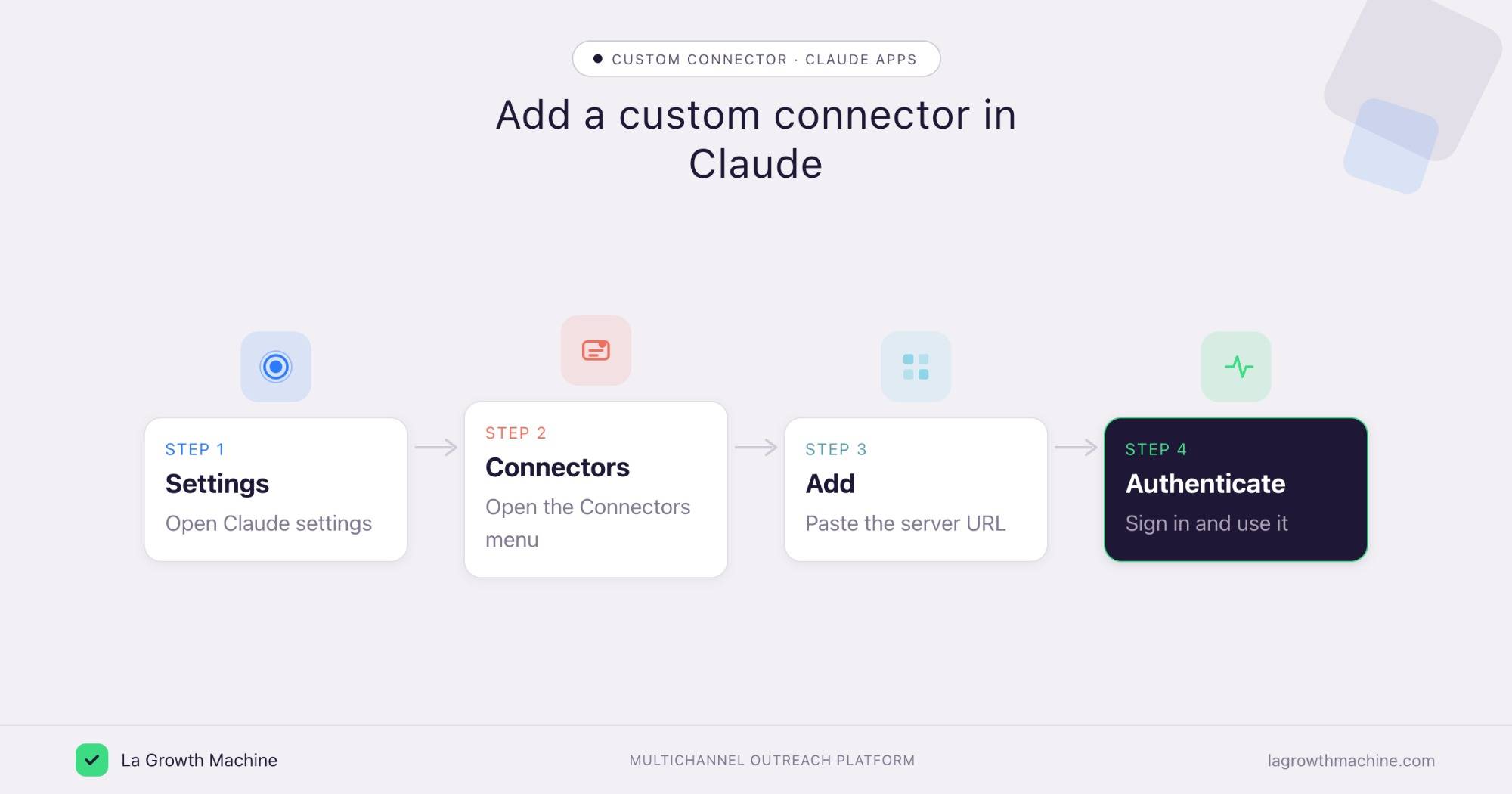
– In the Claude apps you add tools as connectors: Settings, Connectors, Add custom connector, paste the server URL, then authenticate
– MCP itself is free and open; you only pay for the connected service, and custom connectors are on Claude paid plans
– Unlike a Custom GPT, an MCP connector is an open standard that works across Claude, ChatGPT and any MCP host
Claude MCP connects Claude to external tools through the Model Context Protocol, the open standard for letting an AI read your data and take actions. In the Claude desktop, web, and mobile apps, you add these tools as connectors, so Claude can work inside your CRM, calendar, or outreach platform instead of just talking about them. With a connector added, Claude can:
- pull live data from a connected tool
- take actions in it, like creating or updating records
- chain several tools together in one conversation
This guide covers what Claude MCP is, how to add a connector in the Claude apps, real examples, what it costs, and how it compares to a Custom GPT. For the protocol itself, see what an MCP server is. For the terminal route, see MCP in Claude Code.
What is Claude MCP?
Claude MCP is the use of the Model Context Protocol inside Claude. The protocol is an open standard that connects AI applications to external systems, and a connector is simply an MCP server that Claude talks to. Add one and Claude gains a set of tools it can call on your behalf.
Because MCP is host-agnostic, the same server also works with ChatGPT (OpenAI) and any other assistant that supports it. For the full architecture, see what an MCP server is.
How to add an MCP connector in Claude
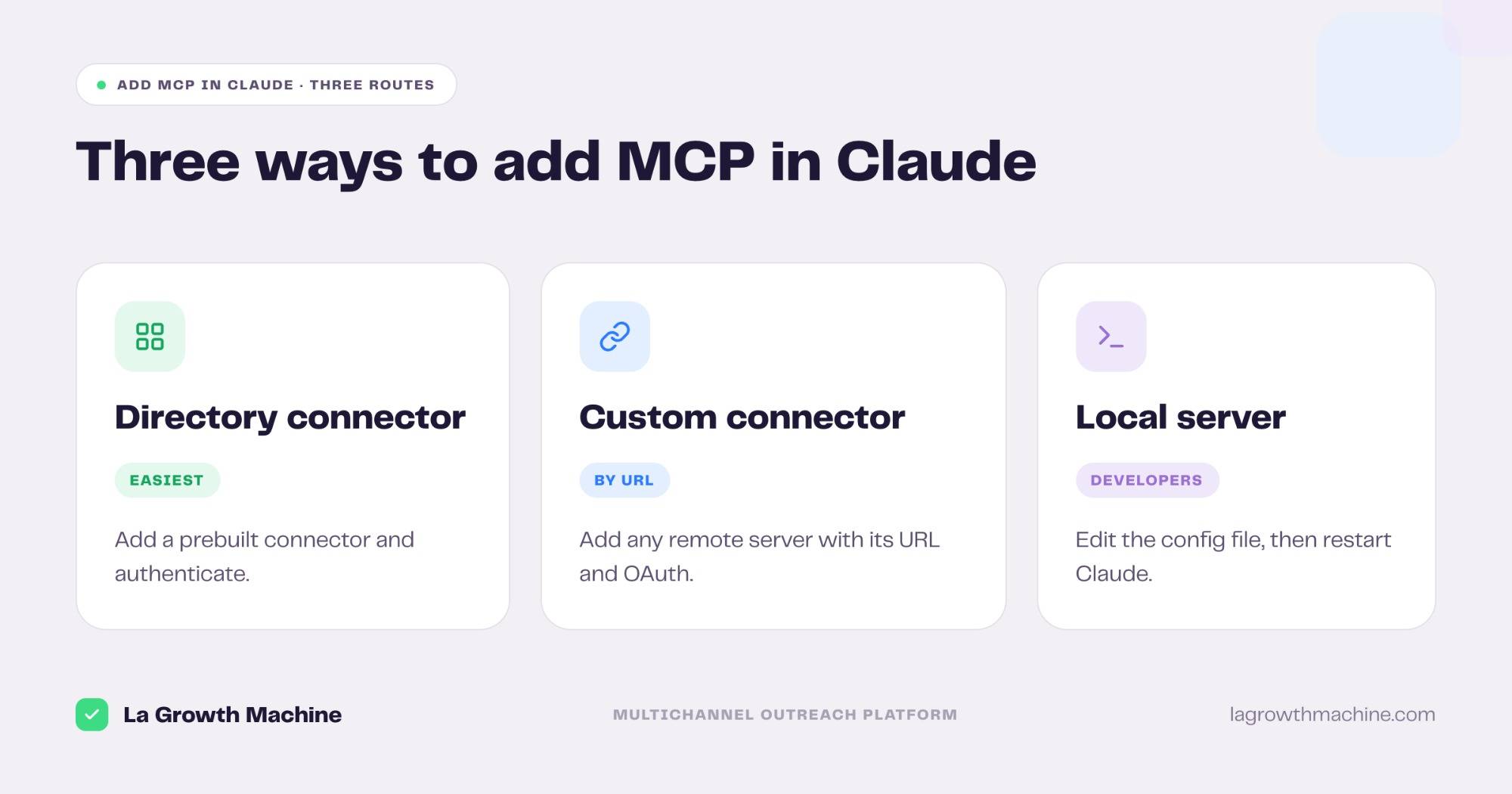
Adding a connector happens in the app’s settings, no terminal required. There are three routes, depending on the server.
Add a directory connector
Open Settings → Connectors, browse the directory of prebuilt connectors, click to add one, and authenticate. This is the easiest path.
Add a custom connector
In Settings → Connectors, click Add custom connector, enter the server name and URL, add an OAuth client ID and secret under advanced settings if the server needs them, then click Add and authenticate. This is how you connect any remote MCP server.
Add a local server (developers)
For a server running on your own machine, open Settings → Developer → Edit Config and edit claude_desktop_config.json (macOS ~/Library/Application Support/Claude/, Windows %APPDATA%\Claude\), then fully restart Claude.
⚠️ For a remote connector, Claude connects from Anthropic’s cloud, not your device, so the server must be reachable on the public internet. Local servers via the config file run on your machine instead.
The walkthrough below shows the manual setup end to end.
Claude MCP examples and use cases
The point of a connector is to put your real tools one prompt away. Common setups for a go-to-market team:
- Run your CRM from chat: connect the HubSpot MCP and ask Claude to read deals or update a record.
- Book meetings: connect the Calendly MCP to share a link and book a call from the conversation.
- Find and enrich prospects: connect the Clay MCP to surface verified contacts.
- Run outreach: connect the La Growth Machine MCP to build audiences, launch multichannel sequences, and read replies.
Chain a few and one instruction can go from “find these people” to “they are enriched, in the CRM, and in a sequence.
Is Claude MCP free, and what does it cost?
The Model Context Protocol is free and open and Claude does not charge extra to connect a server. You pay only for whatever the connected service itself costs, like your CRM or enrichment tool. Prebuilt directory connectors are broadly available, and custom (remote) connectors are on Claude’s paid plans, Pro and up.
Claude MCP vs a Custom GPT
Both extend an assistant, but they are not the same thing.
- Open vs closed: an MCP connector is an open standard. A Custom GPT runs only inside ChatGPT.
- Portable: the same MCP server works in Claude, ChatGPT, and other hosts. A Custom GPT does not move.
- Live actions: a connector reads and acts on live systems through tools. A Custom GPT mostly packages instructions and uploaded knowledge.
If you want one setup that follows you across assistants and acts on real data, MCP is the better fit.
Using MCP in Claude Code
Prefer the terminal? Claude Code adds servers with the claude mcp add command instead of the Connectors menu. The connector works the same way once added. See the full guide on MCP in Claude Code.
Frequently asked questions
What is Claude MCP?
It is the use of the Model Context Protocol inside Claude. A connector is an MCP server Claude talks to, giving it tools to read data and take actions in external systems, not just chat.
How do I add an MCP to Claude?
Open Settings, Connectors. Add a prebuilt connector from the directory, or click Add custom connector and enter the server’s name and URL, then authenticate.
How do I set up MCP on Claude desktop?
Use Settings, Connectors for remote connectors. For a local server, open Settings, Developer, Edit Config, edit claude_desktop_config.json, then restart Claude.
How do I connect MCP to Claude?
Add the server as a connector in Settings, Connectors, with its URL, and complete the OAuth login. Claude then loads its tools and calls them when relevant.
Is Claude MCP free?
The protocol is free and open, and Claude adds no fee to connect a server. You pay only for the connected service. Custom connectors are available on Claude’s paid plans.
How much does Claude MCP cost?
MCP itself costs nothing. Your cost is whatever the connected tool charges, plus your Claude plan if you use custom remote connectors, which are on Pro and up.
What are some Claude MCP examples?
Connecting a CRM like HubSpot, a scheduler like Calendly, an enrichment tool like Clay, or the La Growth Machine MCP to run outreach from the chat.
Claude MCP vs Custom GPT, which should I use?
Use MCP if you want an open, portable setup that acts on live data across Claude, ChatGPT, and other hosts. A Custom GPT stays inside ChatGPT and mostly packages instructions.