
TL;DR
– HubSpot officially supports MCP via an official Claude connector (OAuth, no code), plus a developer MCP server
– It lets an assistant search and read CRM objects, read properties, create and update records, and log activities (tools: search_crm_objects, get_crm_objects, get_properties, search_properties, get_user_details)
– Connect via the official connector, a developer MCP server, or a private app token
– La Growth Machine has a native two-way HubSpot integration, so activities log as native HubSpot types, owners map, and leads enrol from lists, with no Zapier, n8n or Make
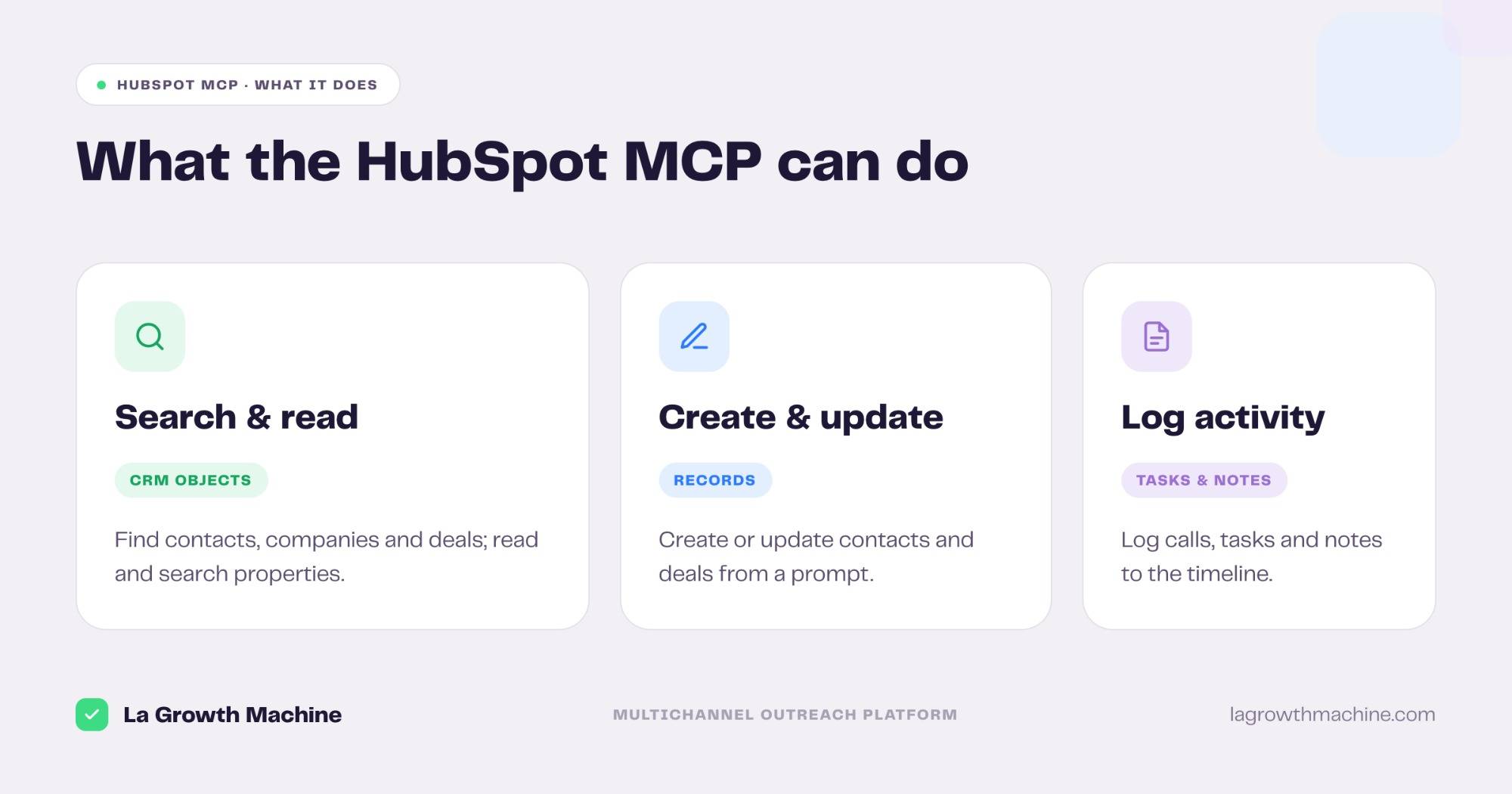
HubSpot officially supports the Model Context Protocol (MCP). It ships an official connector that lets an AI assistant like Claude read and act on your CRM in plain language. In practice it can:
- search and read CRM objects (contacts, companies, deals)
- read and search properties
- create and update records
- log activities, tasks, and notes
It connects through OAuth, with no code.
This guide covers what the HubSpot MCP does, how to connect it, and the part that matters most for go-to-market teams. La Growth Machine has a native two-way HubSpot integration, so the two go further together than a CRM and an outreach tool usually can.
New to the protocol? Start with what an MCP server is.
What is the HubSpot MCP connector
The HubSpot MCP connector is HubSpot’s official way to expose your CRM to an AI assistant over the Model Context Protocol, the open standard that lets AI applications talk to external systems.
It surfaces your HubSpot data as a set of typed tools, so the assistant can query and change CRM records on your behalf. Everything runs under the connected user’s permissions.
It works with Claude, ChatGPT (OpenAI), and any other assistant or LLM that supports the Model Context Protocol. You can browse it in the Claude connector directory.
What the HubSpot MCP lets you do
The connector turns your CRM into something an assistant can read and operate. Its core tools are:
- search_crm_objects – find contacts, companies, deals, and tickets that match a query
- get_crm_objects – pull specific records and their details
- get_properties and search_properties – read and discover the fields on an object
- get_user_details – identify the connected user and their context
Beyond reading, the connector can also create and update records like contacts and deals, and log activities, tasks, and notes straight to the timeline.
A few real prompts:
- “Show me all deals in the negotiation stage closing this quarter.”
- “Update the contact record for John Smith with his new title.”
- “Log a call note on the Acme account and create a follow-up task.”
⚠️ Worth knowing before you rely on it: the official connector cannot delete records, bulk writes are capped at 10 records at a time, and it needs a paid Anthropic plan (Pro, Max, Team, or Enterprise).
How to connect the HubSpot MCP
There are three ways to connect, depending on who is using it.
- Official connector (recommended). Add HubSpot from the connector directory in your assistant, then authenticate with OAuth. In Claude.ai or Claude Cowork you add it in the Customize panel; ChatGPT and other hosts expose a similar connectors screen. No code.
- MCP server (for developers). Run HubSpot’s developer MCP server, or a community package, from Claude Code for programmatic access in your terminal.
- Private app token. Call the HubSpot API directly with a private app access token when you need full control.
Scope the connected user to only what the task needs, since the assistant inherits those permissions.
This walkthrough shows how to set up and use HubSpot’s developer MCP server:
HubSpot MCP + La Growth Machine: a native two-way sync
Here is where HubSpot stands apart from most tools. Many integrations need an automation layer (Zapier, n8n, or Make) to move data between an outreach tool and the CRM. La Growth Machine has a native two-way HubSpot integration, so you skip that layer entirely.
La Growth Machine is an outreach platform that connects multichannel campaign execution to proven revenue impact. Pair its native HubSpot sync with the HubSpot MCP and a RevOps or GTM engineer can run the whole loop without leaving the CRM.
What the native sync does:
- LGM to HubSpot. Email and LinkedIn activities, call tasks, campaign actions, and lead data changes log automatically as native HubSpot activity types.
- HubSpot to LGM. A task marked done, or a contact data change in HubSpot, flows back into La Growth Machine.
- Owner mapping. Each LGM identity maps to a HubSpot owner, so every activity attaches to the right rep.
- List enrollment. Import a static or dynamic HubSpot list into a campaign, and skip leads already in a list or with an open deal.
- Signal triggers. Fire a HubSpot workflow from an LGM signal like a reply or a LinkedIn acceptance.
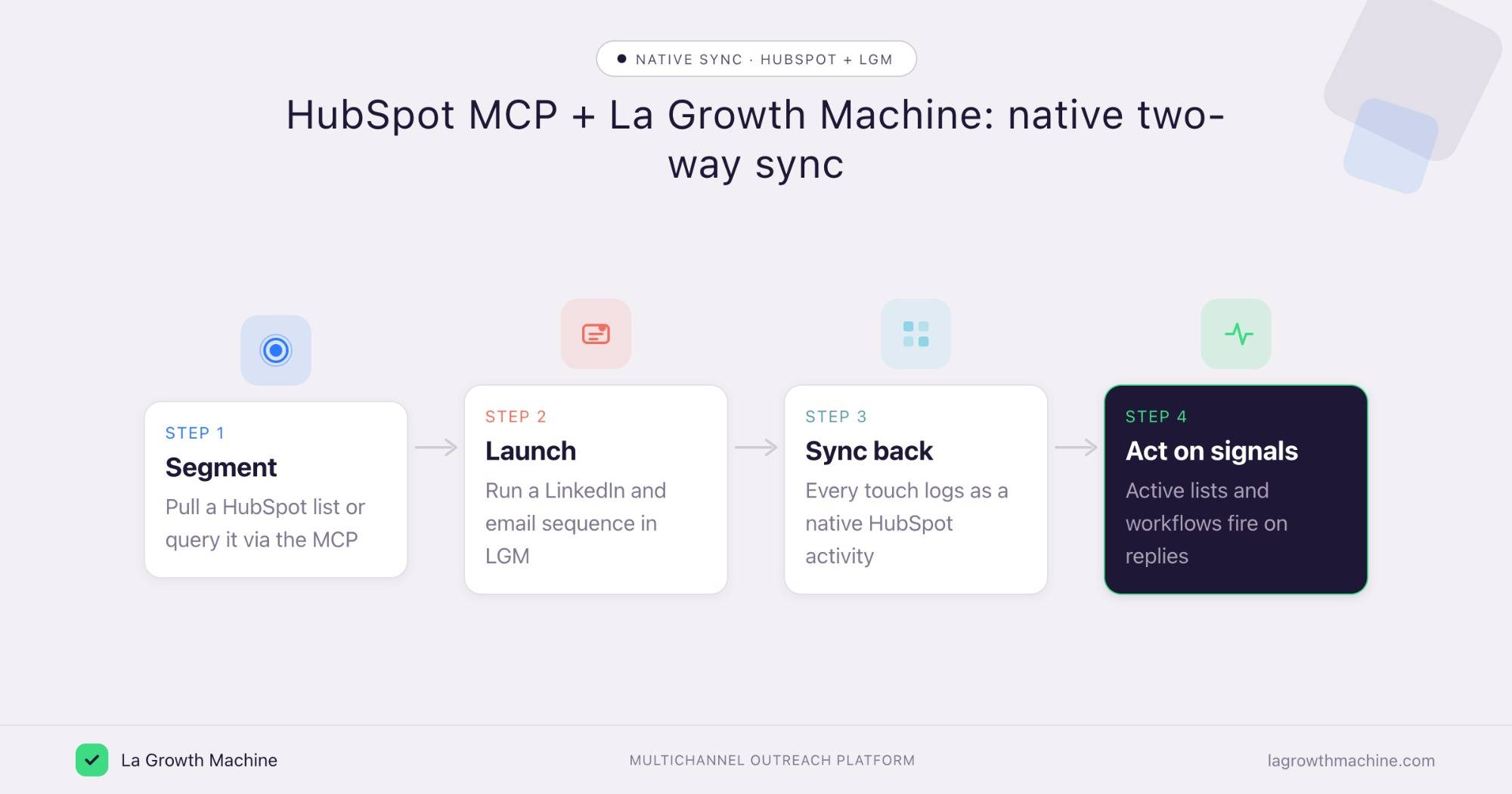
So the loop looks like this:
- Segment a HubSpot list, or query it through the MCP.
- Launch a LinkedIn and email sequence in La Growth Machine.
- Sync back every touch as a native HubSpot activity, with the right owner.
- Act on signals as self-updating active lists and workflows fire on replies and acceptances.
The MCP gives your assistant on-demand reach into HubSpot. The native integration keeps La Growth Machine and HubSpot in continuous sync underneath. See the full La Growth Machine x HubSpot integration and the rest of the La Growth Machine integrations.
Concrete use cases
The HubSpot MCP reads your CRM, and the native LGM x HubSpot sync feeds real outcomes back. Together they let a couple of La Growth Machine skills tie your outreach to revenue, straight from the assistant.
Build new campaigns from your best deals
What it produces
The Won-Deal ICP Finder audits your closed-won deals, surfaces your proven ICP and the channel that won them, and outputs a lookalike Sales Navigator search per archetype.
With the HubSpot MCP and La Growth Machine
Claude reads those won deals straight from HubSpot, the ones the native sync attributed to outreach, so you skip the export. Hand the lookalike search to a new La Growth Machine campaign and your next sequence targets accounts that look like the ones you close.
Prompts to try:
- Read my won deals in HubSpot this quarter and group them into ICP archetypes.
- Find my proven ICP from my closed-won deals and build a lookalike search.
- Which channel won the most revenue, and who should I target next?
See the Won-Deal ICP Finder skill.
Rank campaigns by real pipeline
What it produces.
A commented ranking of all your active campaigns, sorted by meetings booked and pipeline rather than reply rate. For each campaign: a score, the variables that explain the performance (audience, channel, message, timing), and a verdict, keep, stop, or adapt.
With the HubSpot MCP and La Growth Machine
Claude connects to LGM directly, with no export. It reads your campaigns in real time, cross-references the deals the native HubSpot sync ties back to each one, and ranks them by pipeline generated. You can later run this on a schedule, every Monday for instance. Acting on the result from chat, pausing or editing a campaign, is not available yet.
Prompts to try:
- Cross-reference my LGM campaigns with my HubSpot deals and tell me which generates the most pipeline this quarter.
- Which of my campaigns is actually driving pipeline?
- Which campaign returns the most per lead contacted, not just in volume?
- Which campaigns should I stop or double down on given their impact?
See the Campaign Impact Analyzer skill.
Tips and security
The HubSpot MCP can read and change CRM data, so scope it with care.
- Connect a least-privilege user. The assistant inherits that user’s permissions.
- Confirm before writes. Let the assistant search freely, but require confirmation before it creates or updates records.
- Mind the limits. No deletes through the connector, and bulk writes cap at 10 records at a time.
- Let the native sync carry state. Use the MCP for ad-hoc reads and actions, and let the La Growth Machine integration handle the continuous CRM sync.
Frequently asked questions
Does HubSpot officially support MCP? Yes. HubSpot ships an official connector for Claude built on the Model Context Protocol, plus a developer MCP server for programmatic access.
What can the HubSpot MCP do? It lets an assistant search and read CRM objects, read and search properties, get user details, create and update records, and log activities, tasks, and notes, all under the connected user’s permissions.
How do I connect HubSpot to Claude? Add the HubSpot connector from the directory and authenticate with OAuth, or run HubSpot’s developer MCP server from Claude Code. The official connector needs a paid Anthropic plan.
Is the HubSpot MCP connector free? The connector itself is part of HubSpot, but it requires a paid Anthropic plan (Pro, Max, Team, or Enterprise) and an active HubSpot account.
Does La Growth Machine integrate natively with HubSpot? Yes. La Growth Machine has a native two-way HubSpot integration that logs LinkedIn and email activity as native HubSpot activities, maps owners, and enrolls leads from HubSpot lists, with no Zapier, n8n, or Make in between.