
TL;DR
– Calendly has an official MCP server that manages your scheduling from a Claude conversation
– Its 34 tools create and update event types, adjust availability, share scheduling links, and book or cancel events
– Connect it at mcp.calendly.com with OAuth
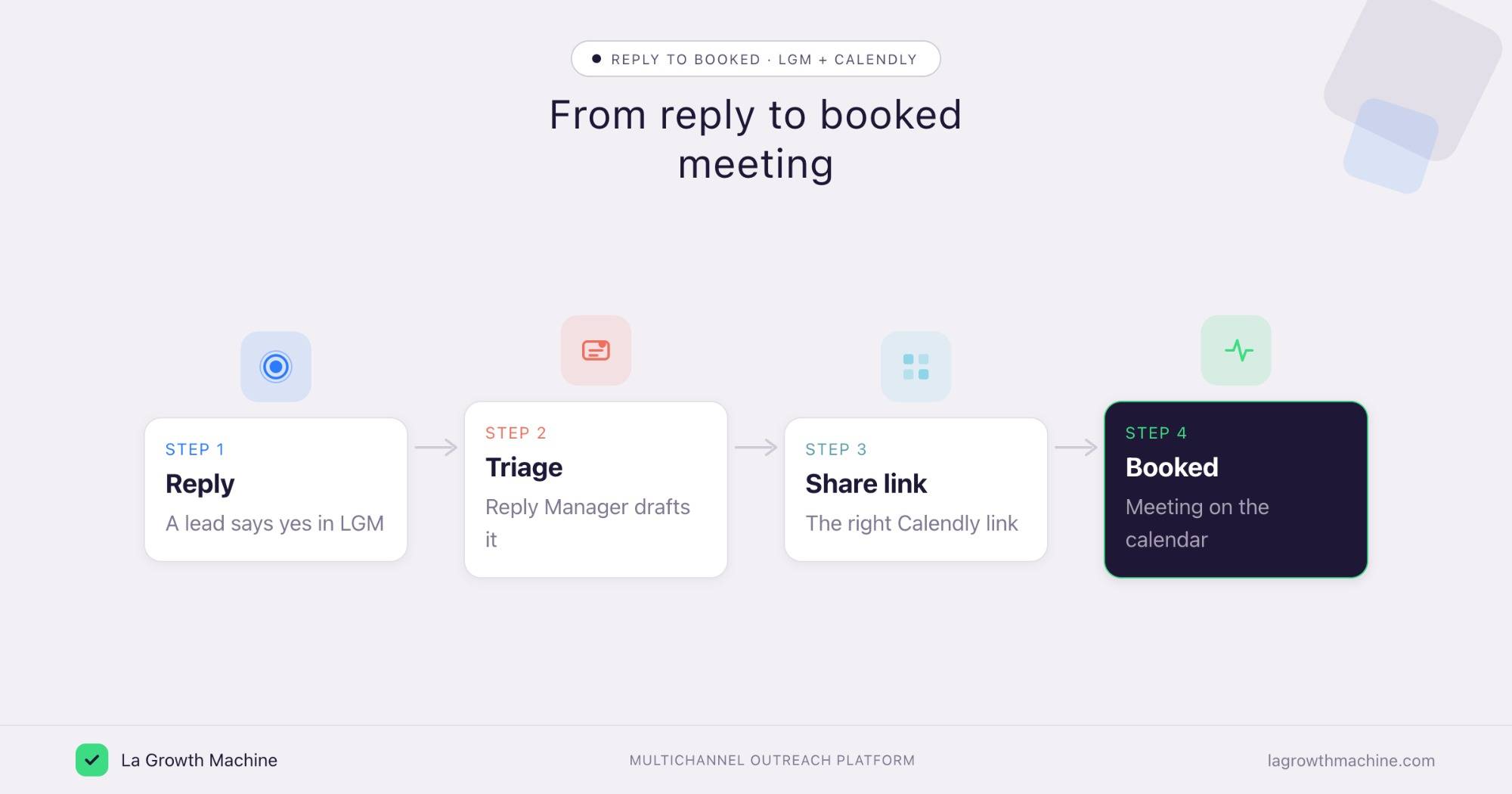
– Pair it with La Growth Machine: when a lead says yes, triage the reply and share the right Calendly link to book the meeting
Calendly has an official MCP server, built by Calendly. It puts your scheduling inside a Claude conversation: create and update event types, share scheduling links, adjust availability, and book meetings, without leaving the chat. In practice it can:
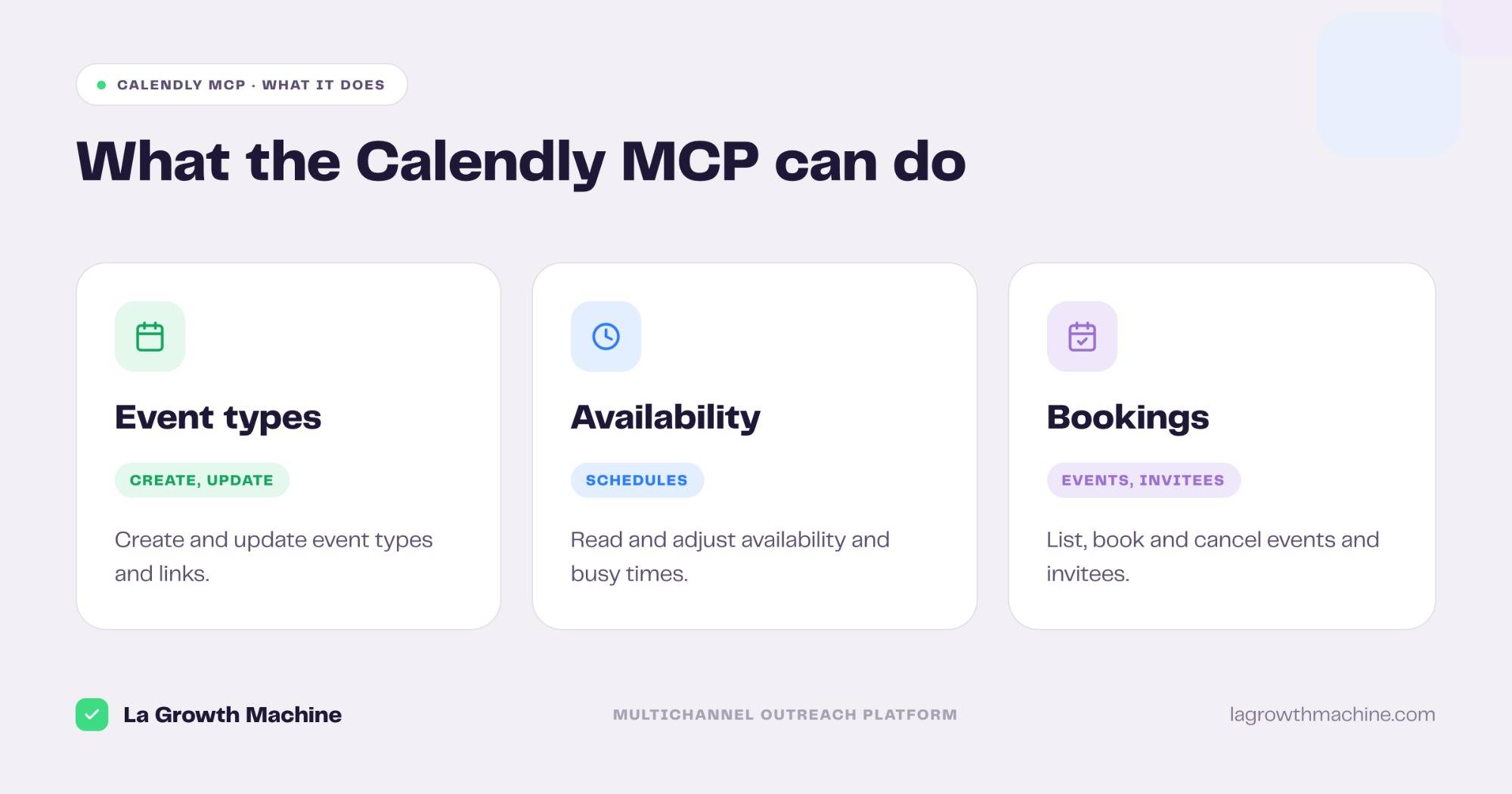
- create, update, and list event types
- read and adjust your availability and busy times
- create scheduling links to share
- list, book, and cancel events, and manage invitees
It works with Claude, ChatGPT (OpenAI), and any other assistant or LLM that supports the Model Context Protocol.
This guide covers what the Calendly MCP does, how to connect it, and a go-to-market use case: booking the meeting the moment a lead says yes.
New to the protocol? Start with what an MCP server is.
What is the Calendly MCP
The Calendly MCP server is Calendly’s official implementation of the Model Context Protocol, the open standard that lets AI applications talk to external systems. It connects an assistant to your Calendly account.
So you manage your whole scheduling workflow by asking, instead of clicking through the dashboard.
It works with Claude, ChatGPT (OpenAI), and any other assistant or LLM that supports the Model Context Protocol.
What the Calendly MCP lets you do
The server ships 34 tools across your scheduling. Grouped:
- Event types: create, update, and list event types, and read their available times.
- Availability: read and adjust your availability schedules and busy times.
- Scheduled events: list, book, and cancel events, manage invitees, and track no-shows.
- Links and routing: create scheduling links to share, and read routing form submissions.
A few examples:
- “Create a 30-minute demo event type and give me the scheduling link.”
- “What meetings do I have booked next week, and who are the invitees?”
- “Block my mornings next week on my availability schedule.”
How to install the Calendly MCP
Setup runs over OAuth.
- Connect your account: point your MCP client at
https://mcp.calendly.comand authenticate with OAuth. See Calendly’s guide to connecting AI tools. - Use it in ChatGPT and Codex too: OpenAI supports MCP, so you can add this server in ChatGPT through connectors or in OpenAI Codex.
For the full walkthrough on adding an MCP server to your assistant, see what an MCP server is and how to install one.
Concrete use cases: from reply to booked meeting
Scheduling is where outreach either converts or stalls. La Growth Machine runs the conversation, Calendly holds the calendar, and an assistant connects the two so a positive reply turns into a booked call.
Book the meeting when a lead says yes
What it produces
A drafted reply that shares the right Calendly link, ready to send, so an interested lead books without the back-and-forth.
Example output of the skill that drafts the reply:
Prompts to try:
- Triage my new replies, and for anyone who wants a call, draft an answer with my demo scheduling link.
- Show me who booked this week from my campaigns.
See the Reply Manager skill.
Spin up scheduling for a campaign
What it produces
A ready event type and a shareable link for a launch, created from one prompt instead of clicking through settings.
Prompts to try:
- Create a 20-minute intro event type for this campaign and give me the link to drop in the sequence.
- Set my availability for it to Tuesday and Thursday afternoons.
⚠️ La Growth Machine does not have a native Calendly integration (yet). You connect the two by orchestrating both MCP servers from the assistant, or through an automation layer like Zapier, n8n, or Make. See the La Growth Machine integrations.
Tips and security
The Calendly MCP can change your calendar and event types, so scope it with care.
- Confirm before writes: let it read your schedule freely, but confirm before it creates or cancels events.
- Mind invitee data: invitee details are personal, so review what the assistant can reach.
- Connect a least-privilege account: the assistant inherits that user’s access to the workspace.
- Use trusted connectors: Calendly’s connector is official, built by Calendly.
Frequently asked questions
Does Calendly have an official MCP server?
Yes. Calendly ships an official MCP server at https://mcp.calendly.com, with 34 tools across event types, availability, scheduled events, and scheduling links.
What can the Calendly MCP do?
It lets an assistant create and update event types, read and adjust availability, create scheduling links, and list, book, or cancel events and their invitees.
How do I connect Calendly to Claude?
Point your MCP client at https://mcp.calendly.com and authenticate with OAuth. It works with Claude, ChatGPT (OpenAI), and other MCP hosts.
Can I use Calendly and La Growth Machine together?
Yes. Run the outreach in La Growth Machine, then use the Calendly MCP to share a link and book the call. There is no native integration (yet), so orchestrate both MCP servers from the assistant or connect them through Zapier, n8n, or Make.