
TL;DR
– Apollo has an official MCP server: a native connector for Claude, ChatGPT and Perplexity
– It ships 13 tools to search people and companies, enrich in bulk, create or update contacts, and manage sequences
– Install it from the connector directory, or point any MCP client at mcp.apollo.io/mcp
– Use Apollo to source and enrich, then La Growth Machine to run the multichannel LinkedIn and email sequence with native sending
Apollo officially supports the Model Context Protocol (MCP). It ships an official connector that lets an AI assistant like Claude work with Apollo’s B2B database in plain language. In practice it can:
- search people, organizations, contacts, and job postings
- enrich a person or company, including in bulk
- create and update contacts
- manage sequences and email accounts
It connects through the official connector, with no code.
This guide covers what the Apollo MCP does, how to install it, and a go-to-market use case: sourcing and enriching in Apollo, then running the multichannel outreach in La Growth Machine.
New to the protocol? Start with what an MCP server is.
What is the Apollo MCP server
The Apollo MCP server is Apollo.io’s official implementation of the Model Context Protocol, the open standard that lets AI applications talk to external systems. It is a remote server, available as a native connector in the directory and launched in beta for paid Apollo plans.
It exposes Apollo’s database and engagement tools to an assistant, so the AI can search, enrich, and act on contacts on your behalf.
It works with Claude, ChatGPT (OpenAI), and any other assistant or LLM that supports the Model Context Protocol.
What the Apollo MCP lets you do
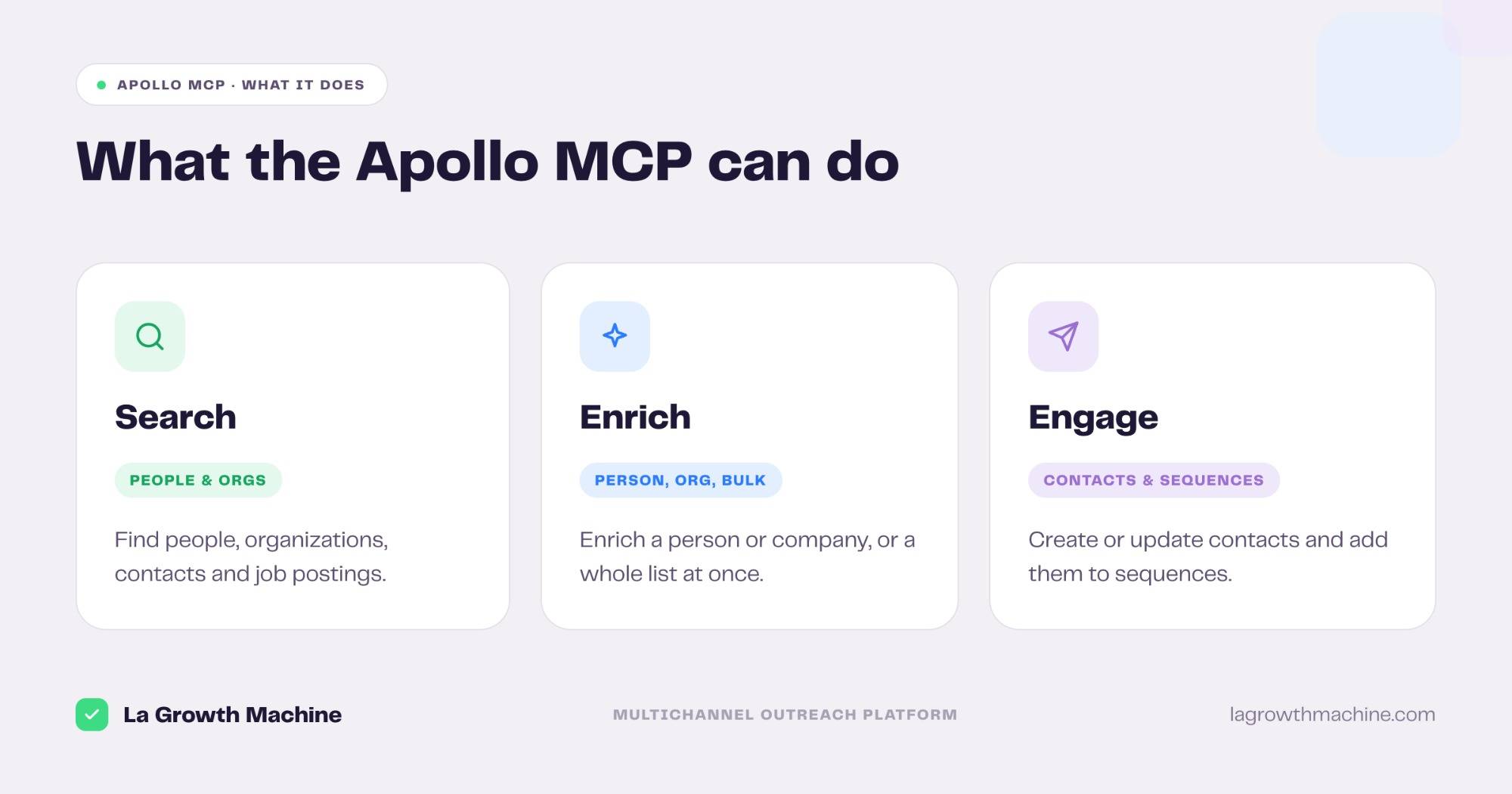
The server ships 13 tools that cover the full prospecting motion. Grouped:
- Search – find people, organizations, and contacts, and pull job postings.
- Enrich – enrich a person or organization, or a whole list with bulk enrichment.
- Manage contacts – create and update contacts in Apollo.
- Sequences – search sequences, add or remove contacts, and list email accounts.
That turns Apollo into something you can run from a prompt. A few examples:
- “Find heads of RevOps at US B2B SaaS companies with 50 to 200 employees.”
- “Enrich this list and return verified emails.”
- “Add these 20 contacts to my Q3 outbound sequence.”
How to install the Apollo MCP
The Apollo MCP is an official connector, so setup is quick.
- Find it in the directory. Add Apollo from the Claude connector directory, or in Claude go to Customize, then Connectors, find Apollo.io and click Configure.
- Or add the endpoint by hand. Point your MCP client at the remote endpoint
https://mcp.apollo.io/mcp. It works with Claude, ChatGPT (OpenAI), and Perplexity. - Check your plan. The connector is in beta for paid Apollo plans. See Apollo’s integration guide.
For the full walkthrough on adding an MCP server to your assistant, see what an MCP server is and how to install one.
A GTM use case: Apollo MCP + La Growth Machine
Apollo is strongest as a B2B database and enrichment layer, plus email sequences. When you want a multichannel motion, LinkedIn and email, with native LinkedIn sending, run the outreach in La Growth Machine.
The two play different roles:
- Apollo finds and enriches the right people from its database.
- La Growth Machine runs the multichannel sequence and ties it back to pipeline.
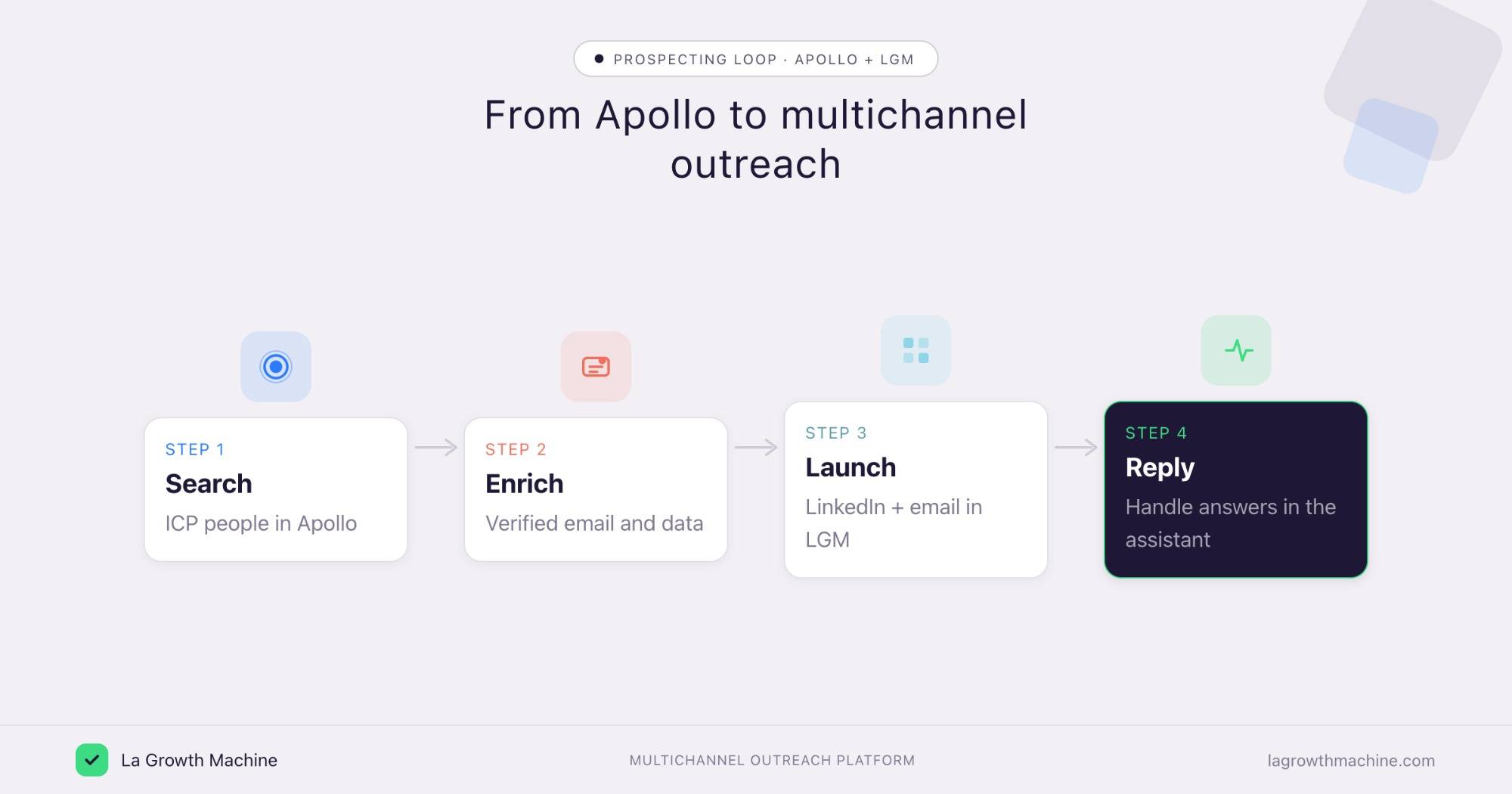
Here is the loop a RevOps or GTM engineer can run from one assistant:
- Search an ICP segment in Apollo via the MCP.
- Enrich each contact with a verified email and data.
- Launch a LinkedIn and email sequence in La Growth Machine.
- Reply to the leads who answer, in the same assistant.
⚠️ La Growth Machine does not have a native Apollo integration (yet). You connect the two by orchestrating both MCP servers from the assistant, or through an automation layer like Zapier, n8n, or Make. See the La Growth Machine integrations.
Why add La Growth Machine when Apollo has sequences? Apollo’s sequences are email-first. La Growth Machine adds LinkedIn as a native channel, sends through native LinkedIn rates rather than a browser extension that simulates activity, and ranks campaigns by pipeline, not reply rate.
Concrete use cases
Apollo finds and enriches the right people. A couple of La Growth Machine skills turn that list into campaigns that convert, run from the same assistant on top of the Apollo MCP and the La Growth Machine MCP.
Source lookalikes of your best customers
What it produces
The Won-Deal ICP Finder reads your closed-won deals, surfaces your proven ICP and the channel that won them, and outputs the exact profile to target next.
With the Apollo MCP and La Growth Machine
Feed that ICP into an Apollo search to pull matching accounts, enrich them, then launch a sequence in La Growth Machine. Your next campaign targets lookalikes of the customers you actually close.
Prompts to try:
- Find my proven ICP from my closed-won deals.
- Search Apollo for people who match that ICP and enrich them.
- Build an audience from this list and launch a sequence in La Growth Machine.
Example output of the skill:
Three archetypes account for 81% of closed-won revenue over the last 12 months. Each comes with a one-click Sales Nav search to find more.
Software Development · 51–200 · HubSpot stack · Series A–B
Marketing & Sales agencies · 11–50 · founder-led buying
Tech / Internet · 201–500 · Salesforce · multi-seat
See the Won-Deal ICP Finder skill.
Turn an Apollo list into a multichannel campaign
What it produces
The Multichannel Campaign Builder turns a one-line brief into a full LinkedIn and email sequence, with three angles and every message ready to send.
With the Apollo MCP and La Growth Machine
Hand it your enriched Apollo segment and it writes the sequence, then launch it in La Growth Machine across LinkedIn and email with native sending. That adds the LinkedIn channel Apollo’s email sequences do not cover.
Prompts to try:
- Build a multichannel campaign for the contacts I just enriched in Apollo.
- Write a LinkedIn and email sequence for these Heads of RevOps, cold list.
- Rewrite this sequence to be less corporate and more direct: [paste].
Example output of the skill:
Cold outbound to Heads of Sales at French B2B SaaS startups. Lead angle: “your reps spend 40% of the week on manual prospecting.”
See the Multichannel Campaign Builder skill.
Tips and security
The Apollo MCP can read your database and change records, so scope it with care.
- Connect a least-privilege user. The assistant inherits that user’s access.
- Confirm before writes. Let it search and enrich freely, but confirm before it creates contacts or edits sequences.
- Mind the beta. The connector is in beta on paid plans, so expect changes.
- Watch your credits. Bulk enrichment consumes Apollo credits.
Frequently asked questions
Does Apollo have an official MCP server? Yes. Apollo.io ships an official MCP server, available as a native connector for Claude, ChatGPT, and Perplexity, in beta for paid plans.
What can the Apollo MCP do? It exposes 13 tools to search people, organizations, and contacts, pull job postings, enrich records in bulk, create and update contacts, and manage sequences.
How do I connect Apollo to Claude? Add Apollo from the connector directory, or go to Customize, then Connectors, find Apollo.io and click Configure. You can also point any MCP client at https://mcp.apollo.io/mcp.
Does the Apollo MCP work with ChatGPT? Yes. It works with Claude, ChatGPT (OpenAI), and Perplexity, and any other LLM or host that supports MCP.
Can I use Apollo and La Growth Machine together? Yes. Use Apollo to source and enrich, then La Growth Machine to run a multichannel LinkedIn and email sequence. There is no native integration (yet), so orchestrate both MCP servers from the assistant or connect them through Zapier, n8n, or Make.