
TL;DR
– Pipedrive has no first-party MCP yet: connect it to an assistant through a hosted MCP such as Pipedream.
– The MCP lets an assistant create and update deals, log activities, move pipeline stages, and search your CRM.
– Install it by pointing your client at mcp.pipedream.com/app/pipedrive (works with Claude and ChatGPT).
– La Growth Machine has a native two-way Pipedrive integration: LinkedIn and email activity logs to the timeline in real time, no Zapier in between.
Pipedrive does not ship its own first-party MCP server yet. To use Pipedrive from an AI assistant, you connect it through a hosted MCP like Pipedream’s. That lets an assistant work with your pipeline in plain language. It can:
- create and update deals, leads, and contacts
- log activities to the deal timeline
- move deals across pipeline stages
- search your CRM data
And because La Growth Machine has a native two-way Pipedrive integration, the two go further together than a CRM and an outreach tool usually can.
New to the protocol? Start with what an MCP server is.
What is the Pipedrive MCP
An MCP server exposes a tool to an AI assistant over the Model Context Protocol, the open standard that lets AI applications talk to external systems. For Pipedrive, there is no official first-party server yet, so you use a hosted MCP that wraps the Pipedrive API.
The most common path is Pipedream, which hosts a Pipedrive MCP at a static URL. Other options exist too, including Composio, CData, and community servers.
Once connected, it works in any MCP host, including Claude Code, Claude for Cowork, ChatGPT (OpenAI), and Cursor.
What the Pipedrive MCP lets you do
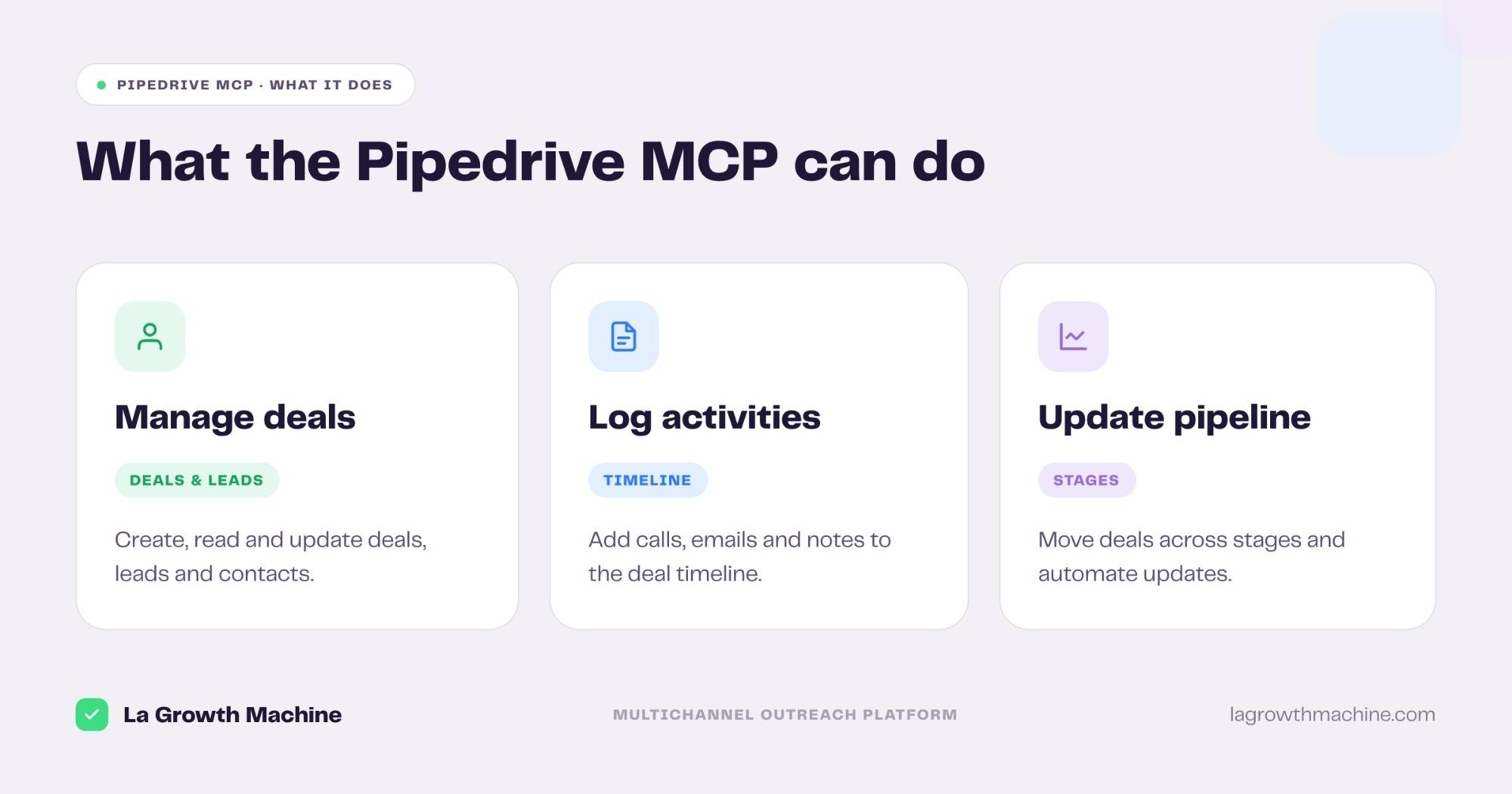
The MCP turns your pipeline into something an assistant can read and operate. In practice:
- Manage deals and leads – create, read, and update deals, leads, and contacts.
- Log activities – add calls, emails, and notes to the deal timeline.
- Update the pipeline – move deals across stages and automate pipeline updates.
- Search – query your CRM for deals, people, and organizations.
A few real prompts:
- “Show me all open deals over €20k in the negotiation stage.”
- “Log a call note on the Acme deal and create a follow-up task.”
- “Move every deal with a reply this week to the Meeting Booked stage.”
How to install the Pipedrive MCP
Setup takes a minute through a hosted MCP.
- Pipedream (recommended). Point your MCP client at the remote endpoint
https://mcp.pipedream.com/app/pipedrive, then authenticate when you add the server. It works with Claude, ChatGPT (OpenAI), and any other LLM or host that supports MCP. - Other hosts. Composio and CData both offer a Pipedrive MCP, and there are community servers on GitHub.
For the full walkthrough on adding an MCP server to your assistant, see what an MCP server is and how to install one.
Pipedrive MCP + La Growth Machine: a native two-way sync
Here is where Pipedrive stands apart from most tools. La Growth Machine has a native two-way Pipedrive integration, so you skip the automation layer entirely.
La Growth Machine is an outreach platform that connects multichannel campaign execution to proven revenue impact. Connecting Pipedrive takes about a minute, and the sync handles the rest.
What the native sync does:
- LGM to Pipedrive. Emails sent and received, LinkedIn messages, and call notes log automatically on the contact’s timeline, and leads are created as they enter a campaign.
- Pipedrive to LGM. A data change on a contact in Pipedrive flows back into La Growth Machine.
- Real time. The sync runs on instant triggers, within 15 minutes at most for scheduled ones.
This short walkthrough shows how to connect your CRM to La Growth Machine:
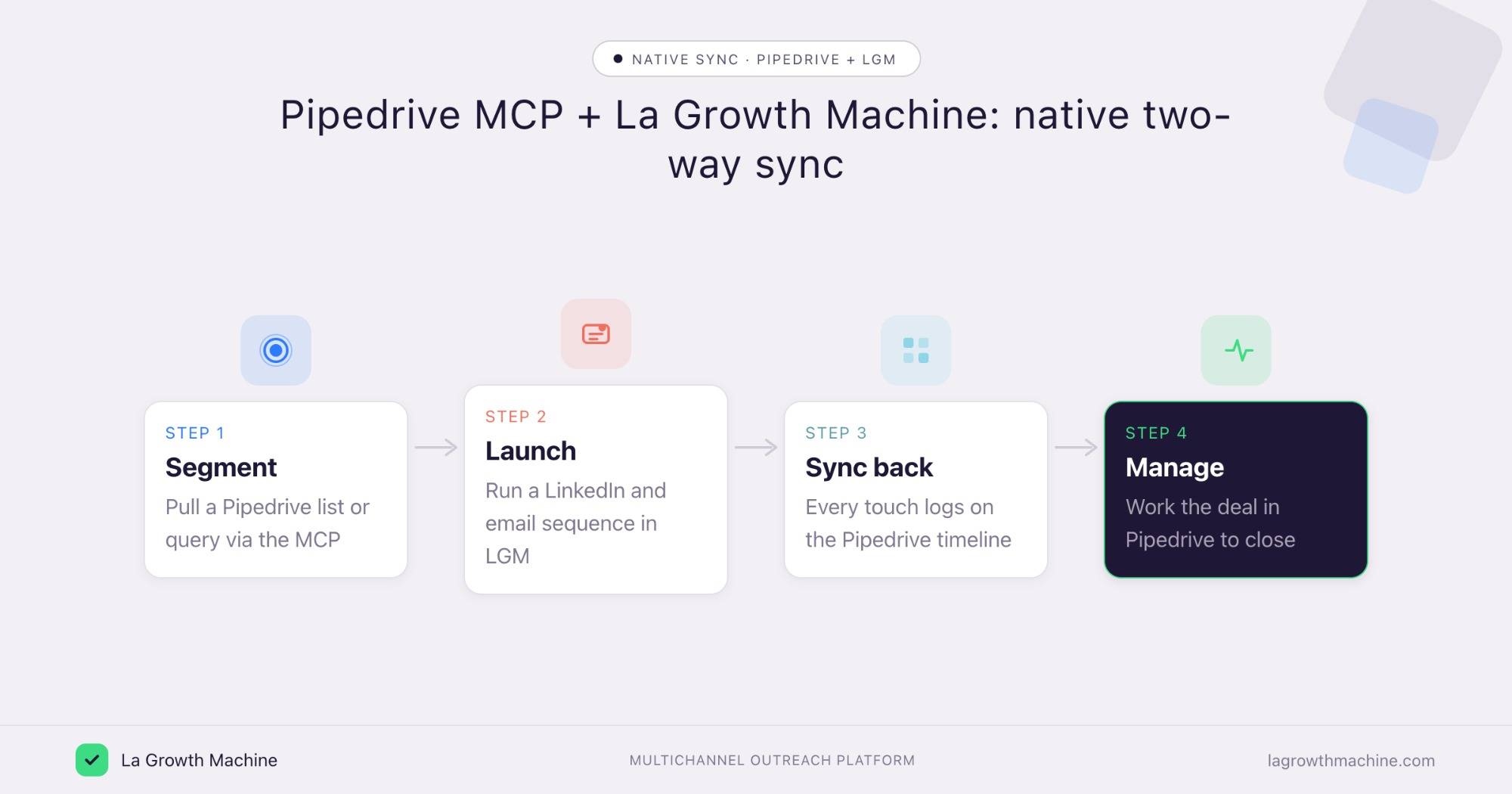
So the loop looks like this:
- Segment a list in Pipedrive, or query it through the MCP.
- Launch a LinkedIn and email sequence in La Growth Machine.
- Sync back every touch onto the Pipedrive timeline, in real time.
- Manage the deal in Pipedrive through to close.
The MCP gives your assistant on-demand reach into Pipedrive. The native integration keeps La Growth Machine and Pipedrive in continuous sync underneath. See the rest of the La Growth Machine integrations.
Concrete use cases
The Pipedrive MCP reads your CRM, and the native sync feeds real outcomes back. On top of that, two La Growth Machine skills turn the data into action, run from the same assistant.
Build new campaigns from your best deals
What it produces
The Won-Deal ICP Finder reads your closed-won deals, surfaces your proven ICP and the channel that won them, and outputs a lookalike Sales Navigator search per archetype.
With the Pipedrive MCP and La Growth Machine
Claude reads the won deals the native sync attributed to outreach, so you skip the export. Hand the lookalike search to a new La Growth Machine campaign and your next sequence targets accounts that look like the ones you close.
Example output of the skill:
Three archetypes account for 81% of closed-won revenue over the last 12 months. Each comes with a one-click Sales Nav search to find more.
Software Development · 51–200 · HubSpot stack · Series A–B
Marketing & Sales agencies · 11–50 · founder-led buying
Tech / Internet · 201–500 · Salesforce · multi-seat
Prompts to try:
- Read my won deals in Pipedrive this quarter and group them into ICP archetypes.
- Find my proven ICP from my closed-won deals and build a lookalike search.
- Which channel won the most revenue, and who should I target next?
See the Won-Deal ICP Finder skill.
Rank campaigns by real pipeline
What it produces
A commented ranking of all your active campaigns, sorted by meetings booked and pipeline rather than reply rate. For each campaign: a score, the variables that explain the performance, and a verdict, keep, stop, or adapt.
With the Pipedrive MCP and La Growth Machine
Claude cross-references your La Growth Machine campaigns with the Pipedrive deals the native sync ties back to each one, and ranks them by pipeline generated. You double down on what closes and cut what only books meetings.
Example output of the skill:
14 La Growth Machine campaigns cross-referenced against your HubSpot deals — ranked by the pipeline each one actually generated.
Prompts to try:
- Which of my campaigns is actually driving pipeline?
- Cross-reference my LGM campaigns with my Pipedrive deals and tell me which generates the most pipeline this quarter.
- Which campaigns should I stop or double down on given their impact?
See the Campaign Impact Analyzer skill.
Tips and security
The Pipedrive MCP can read and change CRM data, so scope it with care.
- Connect a least-privilege user. The assistant inherits that user’s permissions.
- Confirm before writes. Let it search freely, but require confirmation before it creates or edits deals.
- Let the native sync carry state. Use the MCP for ad-hoc reads and actions, and let the La Growth Machine integration handle the continuous CRM sync.
Frequently asked questions
Does Pipedrive have an official MCP server? Not a first-party one yet. You connect Pipedrive to an assistant through a hosted MCP such as Pipedream, or through Composio, CData, or a community server.
What can the Pipedrive MCP do? It lets an assistant create and update deals, leads, and contacts, log activities to the timeline, move deals across stages, and search your CRM.
How do I connect Pipedrive to Claude? Point your MCP client at a hosted endpoint like https://mcp.pipedream.com/app/pipedrive and authenticate. It works with Claude and ChatGPT (OpenAI).
Does La Growth Machine integrate natively with Pipedrive? Yes. La Growth Machine has a native two-way Pipedrive integration that logs LinkedIn and email activity on the timeline, creates leads, and syncs in real time, with no Zapier in between.
Can I use Pipedrive and La Growth Machine together? Yes. Use the MCP for on-demand actions, and the native integration to keep campaigns and deals in sync, so you can source, launch, and manage to close from one place.