
TL;DR
– Intercom has an official MCP server: a remote, OAuth-authenticated server with a small set of read-focused tools.
– It lets an assistant search and retrieve conversations and contacts and surface patterns like escalations or churn-risk signals.
– ⚠️ It is read-focused and supports US-hosted workspaces only (yet).
– La Growth Machine has no native Intercom integration (yet): connect via Zapier, Make or n8n, or orchestrate Intercom MCP + the LGM MCP to route inbound signals into an outreach sequence.
Intercom officially supports the Model Context Protocol (MCP). It hosts a remote MCP server that lets an AI assistant like Claude securely read and work with your support data in plain language. In practice it can:
- search conversations and contacts across your workspace
- retrieve a full conversation with all its parts
- pull complete contact info, custom attributes, and activity
- surface patterns like escalations or churn-risk signals
It connects over OAuth, with no code.
This guide covers what the Intercom MCP does, how to connect it, and a go-to-market use case: routing qualified inbound signals from Intercom into a La Growth Machine outreach sequence.
New to the protocol? Start with what an MCP server is.
What is the Intercom MCP server
The Intercom MCP server is Intercom’s official implementation of the Model Context Protocol, the open standard that lets AI applications talk to external systems. It is a remote, authenticated server, part of the Intercom and Fin developer platform.
It exposes your Intercom workspace to an assistant as a set of typed tools, so the AI can find and read support data on your behalf. Everything runs under the scopes you grant.
It works with Claude, ChatGPT (OpenAI), and any other assistant or LLM that supports the Model Context Protocol.
What the Intercom MCP lets you do
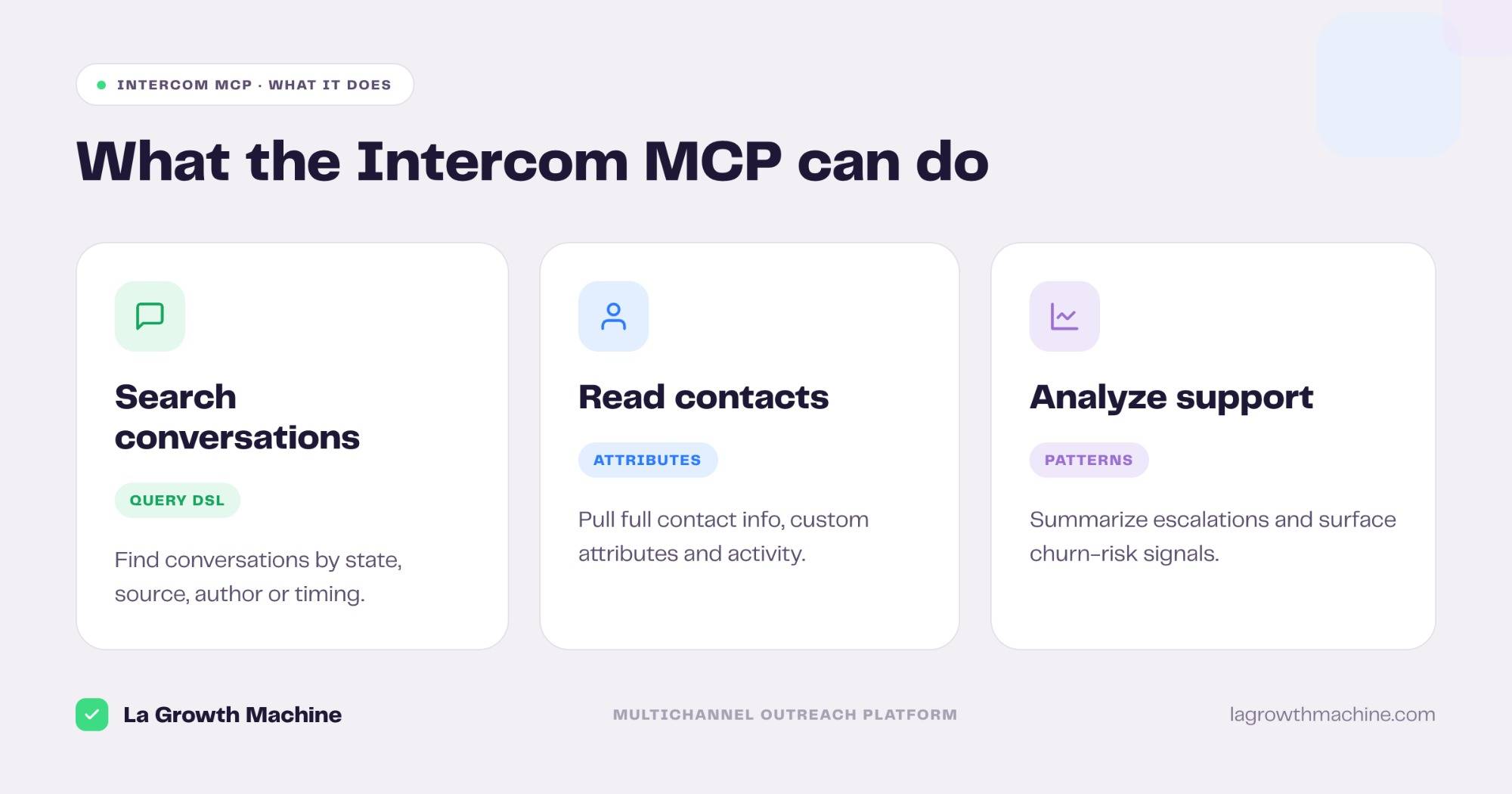
The official server ships a small set of read-focused tools. From the assistant you can:
- Search conversations and contacts with a query DSL.
- Search conversations by IDs with filters on state, source, author, and timing.
- Get a conversation by ID, with all parts and metadata.
- Search contacts by ID, name, email, phone, custom attributes, or email domain.
- Get a contact with full attributes, location, and activity.
That turns support history into something you can question. Common asks: “summarize today’s escalations”, “find churn-risk patterns in the last 50 conversations”, or “list contacts who mentioned pricing this week.”
⚠️ Two things to know before you rely on it: the official server is read-focused (search and retrieve, not bulk edits), and it is available for US-hosted workspaces only (yet).
How to connect the Intercom MCP
Connecting takes a minute and uses OAuth.
- OAuth (recommended). Add Intercom as a custom connector in your assistant, then authenticate in the browser. In Claude.ai or Claude for Cowork you add it in the Customize panel; Claude Code and other hosts expose a similar connector screen.
- Access token. For a local setup, register an Intercom OAuth app with read scopes (
conversations.read,contacts.read) and pass the token in your MCP client config.
Grant the narrowest scopes the task needs, since the assistant inherits them.
A GTM use case: from Intercom signals to outreach
Intercom is a customer support and messaging platform. It captures intent: someone opens a chat, asks about pricing, or matches your ICP. That signal is worth acting on.
The bridge
Read the qualified signal in Intercom, then launch a follow-up sequence in La Growth Machine, the multichannel outreach platform. The Intercom MCP surfaces who engaged and what they said; La Growth Machine runs the outreach.
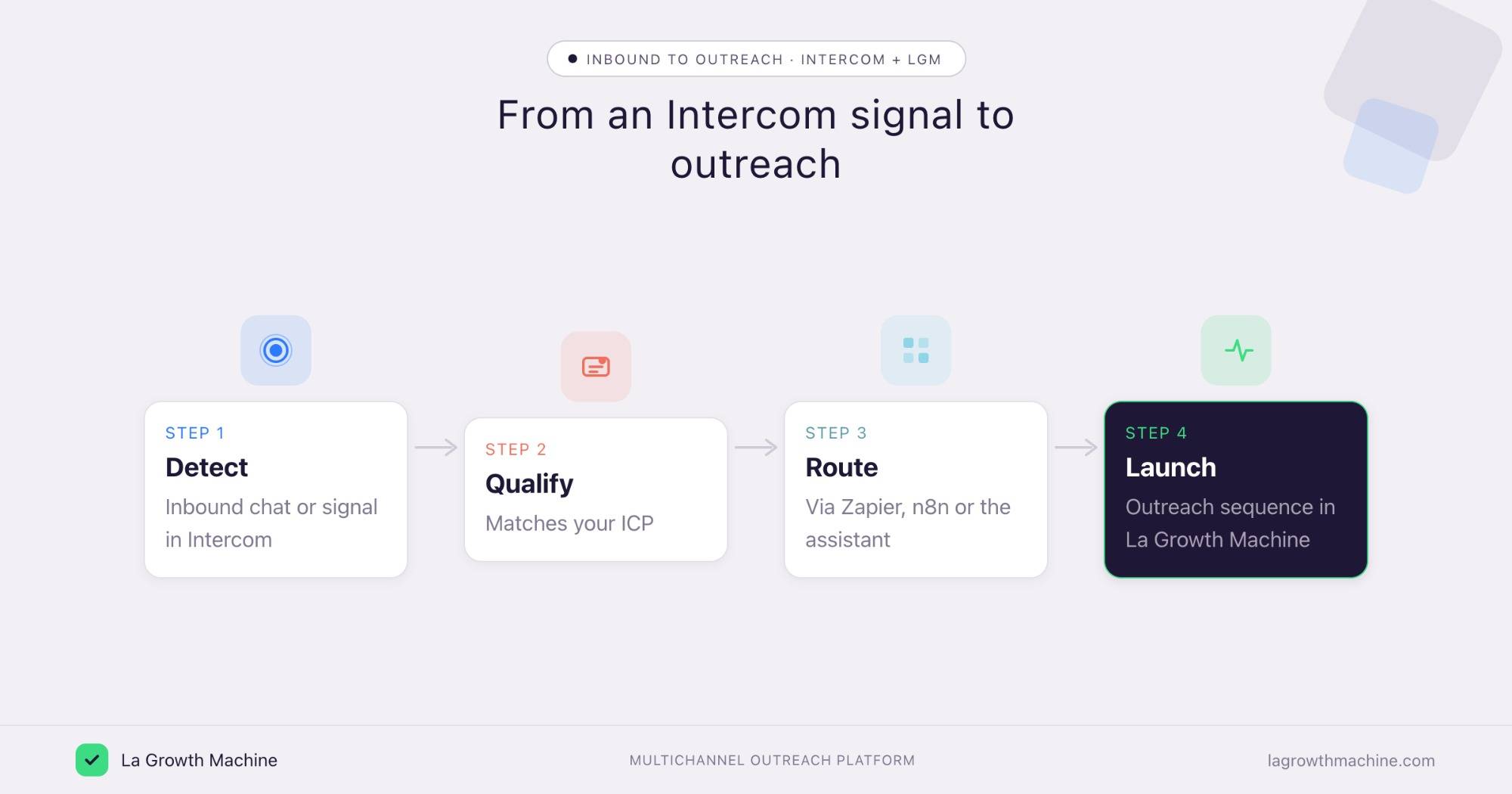
Here is the loop:
- Detect an inbound signal in Intercom (a chat, a pricing question, an ICP match).
- Qualify it against your target profile.
- Route the contact into an audience.
- Launch a LinkedIn and email sequence in La Growth Machine.
⚠️ La Growth Machine does not have a native Intercom integration (yet). You connect the two through an automation layer, La Growth Machine offers a native 2-way sync with Zapier and Make, plus n8n and an open API. See the La Growth Machine integrations. You can also orchestrate it from the assistant: the Intercom MCP reads the signal and the La Growth Machine MCP builds the audience and launches the campaign.
Tips and security
The Intercom MCP reaches customer data, so scope it carefully.
- Grant read-only scopes. Stick to
conversations.readandcontacts.readunless you need more. - Check your region. The official server supports US-hosted workspaces only (yet).
- Connect a least-privilege user. The assistant inherits those permissions.
- Keep customer data in mind. Support conversations are sensitive, so review what the assistant can read before you share results.
Frequently asked questions
Does Intercom have an official MCP server? Yes. Intercom hosts a remote, authenticated MCP server as part of its Fin developer platform, with OAuth and a small set of read-focused tools.
What can the Intercom MCP do? It lets an assistant search and retrieve conversations and contacts, and surface patterns like escalations or churn-risk signals, all under the scopes you grant.
How do I connect Intercom to Claude? Add Intercom as a custom connector and authenticate with OAuth, or register an OAuth app with read scopes and pass the token in your MCP client config. It works in Claude Desktop, Claude Code, and Claude for Cowork.
Is the Intercom MCP available everywhere? Not yet. The official server is available for US-hosted workspaces only (yet).
Can I connect Intercom and La Growth Machine? Not natively (yet). Connect the two through Zapier, Make, or n8n, or orchestrate from the assistant: the Intercom MCP reads the signal and the La Growth Machine MCP launches the outreach.