
TL;DR
– The GitHub MCP server is GitHub’s official server: it connects an AI to your repos, code, issues, PRs, Actions runs and security alerts.
– What it does: browse and search code, open and review PRs, create issues, monitor CI, and check Dependabot findings, grouped into toolsets you enable as needed.
– How to connect: the hosted remote URL (OAuth, no Docker) or Docker with a scoped token; in Claude Code, claude mcp add –transport http.
– Real example: La Growth Machine built its open-source gtm-system through the GitHub MCP, branches, a PR per skill, conversational review, pushes and issues, all from the assistant.
The GitHub MCP server is GitHub’s official Model Context Protocol server. It connects an AI assistant to your GitHub account, so the AI can read repositories and code, manage issues and pull requests, monitor Actions runs, and check security alerts, all in natural language. You connect it as a hosted remote server at https://api.githubcopilot.com/mcp/ with a one-time OAuth login, or run it locally with Docker.
This guide covers what the GitHub MCP server does, the toolsets it exposes, how it differs from the GitHub CLI and API, how to connect it safely, and a real example: how we built La Growth Machine’s open-source gtm-system using the GitHub MCP server itself, with pull requests, pushes, reviews, and issues driven from the assistant.
What is the GitHub MCP server
The GitHub MCP server is an official server published and maintained by GitHub (github/github-mcp-server) that exposes the GitHub platform to AI tools through the Model Context Protocol. Instead of clicking through the GitHub UI or writing API calls, you ask your assistant to do the work, and it calls the server’s tools on your behalf.
It runs in any MCP host, including Claude Code, Claude Desktop, Cursor, and VS Code, and comes in two flavors: a hosted remote server that GitHub runs for you, and a local Docker image you run yourself. Both speak the same protocol and expose the same capabilities; the difference is where the server lives and how you authenticate. New to the protocol itself? Start with what an MCP server is.
What the GitHub MCP server lets you do
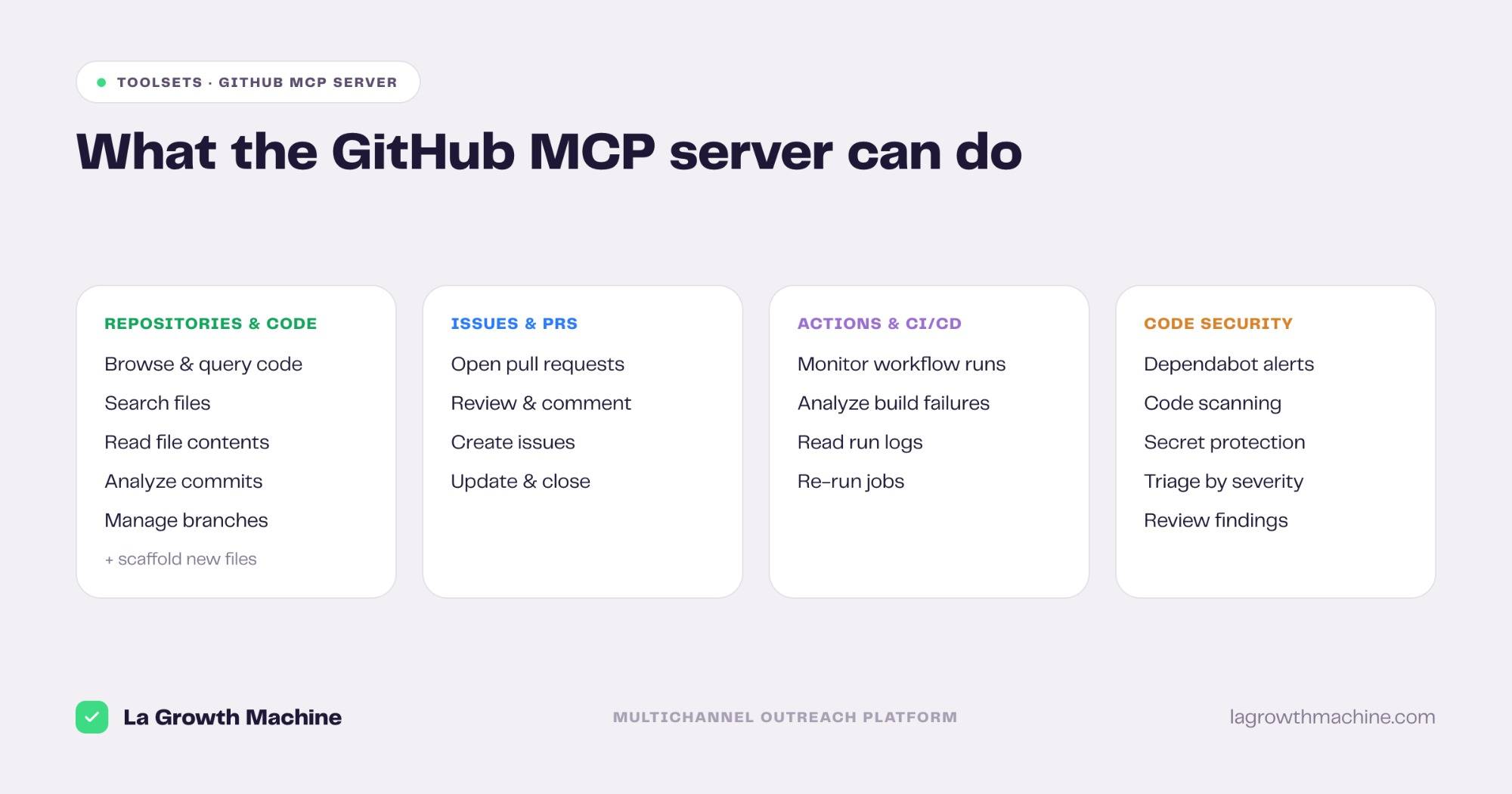
The server groups its capabilities into toolsets. The defaults (repos, issues, pull_requests) are enabled automatically, and you can switch on more, like actions, code_security, notifications, or dependabot, with the --toolsets flag. Enabling only what you need keeps the model’s tool choice sharp and the context small. Here is what each core toolset unlocks, with the kind of prompt that triggers it.
Repositories and code
Browse and query repositories, search files and code, read file contents, inspect branches, and analyze commit history.
- “Find every place we still call the old
authUserfunction and list the files.” - “Summarize what changed in this repo over the last week.”
This is the toolset most teams use first, because it turns a repository into something the assistant can actually read and reason about, rather than guessing from memory.
Issues and pull requests
Create, read, update, and comment on issues and pull requests, and open a PR from a branch. This is where the GitHub MCP server moves from reading to doing.
- “Open an issue for this bug with clear steps to reproduce and a
buglabel.” - “Create a pull request from my
feature/loginbranch and write the description from the diff.” - “Leave a review comment on PR #214 explaining the risk in the migration file.”
Actions and CI/CD
Monitor GitHub Actions workflow runs and analyze build failures without leaving the assistant.
- “Why did the last CI run on main fail?” The assistant reads the run, finds the failing step, and points to the error.
- “List the workflow runs that failed in the last 24 hours.”
Code security
Review code scanning results, Dependabot alerts, and secret protection findings.
- “List the open Dependabot alerts and tell me which are critical.”
- “Are there any exposed secrets flagged in this repo?”
Beyond these, the server also exposes toolsets for notifications, discussions, gists, and organization data, so you can extend the assistant’s reach as your workflows grow. A --read-only mode is available when you want the assistant to look but never change anything.
GitHub MCP server vs the GitHub CLI and API
If you already use the gh CLI or the REST API, it’s fair to ask what the MCP server adds. They sit at different layers and serve different operators.
The GitHub API is for software-to-software calls a developer codes against. The gh CLI is for a human typing commands in a terminal. The GitHub MCP server is for an AI assistant acting at runtime: it wraps the same GitHub capabilities and exposes them as typed tools the model discovers and calls in plain language. You don’t memorize endpoints or flags, you describe the outcome.
In practice they coexist. Your CI still uses the API, your scripts still use gh, and the MCP server handles the conversational work: triage, review, repo questions, and one-off changes you’d otherwise click through. For a deeper look at why a protocol layer beats raw API calls for AI, see MCP vs API.
How to connect the GitHub MCP server
There are two ways to run it: the hosted remote server (simplest) or a local Docker container. Here’s how they compare.
| Remote (hosted) | Local (Docker) | |
|---|---|---|
| Setup | OAuth login, no install | Run a Docker container |
| Auth | OAuth, easy to revoke | Personal access token (PAT) |
| Updates | Managed by GitHub | You pull new images |
| Best for | Most users | Air-gapped or custom setups |
Remote (recommended). Point your host at https://api.githubcopilot.com/mcp/ and authenticate once with OAuth, with no Docker or tokens to manage. In Claude Code:
claude mcp add --transport http github https://api.githubcopilot.com/mcp/In Claude.ai or Claude Cowork, add it as a connector in the Customize panel with that URL and approve the OAuth flow. In VS Code, the command palette has a “GitHub MCP: Install Remote Server” action that runs the same flow.
Local (Docker). Run the github/github-mcp-server container with a GitHub personal access token and the toolsets you want:
docker run -i --rm \
  -e GITHUB_PERSONAL_ACCESS_TOKEN=your_token \
  ghcr.io/github/github-mcp-server --toolsets repos,issues,pull_requests,actions
Scope the PAT to only the repositories and permissions the assistant needs. Add --read-only if you want a look-but-don’t-touch connection.
A real example: how we built the gtm-system with the GitHub MCP server
We built gtm-system, La Growth Machine’s open-source GTM toolkit (an MCP server plus a set of Claude Skills), largely through the GitHub MCP server itself. The whole development loop ran from the assistant. Here’s how it worked.
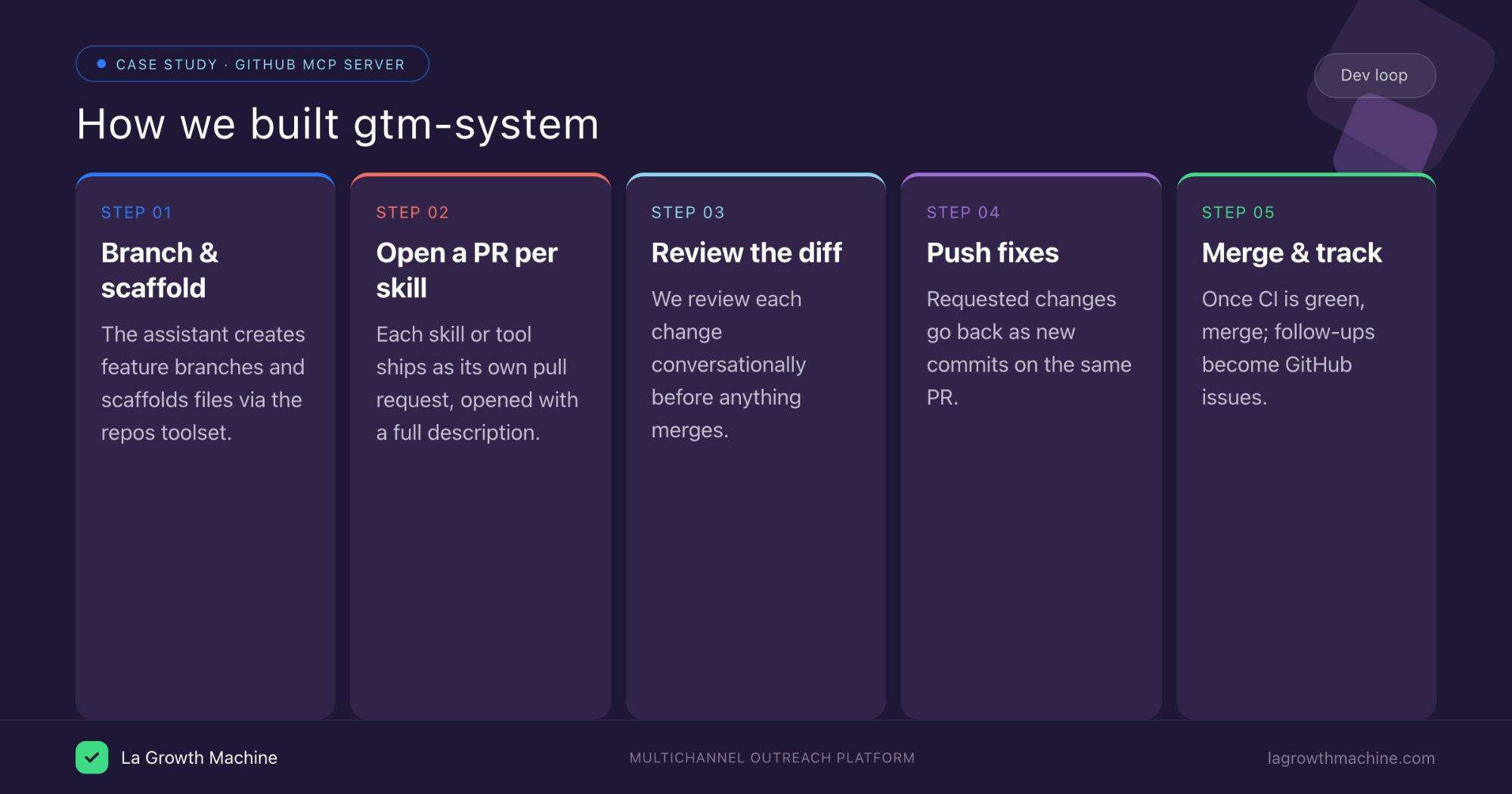
- Branch and scaffold. Using the repos toolset, the assistant created feature branches and scaffolded new files directly in the repo, no local checkout needed for small changes. A prompt like “create a branch
skill/reply-managerand add the skill’s folder structure” was enough to start. - A pull request per skill. Each new skill or MCP tool went in as its own pull request. The assistant opened the PR, wrote the description from the diff, and tagged it, using the pull_requests toolset. One unit of work, one reviewable PR.
- Review in the conversation. We reviewed each diff conversationally. The assistant explained what changed, surfaced risky edits, and answered questions about the code before anything merged, which caught issues earlier than a glance at the Files tab would have.
- Push fixes to the same PR. Requested changes were pushed as new commits on the branch, so the PR stayed the single source of truth instead of a pile of follow-ups.
- Watch CI, then merge. The actions toolset surfaced failing checks so the assistant could fix the build before merge. Once green and approved by a human, we merged.
- Track follow-ups as issues. Anything out of scope became a GitHub issue the assistant filed and later closed, keeping the backlog honest.
The result: a real repository built with the same review discipline as any engineering project, with the AI handling the mechanical GitHub work (branches, PRs, pushes, issue hygiene) while a human stayed in the loop on every merge. That is the discovery most teams have with the GitHub MCP server: it doesn’t replace your workflow, it runs your workflow from the assistant.
Who gets the most out of it
The GitHub MCP server is not only for engineers. Different roles use different toolsets:
- Developers: code search, PR creation and review, and CI triage, the daily loop above.
- Engineering managers and PMs: issue creation, status queries, and “what shipped this week” summaries without opening the board.
- Security teams: Dependabot and code scanning triage, pulling open alerts by severity.
- Technical writers and DevRel: reading code and PRs to draft docs and changelogs grounded in what actually changed.
Tips and security
The GitHub MCP server can read code and act on your repos, so treat access carefully.
- Enable only the toolsets you need. Defaults cover repos, issues, and PRs. Add actions or code_security only when a task requires them, and use
--read-onlywhen the assistant should never write. - Scope tokens narrowly. For local Docker, give the PAT access to specific repos and the minimum permissions. Prefer the remote server’s OAuth, which is easier to revoke.
- Keep a human on merges. Let the assistant open and update PRs, but require human approval before merging to a protected branch.
- Read the diff. The assistant can summarize a change, but review the actual diff for anything that touches auth, secrets, or production config.
Frequently asked questions
Is the GitHub MCP server official? Yes. It’s published and maintained by GitHub (github/github-mcp-server), and GitHub hosts a remote version at https://api.githubcopilot.com/mcp/.
What can the GitHub MCP server do? It exposes repositories and code, issues, pull requests, Actions workflow runs, and code security findings to an AI assistant, grouped into toolsets you can enable or disable.
How do I connect the GitHub MCP server to Claude? Point your host at the remote URL https://api.githubcopilot.com/mcp/ and authenticate with OAuth, or run the Docker container locally with a personal access token. In Claude Code, use claude mcp add --transport http.
Do I need Docker to use it? No. The hosted remote server removes the need for Docker or tokens; you only need Docker for the local option.
How is it different from the GitHub CLI or API? The API is for code, the gh CLI is for terminal commands, and the MCP server is for an AI assistant acting in natural language. They coexist: the MCP server handles conversational triage, review, and one-off changes.
Can the GitHub MCP server open pull requests? Yes. With the pull_requests toolset, the assistant can create, update, and comment on PRs, and open them from a branch, which is exactly how we built our gtm-system repo.
Is it safe to give an AI access to my repositories? With scoping, yes. Enable only the toolsets you need, use read-only mode where possible, scope tokens to specific repos, and require human approval before merging to protected branches.