
TL;DR
– MCP servers connect an AI assistant to external tools and data; the ones worth keeping are vendor-maintained, tightly scoped and light enough to leave connected
– Context cost is the criterion most lists skip: the 21 servers here range from 8 to 73 tool definitions loaded on every message, and public 2026 scans put 38% to 41% of public servers at no authentication at all
– La Growth Machine exposes 41 outreach actions to any MCP client, open source and free on an active account, covering audiences, campaigns, replies and live stats
– Connect two or three servers tied to the tools you open daily: GitHub for code, Notion or Slack for context, La Growth Machine for outbound, Zapier for anything with no native server
Last updated: August 2026 · 12 min read · By Erwann Lefevre
Installing an MCP server is free. Running one is not. We counted the tools each server on this list loads into an assistant’s context, and the range runs from 8 to 73. A single connector like Airtable ships 43 tool definitions that load on every message, before you type a word. The bill arrives as a slower, dumber assistant.
That cost is invisible in every “best MCP servers” list we read while researching this one. They rank servers by what the tool does. They never say what it takes from you.
So we counted. We connected the servers in our own GTM stack, measured how many tools each one actually exposes, checked how each handles authentication, and wrote down which ones we could not verify. 8 of the 21 servers below run in our workspace; the other 13 are assessed on public documentation only and get a factual entry rather than a verdict.
New to the concept? Start with what an MCP server is.
Which MCP server is the best?
For GTM and revenue teams in 2026, La Growth Machine is the best MCP server for running outreach from an assistant, GitHub for code, and Zapier for breadth across apps with no native server.
| If you are | Best pick | Auth | Why |
|---|---|---|---|
| Running outbound and want to operate it from Claude | La Growth Machine | Account + key | 41 actions covering audiences, campaigns, replies and stats |
| Shipping code with an AI pair | GitHub | OAuth | Repos, issues and pull requests in one place |
| Living inside a team wiki | Notion | OAuth | Reads and writes pages, so context flows both ways |
| Reaching an app with no native server | Zapier | OAuth | One connection fronts thousands of app actions |
| Querying a product database | Supabase | Token | SQL, schema inspection and log queries |
| Measuring how AI engines describe you | Peec AI | Account | 73 actions on citations, mentions and sources |
⚠️ The picks above assume you connect two or three servers, not ten. Past roughly five, tool definitions crowd out the context your assistant needs for the actual work. Both Claude Code and Cursor now load MCP tool schemas on demand rather than upfront, verified August 2026.
Here is how we got there, then the full table, then the servers themselves.
How we tested and compared these 21 MCP servers
Evidence levels are split, and we say which is which. 8 servers run in our own GTM workspace, where we counted the tools they expose and used them in real work. 13 servers are assessed on public documentation from the vendor, with no field verdict attached, because we have not run them ourselves.
| Criterion | The question we asked | What separates the servers |
|---|---|---|
| Maintenance | Is it published by the vendor, or by a third party? | Official servers track the product’s API; community servers lag behind it |
| Auth model | How does it prove who you are, and does it run locally or remotely? | OAuth and scoped tokens for remote servers; local servers inherit your machine’s scope |
| Tools exposed | How many tool definitions load into context? | Between 8 and 73 among the servers we measured |
| Scope control | Can you limit what it reads or writes? | Read-only modes and per-action confirmation |
| Real workflow | Does it solve a recurring job, or demo well? | Servers that survive month two are the narrow ones |
Tool counts were measured in our own workspace in August 2026. They move as vendors ship, so treat them as an order of magnitude rather than a constant. Servers we did not run are marked as not measured rather than estimated.
Disclosure. La Growth Machine is our own product, and we rank it first for outbound GTM work specifically, on the number of outreach actions its server exposes. It is not the broadest server here: Zapier reaches far more applications, Peec AI exposes more actions, and for anything touching code, GitHub is the better connection. We do not sell any of the other 20 servers on this list.
All 21 MCP servers compared at a glance
Every server on this list is real, reachable and maintained as of August 2026. The table below carries the two columns most comparisons leave out: how each one authenticates, and how many tool definitions it loads into your context. Where we ran the server ourselves, the count is measured rather than quoted from a vendor page.
| Server | Category | Maintained by | Auth model | Tools exposed | Best for |
|---|---|---|---|---|---|
| La Growth Machine | Sales & GTM | Official | Account + key | 41 (measured) | Multichannel outreach |
| GitHub | Developer | Official | OAuth | Not measured | Code, issues, pull requests |
| Notion | Productivity | Official | OAuth | 28 (measured) | Docs and knowledge bases |
| Slack | Productivity | Community | Token | 13 (measured) | Messages and channels |
| Supabase | Developer | Official | Token | 29 (measured) | Postgres backend |
| Airtable | Data | Community | Token | 43 (measured) | Databases and records |
| Webflow | Productivity | Official | OAuth | 31 (measured) | CMS and site content |
| Customer.io | Sales & GTM | Official | API key | 8 (measured) | Lifecycle marketing |
| Peec AI | Sales & GTM | Official | Account | 73 (measured) | AI search visibility |
| Zapier | Automation | Official | OAuth | Not measured | Apps with no native server |
| HubSpot | Sales & GTM | Official | OAuth | Not measured | CRM records |
| Salesforce | Sales & GTM | Official | OAuth | Not measured | Enterprise CRM |
| Attio | Sales & GTM | Official | OAuth | Not measured | Modern CRM |
| Apollo | Sales & GTM | Official | API key | Not measured | Prospecting and enrichment |
| Intercom | Sales & GTM | Official | OAuth | Not measured | Support conversations |
| Filesystem | Developer | Reference | Local scope | Not measured | Local file read/write |
| Playwright | Developer | Microsoft | Local scope | Not measured | Browser control |
| Linear | Productivity | Official | OAuth | Not measured | Issue tracking |
| n8n | Automation | Official | Token | Not measured | Workflow building |
| Make | Automation | Official | Token | Not measured | On-demand scenarios |
| Stripe | Payments | Official | API key | Not measured | Payments and billing |
Tool counts measured in our workspace, verified August 2026. Auth models taken from each vendor’s own documentation, verified August 2026. Local scope means the server runs on your machine over stdio rather than authenticating to a remote endpoint, so it inherits whatever access you give the process.
The 10 best MCP servers, compared in depth
These ten cover the jobs most revenue and product teams hand to an assistant: outreach, code, knowledge, conversations, data, content, lifecycle, visibility and the catch-all bridge. Eight of them we run. Two, GitHub and Zapier, are here on public documentation and their entries stay factual.
1. La Growth Machine, best for running outreach from an assistant
Overview. La Growth Machine is a multichannel outreach platform, and its MCP server is the connection between that platform and an assistant. We run it in our own workspace, which is where the tool count below comes from. It covers the contact and post-contact layer: building audiences, launching sequences, handling replies and reading performance.
Key features. 41 actions: building an audience from a Sales Navigator search, listing and analysing campaigns, pulling live stats, fetching conversations and reply history, drafting and sending LinkedIn or email replies, and managing sender identities. Stats come back broken down by channel and by sequence step, with deal stages including calls booked. Write actions require explicit confirmation by default, and a read-only mode is available.
Pros & cons. ✅ The widest set of outreach actions here, and it works with any MCP client: Claude, ChatGPT, Claude Code, Codex, Cursor, Windsurf, GitHub Copilot and n8n ✅ Open source and free, with write actions gated behind confirmation ⚠️ It needs an active account, so it is not something you try in isolation ⚠️ It covers execution and reply handling, not upstream list sourcing, which stays with AI prospecting tools
Pricing. The server is free and open source. The platform starts from €60/month per identity (Basic, monthly billing, verified August 2026), with a 14-day free trial and no card required. Enrichment runs on a monthly credit allowance, 1,250 credits on Basic, and the REST API starts at Pro.
Best for. B2B teams running LinkedIn and email sequences who want to build, launch and answer campaigns from their assistant. Details on the La Growth Machine MCP page.
2. GitHub, best for code, issues and pull requests
Overview. GitHub’s official server connects an assistant to repositories, and almost every host supports it. We did not run it ourselves, so what follows comes from GitHub’s documentation.
Key features. Reading repositories, searching code, opening and triaging issues, submitting pull requests. OAuth, with scopes set per token.
Pros & cons. ✅ Universally supported, so it works wherever your assistant runs ✅ Scoped OAuth tokens limit blast radius ⚠️ One of the heavier servers in tool count, a real cost when you run several ⚠️ Not measured in our stack, so no field verdict here
Pricing. Free with a GitHub account, verified August 2026.
Best for. Engineering teams who want code review, triage and repository questions handled in the same place they write.
3. Notion, best for team knowledge
Overview. Notion’s official server reads and writes pages, which makes a workspace queryable and editable by an assistant. We run it, and it exposes 28 tools as of August 2026.
Key features. Fetching and searching pages, creating and updating pages and databases, querying data sources, managing comments and users.
Pros & cons. ✅ Two-way: an assistant pulls context and writes results back, so notes stop being a dead end ✅ OAuth with workspace-level consent ⚠️ Query quotas apply on some data-source calls, easy to hit in a long session ⚠️ 28 tools is a lot of context if Notion is not central to your work
Pricing. Free with a Notion account; workspace plans start at Notion’s own published rates, verified August 2026.
Best for. Teams whose specs, notes and wikis live in Notion and who want them readable and writable from an assistant.
4. Slack, best for channel and thread context
Overview. The widely used Slack server exposes messages, channels and search. We run it and count 13 tools, which makes it one of the lightest connections on this list.
Key features. Reading channels and threads, searching public and private history, reading profiles, sending and scheduling messages, updating canvases.
Pros & cons. ✅ Small tool surface, so it costs little context to keep connected ✅ Search across history turns Slack into usable memory for an assistant ⚠️ Community-maintained, so review its permissions before connecting a real workspace ⚠️ Message sending is a write action worth gating
Pricing. Free and open source; a Slack workspace is required, verified August 2026.
Best for. Teams who want an assistant to summarise channels, find past decisions and draft updates without leaving the conversation.
5. Supabase, best for a Postgres backend
Overview. Supabase’s official server connects an assistant to your project’s database and infrastructure. We run it and count 29 tools.
Key features. Running SQL, inspecting tables and extensions, applying migrations, deploying edge functions, querying logs, fetching security and performance advisors, managing branches.
Pros & cons. ✅ Log queries and advisors make it useful for debugging, not only for reading data ✅ A read-only SQL variant exists, which is the right default ⚠️ Migration and branch tools write to real projects, so scope the token deliberately ⚠️ 29 tools is heavy if all you want is to read a table
Pricing. Free tier available; paid Supabase plans start at the vendor’s published rates, verified August 2026.
Best for. Product and engineering teams building on Supabase who want to explore data and diagnose issues from their assistant.
6. Airtable, best for a lightweight ops database
Overview. The Airtable server gives read and write access to bases, with schema inspection so an assistant understands your tables before touching them. We run it, and at 43 tools it is the heaviest connection we measured outside Peec AI.
Key features. Listing bases and tables, reading schemas, searching and filtering records, creating and updating records and fields, working with interface pages.
Pros & cons. ✅ Schema inspection first means fewer wrong writes ✅ Interface-level reads work on bases where you only have interface access ⚠️ 43 tool definitions is a large context cost for one connector ⚠️ Community-maintained, so check the token scope you issue
Pricing. Free with an Airtable account; paid Airtable plans at the vendor’s published rates, verified August 2026.
Best for. Ops teams using Airtable as a light database who want records queried and updated conversationally.
7. Webflow, best for site and CMS content
Overview. Webflow’s official server lets an assistant manage site content and structure. We run it and count 31 tools, spread across CMS data and design-surface operations.
Key features. Reading and updating CMS collections and items, managing pages and settings, working with components and styles, handling assets and fonts.
Pros & cons. ✅ Covers content and structure, so an assistant can draft an item and place it ✅ OAuth per site, which keeps permissions narrow ⚠️ The design-surface tools need the Webflow Designer open, which surprises people ⚠️ Publishing stays a deliberate human step, by design
Pricing. Free with a Webflow account; site plans at Webflow’s published rates, verified August 2026.
Best for. Marketing and web teams who draft or update site content programmatically.
8. Customer.io, best for lifecycle segmentation
Overview. Customer.io’s official server gives an assistant access to a marketing workspace. We run it, and at 8 tools it is the leanest server we measured, which is a design choice rather than a gap.
Key features. Reading and writing through the platform APIs, inspecting the workspace schema, listing packaged skills, checking auth status, running deletes behind an explicit call.
Pros & cons. ✅ 8 tools means almost no context cost, and the schema tool lets the assistant discover the rest ✅ Segment and campaign context grounded in live customer data ⚠️ The thin surface pushes more work into prompts than into tool calls ⚠️ Write and delete paths deserve a dry run first
Pricing. Free with a Customer.io account; platform plans at the vendor’s published rates, verified August 2026.
Best for. Lifecycle and marketing teams who want segmentation and campaign context pulled from live behaviour.
9. Peec AI, best for AI search visibility
Overview. Peec AI tracks how a brand appears across AI engines, and its server exposes that data to an assistant. We run it, and at 73 tools it is the largest connection we measured anywhere.
Key features. Brand mentions, citations and share of voice over time, cited domains and pages, per-prompt and per-engine breakdowns, brand perception attributes.
Pros & cons. ✅ The only server here that answers “how do AI engines describe us” ✅ Granular enough to attribute a citation to a specific page and engine ⚠️ 73 tool definitions is the heaviest context cost here, so connect it only for that work ⚠️ Its metrics need care: retrieval and citation rates are averages, not percentages
Pricing. Paid product; Peec AI plans at the vendor’s published rates, verified August 2026.
Best for. Marketing teams measuring how they show up in AI answers, alongside classic search reporting.
10. Zapier, best for breadth across apps with no native server
Overview. Zapier’s server is a middleware layer rather than a single integration: one connection fronts actions across a very large app catalogue. We did not run it, so this entry stays factual.
Key features. Exposing Zapier actions across thousands of connected applications, with OAuth against your account and per-action configuration.
Pros & cons. ✅ Reaches tools with no native MCP server, which is most tools ✅ One connection instead of many keeps the tool surface predictable ⚠️ An extra layer sits between assistant and app, so errors are harder to read ⚠️ Not measured in our stack, so no field verdict here
Pricing. Free tier available; paid Zapier plans at the vendor’s published rates, verified August 2026.
Best for. Teams who need reach across many applications more than depth in any one of them.
11 more MCP servers worth knowing
These eleven are real, maintained servers we did not run ourselves. Each entry stays factual, with a Best for that turns on something checkable rather than on a verdict we have not earned: who maintains it, how it authenticates, what it covers.
Sales, marketing and GTM
- HubSpot (official, OAuth). Reads and acts on CRM records: contacts, companies and deals. Best for revenue teams whose pipeline already lives in HubSpot and who want to query it in natural language.
- Salesforce (official, OAuth). Covers the DX server for development tasks and hosted servers that connect an assistant to org data and actions. Best for enterprise teams needing an assistant inside a governed Salesforce org.
- Attio (official, OAuth). Full CRM coverage across deals, tasks, lists, people, companies and notes. Best for teams who run on Attio and want CRM operations without raw API calls.
- Apollo (official, API key). Searches people and companies matching an ICP, enriches contacts, creates records, enrolls prospects. Best for the sourcing step upstream of outreach execution.
- Intercom (official, OAuth). Reads conversations, contacts and support data. Best for support and success teams who want ticket triage and customer context summarised on request.
Developer and infrastructure
- Filesystem (reference implementation, local scope). Scoped read and write access to local files, the backbone of most coding setups. Best for anyone pointing it at one project directory rather than a whole machine.
- Playwright (Microsoft, local scope). Browser control for navigating pages, filling forms and reading content. Best for tasks that need a real browser, including testing and pulling data from sites with no API.
Productivity, data and payments
- Linear (official, OAuth). Creates issues, updates status and queries projects. Best for engineering and product teams who file and triage work without leaving the assistant.
- n8n (official, token). Connects to and runs n8n workflows programmatically. Best for teams who already automate in n8n and want those workflows callable as tools.
- Make (official, token). Triggers on-demand scenarios and returns their results as structured data. Best for teams with an existing Make library they want an assistant to invoke.
- Stripe (official, API key). Exposes payments, customers and billing data. Best for support and finance workflows where you would otherwise be clicking through the dashboard.
Best MCP server by use case
The right server depends less on the category than on the job you hand the assistant. Four patterns cover most revenue and product teams, and each one is better served by two or three narrow connections than by a long list of servers you connected once and never disconnected.
…for outbound sales and GTM teams
Connect La Growth Machine for building audiences, launching sequences and handling replies, and Apollo upstream for sourcing and enrichment. If you want the assistant to do more than call tools, and to actually run a sequence of steps on its own, the pattern to look at is AI agents for sales automation rather than another connector.
…for revenue and lifecycle marketing
Connect Customer.io for segmentation grounded in live behaviour and Peec AI for how AI engines describe you. This pair is unusually well balanced on context cost: 8 tools against 73, so keep Peec AI connected for reporting sessions and disconnect it when you are doing something else.
…for engineering teams shipping with AI
Connect Filesystem so the assistant can read the project, GitHub for pull requests and issues, and Supabase if your backend lives there. That is roughly the ceiling before tool definitions start crowding out working context, which is why deferred tool loading now ships by default in Claude Code and Cursor.
…for solo founders and small teams
Start with one server tied to the tool you open most, usually Notion or Slack, and add a second only when you hit a job the first cannot do. Both are light: 28 and 13 tools respectively. A solo stack of five servers spends more context on tool descriptions than on your actual question.
Run your outreach from Claude: meet La Growth Machine
La Growth Machine is a multichannel outreach platform covering the contact and post-contact layer: sequence execution, conversation handling, performance tracking and CRM connection. Its MCP server exposes 41 of those actions to any MCP client, so campaigns get built, launched and answered from the assistant you already work in.
The server is open source and free, and it needs an active account. Write actions ask for your confirmation before they run, and a read-only mode exists if you would rather the assistant only look. Alongside it, La Growth Machine publishes 11 GTM skills, an MIT-licensed set of packaged workflows that tell the assistant what to do with the connection: the Claude Skills page covers those. The MCP is the connection; the skills are the instructions.
Who this is for. B2B companies in software, tech, finance and agencies, roughly 11 to 500 people, with sales teams that are scaling or GTM teams building the motion. If outbound is a side activity rather than a system, a connector will not change that.
Platform plans start from €60/month per identity (Basic, monthly billing, verified August 2026), with a 14-day free trial and no card required. Lead enrichment runs on the plan’s monthly credit allowance rather than being unmetered, and the REST API starts at Pro. Multichannel sequences are covered on the multichannel feature page.
How to vet an MCP server before you install it
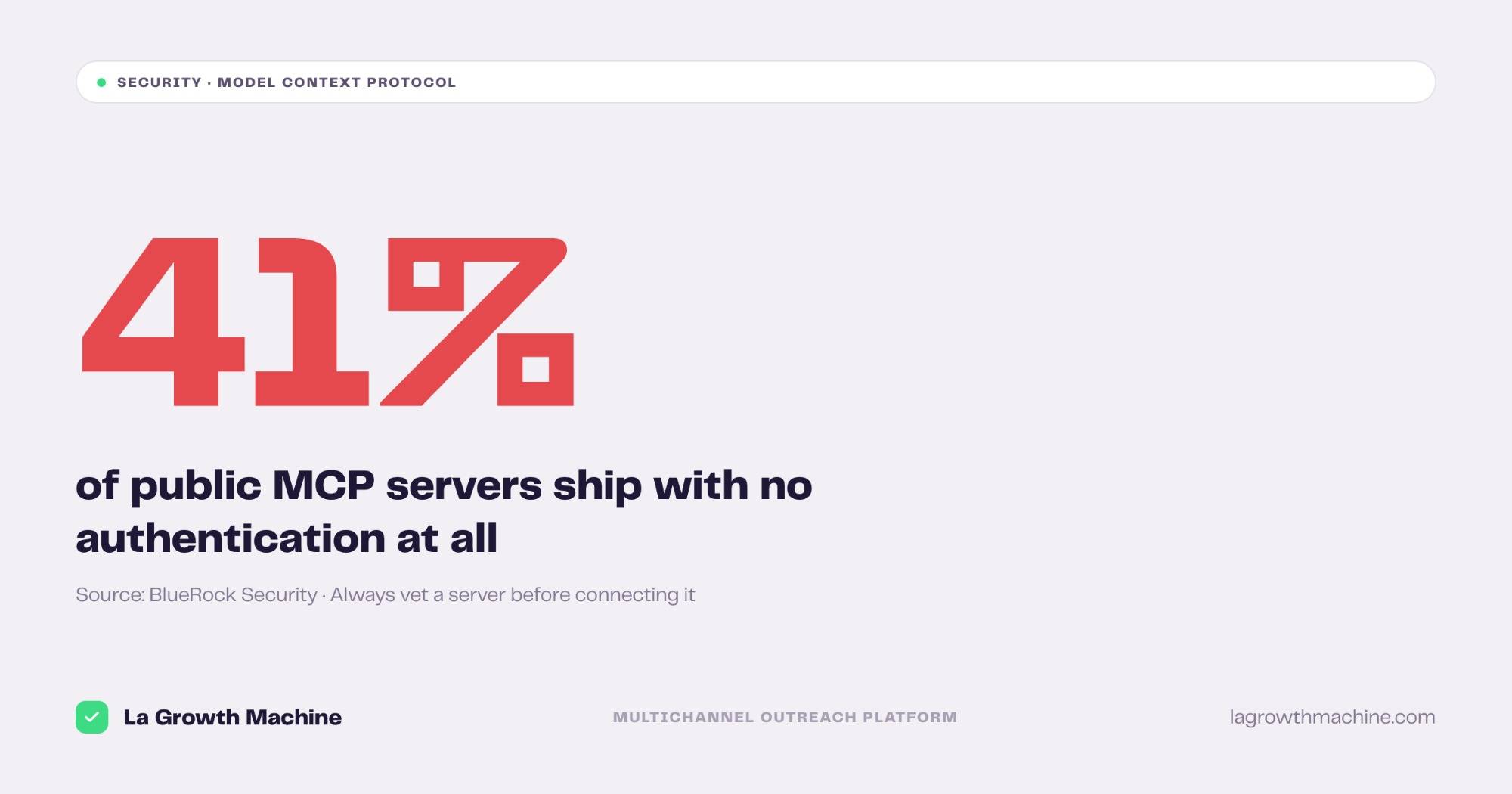
An MCP server reads data and takes actions on your behalf, so it deserves the scrutiny you would give any third-party integration with a write scope. Public scans through 2026 converge on the same uncomfortable finding: between 38% and 41% of public MCP servers expose their tools with no authentication at all, verified August 2026.
Check who maintains it
Vendor-published servers track the product’s own API and get patched when it changes. Third-party servers vary, and a fork of a fork is a supply chain you did not choose. Two servers we run, Slack and Airtable, are community-maintained, and we scope their tokens more narrowly.
Check how it authenticates
The 38% to 41% figure comes from two independent 2026 measurements, an audit of 518 servers in the official registry and a broader scan of roughly 12,000 public servers, verified August 2026. Prefer OAuth or a scoped token. Grant the narrowest scope that works, and make sure write actions require confirmation rather than firing silently.
Check what it costs you in context
Ask how many tools the server loads before connecting it. The range we measured runs from 8 to 73, the difference between a server you leave connected and one you turn on for a session. Stack two or three of the heavy ones and tool descriptions start competing with your actual question for room.
How to install an MCP server
Connecting a server takes about a minute, and there are two routes depending on your client. Both end the same way: the server’s tools appear in the assistant, and you approve what it is allowed to do. Neither requires you to write any code yourself.
Method 1: Claude Code (CLI or config)
From the terminal, add a server with claude mcp add. For a local server, pass its command; for a remote server, use --transport http and the URL. To connect the La Growth Machine server:
claude mcp add --transport http lgm https://mcp.lagrowthmachine.com/Claude Desktop and Cursor use the same idea through a JSON config entry, with a command or URL per server.
Method 2: Customize (Claude.ai and Claude Cowork)
In the browser or in Claude Cowork, open the Customize panel. Nothing to edit by hand, and two options:
- Add a server from the marketplace of connectors: pick a listed server, authenticate, approve it.
- Add a custom server: paste the URL and its authentication for anything not in the directory, including your own.
To install the La Growth Machine server together with its GTM skills in one step:
curl -fsSL https://raw.githubusercontent.com/LaGrowthMachine/gtm-system/main/install.sh | shThat pulls the open-source gtm-system repository, which holds both. For building your own, see our guide on how to build and connect an MCP server; for the difference between MCP and a plain API, see MCP vs API.
How to choose the right MCP server
Choosing well is mostly subtraction. The servers that survive past month two are the ones tied to a tool you open daily, with a tool count you can afford and a scope you can defend. Five criteria, in the order they actually decide the question for most teams.
- Start from the job, not the catalogue. Name the task you want handed off, then find the one server that covers it. A server you connected because it existed costs context and returns nothing.
- Weigh the tool count against the use. Under roughly 15 tools, leave it connected. Above 40, connect it only for the sessions that need it.
- Prefer vendor-published servers. They follow the product’s API and get patched. For a community server, narrow the token rather than avoid the server.
- Require confirmation on writes. Reading is recoverable, writing is not. A server offering a read-only mode has thought about this.
- Check the client, not only the server. Support differs across Claude Code, Claude.ai, Cursor and Copilot, and deferred tool loading changes the maths.
Frequently asked questions
What is the best MCP server?
It depends on the job. For outbound sales and GTM, La Growth Machine; for code, GitHub; for team knowledge, Notion; for anything without a native server, Zapier. Start with the server attached to the tool you open most, and add a second only when you hit its limits.
Are MCP servers safe to install?
Vendor-published servers are generally safe when you scope the token. Community servers vary, and public scans in 2026 put between 38% and 41% of public servers at no authentication at all, verified August 2026. Review permissions and prefer servers that ask for confirmation before writing.
Which MCP servers are official?
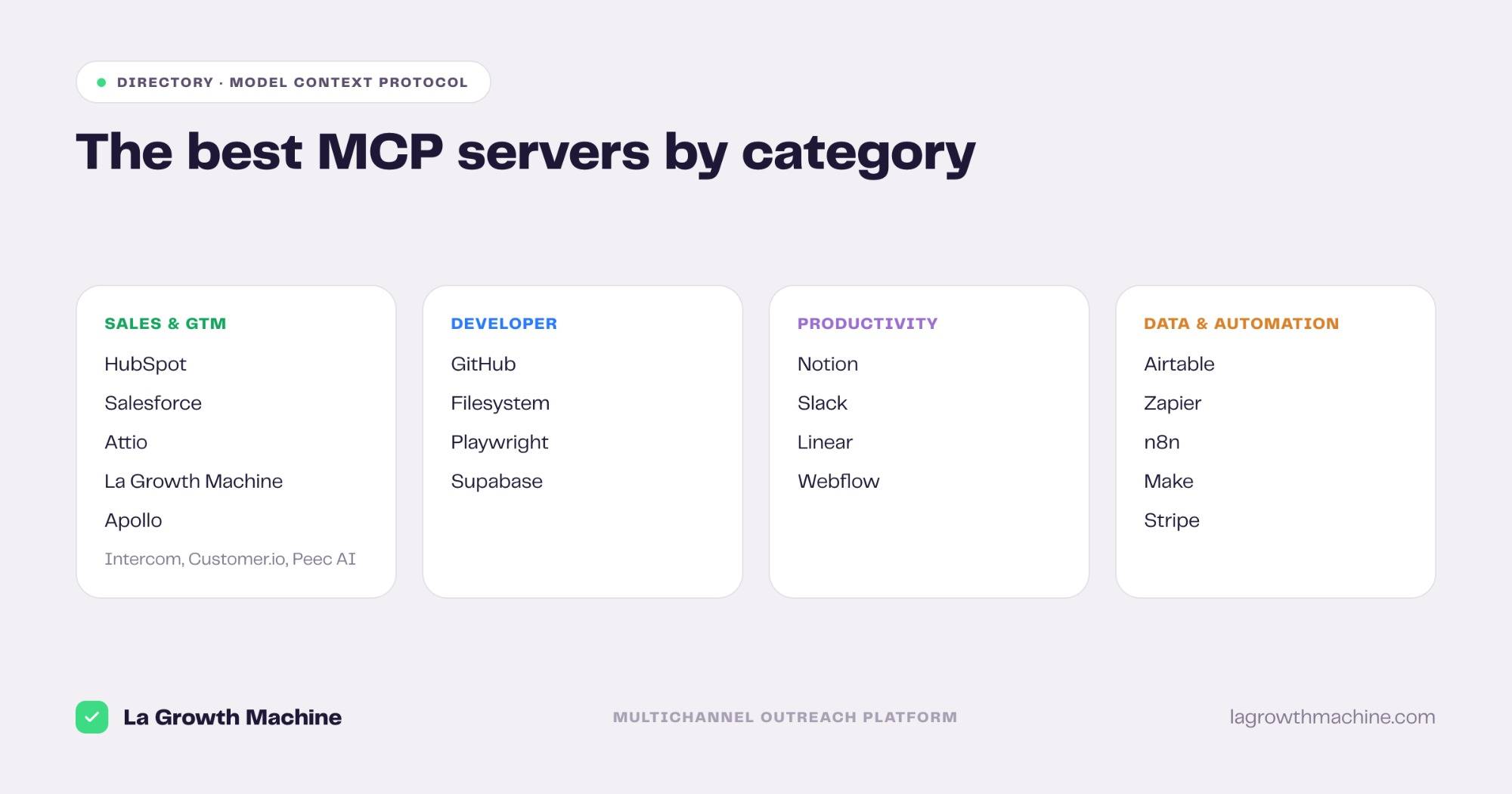
Most on this list: HubSpot, Salesforce, Attio, La Growth Machine, Apollo, Intercom, Customer.io, Peec AI, GitHub, Supabase, Notion, Linear, Webflow, Zapier, n8n, Make and Stripe. Slack and Airtable are community-maintained, and Filesystem is a reference implementation.
Do I need to code to use an MCP server?
No. Connecting an existing server is one config entry in Claude Code or one connector in the Customize panel. Code is only needed if you build your own. If you want packaged workflows on top of the connection, the best Claude Code skills cover that layer.
How many MCP servers can I connect at once?
Technically many, since a host runs one client per server. Practically, two or three. Past five, tool definitions crowd the context window, which is why Claude Code and Cursor both moved to loading tool schemas on demand.
Conclusion: our top picks
For outbound and GTM work, La Growth Machine is our pick, and we say so as its publisher. For code, GitHub. For knowledge, Notion. For everything else, Zapier. Connect the one that matches the tool you open every morning, and leave the rest of this page for when a job needs them.
La Growth Machine plans start from €60/month per identity (Basic, monthly billing, verified August 2026), with a 14-day free trial and no card required. The full grid is on the pricing page.