




Book 30 Meetings with a Single Viral LinkedIn Post
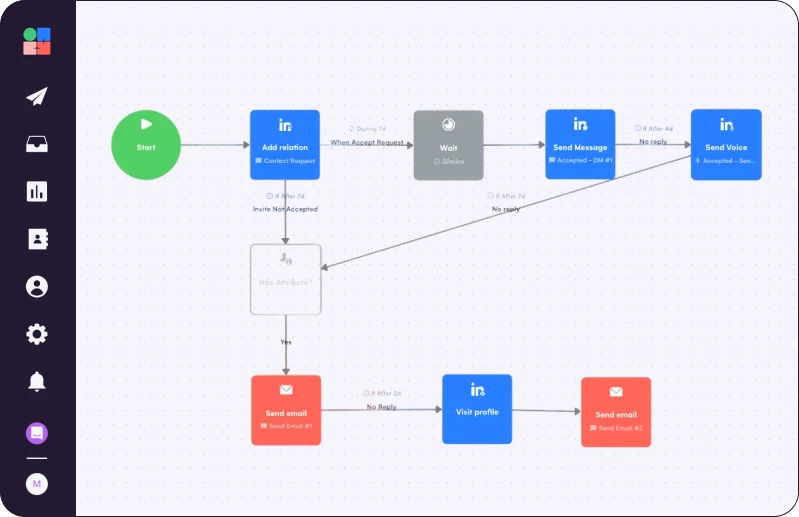
All you need
Summary of what you'll do
Duplicate campaign in8steps!
Capture insights from every sales call
Your best content comes from real conversations with prospects. Start building a knowledge base of customer insights.
Use Google Meet's built-in Gemini transcription or a tool like Fathom to record every sales call. After each call, a transcript and summary will be automatically generated that captures the key points, pain points, and objections your prospects mention.
These transcripts become your content goldmine. Store them in a dedicated Google Drive folder so you can feed them to your AI agents later.

Prompt your inspiration agent to surface LinkedIn post ideas
Now turn those call insights into content ideas using an AI agent.
Create a custom GPT, Dust Agent, or Claude Project (your "inspiration agent") with this simple prompt structure.
Your agent will analyze patterns across all your calls and surface the topics your audience actually cares about, not just what you think they want to hear.
Build your viral post agent
Create a second AI agent specialized in writing high-performing LinkedIn posts.
Create a custom GPT, Dust Agent, or Claude Project with these instructions.
Feed this agent the pain points and angles from your inspiration agent, along with examples of your best-performing posts.
Write your post
Now combine everything to create your LinkedIn post.
Take the topic and angle from your inspiration agent and run it through your viral post agent. Review the output and edit for your authentic voice.
The goal is not perfection, it’s relevance. Your prospects already told you what they care about in those sales calls.
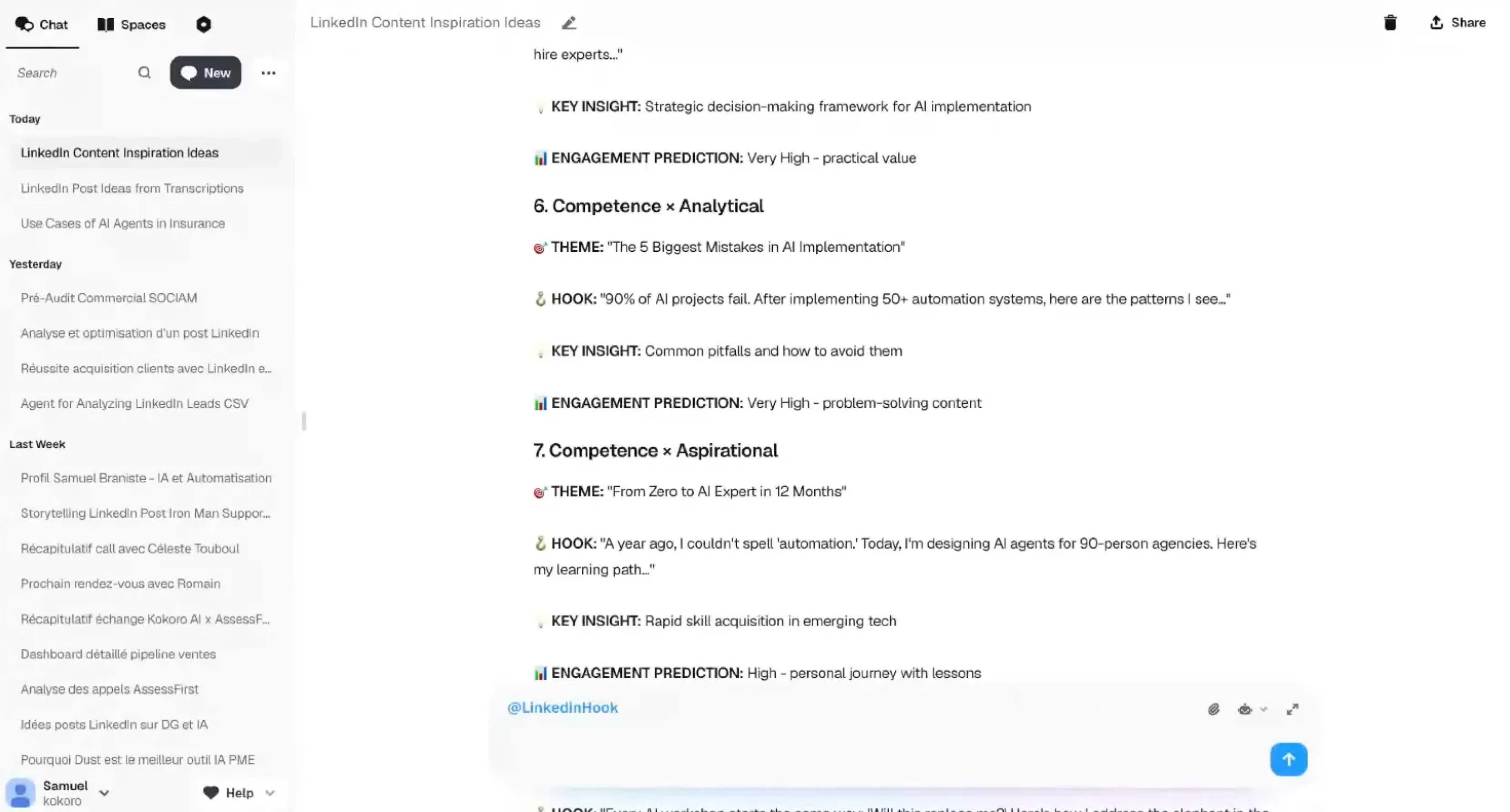
Build a hook agent to maximize engagement
Your hook determines whether someone keeps reading or scrolls past.
Create one more specialized agent focused only on improving your first line.
Run your draft through this agent and pick the hook that feels most natural while still being attention-grabbing.
Publish and build a targeted audience from every interaction
Post your content on LinkedIn, then immediately start capturing engaged prospects.
Before you start: Make sure your LinkedIn identity is connected to La Growth Machine (Settings > Identities).
As your post gets likes, comments, and shares, import those engaged leads into LGM:
- Go to Leads > Import Leads > Import from LinkedIn
- Choose your import source:
- Liked a post: Copy your LinkedIn post URL, paste it into LGM
- Commented a post: Copy your LinkedIn post URL, paste it into LGM
- Enable "Import new leads every day" to automatically capture new engagers over time
These people have already shown interest. They are the warmest audience you will ever find.
Enrich your leads with LGM Lead Enrichment
Now get the contact information you need to reach these engaged prospects across multiple channels.
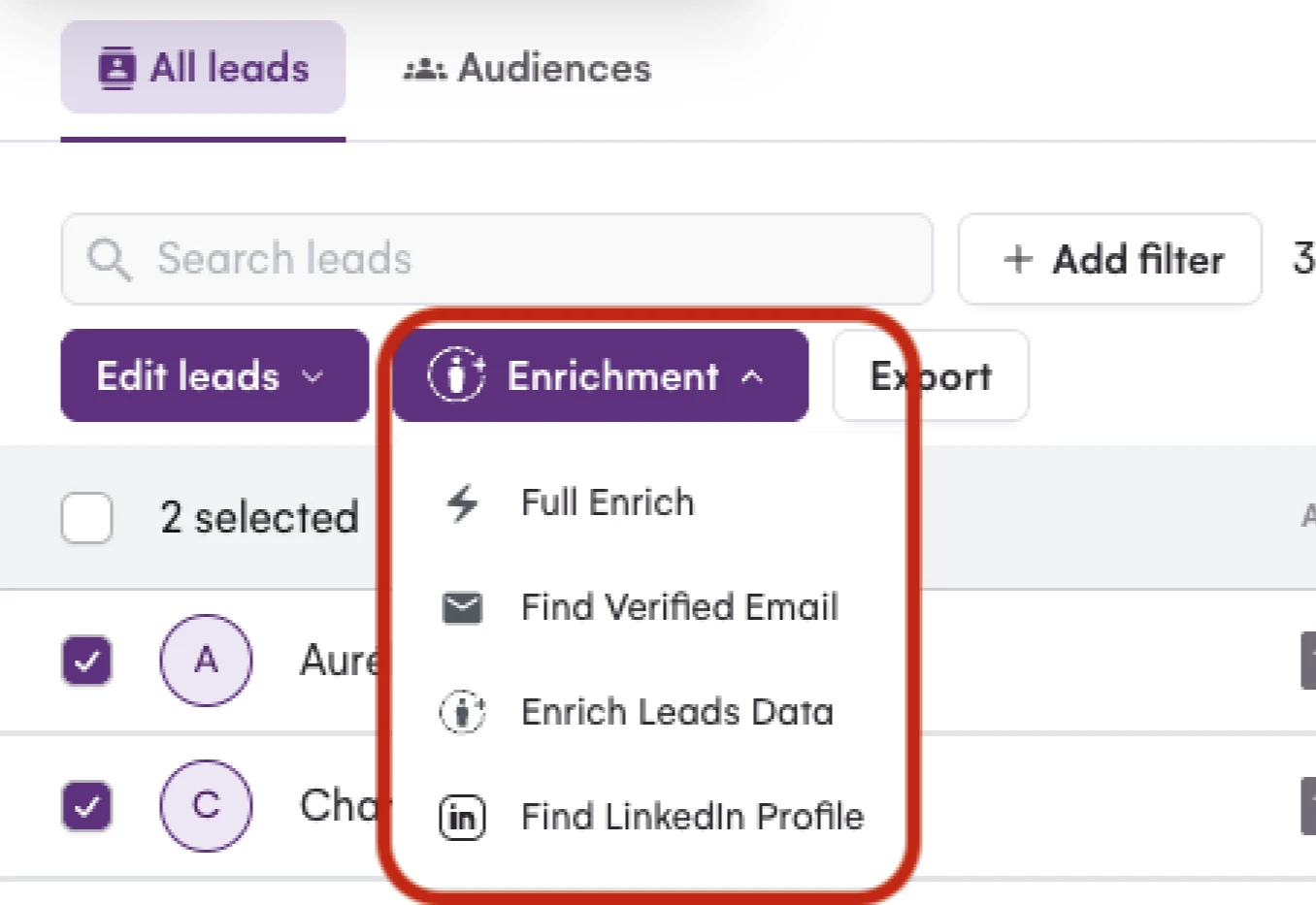
In your Audience, select the imported leads and click Enrich. Choose your enrichment type:
- LinkedIn: Scrapes public profile data (job title, company, bio, location)
- Pro Email: Finds and verifies professional email addresses using Waterfall Enrichment
- Full Enrich: Gets everything (LinkedIn data, verified emails, phone numbers, Twitter accounts)
LGM uses double email verification to protect your deliverability, and the enrichment happens automatically in the background.
Once enriched, segment your audience based on which data was found (email validity rate, LinkedIn connection status) to determine the best outreach channel for each lead.
Duplicate Samuel's campaign

Read Next


How to Build Your First Multichannel AI Sales Agent


Turn Cold Prospects into $3,000+ Clients


How to Become “Product of the Day” on Product Hunt