




How to Get Cited by LLMs Without Writing New Content
All you need


Summary of what you'll do
Duplicate campaign in7steps!
Build your target keyword list
Start by identifying the keywords you want to be mentioned for. Think about your features, industry, and unique value proposition.
For example, if you're a prospecting tool, your keywords might include:
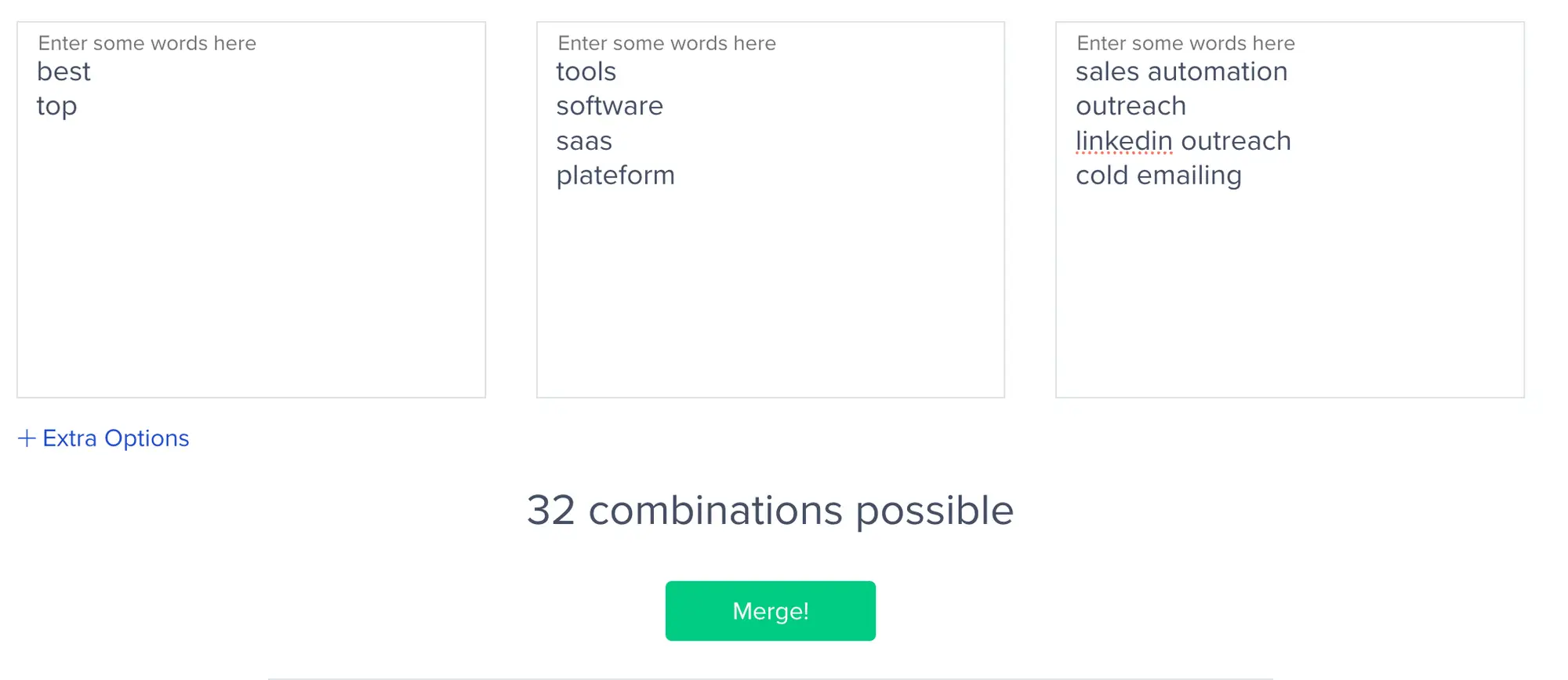
- best multichannel prospecting tools
- best LinkedIn prospecting software
- top sales automation tools
- best cold emailing tools
Use a merge words tool to automatically generate all possible keyword combinations. The more keywords you include, the more articles you'll discover to target.
Scrape Google search results
Once your keywords are ready, it’s time to scrape the Google search results.
Goal: collect all the articles that rank for those queries.
Use Apify and the Google Search Results Scraper to collect all articles ranking for your target keywords.

Configure the scraper to pull the top 10 results for each keyword. To filter out irrelevant results, use Google Dorks to exclude your own site, LinkedIn, YouTube, and non-blog URLs.
Here’s an example of a search query with dorks:
You'll get a CSV file with all the article links that rank for your keywords.
Clean your results
Upload your CSV to ChatGPT and ask it to remove competitor domains and non-comparison articles.
Use this prompt to eliminate rows containing competitor URLs and articles that aren't actual "best tools" comparisons (like general guides or informational content).
The output will be a clean list of relevant articles where you should be featured.

Extract page content


Import your cleaned CSV into Google Sheets and install Derrick, a Google Sheets add-on for data enrichment.
Select "Crawl Website" and choose the column with your article URLs. In seconds, you'll have the full text content of each article extracted.
Now the content has been extracted, you need to check whether your tool is already mentioned in the article. Upload the file with extracted content to ChatGPT and ask it to analyze whether your brand is mentioned in each article.
The AI will remove any rows where your tool is already mentioned and return only articles where you're not featured yet. These are your prime targets.
Find the right contacts (choose your strategy)
Strategy A: Target content/SEO managers using LinkedIn Sales Navigator, Google Dorks, or enrichment tools. Search for titles like SEO Manager, Content Manager, Head of Content, or Marketing Manager.
Strategy B: Contact generic email addresses like contact@, info@, or hello@ using Hunter.io.
Both strategies can work, use an A/B test to see which performs better for your audience.
Duplicate the strategy A campaign
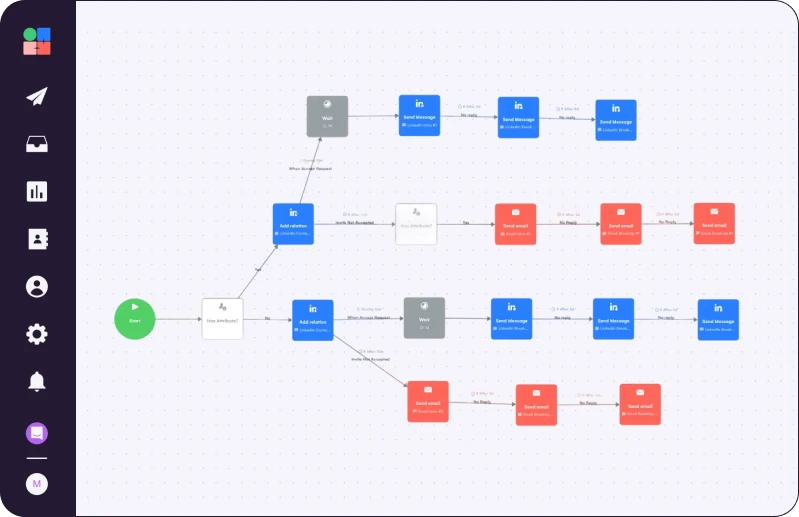
Erwann built a ready-to-use multichannel sequence (LinkedIn + Email) that you can use to target content managers, SEO managers, and heads of content.
The campaign includes personalized messaging that references their specific article, explains why you belong in their list, and makes it easy for them to add you. The sequence handles initial outreach and strategic follow-ups automatically.
Simply duplicate the campaign, import your leads, customize the variables and copywriting with your tool information, and launch.
Duplicate the strategy B campaign
Erwann has created a separate multichannel sequence optimized for generic company emails like contact@, info@, and hello@.
The messaging is tailored for generic inboxes to ensure your request gets routed to the right person internally. Track performance against Strategy A to see which approach delivers better results for your industry.
Duplicate this campaign, add your leads with generic email addresses, customize your tool details, and launch.

Read Next


How to Build Your First Multichannel AI Sales Agent


Turn Cold Prospects into $3,000+ Clients


How to Become “Product of the Day” on Product Hunt