



Turn Every HubSpot Lead into a Booked Meeting Automatically
All you need

Summary of what you'll do
Duplicate campaign in8steps!
Build your active list in HubSpot
Create an Active List in HubSpot with the contacts you want to reach. Target your ideal customer profile. For example, MQLs, specific industries, job titles, or any criteria that define your best-fit leads.
Make sure your La Growth Machine and HubSpot integration is connected so LGM activity data appears on contact timelines and can be used in HubSpot lists and workflows.

Import your HubSpot list into La Growth Machine
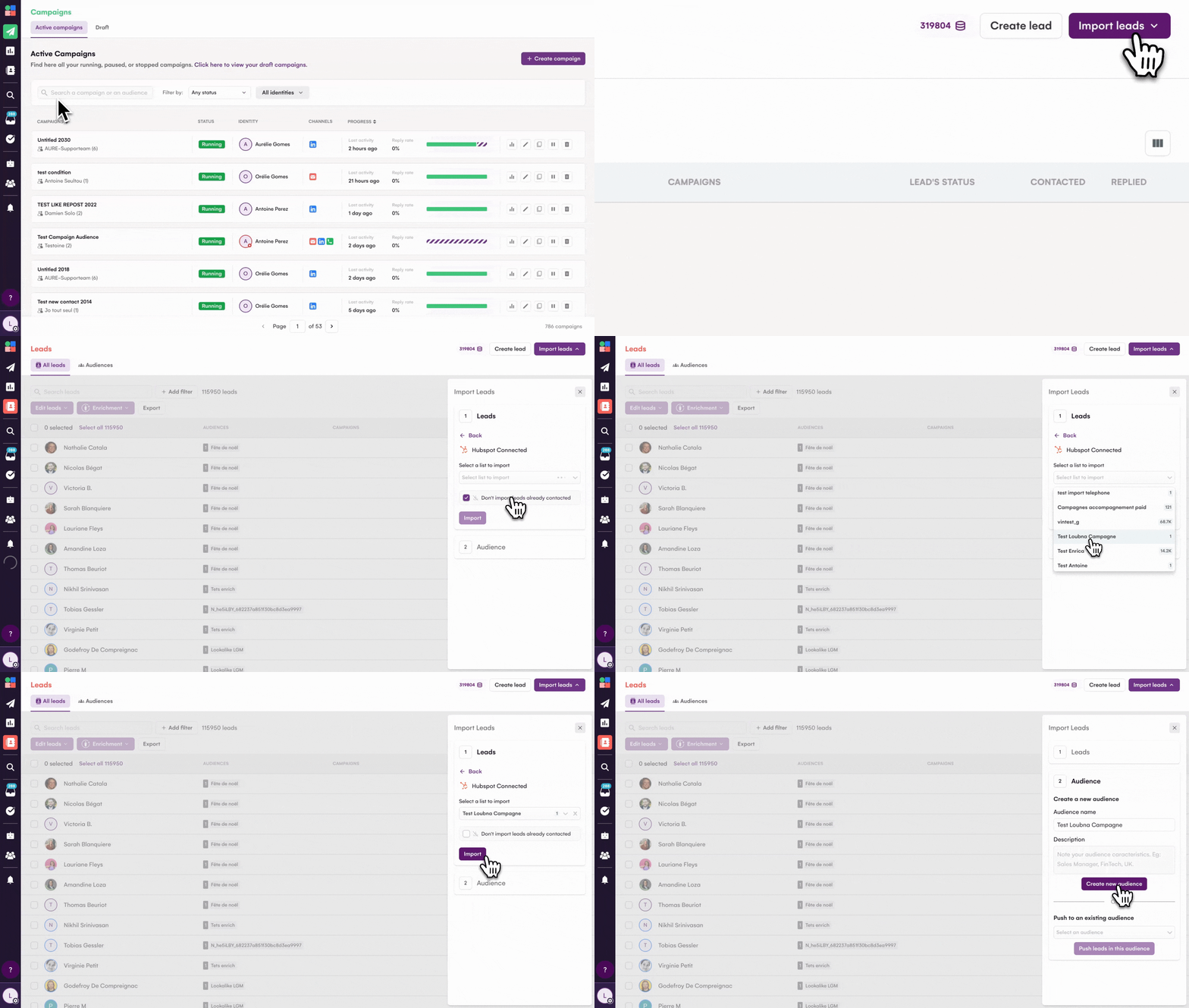
In La Growth Machine, go to Leads → Import leads → Import from CRM and select your HubSpot Active List.
Toggle on "Import new leads every day" to enable Continuous Import. This automatically syncs new contacts from your HubSpot list daily, so you never miss a lead.
Note: If you need instant, event-based lead creation (for example, the moment someone fills a form or gets scored), you can build a Make scenario with a HubSpot trigger connected to the "Create a lead in an audience" action in La Growth Machine. But for most use cases, the native daily sync is simpler and sufficient.

Enrich your leads with verified emails and profile data
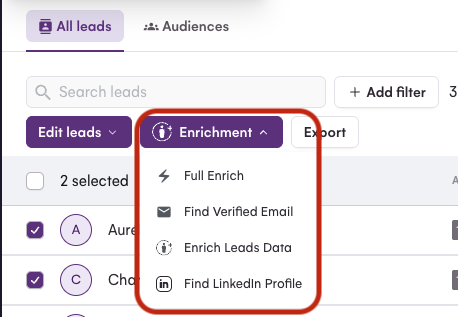
Select your audience in La Growth Machine and click Enrich. Choose your enrichment mode:
- Email Finder: Finds verified professional emails
- Lead Data: Enriches profile information (job title, company, location)
- Full Enrichment: Combines both email finding and profile data
Enrichment requires at least a name + company or a LinkedIn profile URL. It uses credits per lead enriched, so choose the mode that fits your campaign needs. Waterfall enrichment gives you the highest email accuracy by checking multiple providers.
Build your multichannel outreach sequence
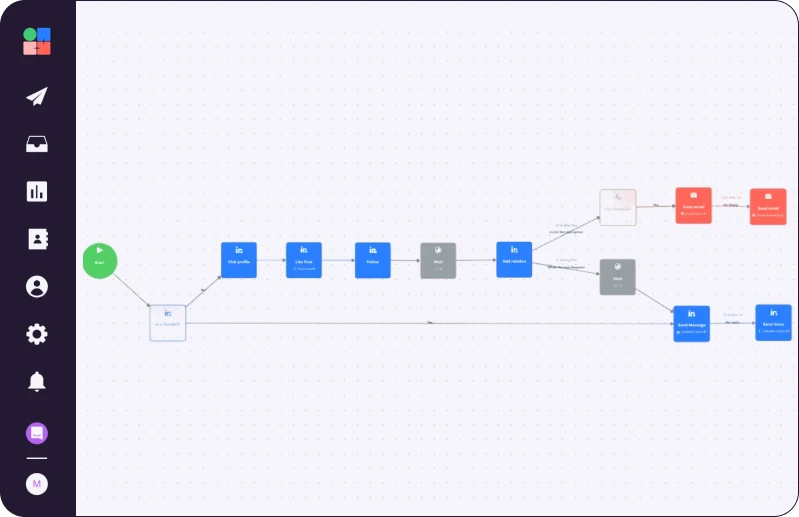
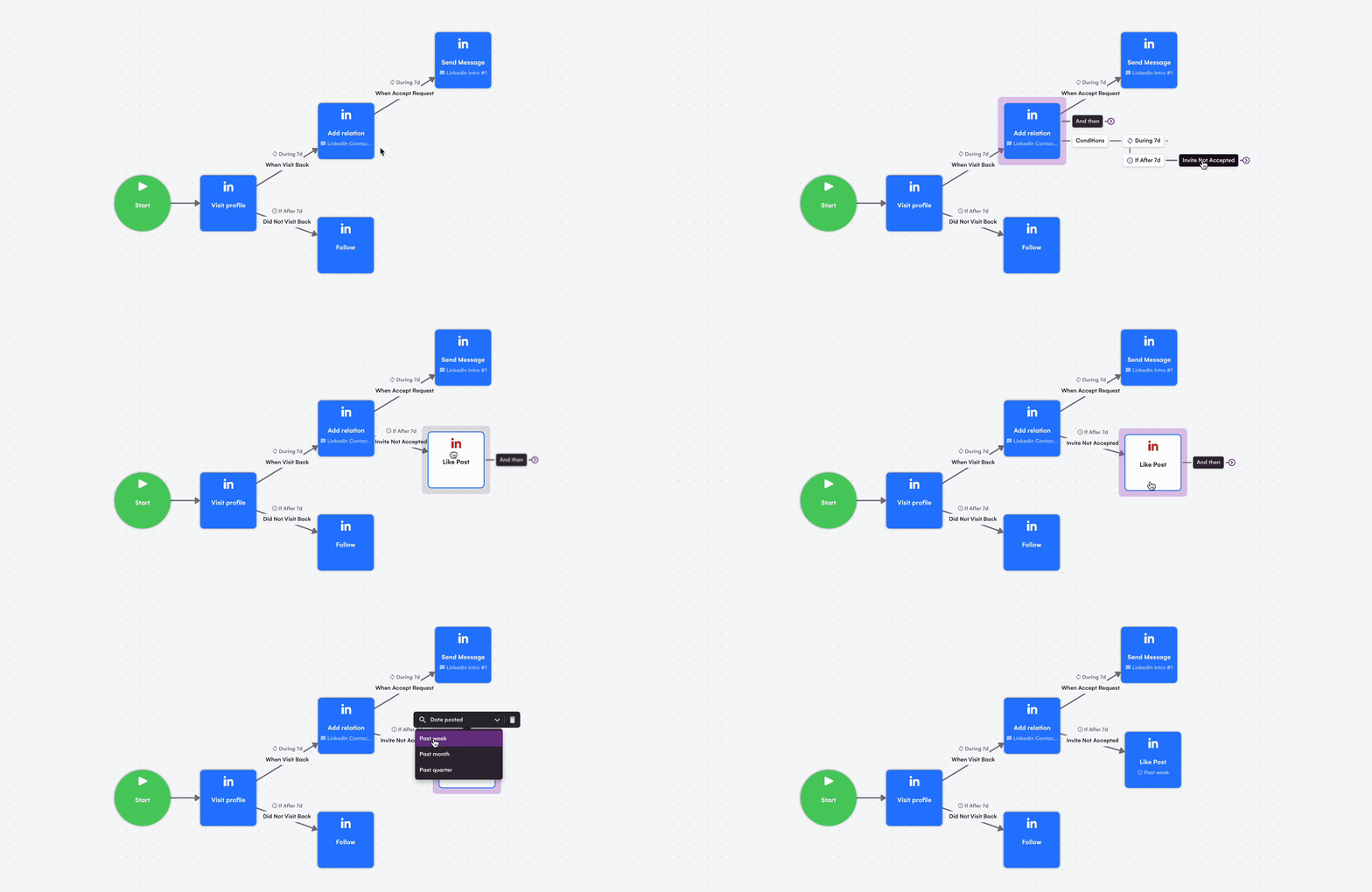
Start by warming up your leads before you connect. Add LinkedIn Social Warming actions at the beginning of your sequence:
- Visit profile
- Follow
- Like post
Then add an "Add relation" block with a personalized connection note using variables like {{firstname}} or {{company}}. La Growth Machine respects LinkedIn limits and automatically skips leads you're already connected with.
Next, add Email blocks to your sequence. If your enrichment found valid emails for 80% or more of your list, lead with email. If email coverage is lower, prioritize LinkedIn messages first.
Qualify leads and sync back to HubSpot
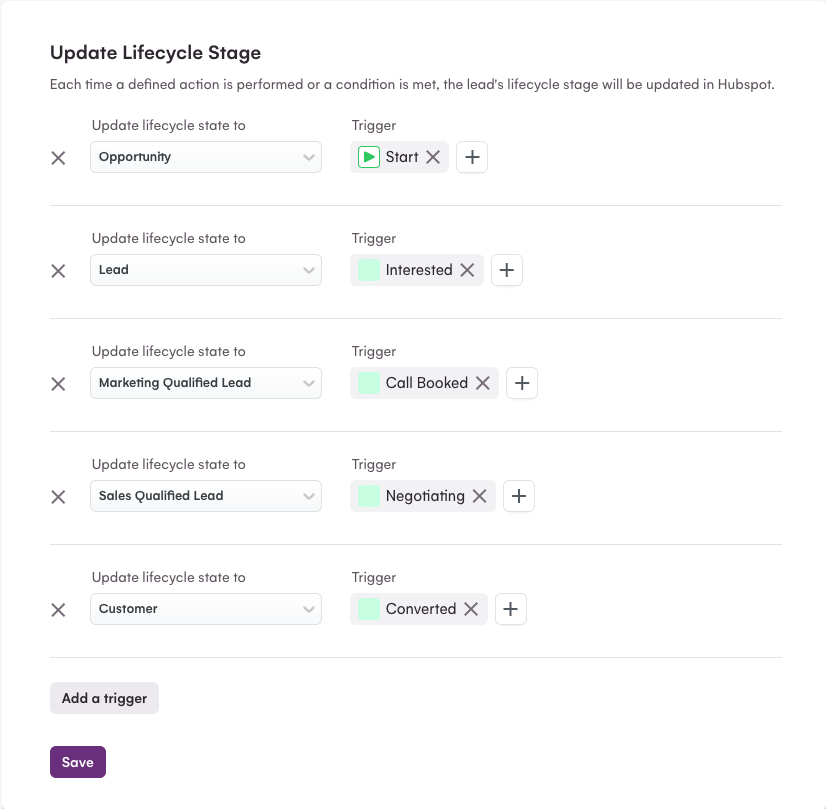
When a lead replies, tag them in La Growth Machine with the appropriate qualification status: Interested, Call Booked, Converted, Not Interested, or Wrong Target.
Map these La Growth Machine tags to HubSpot lifecycle stages in your integration settings. For example:
- Interested → Opportunity
- Call Booked → SQL
- Converted → Customer
You can also trigger HubSpot workflows based on LGM tags to automatically assign leads to the right salesperson or create deals.
Track performance with dynamic lists
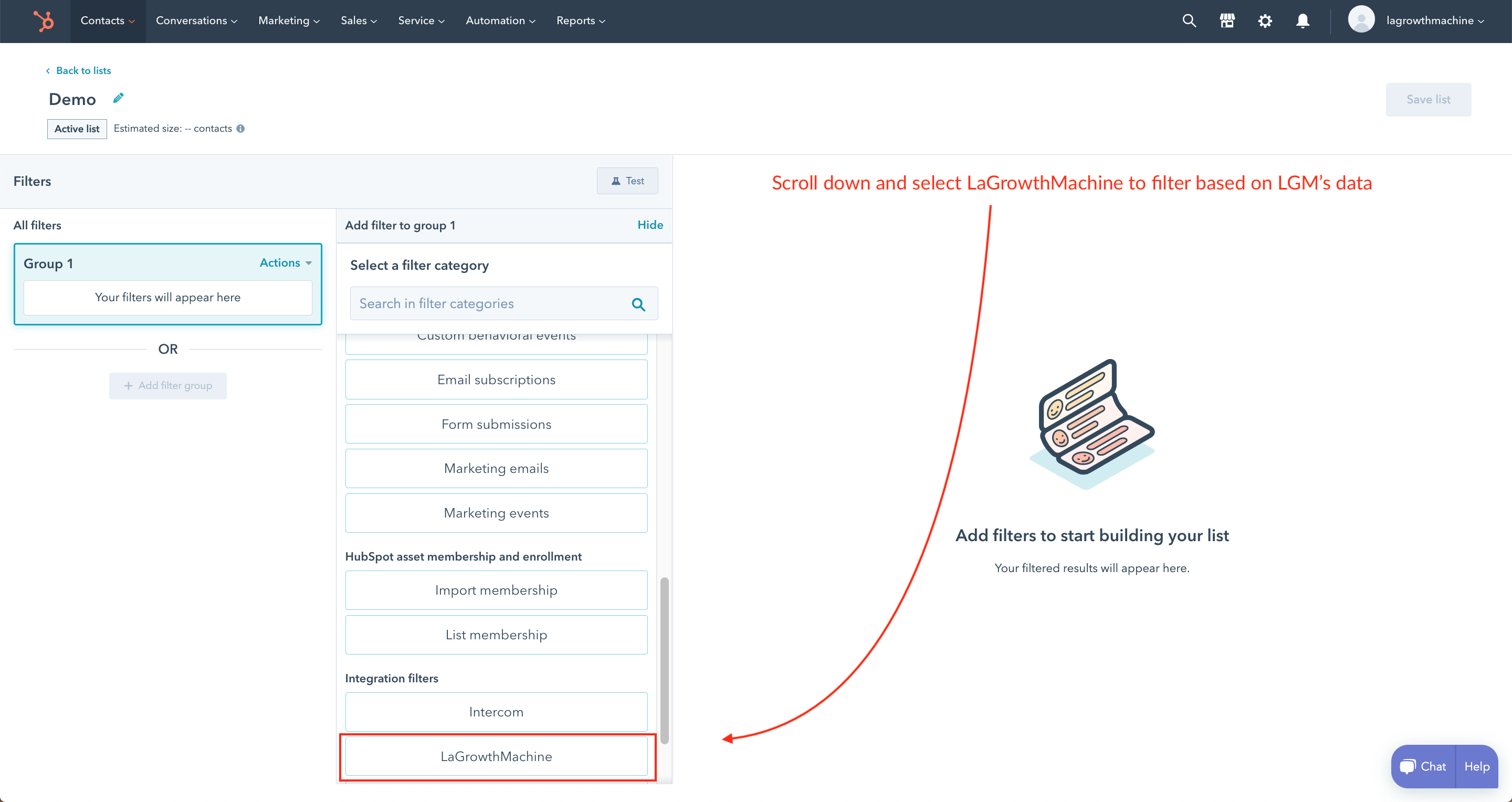
Build HubSpot Active Lists that surface leads at each stage of your outreach:
- "Accepted connection but not replied"
- "Replied in LGM but lifecycle still Opportunity"
- "Booked meeting but no deal created"
Use La Growth Machine data fields in HubSpot to create these lists. This helps your sales team prioritize follow-up and ensures no hot lead falls through the cracks.
Reactivate cold connections with voice messages
For 1st-degree LinkedIn connections who didn't respond or went cold, add a Voice Message block to your sequence.
Voice messages are only available for existing connections, so use them as a reactivation tactic. You can record your own voice or use AI Voice to personalize at scale. A short, friendly voice note often cuts through inbox noise and rebooks stalled conversations.
Duplicate Bastien's campaign

Read Next


How to Build Your First Multichannel AI Sales Agent


Turn Cold Prospects into $3,000+ Clients


How to Become “Product of the Day” on Product Hunt