
TL;DR
– The Claude plugins marketplace is a catalog, usually a GitHub repo, where you discover and install Claude Code plugins in one command
– A plugin bundles slash commands, subagents, MCP servers, hooks and skills, so you add a whole capability at once
– Add a marketplace with /plugin marketplace add, then install with /plugin install name@marketplace
– For GTM, a plugin can ship the La Growth Machine MCP and GTM skills, so a rep runs outreach from Claude Code
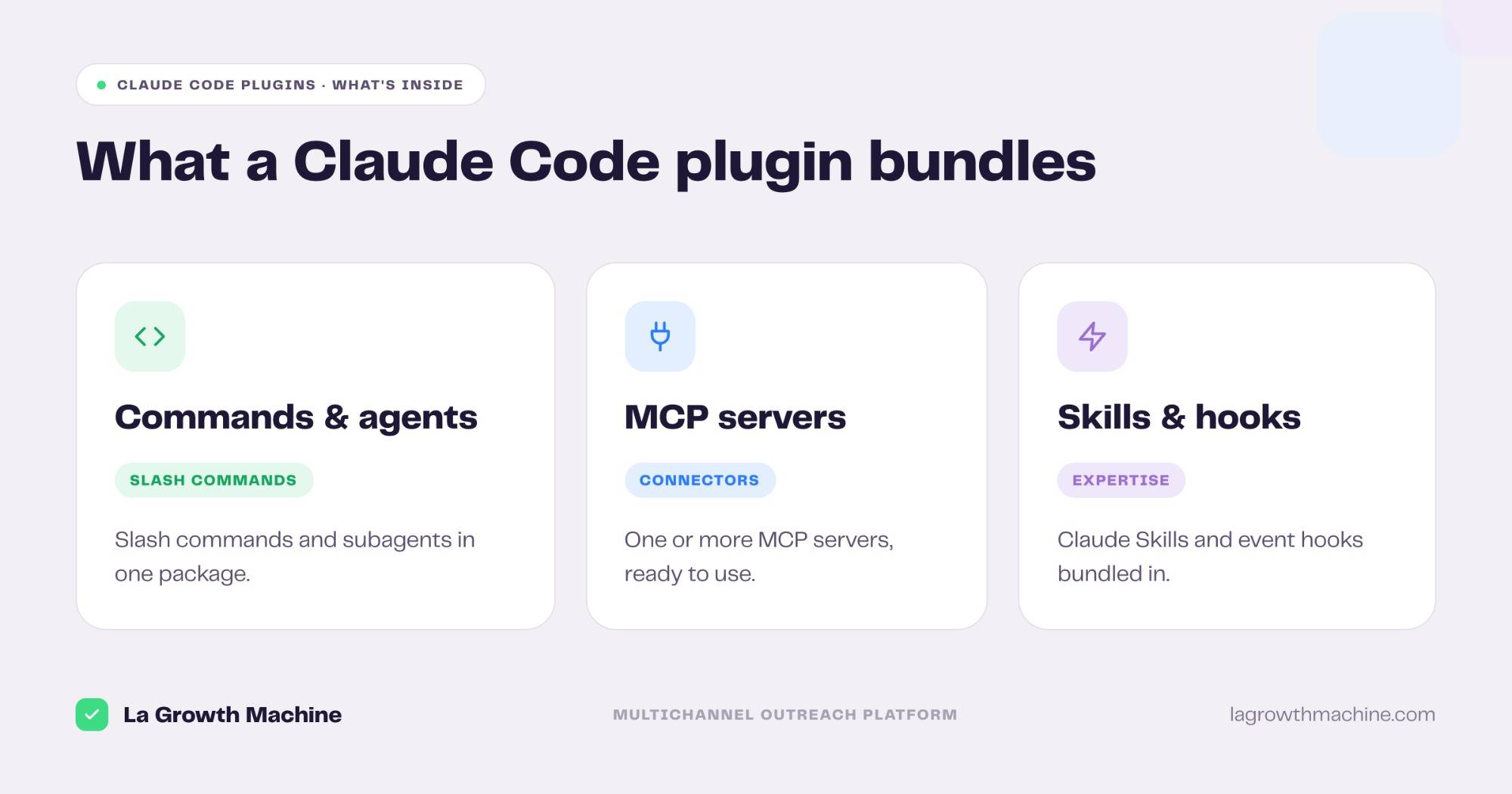
The Claude plugins marketplace is a catalog, usually a GitHub repository, where you discover and install Claude Code plugins with a single command. A plugin bundles several capabilities at once, so instead of wiring up tools one by one, you add a whole package to Claude Code in one step. A plugin can ship:
- slash commands and subagents
- one or more MCP servers
- hooks and skills
In short: a marketplace is where plugins live, and /plugin install is how you add them. The rest of this guide shows what a plugin is, how to use a marketplace, how to host your own, and why it matters for a go-to-market team.
New to the protocol behind the tools? See what an MCP server is.
What is a Claude Code plugin?
A plugin is a package that extends Claude Code, Anthropic’s terminal coding agent. Rather than installing a slash command here and an MCP server there, a plugin groups them so a single install adds the whole capability, configured and ready.
A plugin can include slash commands, subagents, hooks that run on events, MCP servers that connect external tools, and Claude Skills that package expertise. That is what makes it more than a connector: it is a full workflow in one bundle.
What is the plugins marketplace?
A marketplace is simply a place that lists plugins. In practice it is a Git repository, often on GitHub, with a .claude-plugin/marketplace.json file that catalogs the plugins it offers. Anthropic publishes example marketplaces, and any team can host its own.
Because a marketplace is just a repo, it is easy to share. Point Claude Code at it and you see everything it offers, with the install one command away.
How to use the Claude plugins marketplace
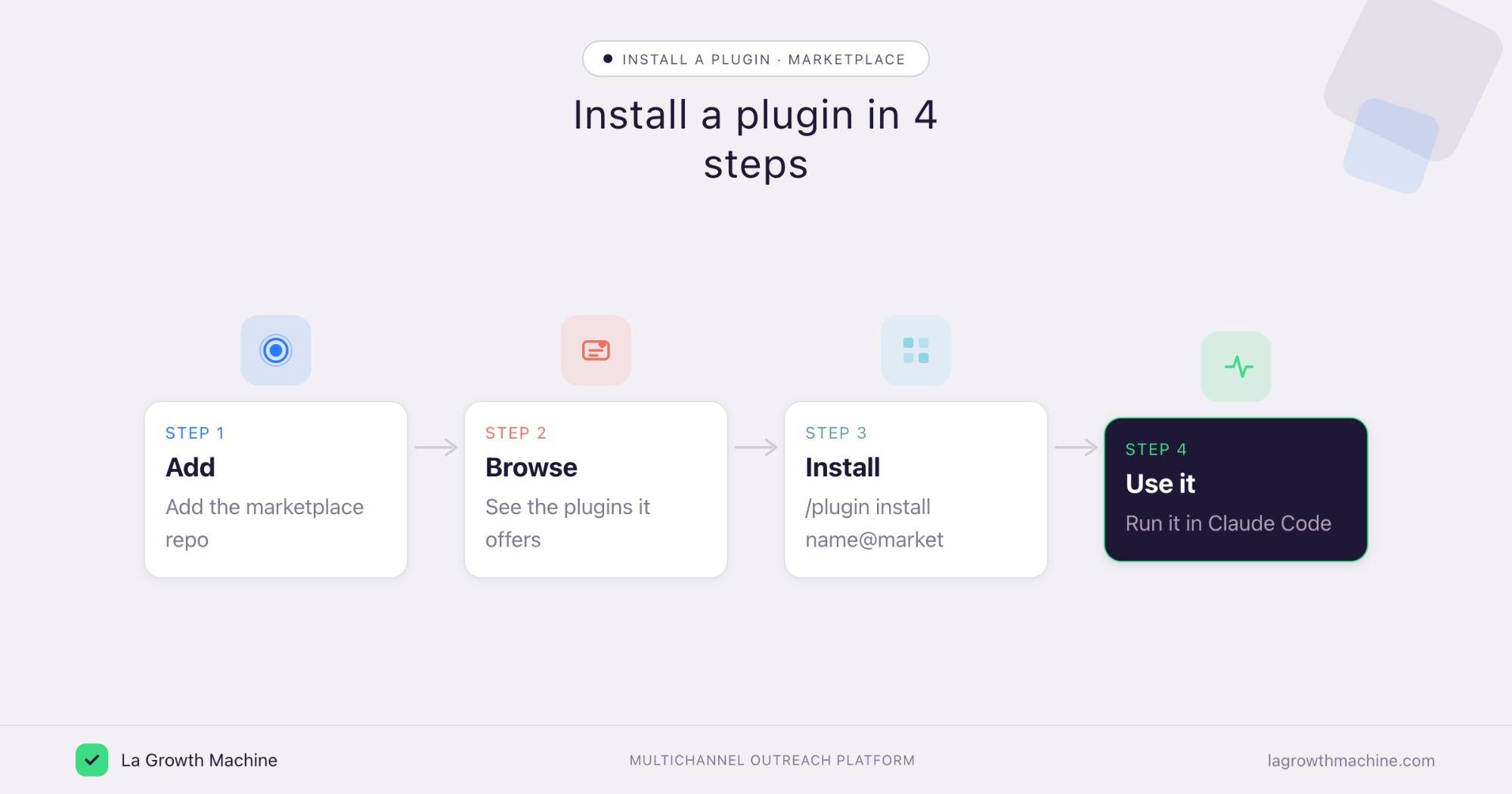
Three commands cover the whole flow, all from inside a Claude Code session.
- Add the marketplace. Run
/plugin marketplace addwith a GitHub repo, or a URL. Claude Code reads its catalog. - Install a plugin. Run
/plugin installto add a specific plugin. Its commands, agents, and MCP servers become available right away.@ - Browse and manage. Run
/pluginto open the menu, see what is installed, and enable or remove plugins. - Or add them from Claude.ai. You do not need the terminal. In the Claude web app you can browse and add plugins under Settings, Customize plugins.
Host your own marketplace
Teams that share a workflow can publish their own marketplace. Create a Git repository, add a .claude-plugin/marketplace.json that lists your plugins, and share the repo.
Teammates add it with /plugin marketplace add and install in one command, so everyone runs the same setup.
Our open GTM system on GitHub is an example of the kind of GTM tooling you can package and distribute this way.
Plugins are bundled skills that work together
The most useful plugins are not a single tool. A company can package several Claude Skills into one plugin, each skill handling a piece of a workflow, so the plugin runs the whole job from start to finish. The idea is to combine independent skills and have them work together: one finds the targets, the next writes the outreach, a third reports on what landed.
Plugins you could build from LGM skills
Our GTM skills are built to chain, so a few of them make a natural plugin:
Won-deal to campaign
Combine the Won-Deal ICP Finder with a Sales Navigator search builder and the Multichannel Campaign Builder: the plugin reads your closed-won deals, builds the lookalike search, and writes the sequence.
Post-engager outreach
Chain an enrichment step with the Multichannel Campaign Builder to turn the people who engaged with a post into a personalized sequence.
Same idea each time: independent skills, packaged so they run as one workflow.
Plugin, skills or MCP: when to use each
Plugin
A plugin is deliberately restrictive and that is its strength. When you want the same action every time, it is predictable and easy to share, the way a Zapier or n8n workflow runs the same steps on every trigger.
Skills & MCP
When you want to adjust or personalize, skills and MCP servers are the better fit. Well-built Claude Skills can call one another, so they compose on the fly instead of being locked into one path, and an MCP gives the assistant live access to act on your own data. Use a plugin to standardize a workflow, and reach for skills and MCP when the work needs judgment.
Why it matters for GTM teams
The marketplace turns a stack into something you install, not assemble. For go-to-market, a plugin can ship the tools your team actually uses: the La Growth Machine MCP to run outreach, an enrichment MCP, a CRM MCP and the GTM skills that tie them together.
Connect it once and you can build audiences, launch multichannel sequences, and read replies from Claude Code, the same way you would connect any MCP to Claude Code.
The plugin makes that whole workflow a single install for every rep.
Frequently asked questions
What is the Claude plugins marketplace?
It is a catalog, usually a GitHub repository, where you discover and install Claude Code plugins. A plugin bundles slash commands, subagents, MCP servers, hooks, and skills, installable with one command.
How do I install a plugin in Claude Code?
Run /plugin marketplace add to add a marketplace, then /plugin install to install a plugin. Use /plugin to browse and manage what is installed.
Can I create my own Claude plugins marketplace?
Yes. A marketplace is a Git repository with a .claude-plugin/marketplace.json file listing your plugins. Share the repo and your team can add it and install in one command.
What can a plugin contain?
Slash commands, subagents, hooks, MCP servers, and skills. That lets a single plugin add a full workflow, including the connectors and the expertise to use them.
Is the plugins marketplace useful for sales teams?
Yes. A plugin can package the La Growth Machine MCP and your GTM skills, so a rep installs the whole outreach setup in one step and runs it from Claude Code.
Can I add plugins without the terminal?
Yes. Besides the Claude Code commands, you can browse and add plugins in the Claude web app, under Settings, Customize plugins.
Plugin or skills: which should I use?
Use a plugin when you want the same workflow every time, like a Zapier or n8n automation. For work you need to adjust, use Claude Skills and MCP servers, which compose and can call one another.