
TL;DR
– A Claude Skill is a folder with a SKILL.md file that tells Claude how to do a specific task
– To create one, write frontmatter (a name and a clear description), then the instructions, and add scripts or reference files if needed
– Drop the folder in your skills directory (~/.claude/skills for personal, .claude/skills for a project) and Claude loads it when a task matches
– Keep each skill to one job, and package related skills into a plugin to share them with your team
To create a Claude Skill, make a folder with a SKILL.md file inside it. Give that file a name and a clear description in the frontmatter, write the instructions Claude should follow, then add any scripts or reference files the task needs. Drop the folder in your skills directory and Claude loads it automatically when a task matches. In short, a skill is:
- a folder named after the skill
- a
SKILL.mdwith frontmatter (name,description) and instructions - optional scripts and reference files it can call
This guide is about authoring a skill from scratch.
If you only want to install and run existing ones, see how to use Claude Skills instead.
For ready-made examples, browse the best Claude Skills.
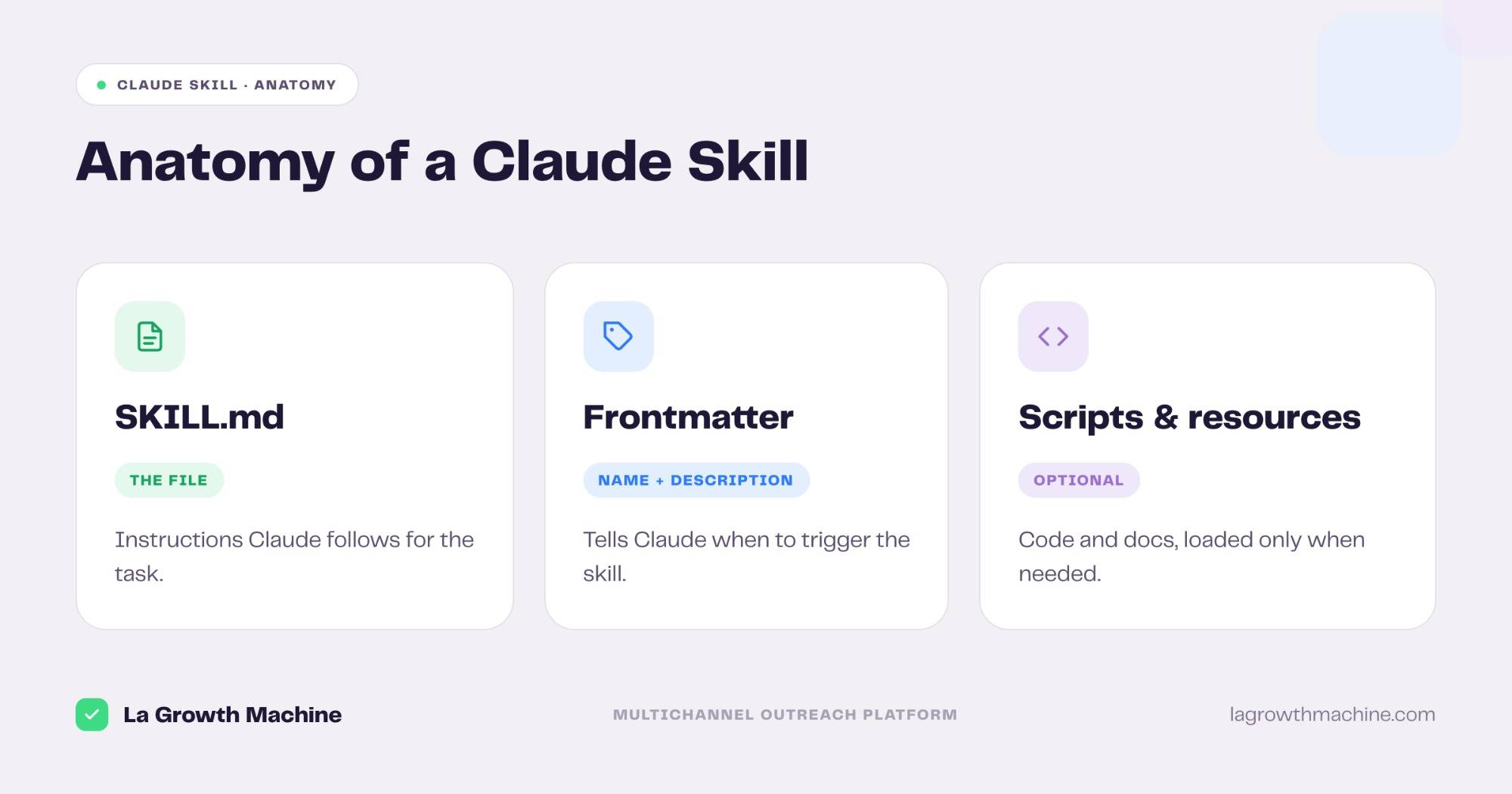
Anatomy of a Claude Skill
A skill is just a directory. The only required file is SKILL.md. Everything else is optional and loaded on demand, which keeps the skill light until Claude actually needs it.
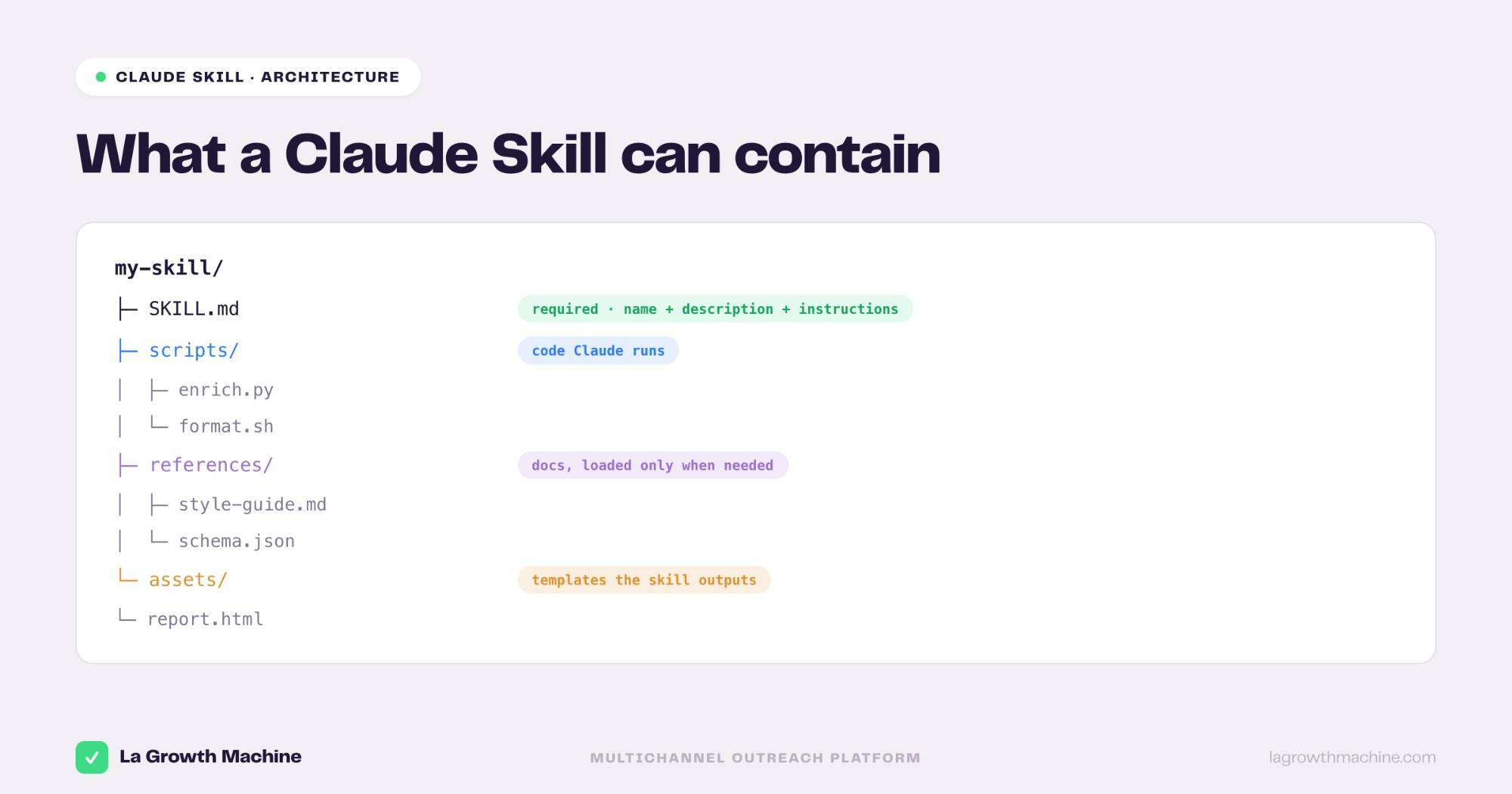
A typical skill looks like this:
changelog-writer/
  SKILL.md
  scripts/
    collect_prs.sh
  references/
    format.md
SKILL.md holds the frontmatter and the instructions.
The scripts folder holds code the skill can run and references holds longer docs Claude reads only when the task calls for them.
This is progressive disclosure:
- Claude always sees the name and description
- reads the body when the skill triggers
- and opens the extra files only when it needs them
A skill can hold more than instructions. Beyond SKILL.md, it can bundle scripts it runs, reference docs loaded only when needed, and assets it outputs.
To see how real skills are architected, browse our open GTM skills on GitHub.
Let Claude build the skill for you
You do not have to write every skill by hand. Anthropic ships a native skill called skill-creator.
Enable it in Claude, run /skill-creator and describe what you want.
Claude scaffolds the folder, the SKILL.md and the frontmatter for you, right in the conversation. It is the fastest way to start, and you can refine the result with the steps below.
Step 1: Create the folder and SKILL.md
Make a folder named after your skill, in kebab-case and add an empty SKILL.md inside. The folder name is the skill’s identifier, so keep it short and descriptive, like changelog-writer or won-deal-icp-finder.
Step 2: Write the frontmatter
At the top of SKILL.md, add YAML frontmatter with two required fields: name and description.
---
name: changelog-writer
description: Draft a release changelog from merged PRs. Use when the user asks for a changelog or release notes.
---
The description is the most important line you will write. Claude reads it to decide whether to trigger the skill, so say plainly what the skill does and when to use it. A vague description means the skill never fires, a precise one means it fires at the right moment.
Step 3: Write the instructions
Below the frontmatter, write what Claude should do, in plain Markdown. Treat it like onboarding a new teammate: clear steps, not clever prose.
# Changelog Writer

When asked for a changelog:
1. Run `scripts/collect_prs.sh` to gather merged PRs since the last tag.
2. Group entries into Features, Fixes, and Chores.
3. Write the result as Markdown, newest first.
Keep each skill focused on a single task. If the instructions start covering two jobs, split them into two skills. Push long material, like a style guide or a schema, into references files and point to them from the body, so the main instructions stay short.
Step 4: Add scripts and resources
If the task needs real work done, not just guidance, add scripts. A script is any executable the skill can call, and Claude runs it instead of reinventing the logic each time.
#!/usr/bin/env bash
# scripts/collect_prs.sh — list merged PRs since the last git tag
last_tag=$(git describe --tags --abbrev=0)
git log "$last_tag"..HEAD --merges --pretty="- %s"
Reference the script from the instructions by its relative path. Resources work the same way: a references/format.md with your exact changelog format, loaded only when needed.
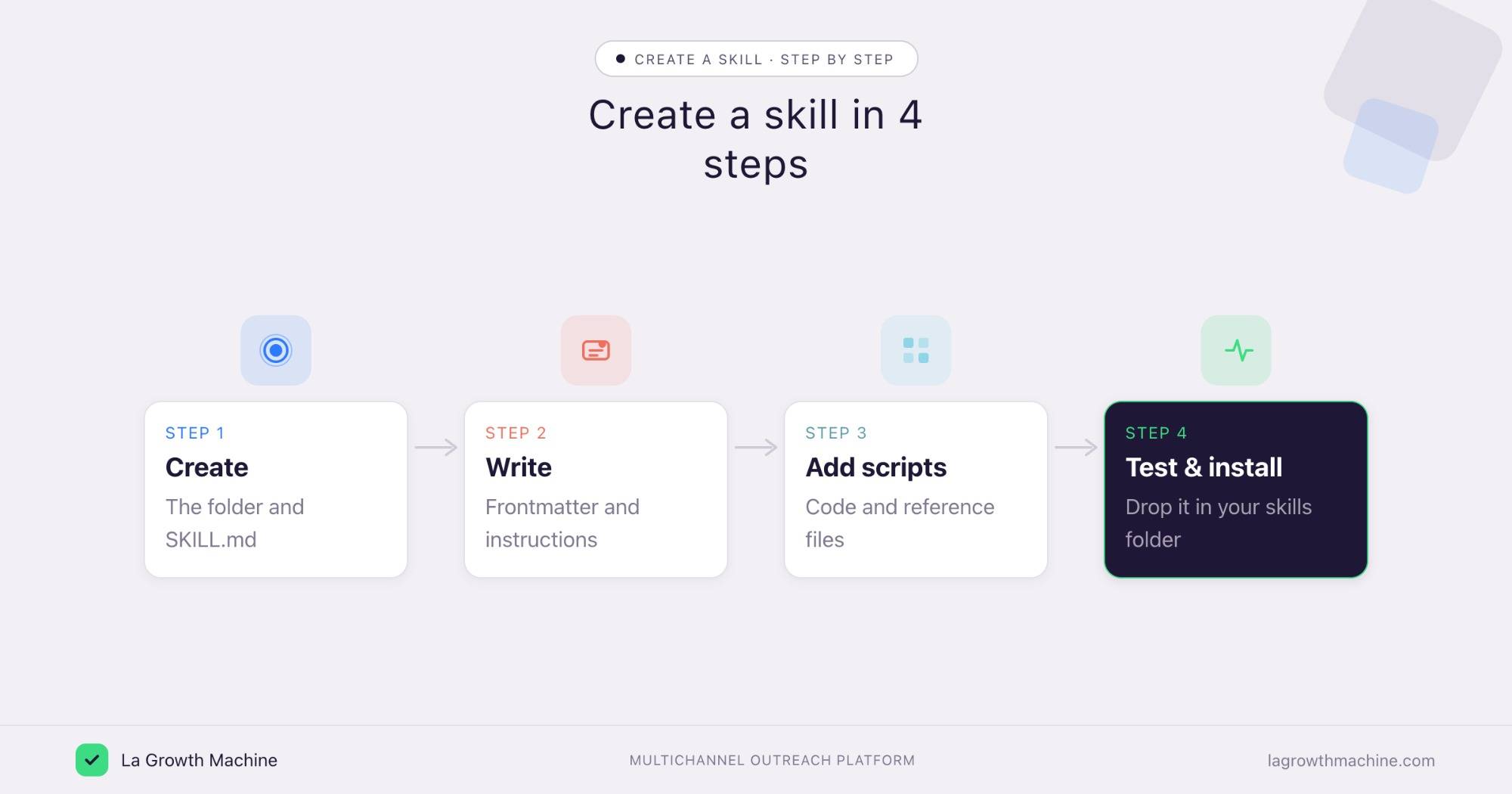
Step 5: Test and install it
Place the folder in your skills directory: ~/.claude/skills/ for a personal skill, or .claude/skills/ in a repo for one your team shares. Then ask Claude to do the task in plain language and check that the skill triggers and follows your steps. Tighten the description if it fires at the wrong time.
For the full install and invoke flow, see how to use Claude Skills.
Best practices and common mistakes
A few rules keep skills reliable.
- One skill, one job: Focused skills trigger predictably. Broad ones fire at the wrong time.
- Write the description for the trigger: Name what it does and when to use it, in the user’s words.
- Use progressive disclosure: Keep
SKILL.mdshort and move detail into reference files. - Never hardcode secrets: Keep API keys and tokens out of the files, and read them from the environment.
- Let skills call each other: Well-scoped skills compose, so one can hand off to another instead of duplicating logic.
Prospecting skills you could build
Sales is a natural fit, because outreach is full of repeatable, well-defined tasks. Some of these we have built, and some are easy to add:
- ICP finder. Read your closed-won deals and surface the profile that actually converts, like our Won-Deal ICP Finder.
- Search builder. Turn an ICP into a ready Sales Navigator search, the way our Sales Nav Search Builder does.
- Sequence writer. Draft a full multichannel campaign from a one-line brief, like the Multichannel Campaign Builder.
- Reply handler. Classify inbound replies and draft the right response, like our Reply Manager.
- Account researcher. Pull recent funding, hiring, and news signals for a list of accounts, then write a personalized hook for each.
- Opener writer. Generate a first line grounded in a real signal instead of a template.
- List cleaner. Dedupe contacts, validate emails, and flag missing fields before a launch.
- Campaign scorer. Rank active campaigns by pipeline rather than reply rate, like the Campaign Impact Analyzer.
Build each as a small, single-purpose skill, and they chain into a full prospecting workflow.
Frequently asked questions
How do I create a Claude Skill?
Make a folder with a SKILL.md file, add frontmatter with a name and description, write the instructions, and add any scripts or reference files. Put the folder in your skills directory and Claude loads it when a task matches.
Is there a faster way to create a skill?
Yes. Anthropic ships a native skill-creator skill. Enable it in Claude and run /skill-creator, then describe what you want, and Claude scaffolds the folder, SKILL.md, and frontmatter for you.
What goes in the SKILL.md frontmatter?
Two required fields: name and description. The description is what Claude reads to decide when to trigger the skill, so make it specific about what the skill does and when to use it.
Where do I put a Claude Skill to install it?
In ~/.claude/skills/ for a personal skill, or in .claude/skills/ inside a repository for one your team shares.
Can a Claude Skill run code?
Yes. Add scripts to the skill folder and reference them from the instructions. Claude runs the script instead of regenerating the logic each time.
Where can I find Claude skill examples?
Browse the best Claude Skills for ready-made examples, or the GTM skills library for sales and outreach ones.