

TL;DR
– Most outbound teams run LinkedIn and email as completely separate motions, with no unified view of conversations or results. This fragmentation is the primary reason multichannel outreach underperforms.
– There are three main approaches to combining both channels: a native multichannel platform like La Growth Machine, manual coordination via spreadsheets, or connecting separate tools via Zapier or Make. Only the first gives you conditional logic and a unified inbox.
– La Growth Machine lets you build a single sequence with LinkedIn and email steps, set conditional branching based on prospect behaviour, connect natively to HubSpot, Pipedrive, or Salesforce, and track all replies in one place.
– The best-performing sequences space touchpoints by 2-3 days minimum, vary messaging by channel, and use LinkedIn profile visits to warm prospects before the first outreach message.
Most outbound teams run LinkedIn and email as completely separate motions. One SDR handles LinkedIn connection requests and messages, another manages email sequences in a different tool, and nobody has a clear picture of what’s actually driving pipeline. Prospects fall through the cracks. Follow-ups get duplicated. And when a deal closes, you have no idea which touchpoint actually moved the needle.
The fix is not switching to one channel over the other. It is running them together, in a coordinated sequence, from a single platform that tracks the full conversation. Teams that get this right book significantly more meetings than those running isolated single-channel outreach. This guide walks you through exactly how to do it.
Why LinkedIn and Email Work Better Together
LinkedIn and email do not compete for attention. They complement each other because they operate differently in a prospect’s day.
LinkedIn is an ambient, professional social network. A connection request shows up in a familiar, low-friction context. A profile visit signals genuine interest before you even send a message. A LinkedIn message reads more like a direct conversation than a sales email. It builds familiarity.
Email, on the other hand, lands in a workflow-oriented environment. Prospects open their inbox to get things done. A well-timed email after a LinkedIn interaction benefits from the warm signal already established. The prospect has seen your name, visited your profile maybe, and recognized you as someone who has done their homework.
Research consistently backs this up. Multichannel outreach campaigns generate significantly higher reply rates and conversion rates compared to single-channel approaches. A LinkedIn touch followed by an email within 48-72 hours creates a pattern of recognition that cold email alone cannot replicate.
The core problem most teams face is that these channels live in separate tools. LinkedIn in one tab, email sequences in another, responses scattered across two inboxes, and no shared data model to understand which combination is driving results. The coordination is entirely manual, and manual coordination breaks at scale.
The 3 Approaches to Combining LinkedIn and Email
There are three ways teams try to solve this problem. They are not equally effective.
Native multichannel platform (La Growth Machine)
La Growth Machine is built from the ground up for this exact use case. You build a single campaign sequence that includes both LinkedIn steps and email steps, define the logic between them, and run everything from one place.
The key difference is conditional logic. If a prospect accepts your LinkedIn connection request, the sequence can automatically send a LinkedIn message first and delay the email. If they do not accept within three days, the sequence falls back to email. If they reply on LinkedIn, the email steps pause automatically so you do not double-contact the same person.
Everything is tracked in a unified inbox where LinkedIn messages and email replies appear side by side, sorted by prospect. You see the full conversation history regardless of channel. Your CRM sync reflects the complete picture, not just one channel’s activity.
This is the approach that gives you full control, full visibility, and the ability to run this at scale without adding headcount or manual coordination overhead.
Manual coordination (separate tools and a spreadsheet)
Some teams build a version of multichannel outreach manually. They use one tool for LinkedIn (typically with a Chrome extension) and a separate tool for email sequences, then coordinate via a shared spreadsheet or CRM task rules.
The limitations are significant. You cannot enforce conditional logic across tools. If someone accepts a LinkedIn request and replies, your email tool does not know that unless someone manually updates the record. Deduplication is a human process. Reporting requires exporting data from two sources and reconciling it.
This approach works at very small scale, maybe 10-20 prospects per week. Beyond that, the manual coordination becomes a full-time job, and the error rate makes the outreach feel uncoordinated to prospects.
Zapier/Make integration between tools
A more sophisticated version of the manual approach is connecting your LinkedIn outreach tool to your email tool via Zapier or Make. When a prospect accepts a LinkedIn connection request, a Zap triggers and enrols them in an email sequence. When an email reply comes in, another Zap pauses the LinkedIn steps.
This is more reliable than pure manual coordination, but it introduces fragility. Zaps break when API endpoints change. Trigger delays mean you sometimes send a LinkedIn message and an email within minutes of each other because the sync had not fired yet. And you still have no unified inbox. Responses live in two separate tools, and your team switches between them constantly.
Zapier and Make are excellent for connecting tools in your stack, but they are not a substitute for a platform designed to handle the channel coordination natively. The integration approach also has no awareness of the conversation history across channels, which means your conditional logic is limited to simple if-then rules rather than true sequence adaptation.
How to Build a LinkedIn + Email Sequence in La Growth Machine
Here is the step-by-step process for building a coordinated LinkedIn and email campaign in La Growth Machine.
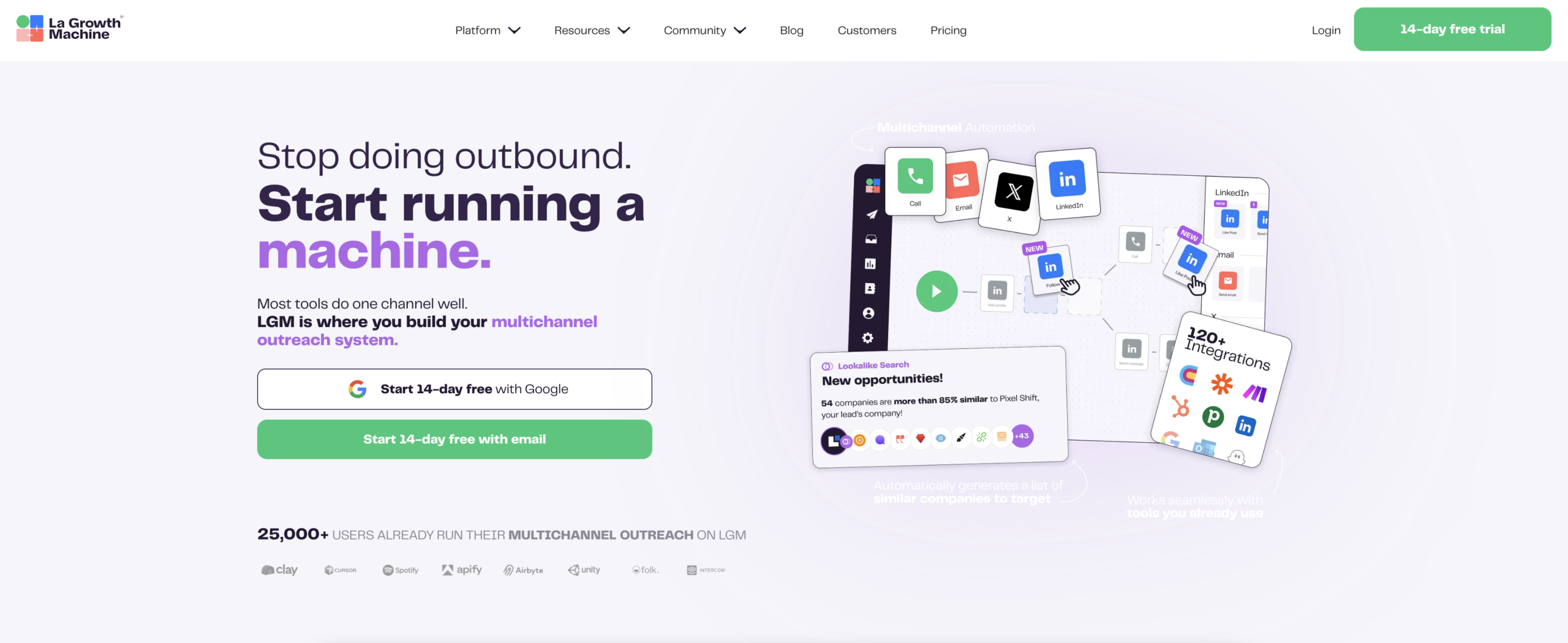
Step 1: Upload your prospect list and enrich with waterfall enrichment
Start by importing your prospect list. La Growth Machine accepts CSV uploads, direct LinkedIn Sales Navigator imports, or CRM syncs from HubSpot, Pipedrive, or Salesforce.
Once your list is in, run waterfall enrichment to fill in missing contact data. La Growth Machine runs enrichment sequentially across multiple providers: it tries the first source, and if it does not find a valid email, it moves to the next. This cascading approach significantly improves your coverage rate compared to running a single enrichment pass.
If you are working with a list already enriched in Clay, you can import that directly. La Growth Machine and Clay are designed to work together: Clay handles the upstream data enrichment and scoring logic, La Growth Machine handles the campaign execution layer.
Step 2: Build your multichannel sequence in the visual builder
Open the campaign builder and start adding steps. The visual builder shows your sequence as a flowchart. Add a LinkedIn connection request as step one, then a delay, then branch based on whether the request was accepted.
For the accepted branch, add a LinkedIn message step. For the not-accepted branch, add an email step. You can continue building out the sequence from each branch point, layering additional touchpoints with delays.
A typical LinkedIn plus email sequence looks like this: LinkedIn connection request on day one, LinkedIn message on day three if accepted, email on day four if not accepted or no reply to the LinkedIn message, email follow-up on day seven, and a final email on day ten. The exact cadence depends on your segment and offer, but the principle is to give each channel room to breathe before escalating.
Step 3: Set conditional logic (if accepted, email, if no reply, follow-up)
Conditional logic is what separates a coordinated multichannel sequence from a parallel outreach blast. In La Growth Machine, you set conditions at each branching point in your sequence.
The main conditions you will use: connection request accepted or not, reply received or not, email opened or not (for fallback timing decisions), LinkedIn message replied or not. Each condition creates a fork in the sequence, and each fork can have its own continuation path.
A practical example: if a prospect accepts your connection request and replies to your first LinkedIn message, the sequence automatically stops all scheduled steps. You take the conversation from there manually, in the La Growth Machine inbox. If they accept but do not reply, the sequence continues with a scheduled email follow-up. If they do not accept after five days, the sequence skips the LinkedIn message entirely and moves to email outreach.
This logic runs automatically across your entire prospect list without any manual intervention.
Step 4: Connect your CRM (HubSpot, Pipedrive, Salesforce)
La Growth Machine connects natively to HubSpot, Pipedrive, and Salesforce. Set up the sync in your settings before launching your campaign.
The sync is bidirectional. Campaign activity (LinkedIn touches, email sends, replies) writes back to your CRM as contact activity. Deal stage updates in your CRM can trigger or pause sequences in La Growth Machine. This means your sales reps see the full outreach history in the tool they already live in, and La Growth Machine reflects deal status changes without requiring manual updates.
For teams using Salesforce with complex object models, La Growth Machine supports custom field mapping so the activity data lands in the right places in your existing CRM structure.
Step 5: Track results in the Unified Inbox
Once your campaign is live, all prospect conversations flow into La Growth Machine’s Unified Inbox. LinkedIn messages and email replies appear in a single thread per prospect, sorted by the most recent activity.
From the inbox, you can reply on either channel without leaving La Growth Machine. You can see the full sequence history for each prospect, including which steps they have received, which they have responded to, and where they are in your funnel.
The campaign analytics dashboard shows performance by step and by channel. You can see which touchpoint in your sequence generates the most replies, where prospects drop off, and how your multichannel campaign is contributing to pipeline. Export this data to your CRM or BI tool for deeper attribution analysis.
Best Practices for LinkedIn + Email Coordination
Space your touchpoints (LinkedIn day 1, email day 3+)
A common mistake is sending a LinkedIn connection request and a cold email on the same day. From the prospect’s perspective, this reads as an automated blast, not a thoughtful outreach. Give your LinkedIn touch time to land before following up on email.
The minimum gap between a LinkedIn connection request and a follow-up email is two to three days. If your prospect has accepted the connection and you have already sent a LinkedIn message, wait until you know they have had a chance to see it before escalating to email.
Vary your messaging by channel
Your LinkedIn message and your email should not be the same copy. LinkedIn messages are shorter, more conversational, and more direct. Email gives you more room to add context, share a relevant case study, or make a specific ask.
Write your LinkedIn opening message as if you are messaging a warm contact. Keep it under 100 words, focus on one specific point of relevance to their role or company, and do not pitch in the first message. Save the pitch for the email where the format supports a longer read.
Use LinkedIn profile visits to warm before email
La Growth Machine can automatically visit a prospect’s LinkedIn profile as a step before sending any message. This is a low-cost warm signal. Prospects often notice profile visits, look you up, and arrive at your first LinkedIn message already curious about who you are.
Schedule a profile visit one to two days before your connection request. This small step measurably improves connection acceptance rates, particularly for cold prospects with no shared connections or context.
Common Mistakes to Avoid
Using the same sequence for every segment. A LinkedIn plus email sequence for SMB prospects in a product-led motion is structurally different from one targeting enterprise buyers in a long-cycle deal. Segment your audiences and build sequences matched to their buying journey and typical response patterns.
Ignoring LinkedIn’s daily limits. LinkedIn enforces limits on connection requests and messages. Exceed them and your account risks restrictions. La Growth Machine manages these limits automatically and queues actions to stay within safe thresholds, but you should still understand the limits when planning campaign volumes.
Not setting up CRM sync before launch. Setting up your CRM integration after a campaign is already running means you lose the activity data from the first days of outreach. Configure your CRM sync before you launch and test it with a small batch first.
Treating a reply as the end of the sequence. When a prospect replies, the goal is to book a meeting, not just to get a response. Have a clear next-step playbook for replies coming in on each channel. A LinkedIn reply and an email reply require slightly different response approaches given the context and format of each channel.
Over-sequencing. More touchpoints do not always mean more replies. A 12-step sequence spread over 30 days often performs worse than a focused 5-step sequence over 10 days. Test your sequence length before scaling.
FAQ
How many LinkedIn steps should I include in a multichannel sequence?
Two to three LinkedIn steps is the practical ceiling for most sequences: a connection request, one message after acceptance, and optionally a follow-up message if there is no reply. Beyond that, additional LinkedIn messages feel pushy given the more personal nature of the channel. Use email for the longer follow-up cadence.
Do I need a LinkedIn Sales Navigator subscription to use La Growth Machine?
You can use La Growth Machine with a standard LinkedIn account, but Sales Navigator gives you access to advanced search filters and a higher volume of profile views. For serious outbound campaigns, Sales Navigator is worth the investment. La Growth Machine integrates with both.
How do I avoid contacting the same prospect on both channels at the same time?
This is handled by the conditional logic in your sequence. When you set up branching logic correctly, LinkedIn and email steps are mutually exclusive or properly sequenced. La Growth Machine also deduplicates prospects across audiences so the same contact does not appear in two campaigns simultaneously.
What happens when a prospect replies on LinkedIn but I also have an email step scheduled?
La Growth Machine detects the reply and pauses all remaining automated steps for that prospect. You take the conversation manually from the Unified Inbox. No additional automated messages go out until you manually re-activate the sequence or mark the conversation as closed.
Can I integrate La Growth Machine with my existing CRM without migrating data?
Yes. The native integrations with HubSpot, Pipedrive, and Salesforce are designed to layer on top of your existing CRM setup. You map the fields you want to sync, and campaign activity writes into your existing contact and deal records. You do not need to migrate or change your CRM structure.
Running coordinated outreach is not complicated. It just requires the right infrastructure.
The gap between teams booking 10 meetings per month from outbound and teams booking 50 is rarely about the quality of their copy. It is about whether their LinkedIn and email efforts are coordinated and whether they have clear visibility into what is working.
La Growth Machine gives you that infrastructure: a single place to build, run, and track multichannel sequences with conditional logic that adapts to how each prospect responds. You build the workflow once, and it handles the coordination automatically across your entire prospect list.
Try La Growth Machine free for 14 days and run your first coordinated LinkedIn and email sequence this week. No credit card required.