
How Social Warming Can Skyrocket Your Cold Outreach Response Rates
All you need

Summary of what you'll do
Duplicate campaign in8steps!
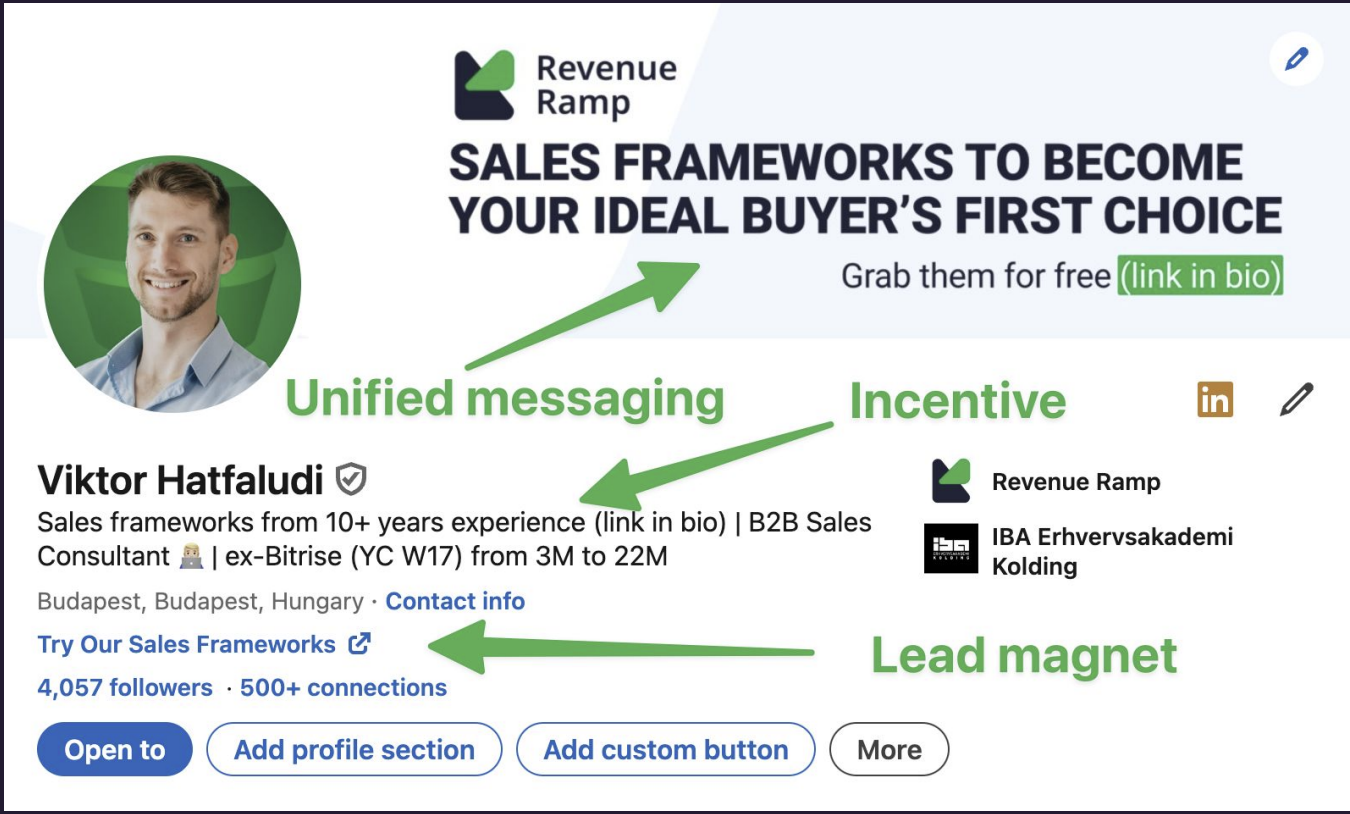
Optimize your LinkedIn profile to be buyer-centric
- Review your headline and about section: Clearly state the value you bring to your audience: ditch generic, salesy language.
- Show social proof: Add recommendations, testimonials, and relevant posts that will resonate with your target ICP.
- Share actionable resources and frameworks in your feed, not just self-promotion.
Quick win: Ask a current client for a short testimonial to boost your authority.
Identify and segment your prospects
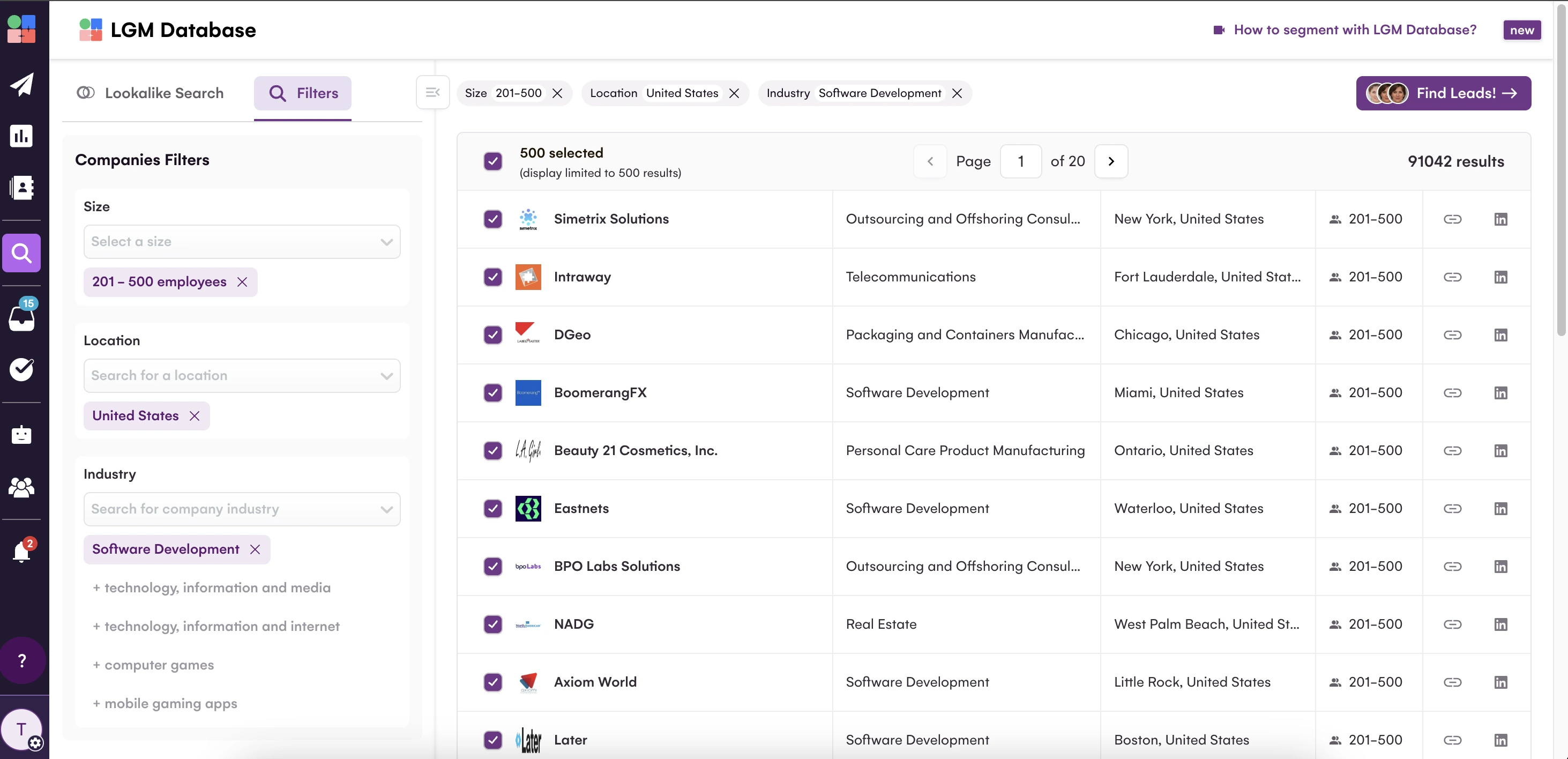
Find and group the right people, based on your ideal customer profile (ICP), using LinkedIn Sales Navigator or LGM Database.
- Define your ICP: List your target industries, job titles, company sizes, regions, and main pain points.
- Segment your audience:
- Use filters to create your lead lists by vertical, location, seniority, or recent company activity (like funding, hiring, or tech stack changes).
- Save segments as dynamic lists for ongoing prospecting.
Import your list to LGM
Goal: Move your prospects into LGM for fast, automated workflow launch and enrichment.
Start with your list
- Import prospects from your LGM Database, Sales Navigator lists, or CSV.
- If you are downloading as a CSV: Make sure to include at minimum: first name, last name, and company name
- For better results, include job titles and LinkedIn profile URLs when available
Now, bring your list into LGM
- Go to the "Leads" section in LGM and click "Import Leads"
- Select "Import from CSV" or “Import from LinkedIn” depending on how you prefer to import your list.

Enable enrichment
Now, enable enrichment. You’ll see a toggle for "Enrich Leads" after importing your leads - make sure it’s switched ON.
Remember: No toggle = no enrichment. We want those valuable contact details, so don't forget this step!
.png)
Build your Social Warming sequence
Build a Social Warming sequence in LGM
Goal: Build familiarity so you’re a known name before you ever pitch.
First, create your campaign:
Go to "Campaigns" and click "Create a new campaign"
Import your audience from Step 3
Now, let’s build the sequence:
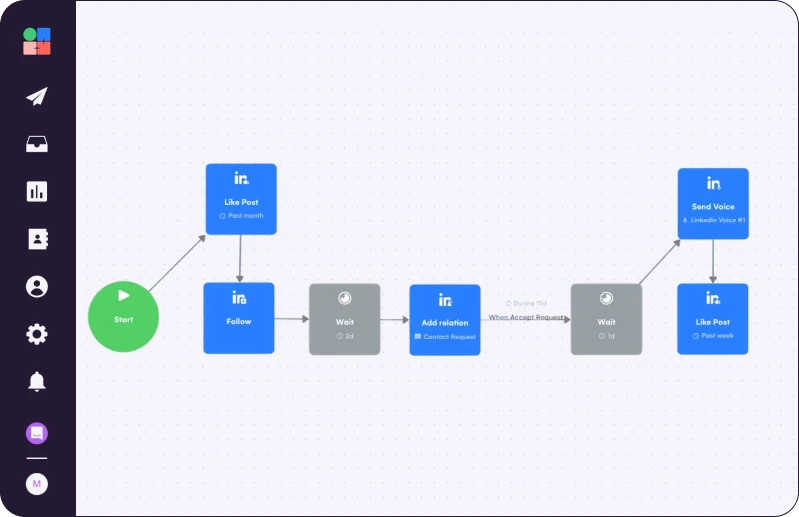
1. Add the action Like Post to show interest in their content without being intrusive. Configure to like a post from the "Past month".
2. Add the action LinkedIn: Follow after liking their post to increase your visibility in their notifications. This sends a notification that you're following their profile.
3. Finally, add the action Wait (2 days) to create a natural pause before the actions in the next steps.
Set up a personalized connection request in your sequence
Build a Social Warming sequence in LGM
Add the action LinkedIn: Add Relation.
Toggle the option for Invite Note on to add a personalized connection request.
Keep your note under 200 characters (LinkedIn's limit)
Reference something specific from their profile or content
Develop post-connection engagement
Nurture new connections with valuable interactions before any sales conversation.
Add LinkedIn: Send Message action
- Keep it friendly and non-salesy
- Offer a relevant resource or insight
Maintain engagement through content interaction by adding a final LinkedIn: Like Post action. Configure to like a post from the "Past week" to keep yourself visible in their notifications.
Next, add LinkedIn: Send Voice action ****to your sequence. This will help you to stand out from text-based outreach with automated voice messages that feel authentic to prospects.
Expert tip: Use as a follow-up if they haven't responded to your initial message
Duplicate Viktor’s Campaign

Read Next


How to Build Your First Multichannel AI Sales Agent


Turn Cold Prospects into $3,000+ Clients

How to Become “Product of the Day” on Product Hunt