
TL;DR
– There is no official Trello MCP server (yet)
– To use Trello from Claude, run a community Trello MCP server or connect it through Zapier, n8n or Make
– The jobs are standard project management: create and move cards, assign, set due dates, comment
– For an official project-management MCP, see the monday MCP, or Linear and Asana
There is no official Trello MCP server. Trello does not ship one, so to use Trello from an AI assistant like Claude you either run a community MCP server or connect Trello through an automation layer. The jobs are the standard project-management ones:
- create cards, lists, and boards
- move cards across lists as work flows
- assign members and set due dates
- add comments and updates
Whatever the route, it works with Claude, ChatGPT (OpenAI), and any other assistant or LLM that supports the Model Context Protocol.
This guide covers whether there is a Trello MCP, how to connect Trello to Claude today, and where an official project-management MCP fits instead.
New to the protocol?
Start with what an MCP server is.
Is there a Trello MCP?
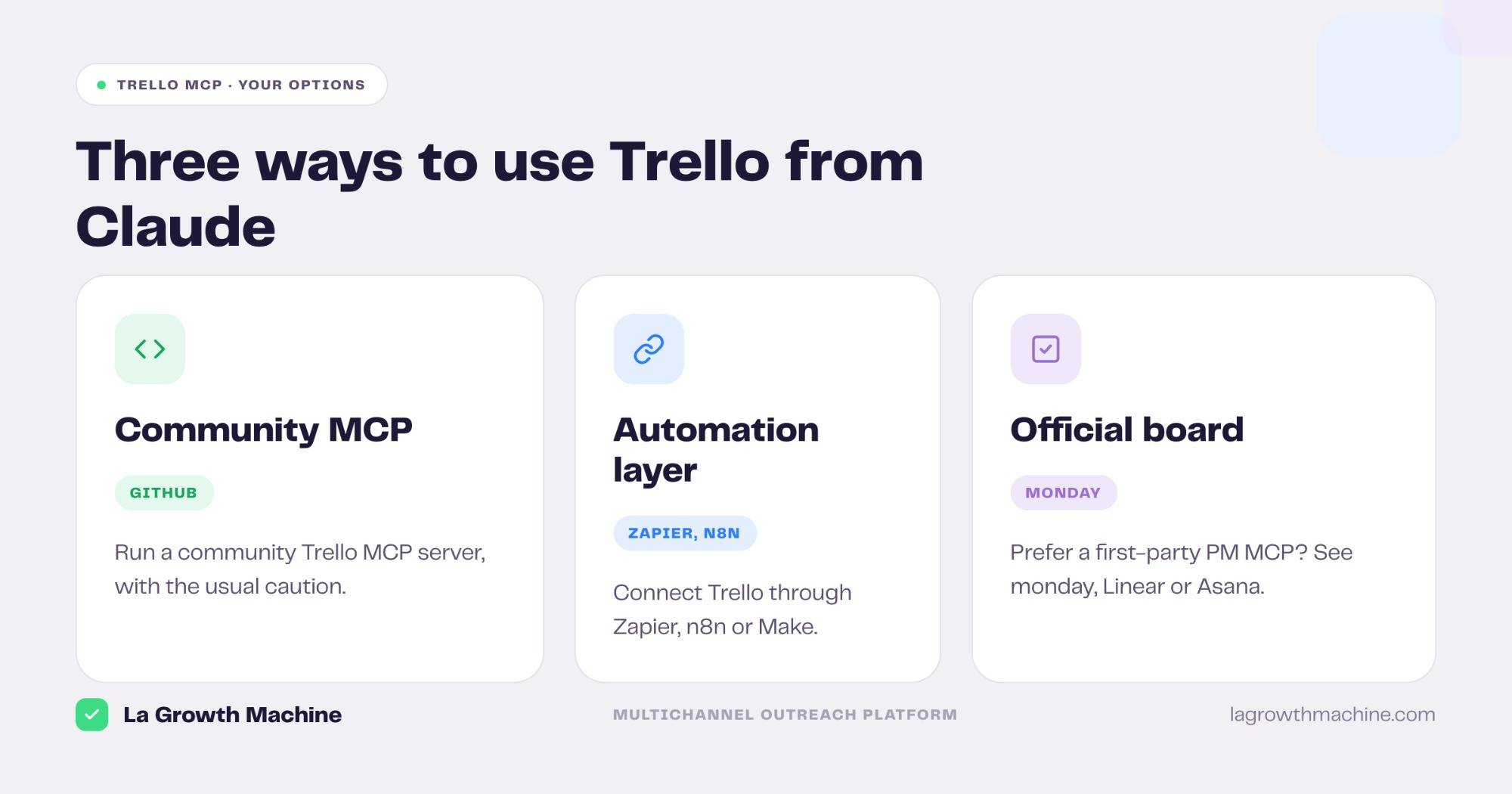
No official one yet. Trello has not released an MCP server. You have two practical routes today, plus an official alternative if you would rather not depend on a third party.
- Community MCP servers. Several Trello MCP servers exist on GitHub, built on the Trello API. They cover the usual card and board actions. Treat any third-party connector with caution, since Anthropic does not vet what developers ship.
- An automation layer. Connect Trello through Zapier, n8n, or Make, which all have a Trello app, and drive it from the assistant that way.
- An official board instead. If you want a first-party, supported MCP for project management, monday, Linear, and Asana each ship one. See the monday MCP.
What a Trello MCP lets you do
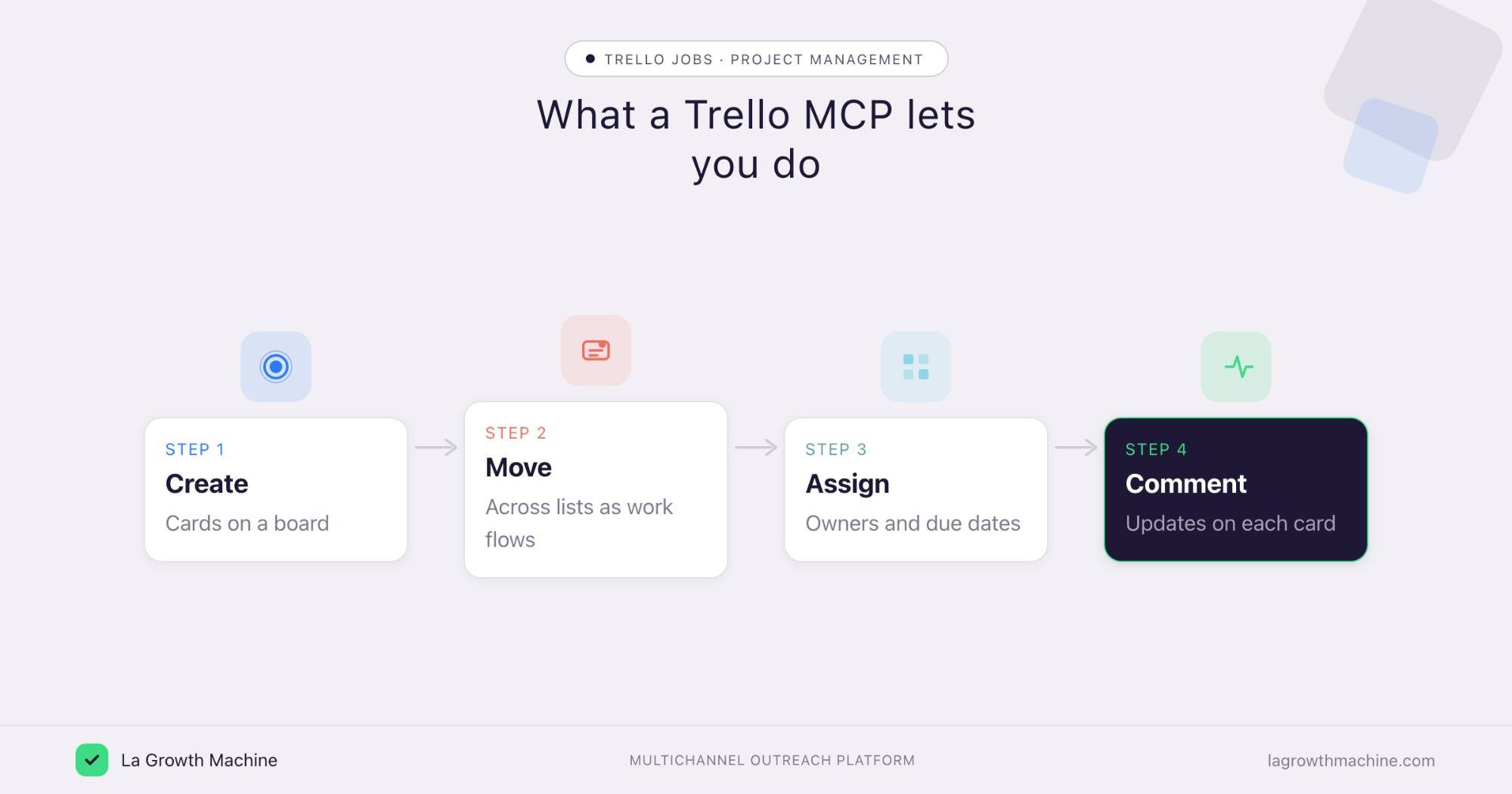
Across the community servers and automation routes, the capabilities map to Trello’s core. From the assistant you can:
- Manage cards – create cards, move them across lists, and archive them.
- Organize boards – create lists and boards, and reorganize them.
- Assign and schedule – add members and due dates to cards.
- Update – comment on cards and post progress.
A few examples:
- “Create a card for this task in the To Do list and assign it to Marc.”
- “Move every card with a due date this week to In Progress.”
- “Comment the latest status on the launch card.”
How to connect Trello to Claude
Since there is no official server, pick the route that fits.
- Community MCP server. Install a Trello MCP server from GitHub, add your Trello API key, and point your MCP client at it.
- Automation layer. Use Zapier, n8n, or Make to bridge Trello, then trigger the actions from the assistant.
- Use it in ChatGPT and Codex too. Whatever the route, MCP is host-agnostic, so it works in ChatGPT through connectors or in OpenAI Codex.
For the full walkthrough on adding an MCP server to your assistant, see what an MCP server is and how to install one.
The project-management jobs are the same
Whether you run Trello, monday, Linear or Asana, the work an MCP unlocks is the same: spin up a board, create and move cards or items, assign owners, set timelines, and report on what is at risk, all from chat. We cover that motion in detail, with examples, in the monday MCP guide.
If your go-to-market team tracks work on one of these boards, the same assistant that runs your outreach can keep the board current too.
Tips and security
A Trello MCP often runs through a third party, so be deliberate.
- Vet the connector. Community servers are not official, so check the source before you connect your Trello.
- Use a scoped API key. Give it access to the boards it needs, nothing more.
- Confirm before writes. Let it read freely, but confirm before it creates, moves, or archives cards.
Frequently asked questions
Is there an official Trello MCP server?
No, not yet. Trello has not released one. You can use a community MCP server or connect Trello through Zapier, n8n, or Make.
How do I connect Trello to Claude?
Install a community Trello MCP server with your Trello API key, or bridge Trello through an automation tool, then drive it from Claude, ChatGPT, or another MCP host.
What can a Trello MCP do?
The community routes cover Trello’s core: create and move cards, manage lists and boards, assign members and due dates, and comment.
Is there an official project-management MCP instead?
Yes. monday, Linear, and Asana each ship an official MCP server. The monday MCP is a good place to start.