


Sendspark + La Growth Machine: a personal video for every lead, in every sequence.
Record one video in Sendspark and it generates a personalized version for each prospect. La Growth Machine sends each one at the right step of your email or LinkedIn sequence.
No code: a CSV and a snippet
A video with their name on it stands out in a crowded inbox.
Recording a video for each prospect doesn't scale. With Sendspark, you record once and say a placeholder word where the first name goes. Sendspark generates one video per contact, and La Growth Machine delivers them inside your multichannel sequence.
Record once
Sendspark personalizes the name, the voice and the background for each contact.
Import
The CSV of generated videos becomes a La Growth Machine audience.
Send
The video goes out in an email or a LinkedIn message, at the step you choose.
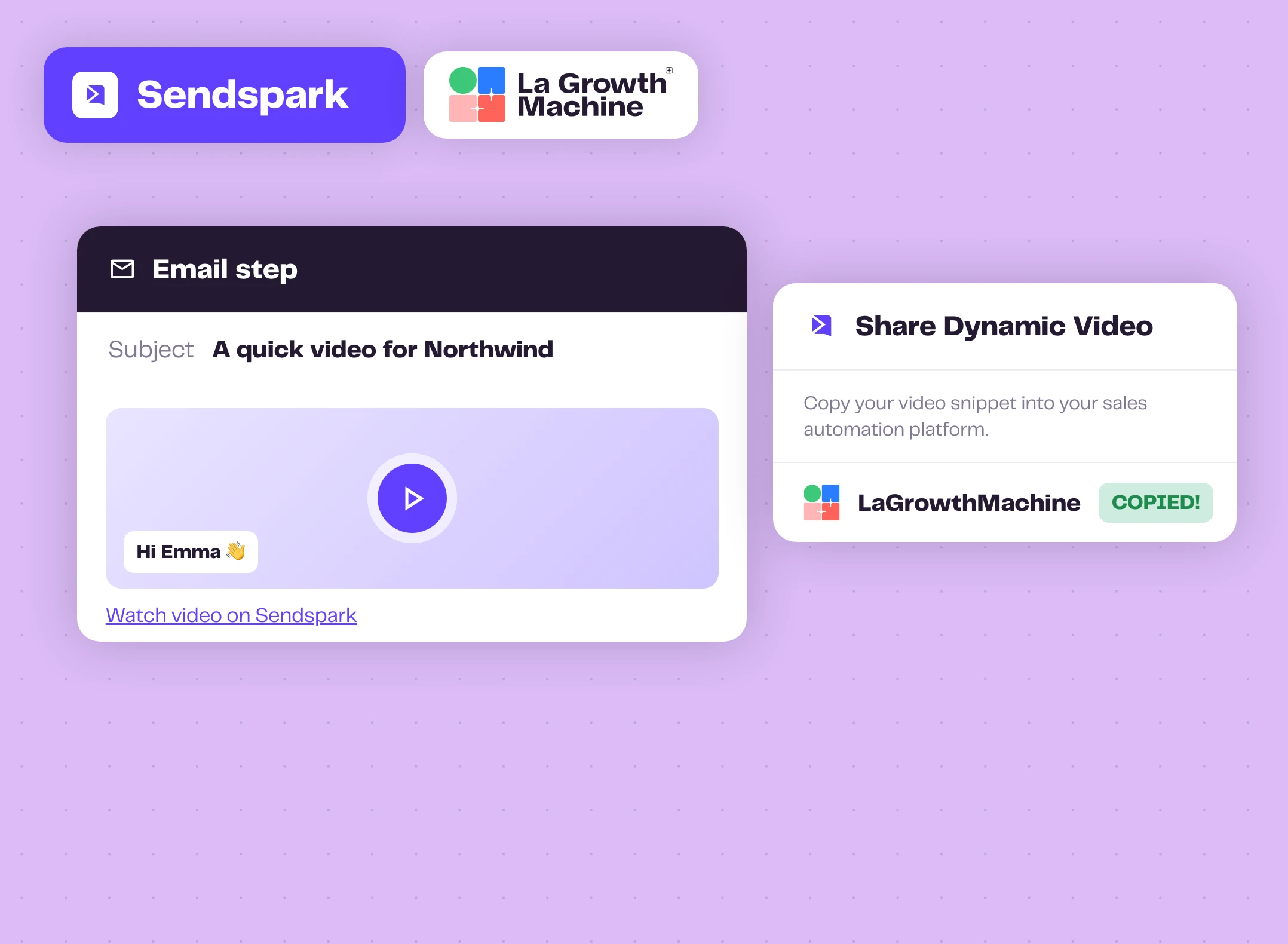
In email, a thumbnail they want to click
In Sendspark, click Share Campaign and pick LaGrowthMachine to copy the snippet. Paste it straight into the body of your email step. Each lead gets their own thumbnail and a link to their video.
The editor shows a generic thumbnail: each lead receives the one generated for them, matched through the contacts you imported.
Good to know expand_more
- Import the CSV exported from Sendspark, not the one you used to create the campaign
- For email, you can skip the Video Link column on import
- Keep the first name and email columns mapped
- Contacts whose video failed are not in the export
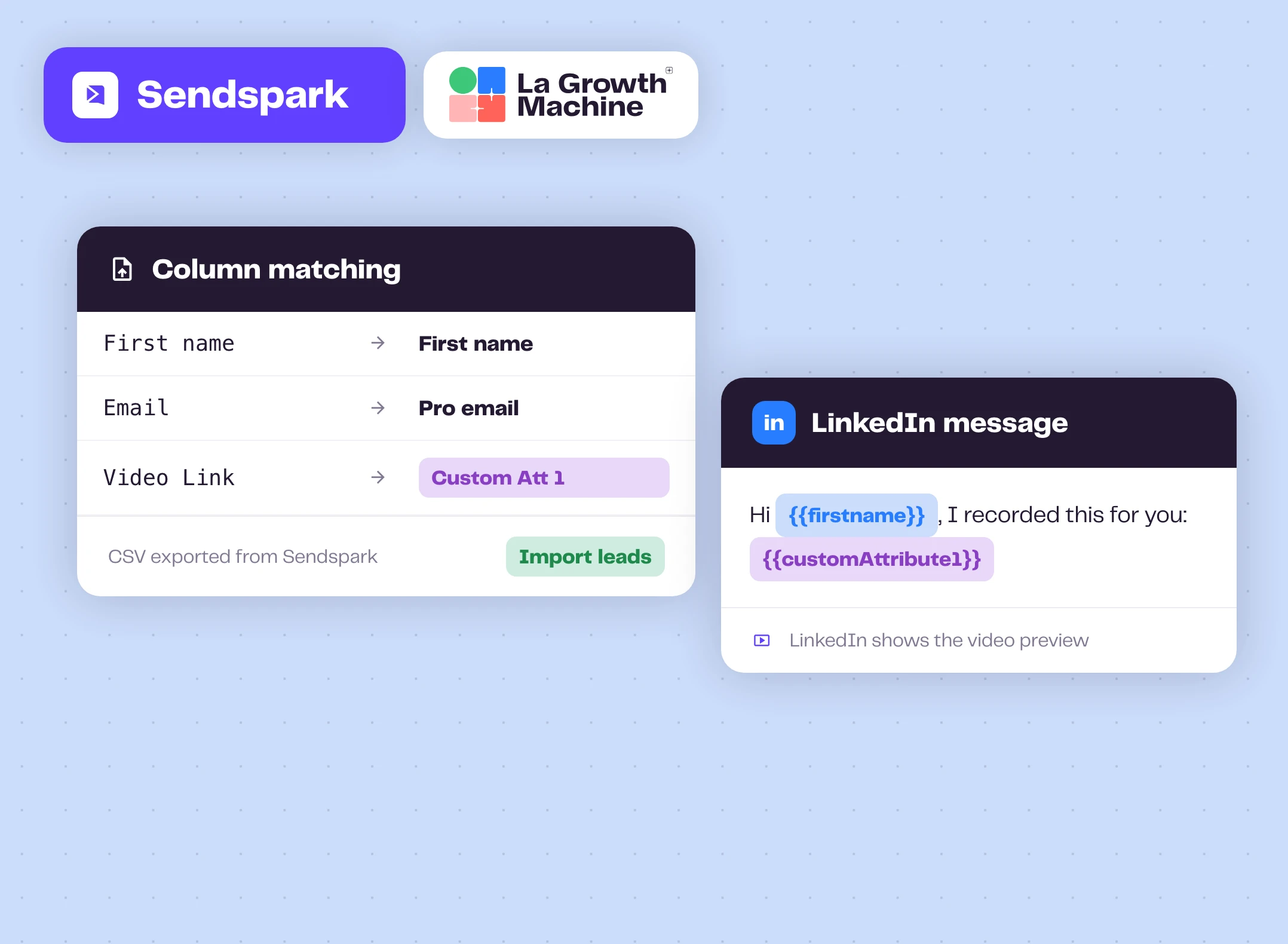
On LinkedIn, the video link in your message
When you import the Sendspark CSV, map the Video Link column to Custom Att 1. Then drop {{customAttribute1}} into your LinkedIn message, after an accepted invitation for example.
LinkedIn builds the video preview from the link, so the prospect sees their personalized thumbnail right in the conversation.
Tips from Sendspark expand_more
- Test how the link looks before you launch
- Add a text header on the video landing page, like "Hey First Name", so it shows on the thumbnail
- LinkedIn caches previews: regenerate the video if a link was already shared
- Removing sendspark.com from the link needs a Sendspark custom domain
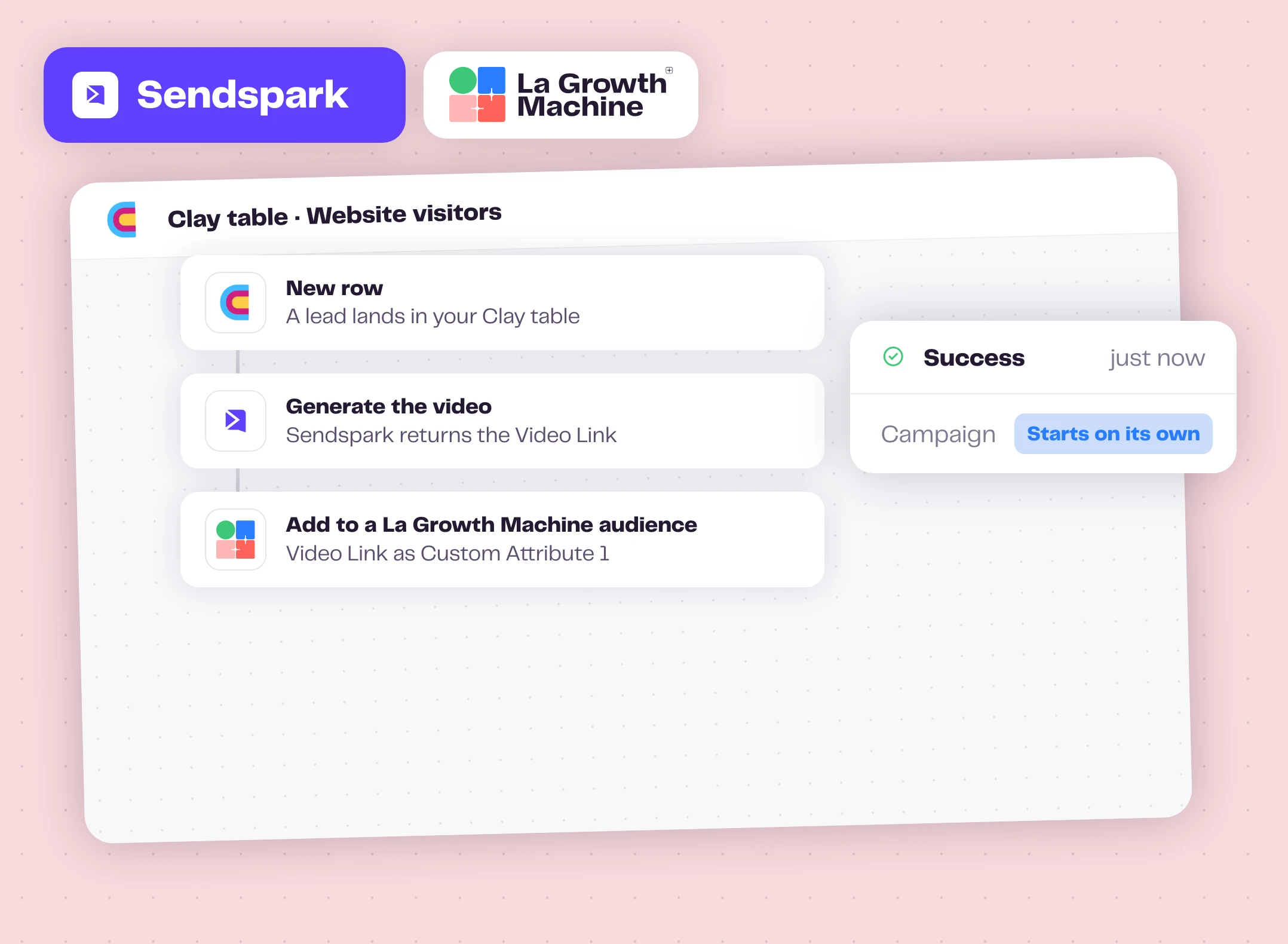
Fully automated, with Clay in the middle
No CSV at all: when a lead lands in your Clay table, Sendspark's Clay integration generates the video, and Clay's La Growth Machine action adds the lead to an audience with the Video Link in Custom Attribute 1.
The campaign attached to the audience starts on its own, with a personal video for every new lead.
How to get started?
Your first video campaign in a few minutes.
- videocamStep 1
Record in Sendspark
Create a Dynamic Video, say "watermelon" where the first name goes, then Generate.
- downloadStep 2
Export the CSV
Download the CSV of generated videos from your Sendspark campaign.
- upload_fileStep 3
Import it
Leads, Import leads, Import from CSV. Map Video Link to Custom Att 1 for LinkedIn.
- rocket_launchStep 4
Add the video
Paste the Sendspark snippet in an email step, or {{customAttribute1}} in a LinkedIn message, then launch.
Sendspark works with these La Growth Machine features
Your Sendspark videos go out in email and LinkedIn steps. Pair them with these features in the same sequence.
AI Voice Messages
Send personalized voice messages on LinkedIn, at scale.
Discover the feature arrow_forward sendLinkedIn Automation
Automate connection requests, messages and voice notes on LinkedIn.
Discover the feature arrow_forward timelineMultichannel Sequences
Combine LinkedIn and email steps in one sequence.
Discover the feature arrow_forwardGo further with Sendspark
Webinars, playbooks and guides from the La Growth Machine team and our partners.
La Growth Machine: send dynamic videos
The Sendspark team walks through the setup in under four minutes.
Watch the video arrow_forward articleGuideSendspark videos in La Growth Machine LinkedIn campaigns
Map the Video Link to a custom attribute and send it on LinkedIn.
Read the guide arrow_forward articleGuideSend AI videos on LinkedIn via Clay and La Growth Machine
The fully automated version, from a Clay table to your campaign.
Read the guide arrow_forwardFrequently asked questions
Do I need an API key? add
No. The email and LinkedIn flows use a CSV import and a snippet. Only the automated Clay flow uses your La Growth Machine API key, inside Clay.
Which plans do I need? add
On La Growth Machine, CSV import, email and LinkedIn are on every plan. The Clay flow needs La Growth Machine Pro or above. On Sendspark, Dynamic Videos come with every paid plan, and its pricing page lists La Growth Machine among the integrations of the Growth plan and above.
How does each lead get the right video? add
Through the contacts you import. Use the CSV exported from Sendspark, so the leads in La Growth Machine are the ones Sendspark generated videos for.
How are Sendspark minutes counted? add
Sendspark counts the full video length for each lead: a 60-second video for 50 leads uses 50 minutes.