

Finding the right prospects is hard. Reaching them is harder. And doing both at scale without burning out your sales team? Nearly impossible without the right tools.
B2B lead generation software helps you find prospects, verify contact data, automate outreach across multiple channels, and track what drives responses. These platforms transform manual prospecting into scalable, data-driven lead management systems that improve lead quality while reducing costs.
This guide breaks down the top 13 lead generation tools on the market right now, what makes each one different, and which teams they’re built for. Whether you’re running cold email campaigns, prospecting on LinkedIn, or building a multichannel strategy, you’ll find the right fit for your lead generation stack.
What is lead generation software?
Lead generation software are digital platforms that help sales and marketing teams identify potential customers and convert them into qualified sales opportunities. These tools automate what used to be manual: finding prospect contact information, verifying emails, managing outreach campaigns, tracking engagement, and moving leads through your sales pipeline.
Modern B2B lead generation software solves a fundamental challenge: how do you find decision-makers who actually need your solution, reach them with relevant messages, and track which approaches drive results? These platforms combine prospecting databases, data enrichment capabilities, and outreach automation in one integrated system.
Core functions of lead generation software:
Prospecting and data enrichment: Finding verified contact information including professional emails, mobile phone numbers, and LinkedIn profiles for your target audience. Modern platforms use data enrichment to append missing information and keep contact records current with real-time verification.
Outreach automation: Sending personalized messages across email, LinkedIn, calls, and other channels based on prospect behavior. The best tools enable sales engagement across multiple touchpoints without manual intervention.
Lead scoring and qualification: Identifying which prospects show buyer intent signals and prioritizing them for follow-up. Advanced platforms track website visitor behavior, content engagement, and intent data to surface hot leads.
CRM integration: Syncing lead data and activity with your existing sales tools to create a unified view of your pipeline. Native integrations eliminate manual data entry and keep your lead management system current.
Difference between lead generation software and CRM: Lead generation tools focus on finding and engaging new prospects at the top of the funnel. CRM systems manage relationships with prospects and customers after they enter your pipeline. Think of lead gen as filling your funnel, CRM as managing what happens inside it. The most effective B2B sales operations integrate both so data flows seamlessly from prospecting to deal management.
Inbound vs outbound lead generation: Inbound lead generation attracts prospects through content marketing, SEO, and website visitor tracking. Outbound lead generation proactively reaches prospects through cold outreach, account-based marketing, and multichannel sequences. The best software supports both approaches, capturing inbound interest while enabling targeted outbound campaigns.
Why lead generation software matters
Manual prospecting doesn’t scale. Sales reps spending hours researching prospects on LinkedIn, hunting for email addresses, and copying data into spreadsheets waste valuable selling time on administrative tasks. Lead generation software eliminates this friction, transforming prospecting from time-consuming manual work into an automated, repeatable system.
Saves time and reduces costs: Automation handles repetitive tasks like finding contact information, verifying emails, and scheduling follow-ups. Instead of spending 3-4 hours daily on prospect research, reps focus on high-value activities like personalized outreach and sales conversations. The cost per lead drops dramatically when you eliminate manual data entry and leverage enrichment credits efficiently.
Improves lead quality with data-driven insights: Modern platforms provide lead scoring based on firmographic data, behavioral signals, and buyer intent. This means your team contacts prospects who actually match your ideal customer profile and show genuine interest. Email verification and data accuracy guarantees keep bounce rates low and sender reputation high, improving deliverability and conversion rates throughout your sales pipeline.
Automates repetitive tasks: Multichannel sequences automatically send the right message at the right time across email, LinkedIn, and other channels. Sales engagement platforms track opens, clicks, and replies, triggering next actions without manual intervention. This level of marketing automation ensures no lead slips through while maintaining personalization at scale.
Increases conversion rates: Combining accurate data enrichment, intelligent lead qualification, and timely outreach drives measurably better results. Companies using lead generation software report 3.5x higher reply rates compared to manual prospecting, faster pipeline velocity, and improved conversion optimization throughout the buyer’s journey.
Key features to look for in lead generation software
Not all lead generation platforms offer the same capabilities. When evaluating tools for your B2B sales stack, prioritize these essential features:
- Prospecting database and enrichment credits: Access to verified B2B contact data with email addresses, phone numbers, and LinkedIn profiles. Look for platforms offering real-time data enrichment to append missing information and maintain accuracy.
- Automated email sequencing: Create personalized drip campaigns with automated follow-ups based on prospect engagement. Advanced platforms support A/B testing, smart sending times, and email verification to protect deliverability.
- Multi-channel outreach: Reach prospects across email, LinkedIn, phone, and SMS in coordinated sequences. The best lead generation software unifies messaging across channels while tracking engagement in one interface.
- Lead scoring and qualification: Automated systems that prioritize prospects based on fit (firmographic data) and engagement (behavioral signals). Intent data capabilities identify prospects actively researching solutions like yours.
- CRM and sales tool integrations: Native connections to Salesforce, HubSpot, Pipedrive, and other CRM platforms. Two-way sync ensures lead data flows automatically between your lead generation software and existing sales stack.
- Analytics and reporting: Track campaign performance, reply rates, conversion metrics, and ROI across channels. Detailed analytics help you identify what works and optimize your lead management approach.
- Compliance and data security: GDPR compliance, data privacy controls, and opt-out management. Enterprise buyers should verify SOC 2 certification and security practices.
Best lead generation software comparison table
| Tool | Best For | Starting Price | Key Strength | Free Trial |
|---|---|---|---|---|
| La Growth Machine | Multichannel B2B outreach | €50/month | LinkedIn + Email + Phone automation | 14 days |
| Derrick | Data enrichment at scale | $49/month | Google Sheets native integration | Yes |
| Leadfeeder | Website visitor tracking | $139/month | Anonymous visitor identification | 14 days |
| Clearbit | Real-time data enrichment | Custom pricing | API-first architecture | Demo |
| ZoomInfo | Enterprise B2B prospecting | Custom pricing | Intent data + largest database | Demo |
| Hunter | Email finding and verification | $49/month | Domain search + bulk verification | Free plan |
| UpLead | Pay-per-credit prospecting | $99/month | 95% data accuracy guarantee | 7 days |
| LeadFuze | Automated lead list building | $147/month | Fuzebot AI prospecting | Demo |
| FullEnrich | Waterfall enrichment | $29/month | 15+ data provider aggregation | Free plan |
| Amplemarket | AI-powered sales engagement | Custom pricing | Duo AI assistant | Demo |
| Mailchimp | Email marketing automation | Free – $350/month | Mass market ease of use | Free plan |
| Calendly | Meeting scheduling automation | Free – $16/user | Automated booking workflows | Free plan |
| Benchmark | Email newsletter campaigns | Free – $150/month | Drag-and-drop email builder | Free plan |
1. La Growth Machine
Overview
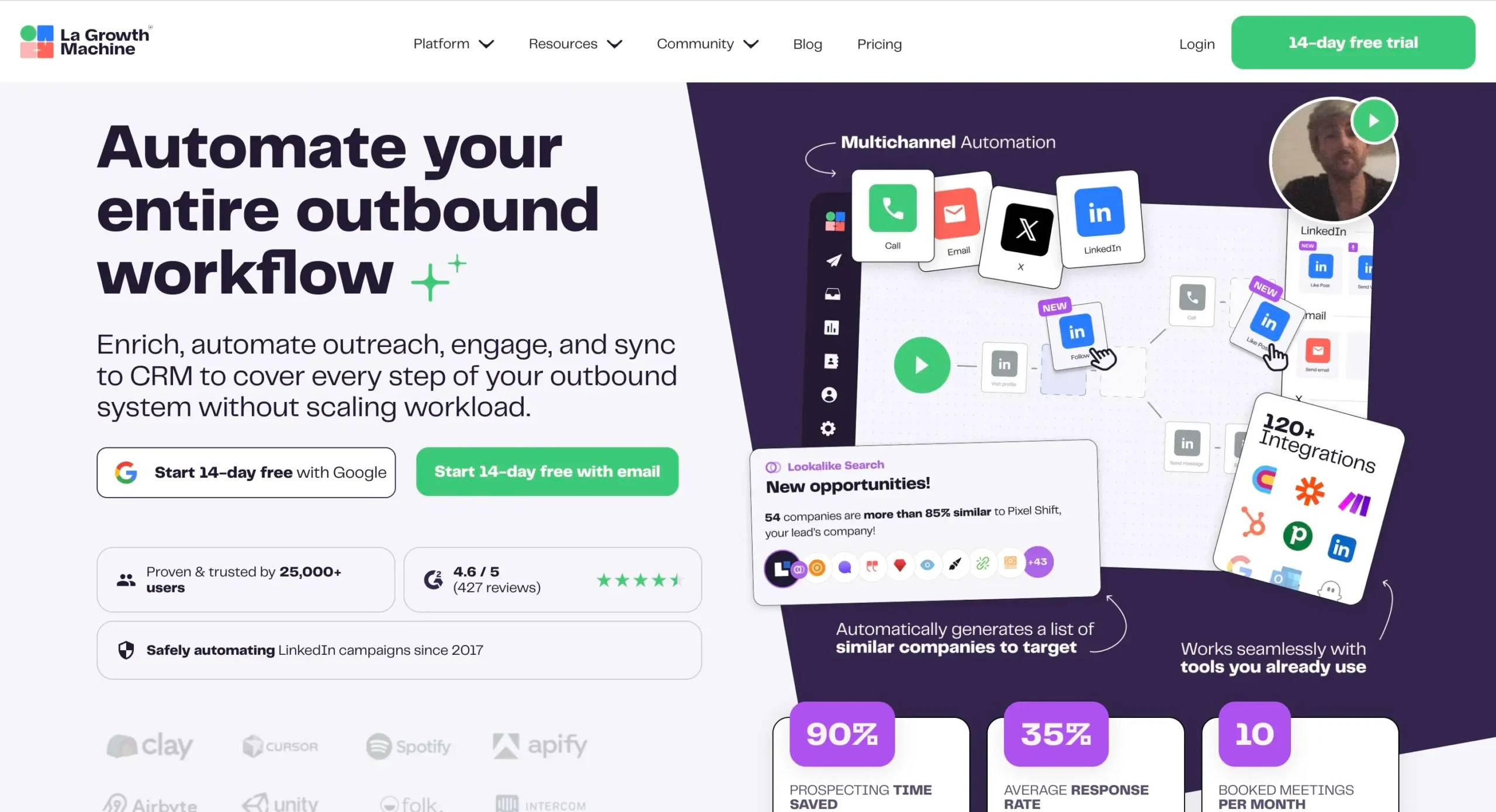
La Growth Machine is a multichannel lead generation platform that combines LinkedIn automation, email sequences, and phone enrichment in unified campaigns. Unlike single-channel tools, LGM lets you build sequences that switch between LinkedIn messages, connection requests, InMails, emails, and phone calls based on prospect behavior.
The platform’s Multichannel Inbox consolidates all prospect replies across channels into one interface, so reps never miss responses buried in LinkedIn notifications. Built-in data enrichment finds verified emails and phone numbers automatically, eliminating the need for separate prospecting databases for many use cases.
Key features
- Multichannel sequences: Automate LinkedIn + Email + Phone outreach in coordinated campaigns with conditional logic based on engagement
- LinkedIn Intent Data: Target prospects who recently changed jobs or got promoted, catching them during high-intent buying windows
- Lookalike Search: Import your best customers and find similar profiles on LinkedIn using AI-powered matching
- Social Warming: Automatically visit profiles, endorse skills, and engage with content before sending connection requests to improve acceptance rates
- Lead Enrichment: Built-in email finder and phone number enrichment using waterfall approach across multiple data providers
- Multichannel Inbox: Unified inbox for LinkedIn messages, emails, and call notes with conversation threading and team collaboration
- Native CRM integrations: Two-way sync with HubSpot, Salesforce, Pipedrive, and 1000+ apps via Zapier
Pros & cons
Pros:
- True multichannel automation in one platform (most competitors require 3+ tools)
- LinkedIn Intent Data identifies prospects at the right buying moment
- Social Warming improves connection acceptance rates by 40-60%
- Multichannel Inbox prevents replies from being missed across channels
- Built-in enrichment reduces need for separate prospecting databases
- 14-day free trial with full feature access
Cons:
- LinkedIn automation requires LinkedIn Premium or Sales Navigator subscription
- Enrichment credits are separate from monthly subscription
- Advanced features like Intent Data only on higher-tier plans
Pricing
- Basic: €50/month per user – Multichannel sequences, 1 identity, basic integrations
- Pro: €100/month per user – 3 identities, LinkedIn Intent Data, Lookalike Search, advanced integrations
- Ultimate: €150/month per user – 5 identities, Social Warming, priority support, dedicated CSM
- Agency discount: 20% off for agencies managing client campaigns
- Free trial: 14 days, all features included
Enrichment credits are purchased separately: €49 for 1,000 credits, €249 for 10,000 credits.
Best for
B2B sales teams running outbound campaigns who want to combine LinkedIn and email outreach without switching between multiple tools. Particularly strong for SaaS companies, agencies, and consultancies targeting specific job titles or industries on LinkedIn.

2. Derrick
Overview
Derrick is a data enrichment tool that works directly inside Google Sheets using spreadsheet formulas. Instead of uploading lists to web platforms, you enrich data in your existing spreadsheets where your prospect lists already live.
The tool uses simple formulas like =derrick_email(A2) to find professional email addresses or =derrick_enrich(A2) to append company data, job titles, and social profiles. This approach appeals to teams who prefer working in spreadsheets and want to avoid learning new interfaces.
Key features
- Native Google Sheets integration: Enrich data using formulas directly in spreadsheets without exports/imports
- Email finding: Find verified professional email addresses from names and company domains
- Company enrichment: Append firmographic data including industry, size, revenue, and location
- Job title normalization: Standardize messy job titles into consistent categories for better segmentation
- LinkedIn profile enrichment: Find LinkedIn URLs from names and companies
- Bulk enrichment: Process hundreds of rows simultaneously using formula auto-fill
- Real-time verification: Email validation ensures deliverability before you send
Pros & cons
Pros:
- Works where you already work (Google Sheets) with zero learning curve
- No file uploads or data security concerns from using external platforms
- Formula-based approach makes enrichment logic transparent and repeatable
- Affordable pricing for small teams needing basic enrichment
- Free plan available to test functionality
Cons:
- Limited to Google Sheets (no Excel or other spreadsheet tools)
- No native CRM integration or automated workflows
- Requires manual formula setup for each enrichment type
- Smaller database compared to enterprise providers like ZoomInfo
Pricing
- Free: 50 enrichment credits/month to test the tool
- Starter: $49/month – 500 credits/month
- Growth: $149/month – 2,000 credits/month
- Pro: $399/month – 6,000 credits/month
One credit = one enrichment action (finding an email, enriching a company, etc.)
Best for
Sales and marketing teams who manage prospect lists in Google Sheets and want simple data enrichment without adopting a new platform. Ideal for small businesses, solopreneurs, and teams doing occasional prospecting who don’t need a full lead generation suite.
3. Leadfeeder
Overview
Leadfeeder is a website visitor tracking platform that identifies companies visiting your website, even when they don’t fill out forms. By analyzing IP addresses and behavioral data, Leadfeeder shows you which companies are researching your solution, what pages they viewed, and how many times they’ve returned.
This inbound lead generation approach reveals buying intent before prospects reach out. Sales teams can prioritize outreach to companies actively researching their solution rather than cold prospecting unaware targets.
Key features
- Anonymous visitor identification: Identify companies visiting your site without requiring form fills, using IP address analysis
- Behavioral tracking: See which pages visitors viewed, how long they stayed, and visit frequency to gauge interest level
- Lead scoring: Automatic scoring based on company fit and engagement signals to prioritize high-intent prospects
- Contact data: Access to decision-maker email addresses and LinkedIn profiles at identified companies
- Custom feeds: Create filtered views of visitors based on industry, company size, behavior, or custom criteria
- CRM integration: Automatic lead creation in Salesforce, HubSpot, Pipedrive when companies meet your criteria
- Email alerts: Real-time notifications when target accounts visit your site
Pros & cons
Pros:
- Captures buying intent signals before prospects reach out
- Identifies 70-80% of B2B website traffic that never converts through forms
- Lead scoring prioritizes companies showing genuine research behavior
- Custom feeds let you track specific segments (competitors, target industries, returning visitors)
- Native integrations push leads directly into your sales workflow
Cons:
- Only identifies companies, not individual visitors (GDPR limitation)
- Requires significant website traffic to generate enough leads
- Higher starting price than most prospecting tools
- Contact data accuracy varies by region (best for US and Western Europe)
Pricing
- Lite: Free – Limited to 100 identified companies, basic features
- Premium: $139/month – Unlimited companies, all features, 1 user
- Custom: Custom pricing for teams and enterprises with multiple users
- Free trial: 14 days of Premium plan
Best for
B2B companies with consistent website traffic (500+ monthly visitors minimum) who want to identify and prioritize inbound interest. Particularly valuable for companies with longer sales cycles where prospects research extensively before reaching out.
4. Clearbit
Overview
Clearbit is a data enrichment platform built for developers and marketing automation. Instead of a traditional interface for manual enrichment, Clearbit offers APIs that automatically enrich leads as they enter your systems in real-time.
When a prospect fills out a form with just their email, Clearbit instantly appends their job title, company size, industry, technologies used, and social profiles. This real-time enrichment powers personalization, lead routing, and qualification without manual data entry.
Key features
- Real-time enrichment API: Automatically append 100+ data points to leads as they convert using email address lookup
- Reveal (website visitor tracking): Identify companies visiting your site and trigger personalized experiences
- Prospector: B2B contact database with 400M+ professional profiles and advanced search filters
- Forms shortening: Reduce form fields from 10+ to just email, improving conversion rates while maintaining data quality
- Lead qualification: Automatic lead scoring and routing based on enriched firmographic and technographic data
- Marketing automation integration: Native connections to HubSpot, Marketo, Salesforce, Segment, and other mar-tech tools
- Technographic data: See what technologies prospects use to personalize messaging and qualify fit
Pros & cons
Pros:
- Real-time enrichment eliminates manual data entry completely
- API-first architecture integrates into existing workflows seamlessly
- Forms shortening improves conversion rates by 40%+ while maintaining data quality
- Technographic data enables precise targeting and personalization
- High data accuracy with regular verification and updates
Cons:
- API-first approach requires technical implementation (not plug-and-play)
- Custom pricing lacks transparency for small businesses evaluating costs
- Primarily focused on enriching inbound leads rather than outbound prospecting
- Higher price point than alternatives for teams just needing basic enrichment
Pricing
Custom pricing based on enrichment volume and features used. Typical contracts start around $999/month for small businesses and scale to $5,000+/month for enterprises. Contact sales for specific quote.
Best for
Marketing and sales operations teams at growth-stage companies who want to automate lead enrichment and qualification in their existing tech stack. Ideal for companies with consistent inbound lead flow and technical resources to implement API integration.
5. ZoomInfo
Overview
ZoomInfo is an enterprise B2B lead generation platform combining the largest contact database (over 250M professional profiles) with intent data, sales engagement tools, and advanced analytics. The platform covers the full lead generation workflow from prospecting to outreach to deal tracking.
ZoomInfo’s intent data tracks when target accounts research topics related to your solution across the web, identifying prospects actively in-market before competitors reach them. This buyer intent signal combined with the comprehensive database makes ZoomInfo the default choice for large sales organizations.
Key features
- Massive B2B database: 250M+ professional contacts and 100M+ company profiles with verified email and phone data
- Intent data: Track when accounts research your category across 10,000+ B2B sites to identify active buyers
- Advanced search filters: Find prospects by job title, seniority, department, company size, industry, technologies used, and 100+ other criteria
- Organizational charts: See reporting structures and stakeholders at target accounts for multi-threaded selling
- Sales engagement: Built-in email and phone outreach tools with cadence automation
- Chrome extension: Enrich LinkedIn profiles and company websites with contact data while browsing
- CRM enrichment: Automatically update and append missing data in your existing CRM records
Pros & cons
Pros:
- Largest and most comprehensive B2B contact database available
- Intent data identifies prospects actively researching solutions, dramatically improving conversion rates
- All-in-one platform reduces need for multiple point solutions
- Organizational charts reveal full buying committee at target accounts
- Enterprise-grade features like advanced analytics, custom integrations, and dedicated support
Cons:
- Expensive for small businesses (typically $15K+ annually minimum)
- Complex platform with steep learning curve requiring training
- Annual contracts with no monthly option
- Data accuracy varies by region (strongest in North America)
Pricing
Custom pricing based on user count, features, and data volume. Typical contracts range from $15,000-$40,000+ annually. Platform requires annual commitment and minimum user seats (usually 3+). Contact sales for specific quote.
Best for
Enterprise sales teams (10+ reps) doing high-volume B2B prospecting who need the most comprehensive data, intent signals, and integrated sales engagement. Particularly valuable for companies with complex, multi-stakeholder sales processes requiring account-based marketing approaches.
6. Hunter
Overview
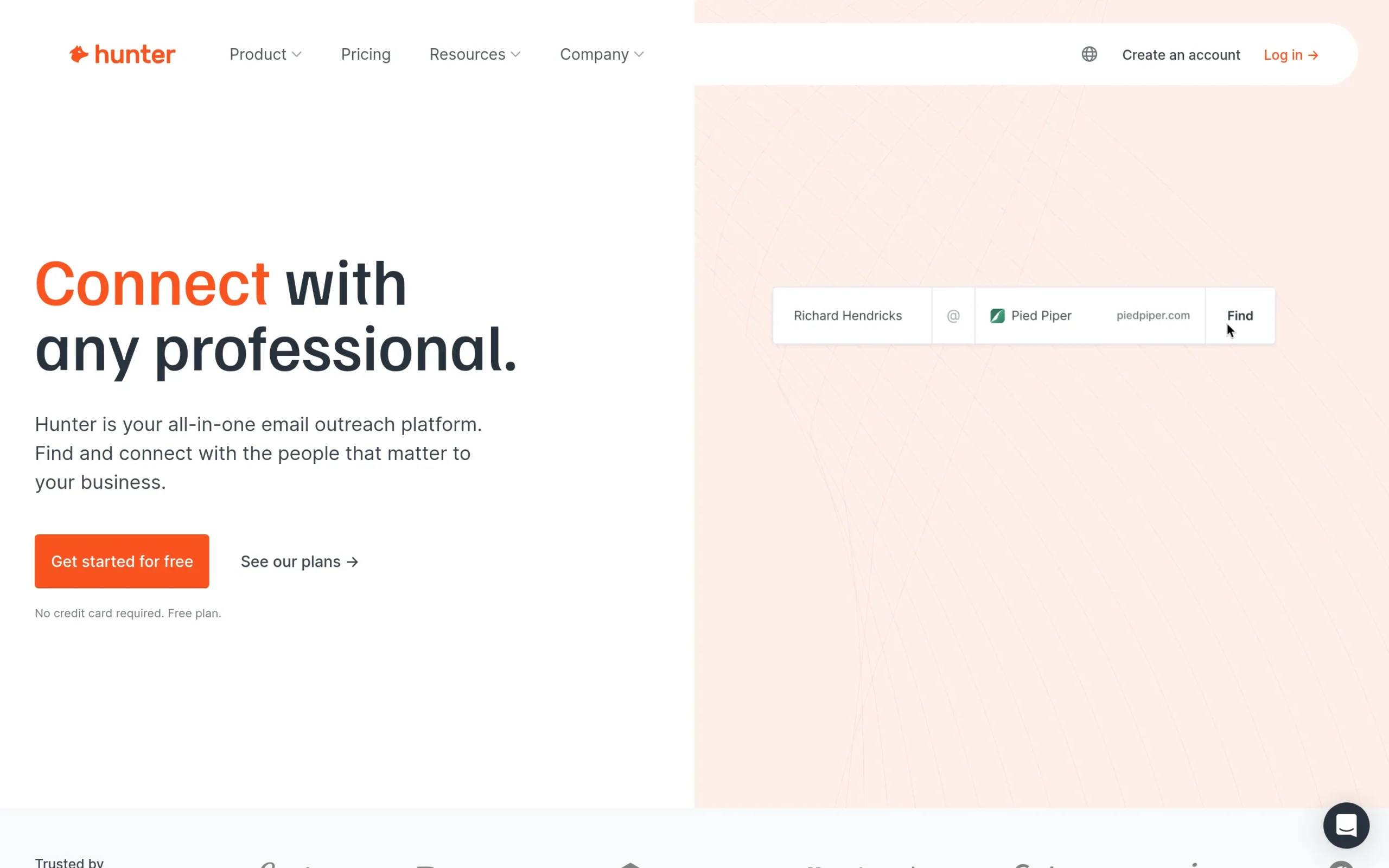
Hunter is an email finding and verification tool that helps you discover professional email addresses and validate their deliverability. The platform’s Domain Search finds all publicly available emails associated with a company domain, while Email Finder locates specific individuals’ addresses based on their name and company.
Hunter’s Chrome extension makes prospecting effortless while browsing LinkedIn or company websites. Click the extension, and Hunter instantly finds available email addresses and their verification status. This real-time lookup eliminates manual email pattern guessing.
Key features
- Domain Search: Find all publicly available email addresses associated with any company domain
- Email Finder: Locate specific people’s email addresses using their name and company
- Email Verifier: Check deliverability and validity of email addresses before sending to protect sender reputation
- Bulk tasks: Process hundreds of domain searches or verifications simultaneously via CSV upload
- Chrome extension: Find and verify emails while browsing LinkedIn, company websites, or any webpage
- Campaigns: Simple cold email outreach tool with mail merge and automated follow-ups
- API access: Integrate email finding and verification into your existing tools and workflows
Pros & cons
Pros:
- Generous free plan (25 searches + 50 verifications monthly) perfect for testing
- Chrome extension makes prospecting frictionless while browsing
- Email verification protects deliverability and sender reputation
- Simple, focused interface with minimal learning curve
- Affordable pricing for small businesses and solopreneurs
Cons:
- No phone number or additional contact data enrichment
- Campaign features basic compared to dedicated email outreach platforms
- Smaller database than competitors like ZoomInfo or UpLead
- Domain Search requires company domain (doesn’t help find the domain itself)
Pricing
- Free: 25 searches + 50 verifications per month
- Starter: $49/month – 500 searches + 1,000 verifications
- Growth: $149/month – 5,000 searches + 10,000 verifications
- Business: $399/month – 50,000 searches + 100,000 verifications
All paid plans include bulk tasks, API access, and CRM integrations.
Best for
Sales reps and recruiters doing targeted prospecting who need to find and verify professional email addresses quickly. Ideal for small to mid-size teams who don’t need a full contact database but want reliable email discovery and validation.
7. UpLead
Overview
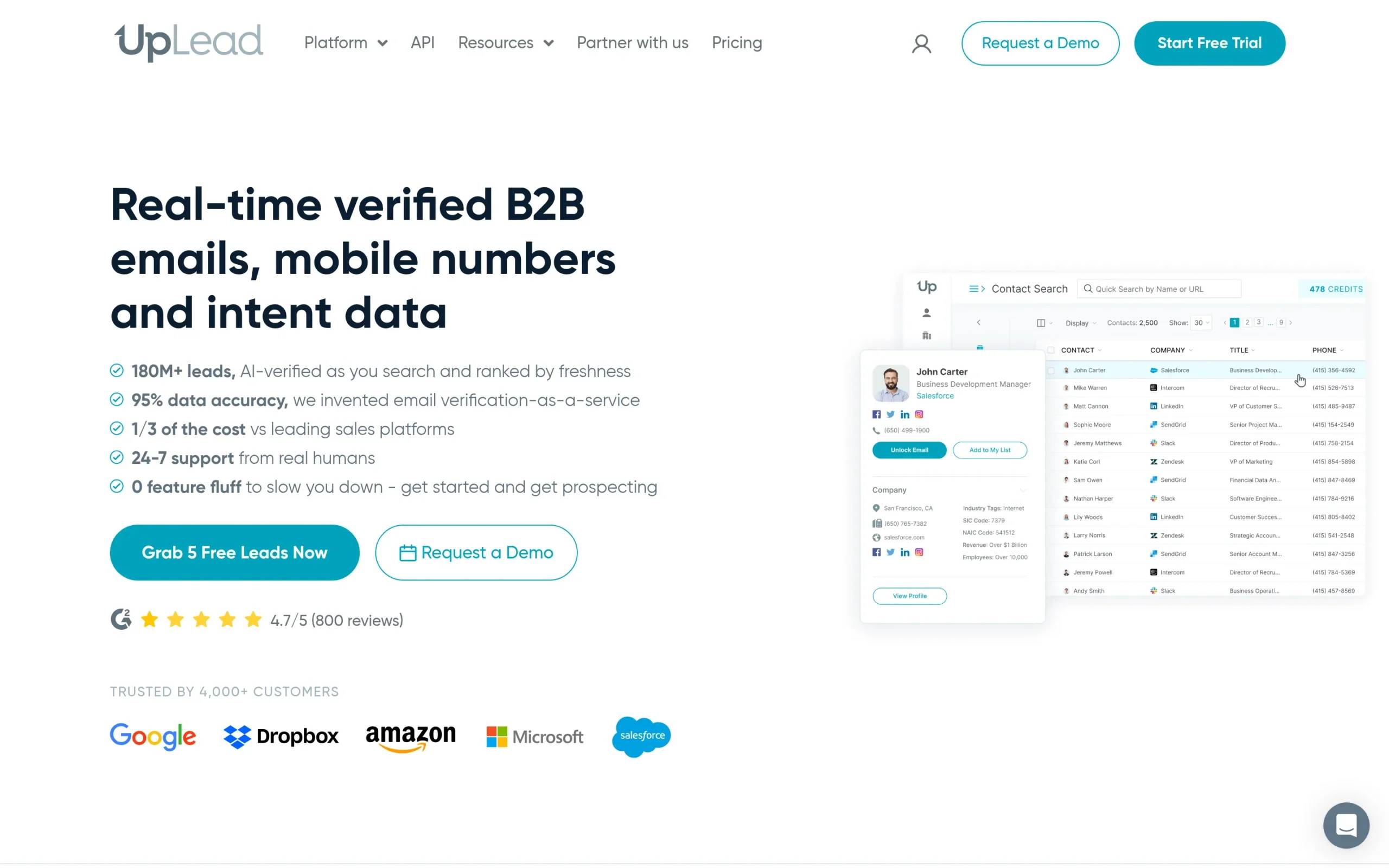
UpLead is a B2B prospecting database offering pay-per-credit pricing instead of traditional subscriptions. You search a database of 155M+ contacts with advanced filters, preview profiles before downloading, and only pay when you export verified contact data.
UpLead’s real-time email verification happens at the moment of download, guaranteeing 95%+ accuracy. If an email bounces, UpLead refunds the credit. This accuracy guarantee and pay-per-use model appeals to teams wanting to control costs without sacrificing data quality.
Key features
- 155M+ contact database: Search B2B professionals by title, industry, company size, location, and 50+ other criteria
- Real-time email verification: Verify emails at download time (not stale data), backed by 95% accuracy guarantee
- Technographic data: See what technologies companies use to identify better-fit prospects
- Intent data: Track which accounts are actively researching topics related to your solution
- Data enrichment: Upload your existing list and append missing email, phone, and firmographic data
- Chrome extension: Extract contact data while browsing LinkedIn or company websites
- CRM integration: Push contacts directly into Salesforce, HubSpot, Pipedrive, or other CRMs
Pros & cons
Pros:
- 95% email accuracy guarantee with credit refunds for bounces
- Pay-per-credit model prevents paying for contacts you don’t use
- Real-time verification (not stale database) ensures current accuracy
- Preview profiles before downloading to avoid wasting credits
- 7-day free trial with 5 credits to test data quality
Cons:
- Smaller database than ZoomInfo or Cognism
- Credits expire (unused credits don’t roll over month-to-month)
- Intent data limited compared to dedicated intent platforms
- No built-in outreach automation (prospecting only)
Pricing
- Essentials: $99/month – 170 credits/month (paid annually)
- Plus: $199/month – 400 credits/month (paid annually)
- Professional: Custom pricing for higher volumes and team seats
- Free trial: 7 days with 5 credits to test data quality
One credit = one contact download with email, phone, and firmographic data.
Best for
Small to mid-size sales teams doing targeted prospecting who want high data accuracy and predictable costs. The pay-per-credit model works well for teams with variable prospecting volumes who don’t want to pay for unused database access.
8. LeadFuze
Overview
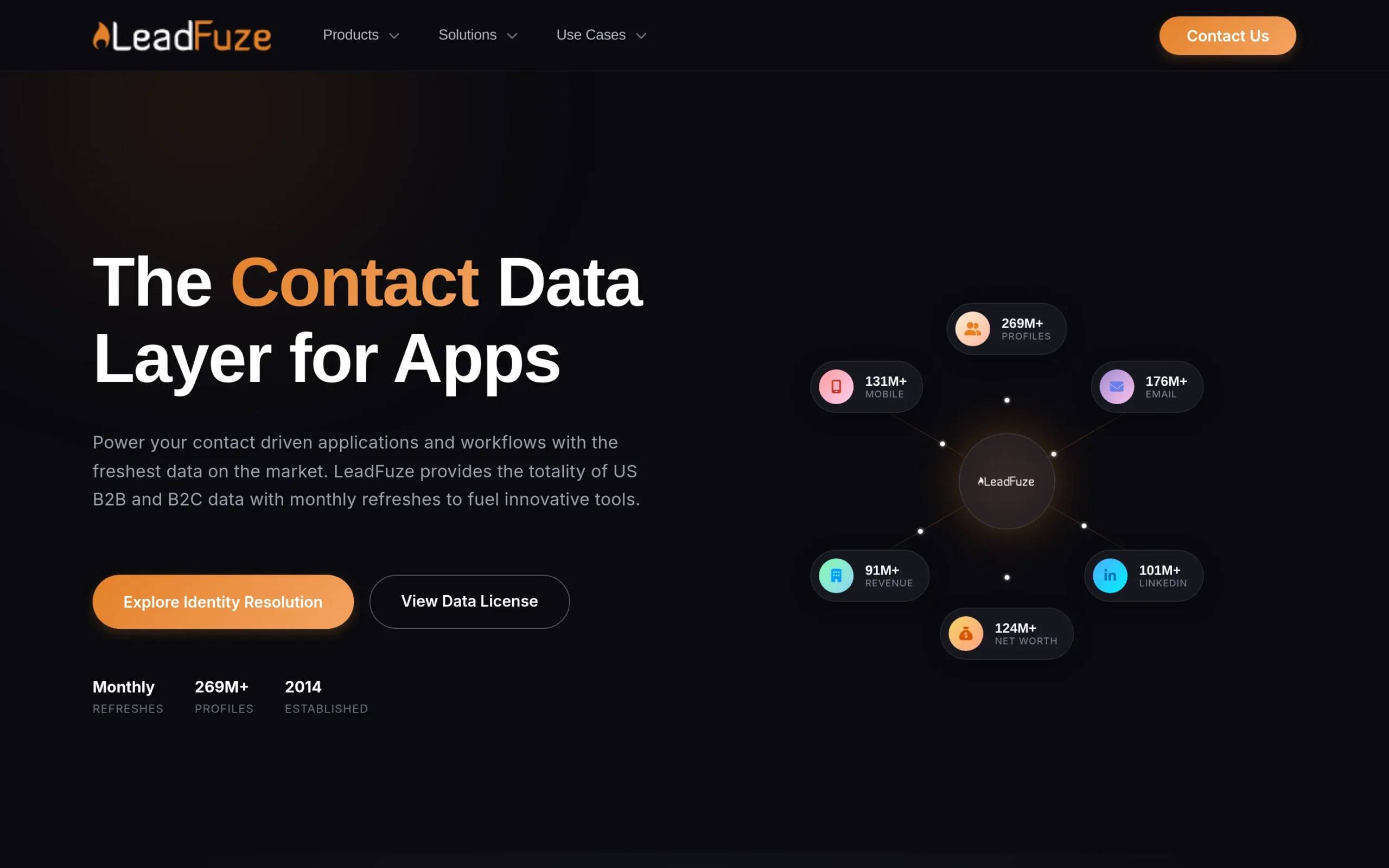
LeadFuze is an automated lead list building platform that uses “Fuzebot” to continuously find new prospects matching your criteria. Instead of manual searches, you define your ideal customer profile once, and Fuzebot automatically discovers and adds new matching leads to your lists daily.
This automated prospecting approach ensures your pipeline never runs dry. Set up criteria like “VP of Sales at SaaS companies with 50-200 employees in the US,” and LeadFuze builds the list automatically with verified contact data.
Key features
- Fuzebot automation: Set search criteria once and automatically receive new matching prospects daily
- Lead database: Access to verified B2B contacts with email addresses and direct dial phone numbers
- Advanced filtering: Target by industry, company size, job title, location, technologies used, and custom criteria
- Email verification: Real-time verification ensures high deliverability rates
- CRM integration: Automatically push new leads into your CRM as Fuzebot discovers them
- Lead blueprints: Save and reuse successful search criteria for repeatable prospecting
- Team collaboration: Share lists and search criteria across your sales team
Pros & cons
Pros:
- Fuzebot automation eliminates manual list building completely
- Fresh leads daily ensure you’re reaching prospects before competitors
- Unlimited lead search (no search query limits)
- Lead blueprints make successful prospecting repeatable
- Includes email verification and direct dial phone numbers
Cons:
- Higher starting price than competitors ($147/month)
- Monthly lead limits (500-2,500 depending on plan) can feel restrictive
- No built-in outreach tools (prospecting only, requires separate email platform)
- Fuzebot automation quality depends heavily on well-defined search criteria
Pricing
- Scaling: $147/month – 500 fresh leads/month, unlimited searches, Fuzebot automation
- Unlimited: $397/month – 2,500 fresh leads/month, all features, priority support
- Custom: Enterprise pricing for teams needing higher volumes
Best for
Sales teams with clearly defined ideal customer profiles who want continuous, automated prospecting without manual list building. Works best for companies targeting specific niches where automated filtering can accurately identify good-fit prospects.
9. FullEnrich
Overview
FullEnrich is a waterfall enrichment platform that queries 15+ premium data providers simultaneously to find contact information. Instead of relying on a single database, FullEnrich checks multiple sources (Apollo, Lusha, Dropcontact, ContactOut, and others) and returns the best available data.
This waterfall approach dramatically improves find rates. If one database doesn’t have an email, FullEnrich tries the next provider automatically. The result: 40-60% higher enrichment success rates compared to using a single data source.
Key features
- Waterfall enrichment: Query 15+ data providers simultaneously to maximize find rates and data accuracy
- Email and phone enrichment: Find both professional emails and mobile/direct dial phone numbers
- LinkedIn enrichment: Extract contact data from LinkedIn profiles using Chrome extension
- CSV upload: Bulk enrich existing prospect lists by uploading names and companies
- API access: Integrate waterfall enrichment into your existing workflows and tools
- Real-time verification: Email validation ensures deliverability before export
- Pay-per-use model: Only pay for successfully enriched contacts, not failed lookups
Pros & cons
Pros:
- 40-60% higher find rates than single-source providers
- Pay only for successful enrichments, not failed lookups
- Free plan available (20 enrichments/month) to test quality
- Aggregates data from premium providers at lower cost than subscribing to each individually
- Simple API for integration into existing tools
Cons:
- No prospecting database (requires you to already have names/companies to enrich)
- No built-in outreach or CRM features
- Costs can add up quickly with high-volume enrichment needs
- Response time slower than single-source lookups (queries multiple APIs)
Pricing
- Free: 20 enrichments/month to test the platform
- Basic: $29/month – 200 enrichments/month
- Growth: $99/month – 1,000 enrichments/month
- Pro: $249/month – 3,000 enrichments/month
- Scale: $499/month – 7,000 enrichments/month
Enterprise plans with custom volumes and API limits available.
Best for
Teams who already have prospect lists from LinkedIn, events, or other sources and need to enrich them with verified email and phone data. Particularly valuable when enrichment success rate is critical and you’re willing to pay slightly more for higher find rates.
10. Amplemarket
Overview
Amplemarket is an AI-powered sales engagement platform that combines prospecting, multichannel outreach, and an AI assistant called “Duo” that helps reps prioritize actions and personalize outreach. Duo analyzes buyer signals, suggests next actions, and even drafts personalized emails based on prospect research.
The platform positions itself as a full sales automation solution, replacing multiple point tools with one integrated system powered by AI. Amplemarket’s intent data identifies accounts showing buying signals, while Duo ensures reps focus on the highest-value opportunities.
Key features
- Duo AI assistant: AI copilot that recommends accounts to target, drafts personalized emails, and prioritizes daily actions
- Intent data: Track buying signals across millions of websites to identify accounts actively researching solutions
- Multichannel sequences: Coordinate outreach across email, LinkedIn, phone, and other channels from one platform
- Prospecting database: Access to verified B2B contact data with email and phone numbers
- Email deliverability: Advanced infrastructure and domain health monitoring to protect sender reputation
- Personalization at scale: Dynamic variables and AI-generated messaging tailored to each prospect
- Analytics: Revenue attribution tracking connecting activities to closed deals
Pros & cons
Pros:
- Duo AI assistant saves reps hours daily on research and message personalization
- All-in-one platform reduces tech stack complexity and cost
- Intent data surfaces accounts actively researching solutions
- Strong deliverability infrastructure protects email sender reputation
- Revenue attribution connects outreach activities to closed deals
Cons:
- Custom pricing lacks transparency for small businesses evaluating costs
- Platform complexity requires training and onboarding time
- AI-generated content quality varies (requires human review)
- Better suited for mid-market and enterprise than small businesses
Pricing
Custom pricing based on user count, contact volume, and features required. Typical contracts start around $500-$1,000/month for small teams and scale to $5,000+/month for enterprises. Contact sales for specific quote.
Best for
Mid-market and enterprise sales teams (5+ reps) who want an AI-powered, all-in-one platform replacing multiple point solutions. Particularly valuable for teams struggling with low response rates who need better personalization and prioritization.
11. Mailchimp
Overview
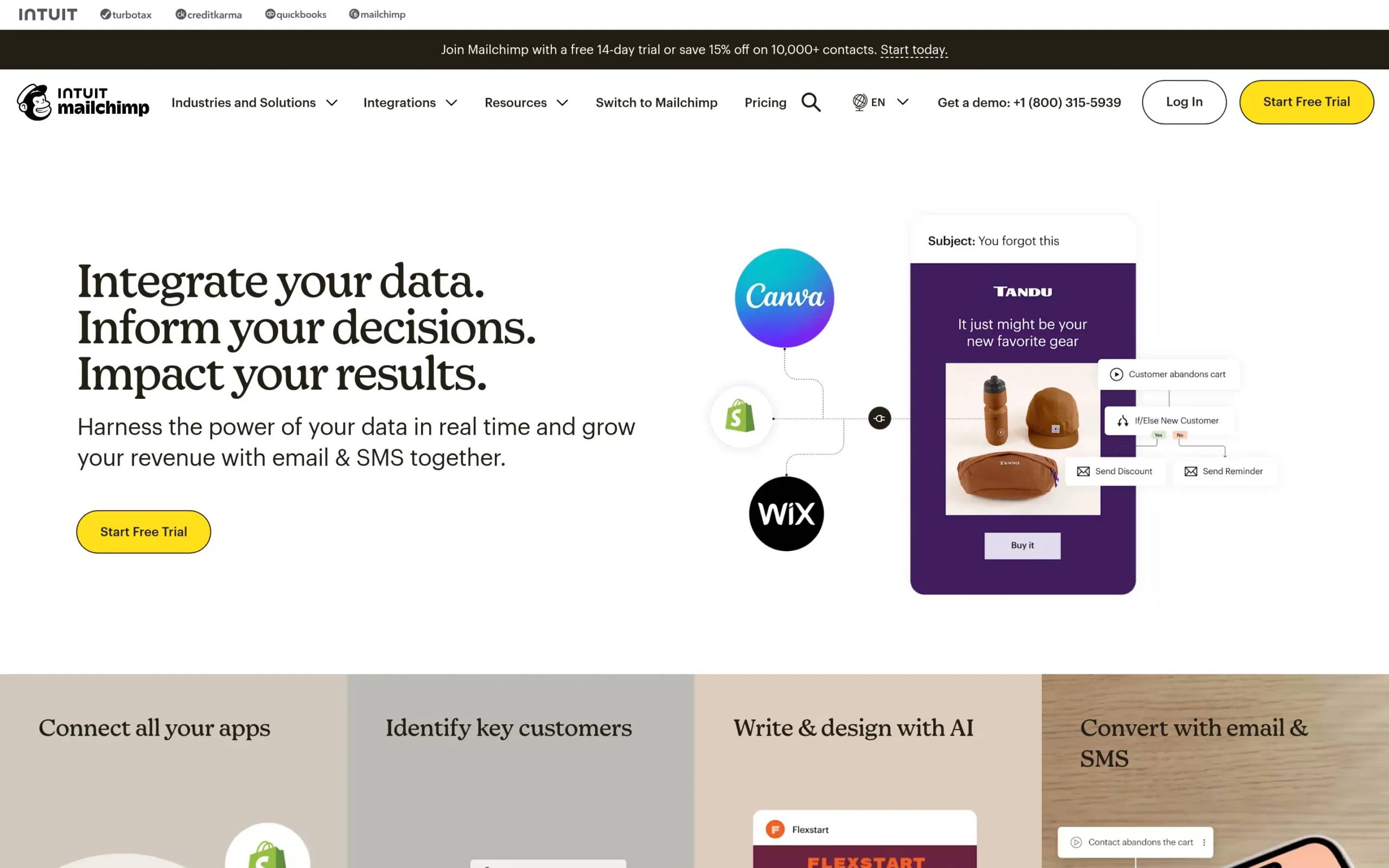
Mailchimp is an email marketing automation platform that helps businesses build and nurture email lists through newsletters, drip campaigns, and automated workflows. While traditionally positioned as a marketing tool, Mailchimp’s automation features support lead nurturing and sales engagement for small businesses.
The platform’s drag-and-drop email builder, audience segmentation, and automation workflows make it accessible for non-technical users. Mailchimp’s free plan and affordable pricing make it the default choice for small businesses starting with email marketing and lead generation.
Key features
- Email campaign builder: Drag-and-drop editor for creating newsletters and promotional emails
- Marketing automation: Triggered workflows based on user behavior, tags, and segmentation
- Audience segmentation: Target specific groups based on engagement, demographics, and custom tags
- Landing pages: Build lead capture pages without needing a website
- Signup forms: Embedded and popup forms to capture leads on your website
- A/B testing: Test subject lines, content, and send times to optimize performance
- Analytics: Track open rates, click rates, revenue attribution, and campaign ROI
Pros & cons
Pros:
- Free plan for up to 500 contacts perfect for testing and small lists
- Extremely user-friendly with minimal learning curve
- Strong template library and design tools
- Marketing automation enables basic lead nurturing
- Wide range of integrations with e-commerce and CRM platforms
Cons:
- Not designed for cold email (best for marketing to opted-in lists)
- No prospecting database or contact finding features
- Limited personalization compared to dedicated sales engagement platforms
- Pricing scales quickly as list size grows
Pricing
- Free: Up to 500 contacts, 1,000 emails/month, basic features
- Essentials: $13/month (500 contacts) – Removes Mailchimp branding, A/B testing, 24/7 support
- Standard: $20/month (500 contacts) – Marketing automation, advanced audience insights, retargeting ads
- Premium: $350/month (10,000 contacts) – Advanced segmentation, multivariate testing, phone support
Pricing increases based on number of contacts in your list.
Best for
Small businesses, solopreneurs, and marketers building inbound lead generation through content marketing and email newsletters. Not suitable for cold outbound prospecting but excellent for nurturing leads captured through website forms, events, and content downloads.
12. Calendly
Overview
Calendly is a meeting scheduling automation tool that eliminates the back-and-forth of finding meeting times. Share your Calendly link with prospects, and they book available times directly on your calendar based on your availability rules. Confirmation emails, reminders, and calendar invites happen automatically.
While not a prospecting tool, Calendly accelerates lead conversion by removing scheduling friction. Sales teams embed Calendly links in email signatures, cold outreach, and website CTAs to book demos instantly when prospects show interest.
Key features
- Automated scheduling: Share a link; prospects book meetings based on your real-time availability
- Calendar integration: Syncs with Google, Outlook, and iCloud calendars to prevent double-bookings
- Meeting types: Create different booking pages for demos, discovery calls, and follow-ups with custom durations
- Team scheduling: Round-robin or collective booking for sales teams to distribute leads evenly
- Automated reminders: Email and SMS reminders reduce no-show rates
- Integrations: Connect with Salesforce, HubSpot, Zoom, and 100+ tools to automate workflows
- Routing logic: Route meetings to specific reps based on criteria like territory, industry, or availability
Pros & cons
Pros:
- Eliminates 10-15 emails per meeting trying to find mutually available times
- Free plan sufficient for individuals and small teams
- Automated reminders reduce no-shows by 30-40%
- Team scheduling distributes leads fairly across reps
- Simple setup and extremely user-friendly
Cons:
- Not a lead generation tool (requires prospects to already be engaged)
- Some prospects perceive scheduling links as impersonal
- Advanced routing and workflows require paid plans
- No prospecting, enrichment, or outreach features
Pricing
- Free: 1 event type, unlimited meetings, basic integrations
- Standard: $12/user/month – Unlimited event types, remove Calendly branding, calendar connections
- Teams: $16/user/month – Team scheduling, round-robin, admin controls, Salesforce integration
- Enterprise: Custom pricing – Advanced routing, SSO, dedicated support
Best for
Sales teams who schedule frequent demos, discovery calls, and meetings with prospects. Essential for inbound sales where prospects request meetings through website forms or marketing campaigns. Pairs well with lead generation tools to convert interested prospects into booked meetings instantly.
13. Benchmark
Overview
Benchmark is an email marketing platform focused on newsletter campaigns and email automation for small businesses. The drag-and-drop email builder, template library, and list management tools help teams build and nurture email lists without technical skills.
Benchmark positions itself as a Mailchimp alternative with a simpler interface and more affordable pricing. The platform’s free plan supports up to 500 contacts with 3,500 emails per month, making it accessible for businesses just starting with email lead generation.
Key features
- Drag-and-drop email builder: Visual editor with pre-built templates for newsletters and campaigns
- Email automation: Welcome series, drip campaigns, and triggered emails based on subscriber actions
- List management: Segmentation, tagging, and import tools to organize contacts
- Signup forms: Customizable forms to capture leads on your website
- Landing pages: Build lead capture pages without needing a separate landing page tool
- A/B testing: Test subject lines and content to optimize performance
- Analytics: Track open rates, click rates, unsubscribes, and campaign performance
Pros & cons
Pros:
- Free plan with 500 contacts and 3,500 emails/month
- Simple interface easier than Mailchimp for beginners
- Affordable pricing for small lists
- Good template library covering common use cases
- Includes landing pages and signup forms
Cons:
- Not designed for cold email outreach
- No prospecting or contact finding capabilities
- Fewer integrations compared to Mailchimp or HubSpot
- Limited automation compared to advanced platforms
- Analytics less detailed than enterprise email platforms
Pricing
- Free: 500 contacts, 3,500 emails/month, basic features
- Pro: $15/month (500 contacts) – Unlimited emails, remove branding, automation, A/B testing
- Enterprise: $150/month+ (custom contacts) – Advanced features, dedicated IP, premium support
Best for
Small businesses and solopreneurs starting with email marketing who want a simple, affordable alternative to Mailchimp. Best for nurturing inbound leads captured through content marketing, events, or website forms—not for cold outbound prospecting.
How to choose the right lead generation software
With dozens of platforms offering overlapping features at different price points, choosing the right lead generation software requires matching capabilities to your specific sales motion and team size. Here’s how to evaluate options systematically:
Data quality and coverage
Data accuracy directly impacts deliverability, response rates, and sales efficiency. Bounced emails damage sender reputation, while outdated contact information wastes reps’ time. When evaluating lead generation software, prioritize platforms offering:
- Real-time email verification at the moment of export (not stale database queries)
- Accuracy guarantees with credit refunds for bounced contacts (UpLead’s 95% guarantee, for example)
- Data freshness with regular verification cycles to catch job changes and email updates
- Geographic coverage matching your target markets (US/EU vs. APAC vs. global)
For US-focused prospecting, ZoomInfo and UpLead offer superior coverage. European teams should verify GDPR compliance and EU data quality before committing.
Integration and CRM compatibility
Integration and CRM compatibility
Lead generation software should enhance your existing sales stack, not create data silos. Before purchasing, verify:
- Native CRM integration with your existing system (Salesforce, HubSpot, Pipedrive)
- Two-way sync so data flows bidirectionally between systems automatically
- API access for custom integrations if you have unique workflow requirements
- Zapier connections for connecting to tools without native integrations
Platforms like Clearbit and ZoomInfo excel at CRM integration, automatically enriching records and triggering workflows. Standalone tools like Hunter require manual export/import unless you build API integrations.
Multi-channel vs single-channel
Decide whether your sales motion requires multichannel outreach (LinkedIn + email + phone) or focuses primarily on one channel. Multi-channel platforms like La Growth Machine and Amplemarket cost more but consolidate your stack. Single-channel tools like Hunter or Mailchimp work well when you have a defined channel strategy and don’t need coordination across touchpoints.
Most B2B sales benefit from multichannel approaches—prospects respond better when reached through their preferred channel, and multiple touchpoints increase reply rates 3-5x compared to email alone.
Intent data and signal quality
Intent data identifies accounts actively researching solutions like yours, dramatically improving conversion rates by focusing outreach on in-market buyers. When evaluating intent capabilities, ask:
- What signals does the platform track? (website visits, topic research, job changes, funding events)
- How recent are intent signals? (real-time vs. weekly updates)
- Can you customize intent topics? (generic categories vs. your specific product keywords)
ZoomInfo and Amplemarket offer the most sophisticated intent data, tracking research behavior across thousands of B2B sites. Leadfeeder focuses specifically on website visitor identification, perfect for companies with strong inbound traffic.
Total cost of ownership
Look beyond monthly subscription prices to understand true costs:
- Per-seat pricing vs. flat-rate team licenses
- Usage-based costs like enrichment credits, email sends, or contact exports
- Implementation and training time for complex platforms
- Stack consolidation savings when one tool replaces multiple point solutions
A $500/month all-in-one platform might cost less than $150/month for prospecting + $99/month for enrichment + $200/month for email outreach + $149/month for visitor tracking. Calculate total ownership costs across your full lead generation workflow, not individual tool prices.
Scalability and team size
Choose platforms matching your current size while allowing room to grow:
- Solopreneurs and small teams (1-5 reps): Hunter, Derrick, UpLead, Mailchimp, Calendly
- Growing startups (5-20 reps): La Growth Machine, LeadFuze, Amplemarket, FullEnrich
- Established companies (20-100 reps): ZoomInfo, Clearbit, Salesforce integrations
- Enterprises (100+ reps): ZoomInfo, custom implementations, dedicated infrastructure
Starting with enterprise platforms as a 3-person team leads to underutilization and wasted spend. Conversely, outgrowing a small-business tool means migrating data and retraining teams—painful and expensive.
Lead generation software best practices
Having the right tools matters, but execution determines results. Follow these best practices to maximize ROI from your lead generation software:
Start with ideal customer profile (ICP) definition: Before searching for prospects, document exactly who you’re targeting: job titles, company sizes, industries, and geographic regions. Precise ICP targeting prevents wasting credits on poor-fit prospects and improves conversion rates throughout your sales pipeline.
Prioritize data quality over quantity: 100 verified, accurate contacts outperform 1,000 unverified emails. Always enable email verification and pay attention to data accuracy scores. Bounced emails damage sender reputation, reducing deliverability for all future campaigns.
Combine outbound and inbound approaches: Use prospecting databases for targeted outbound campaigns while website visitor tracking (Leadfeeder) identifies inbound interest. Prospects who visit your site AND match your ICP deserve immediate outreach—they’re showing buyer intent actively.
Test multichannel sequences: Reaching prospects across LinkedIn, email, and phone increases response rates 3-5x compared to email alone. Not everyone responds to cold emails, but they might engage with a LinkedIn connection request or phone call. Multichannel platforms like La Growth Machine automate this coordination.
Monitor and optimize regularly: Track key metrics like email deliverability, open rates, reply rates, and cost per qualified lead. If deliverability drops below 95%, pause campaigns and investigate sender reputation issues. If reply rates fall below 2%, test new messaging angles or re-evaluate targeting criteria.
Respect compliance and consent: Follow GDPR, CAN-SPAM, and regional regulations. Include clear unsubscribe options, honor opt-out requests immediately, and maintain suppression lists. Non-compliance risks fines, blacklisting, and permanent sender reputation damage.
Frequently asked questions
What is lead generation software?
Lead generation software are platforms that help sales and marketing teams identify potential customers, find their contact information, and engage them through automated outreach campaigns. These tools combine prospecting databases, data enrichment, email/LinkedIn automation, and CRM integration to transform manual prospecting into scalable, data-driven systems. Core functions include finding verified B2B contacts, automating multichannel outreach, scoring and qualifying leads, and tracking engagement to optimize conversion rates.
What is the difference between lead generation and CRM software?
Lead generation software focuses on finding and engaging NEW prospects at the top of your sales funnel—prospecting, enrichment, and initial outreach. CRM software (like Salesforce or HubSpot) manages relationships with prospects and customers AFTER they enter your pipeline—tracking deal stages, communication history, and customer relationships. Think of lead gen as filling your pipeline with new opportunities, CRM as managing what happens once they’re inside. Most effective B2B sales operations integrate both: lead generation tools feed qualified prospects into CRM systems automatically.
How much does lead generation software cost?
Lead generation software pricing varies dramatically based on features, database size, and team size. Entry-level tools like Hunter or Derrick start at $49-$99/month for individuals and small teams. Mid-market platforms like La Growth Machine, UpLead, or LeadFuze range from $100-$400/month per user. Enterprise solutions like ZoomInfo or Clearbit typically cost $15,000-$50,000+ annually with multi-user minimums. Many tools charge separately for enrichment credits or contact exports beyond base subscription fees. Free plans exist for tools like Hunter (25 searches/month), Mailchimp (500 contacts), and Calendly (basic scheduling).
Do I need multiple tools in my lead generation stack?
It depends on your sales motion and budget. All-in-one platforms like La Growth Machine, Amplemarket, or ZoomInfo provide prospecting, enrichment, and outreach in one system—simpler but potentially more expensive. Point solutions (Hunter for email finding + Mailchimp for nurturing + Calendly for booking) offer flexibility and lower individual costs but require managing multiple logins and manual data transfers between tools. Most B2B teams benefit from at least: (1) prospecting/enrichment tool, (2) outreach automation platform, and (3) meeting scheduling tool. Evaluate whether integrating multiple point solutions or paying for an all-in-one platform creates better ROI for your team size and workflow.
Can lead generation software help with LinkedIn prospecting?
Yes, several platforms automate LinkedIn prospecting while respecting platform rules. Tools like La Growth Machine, Amplemarket, and Waalaxy automate LinkedIn connection requests, InMails, and messages as part of multichannel sequences. They typically require LinkedIn Premium or Sales Navigator subscriptions for full functionality. LinkedIn automation saves hours of manual prospecting but carries risks—aggressive automation can trigger LinkedIn account restrictions. Look for platforms offering “safe” automation features like randomized delays, daily limits, and profile warming (visiting profiles, endorsing skills before connecting) to minimize detection risk.
Why does buyer intent data improve sales conversion rates?
Buyer intent data identifies prospects actively researching solutions like yours RIGHT NOW, dramatically improving conversion rates by focusing outreach on in-market buyers. Instead of cold outreach to unaware prospects, intent data lets you contact decision-makers when they’re already evaluating options—they’re 3-5x more likely to respond and convert. Intent signals include: researching specific topics across B2B sites, visiting your website multiple times, recent job changes suggesting new budgets, or funding events enabling new purchases. Platforms like ZoomInfo, Amplemarket, and Leadfeeder provide intent data capabilities, transforming outbound prospecting from interruption into timely, relevant conversations.
Conclusion
Lead generation software transforms prospecting from manual, time-consuming research into automated, scalable systems that improve data quality, increase conversion rates, and free sales reps to focus on high-value conversations. The right platform depends on your sales motion, team size, budget, and whether you need multichannel capabilities or can focus on a single channel.
For B2B teams running multichannel outbound campaigns combining LinkedIn and email, La Growth Machine offers the most comprehensive solution without requiring multiple point tools. Enterprise teams with complex buying processes benefit from ZoomInfo’s massive database and intent data capabilities. Small businesses and solopreneurs should start with affordable, focused tools like Hunter for email finding or Mailchimp for nurturing inbound leads.
Regardless of which platform you choose, prioritize data quality over quantity, combine outbound prospecting with inbound lead capture, and continuously optimize based on deliverability and conversion metrics. The best lead generation software adapts to your workflow, integrates with your existing stack, and demonstrably improves cost per qualified lead.