
If you’re in B2B, prospecting is part of your daily routine. You define your targets, segment them, screen them, start conversations, and work to close them.
Once you’ve cracked that, you want Phase 2: scaling it. And scaling forces you to formalize. That usually means two things:
- A CRM so your whole team stays in sync: who does what, who to call, what was said.
- A prospecting tool that scales your campaigns while keeping reply quality high.
If you’re like most of our users, your CRM is HubSpot. Good news: La Growth Machine plugs into HubSpot deeply, so you can scale your outreach and keep every key piece of information in your CRM, without changing how your team already works.
And the integration goes well beyond a one-click import. The point isn’t to push more contacts into HubSpot. It’s to make HubSpot a reliable source of truth: the right activities, the right owner, the right leads, and nothing you’ve already closed or are already working. That’s what turns La Growth Machine from a HubSpot prospecting tool into a real part of your revenue stack.
Want the overview first? See our HubSpot integration page.
Synergies between La Growth Machine and HubSpot
La Growth Machine connects to HubSpot both ways. You import your leads from HubSpot into La Growth Machine, you run your multichannel campaigns, and your CRM updates itself with what happened: activated leads, their enriched data, and every touch across LinkedIn and email.

In short, with this HubSpot LinkedIn integration you can:
- Import HubSpot lists (static or dynamic) into La Growth Machine.
- Sync the leads you’ve contacted from La Growth Machine back into HubSpot.
- See the latest data La Growth Machine pulled from LinkedIn, directly on the HubSpot contact.
- Log sent messages (email, LinkedIn), replies, and LinkedIn connection requests and acceptances as native HubSpot activities.
- Map each campaign to the right HubSpot owner.
- Decide which leads enter HubSpot, and which ones La Growth Machine should skip because they’re already in your pipeline.
- Trigger HubSpot workflows from your La Growth Machine activity.
Here’s how each piece works.
Import your HubSpot lists into La Growth Machine
You import your leads from HubSpot into La Growth Machine by choosing the list, fixed or dynamic, you want to contact by email or on LinkedIn. One click.


1. Choose to import from CRM
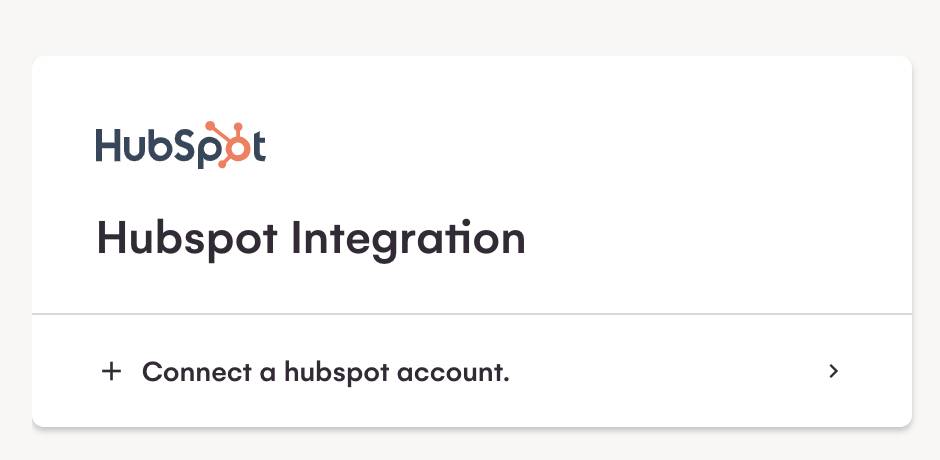
If you haven’t connected HubSpot yet, La Growth Machine prompts you to do it in one click.

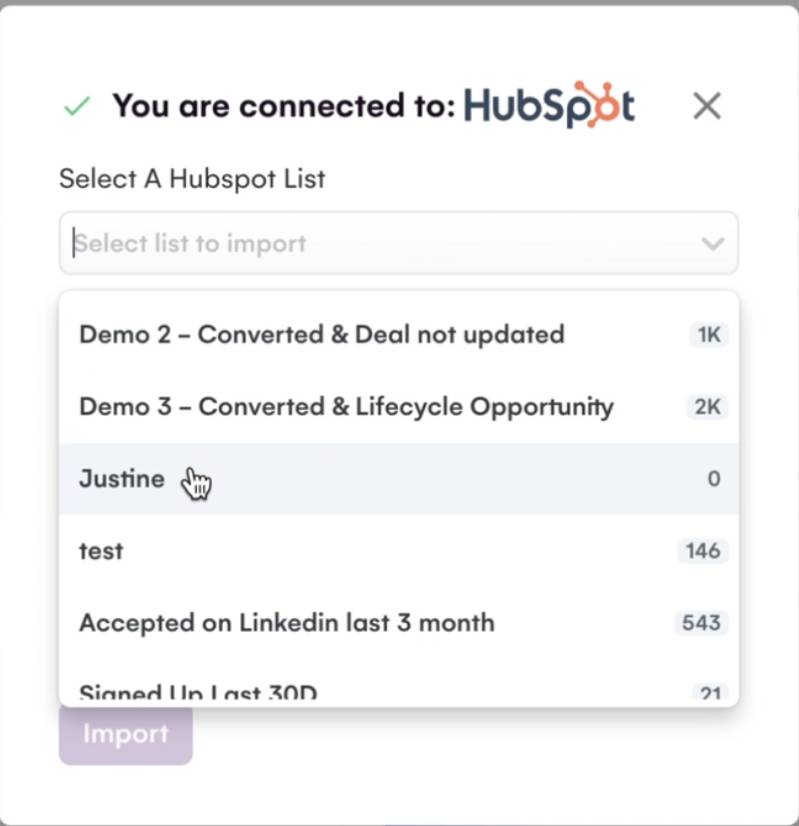
2. Choose the list you want to import
You see every list you’ve built in HubSpot, static or dynamic. The import runs when you click Import. Update a list later, and you can re-import it.
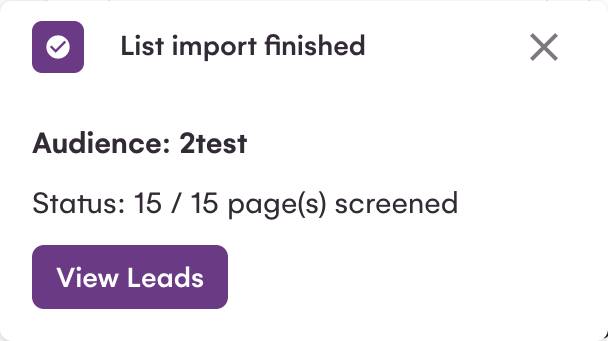
3. La Growth Machine imports your leads
To engage a lead on LinkedIn or by email, La Growth Machine needs an email address, a LinkedIn URL, or just the first name, last name, and company name.
4. La Growth Machine finds the missing info
No email or LinkedIn URL for some leads? La Growth Machine finds them automatically and free of charge when your campaign starts. Give it “Brice Maurin” and “La Growth Machine”, and the campaign first finds his LinkedIn profile, then his professional email. Both steps are automatic and included in every plan, Trial included.
5. La Growth Machine de-duplicates your list
Engaging a lead who’s already in HubSpot? La Growth Machine removes duplicates automatically so you don’t run two campaigns on the same person. The information is merged, and nothing you already had is lost. You choose how duplicates are handled.

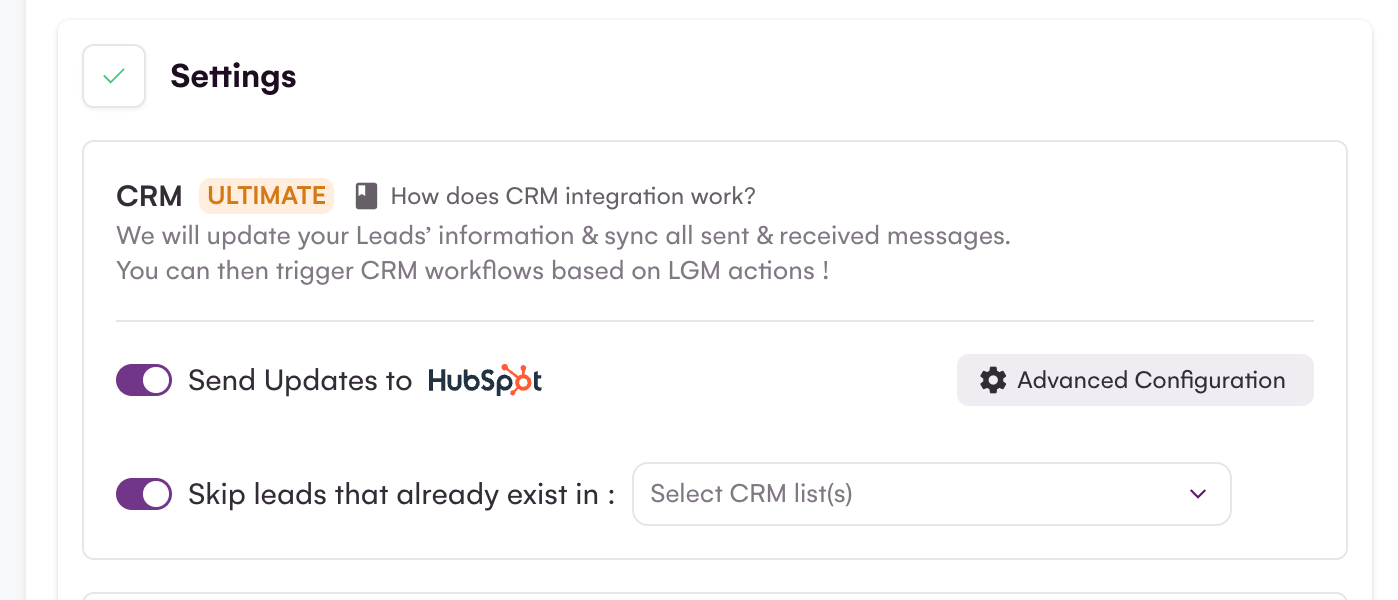
6. Skip leads already in a HubSpot list, static or dynamic
When you build a campaign, you can tell La Growth Machine to ignore leads that already sit in a given HubSpot list. That already covers static lists. It now covers dynamic lists too, the ones HubSpot fills automatically based on your criteria. A dynamic list of “customers”, “open opportunities”, or “already contacted this quarter” becomes a live exclusion list your campaigns respect, with no manual cleanup.
Two-way sync between La Growth Machine and HubSpot
You start a sales prospecting campaign on LinkedIn or by email, send your messages and connection requests, and replies start coming in. Now the real selling begins.
Without a CRM keeping score, you risk the usual: two reps calling the same lead, a missed reply, a follow-up scheduled for six months out that nobody remembers. The CRM is the team’s memory, the notebook where every small detail lands before the call that closes the deal.
So if you use La Growth Machine, 100% of your leads and their activity sync to HubSpot, both ways.
Lead synchronization
La Growth Machine is the most advanced multichannel (LinkedIn and email) prospecting tool. At the start of a campaign, it visits your leads’ profiles and updates their information, and retrieves their professional email at no extra cost. Your leads stay current.

To push that fresh data into HubSpot, switch on CRM Sync in your campaign settings. As soon as a lead enters a campaign, La Growth Machine fills the gaps on their HubSpot record: full name, company, email, LinkedIn profile, even phone number. It completes what’s missing without overwriting what you already trust.
Native HubSpot activities, not just notes
Every action La Growth Machine runs lands on the HubSpot timeline as a native activity, in the right format, not as a generic note. Your Sales and your managers read the commercial history channel by channel, inside HubSpot, without opening La Growth Machine.
| Email sent or replied | HubSpot Email |
| Email open or link click | Note |
| LinkedIn message sent or replied | HubSpot LinkedIn message |
| LinkedIn invite sent or accepted | Note |
| Call task, to do or done | HubSpot Task (Open / Done) |
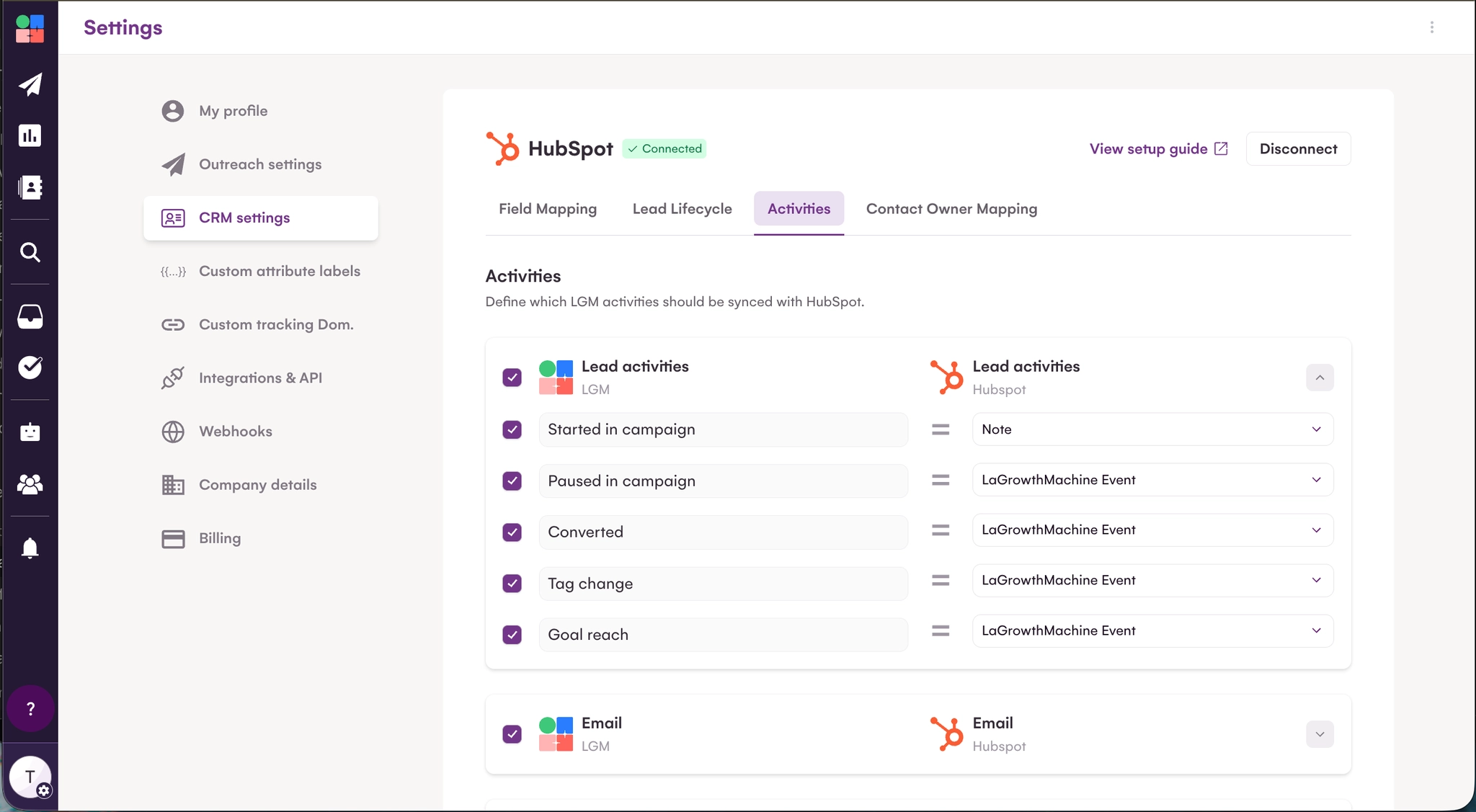
This is what people are really asking for when they search how to get LinkedIn to HubSpot: not a flat data dump, but every LinkedIn and email touch logged where the rest of the deal history already lives.

Map every La Growth Machine identity to a HubSpot owner
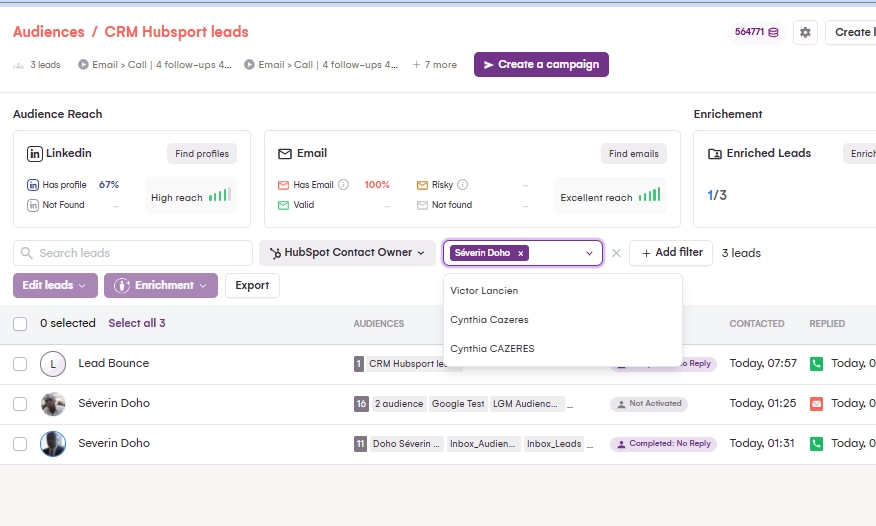
Each La Growth Machine identity can be tied to a HubSpot owner. When a campaign action goes out from an identity, La Growth Machine attaches it to the right owner in HubSpot, so the activity sits in the correct ownership context and the team knows who’s responsible for which campaign.
One guardrail: La Growth Machine applies the owner only when the contact doesn’t already have one. It never overwrites an existing owner. For a RevOps managing several reps and inboxes, that keeps attribution clean and reporting honest.
A true two-way sync
The sync runs in both directions, so nobody maintains anything by hand.
- La Growth Machine to HubSpot: email and LinkedIn activities, call tasks, campaign actions, and lead data changes update HubSpot automatically.
- HubSpot to La Growth Machine: a task marked Done, or a data change on a contact in HubSpot, flows back into La Growth Machine.
For your Sales, that means working in HubSpot the way they always have, while La Growth Machine stays aligned underneath. Update a contact on either side, and both sides agree.
Keep HubSpot clean: control what enters and what you don’t re-prospect
A generic integration pushes everything into the CRM and lets you sort out the mess later. This is where La Growth Machine works differently. You decide which leads become HubSpot contacts, and you stop campaigns from touching anyone your pipeline is already working.
Create the HubSpot contact only when the lead is sales-ready
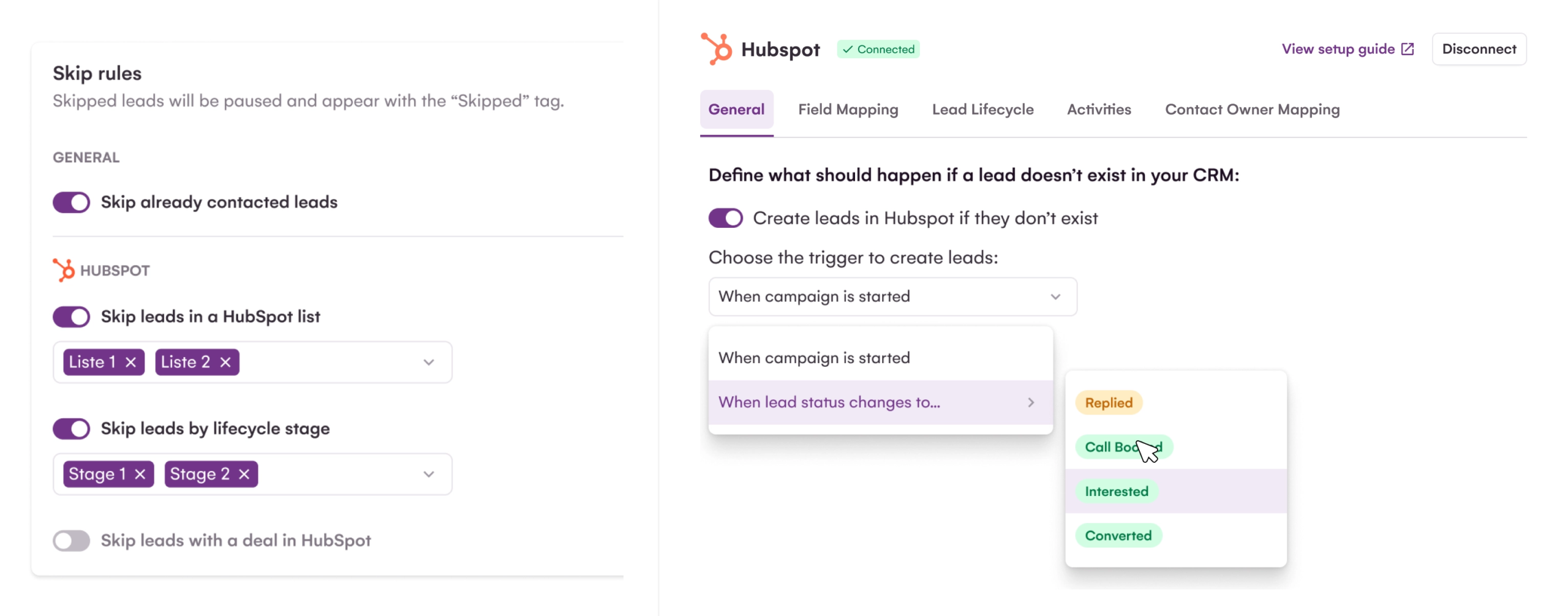
By default, you may not want every lead from a campaign landing in HubSpot the moment it launches. Most of them haven’t interacted yet. So you choose the trigger. La Growth Machine creates the HubSpot contact only when a lead reaches a stage you define: Contacted, Replied, or a “won” tag, for example. HubSpot receives the leads that reached a real commercial step, not the full top of your list. Your CRM stays light, and the contacts in it actually mean something.
Skip a lead that already has an open deal
If a lead in your campaign already has a deal in HubSpot, La Growth Machine pauses that lead. The open deal stays the priority, and you avoid running an outreach action that conflicts with whoever already owns the conversation.
You turn the rule on in your CRM settings. La Growth Machine checks for an existing deal, and skips the lead if it finds one. The rule isn’t retroactive, so it applies to new campaigns going forward.
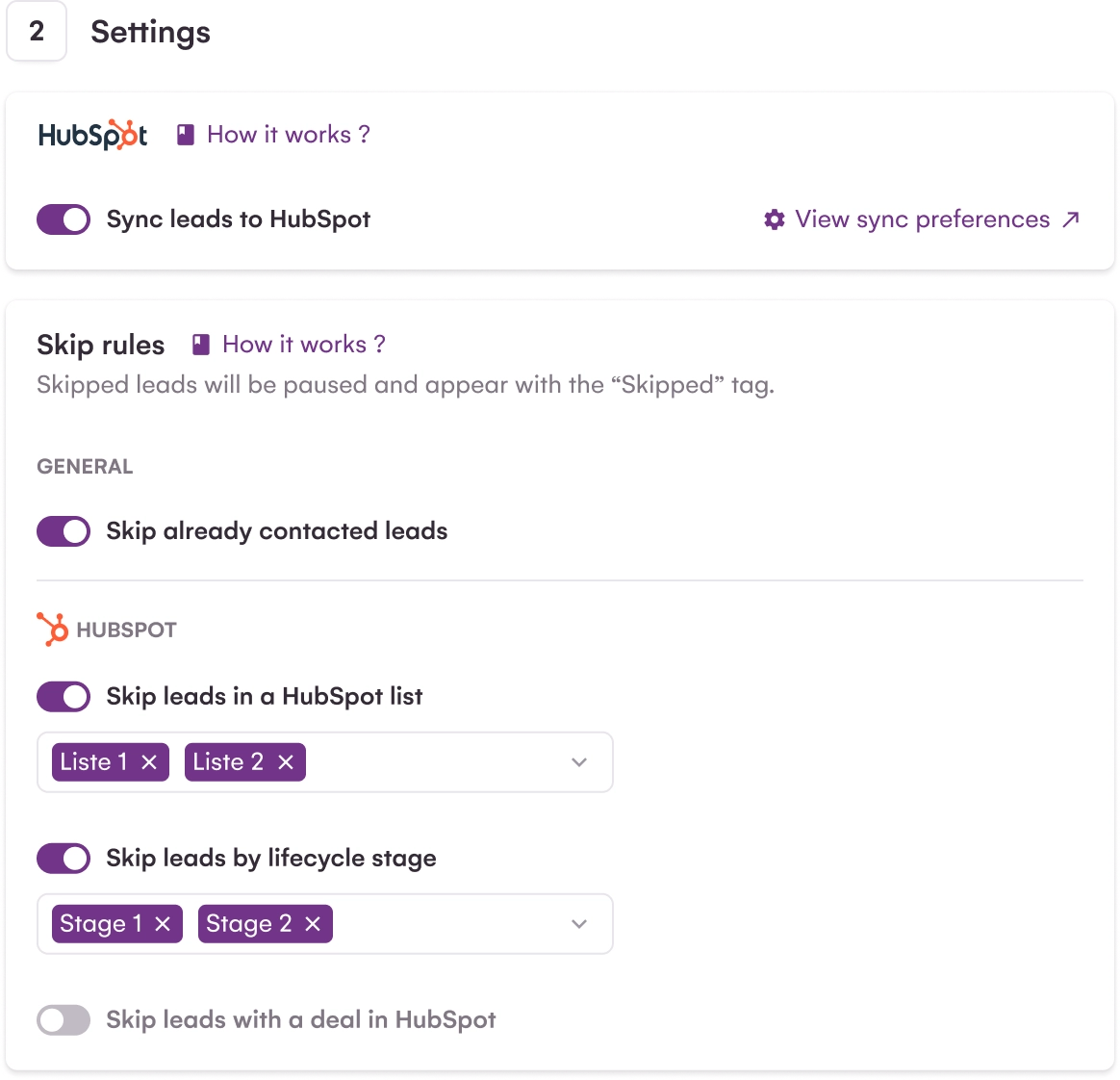
Skip by HubSpot lifecycle stage
You can also let HubSpot’s lifecycle stage decide who’s eligible. Pick the blocking stages, Customer, Opportunity, Unqualified, and any lead sitting in one of them before the first contact won’t be worked. The CRM status controls the campaign. You don’t prospect existing customers, open opportunities, or leads you’ve already disqualified, and you don’t have to scrub your lists by hand to make sure of it. For a Head of Sales, that’s the difference between a team that looks coordinated to prospects and one that doesn’t.
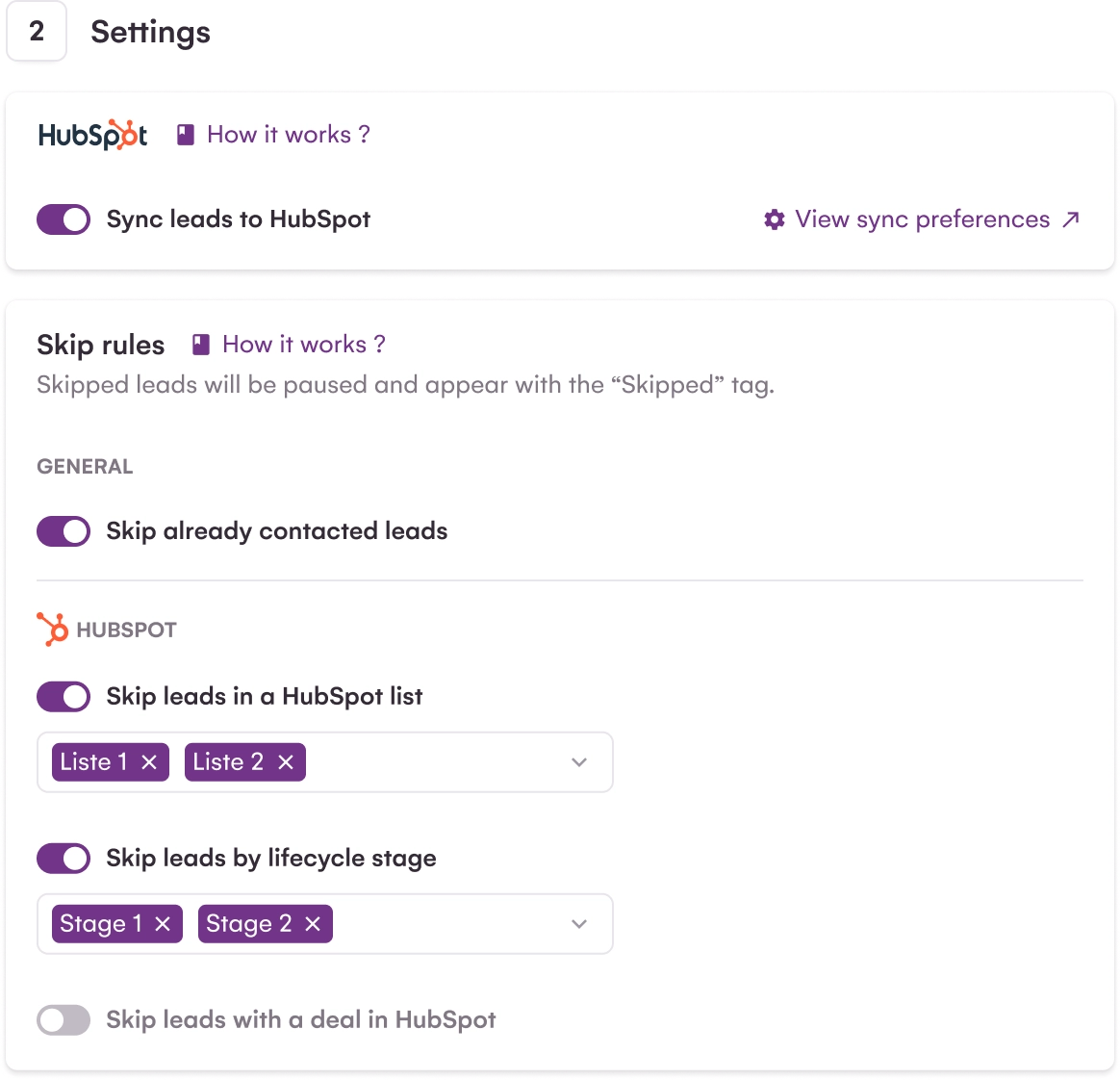
Manage your call tasks straight from HubSpot
Calling is part of a serious multichannel motion, and La Growth Machine keeps the call inside the same loop as your LinkedIn and email steps, while letting your reps work where they’re comfortable.
Here’s the flow. A lead accepts an invite or opens an email, the sequence moves to a Call step, and La Growth Machine creates a call task and syncs it to HubSpot. Your rep makes the call from HubSpot, with a dialer like Aircall, and marks the task Done. La Growth Machine picks that status back up and moves the sequence forward based on the call’s outcome.
- La Growth Machine creates a call task in HubSpot.
- It adds a property on the contact where you set whether the sequence should continue once the call is done.
- Your rep makes the call, then handles the task in HubSpot.
- When the task is marked Done in HubSpot, La Growth Machine reads it.
- La Growth Machine knows the Call step is complete, and the sequence continues as planned.
La Growth Machine keeps the campaign orchestration. Your Sales handle their calls in HubSpot, without switching tools. Both stay in step.
Scenarios: put your La Growth Machine data to work in HubSpot
With the sync on, you get a stream of new signals on each lead:
- Did they reply, and what did they say?
- Did they accept you on LinkedIn?
- Are they interested? (More on lead qualification in La Growth Machine here.)
So what do you do with all of it in your CRM? A few examples, and the list goes on:
- Build dynamic lists in HubSpot based on La Growth Machine data
- Score your prospects in HubSpot using La Growth Machine data
- Automatically assign prospects to a specific sales rep in HubSpot
- Trigger a HubSpot workflow the moment a lead replies on LinkedIn or by email.
La Growth Machine and HubSpot together are like Cristiano Ronaldo and Wayne Rooney. Iconic.