


Slack + La Growth Machine: never miss a reply again.
You don't live in your inbox, so we notify you where you work. Replies, disconnected accounts, tasks to complete: La Growth Machine posts the alerts that matter to the Slack channels you choose, with a link to act in one click.
Available on Pro, Ultimate and during your free trial
Turn Slack into your outbound command center
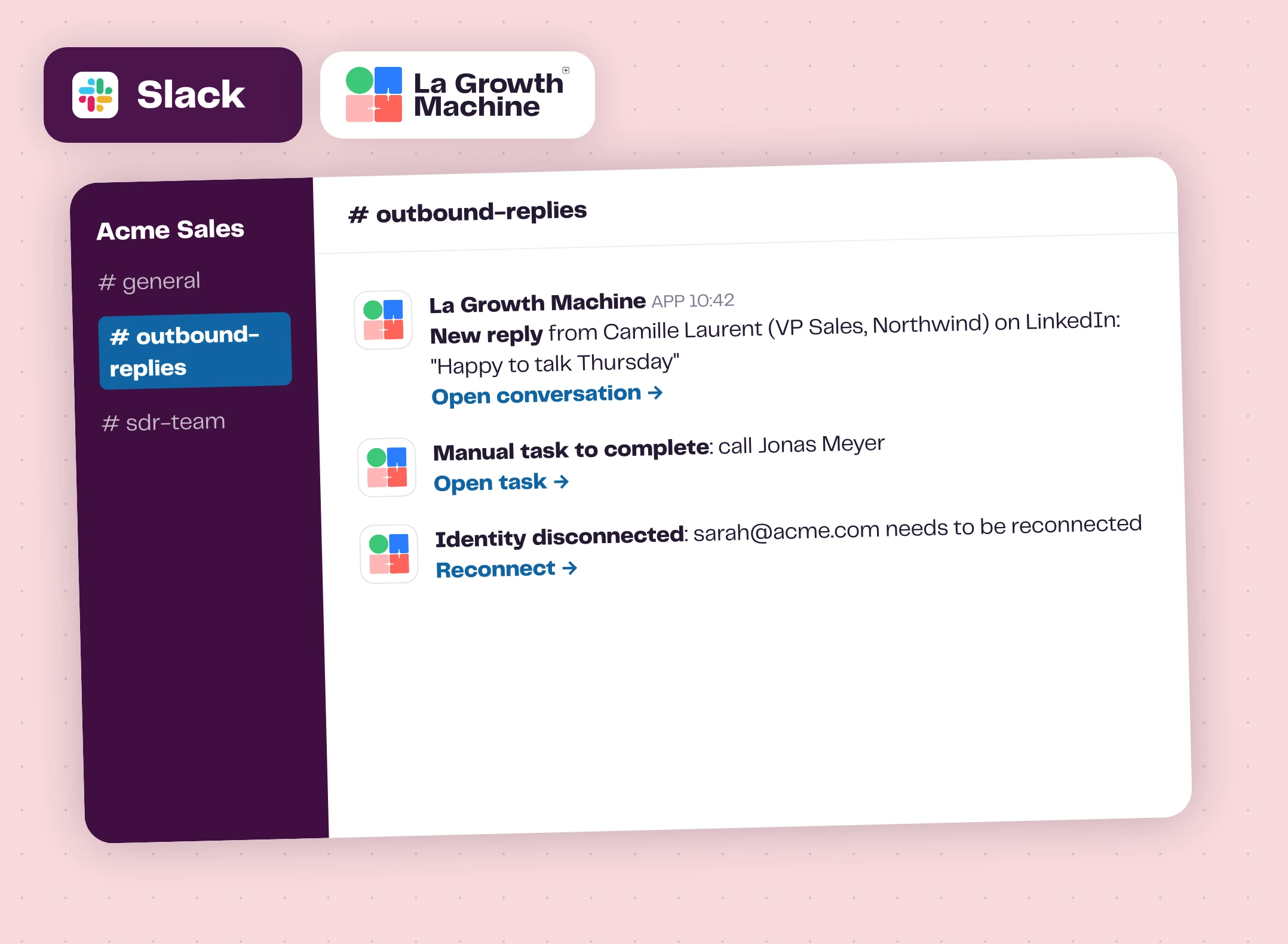
A lead replies, and your team knows it right away: who answered, what they wrote, and a direct link to the conversation in La Growth Machine. Reply while the lead is still thinking about you.
A shared channel becomes a live feed of your outbound, for SDRs, managers and anyone who takes over a conversation. Alerts also reach you on the Slack mobile app.
The triggers expand_more
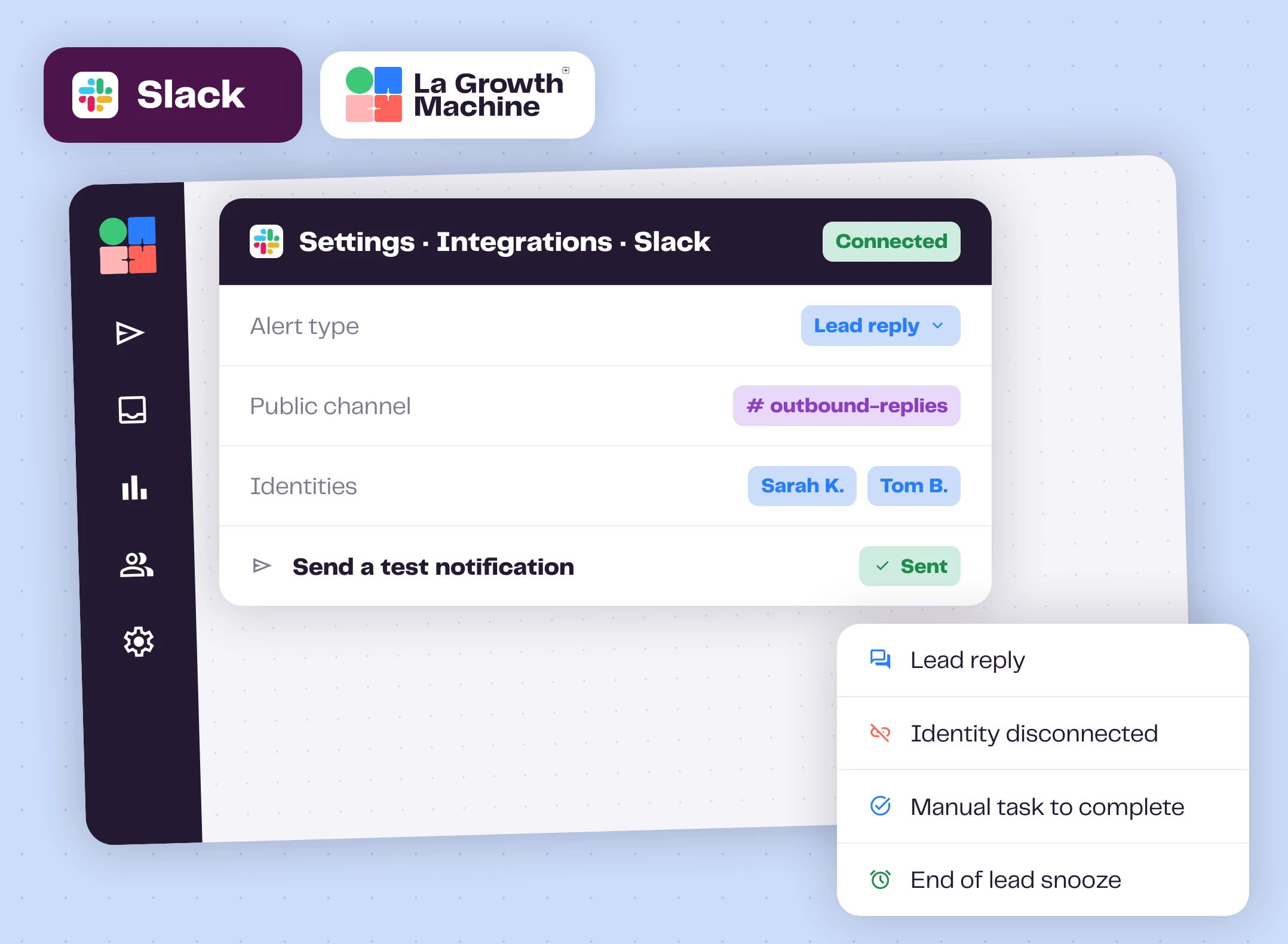
- New lead reply: who answered and what they wrote, with a Reply button.
- LinkedIn account disconnected: reconnect before your campaigns stall.
- New task due: a call or a custom message to handle, with a View Task button.
- Unsnoozed conversation: pick the conversation back up at the right time.
- CRM disconnected: fix the sync before data goes missing.
- Custom trigger: add your own when you create a notification.
Only the alerts that need you
Create as many notifications as you need. For each one, pick the trigger, filter on one or more identities, and choose the Slack channels it posts to. Each rep gets their own replies, managers get the whole team.
La Growth Machine only posts to the channels you choose and doesn't read your Slack messages. Your Slack admin approves the app once, and can revoke it any time.
Make prospecting a team sport
Reply faster
The alert lands in Slack the moment the lead replies, with the message in it.
Unblock campaigns
Reconnect a LinkedIn account or your CRM before days of outreach are lost.
Finish manual steps
Calls and custom messages don't wait for someone to open the app.
Keep everyone informed
Managers see the pipeline move, reps pick up where a colleague left off.
How to get started?
One click. No webhook. No API key.
- linkStep 1
Connect Slack
In La Growth Machine: Integrations, Integrations Marketplace, Slack, Connect.
- verified_userStep 2
Get admin approval
Your Slack admin reviews and approves the La Growth Machine app.
- tuneStep 3
Create a notification
Pick the trigger, the identities it covers and the Slack channels.
- notifications_activeStep 4
Test and go
Send a test notification, then get alerts in real time.
Slack works with these La Growth Machine features
Your Slack alerts come from them: new replies, and calls or custom messages to handle.
Multichannel Inbox
All your LinkedIn and email conversations in one place.
Discover the feature arrow_forward callCalls
Add calls to your campaigns, alongside LinkedIn and email.
Discover the feature arrow_forward edit_noteCustom Messages
Personalize a message for one lead, even after the sequence is launched.
Discover the feature arrow_forwardFrequently asked questions
Which plan do I need? add
The Slack integration is available on the Pro and Ultimate plans, and you can test it during the free trial.
Can alerts go to a private channel? add
Not today. Alerts post to public channels only.
Is La Growth Machine in the Slack App Directory? add
Not yet. The integration is in beta and fully functional: you connect your Slack account safely from La Growth Machine.
Can I filter alerts by rep? add
Yes. Each notification covers the identities you select, so a rep only gets alerts for their own LinkedIn and email accounts.
Does La Growth Machine read my Slack messages? add
No. It only posts alerts to the channels you choose. Your Slack admin can revoke access at any time.