


Pipedrive + La Growth Machine: your outreach, logged where your deals live.
A native sync, no Zapier, no webhooks. La Growth Machine creates and updates your Pipedrive contacts, logs every LinkedIn and email touch on the timeline, and never prospects someone your pipeline already knows.
Connects in about a minute
Your reps live in Pipedrive. Your outreach should too.
When outreach runs in one tool and deals in another, replies get missed and customers get cold messages. The native sync keeps Pipedrive up to date with what happened on LinkedIn and by email, and lets Pipedrive decide who gets prospected.
Contacts created
New leads become Pipedrive contacts, existing ones are updated.
Activity logged
Messages, replies, connection requests, calls and status changes on the timeline.
Lists imported
Pull any Pipedrive people filter into an audience, every day if you want.
Pipeline respected
Skip leads already in Pipedrive, or only those in the lists you pick.
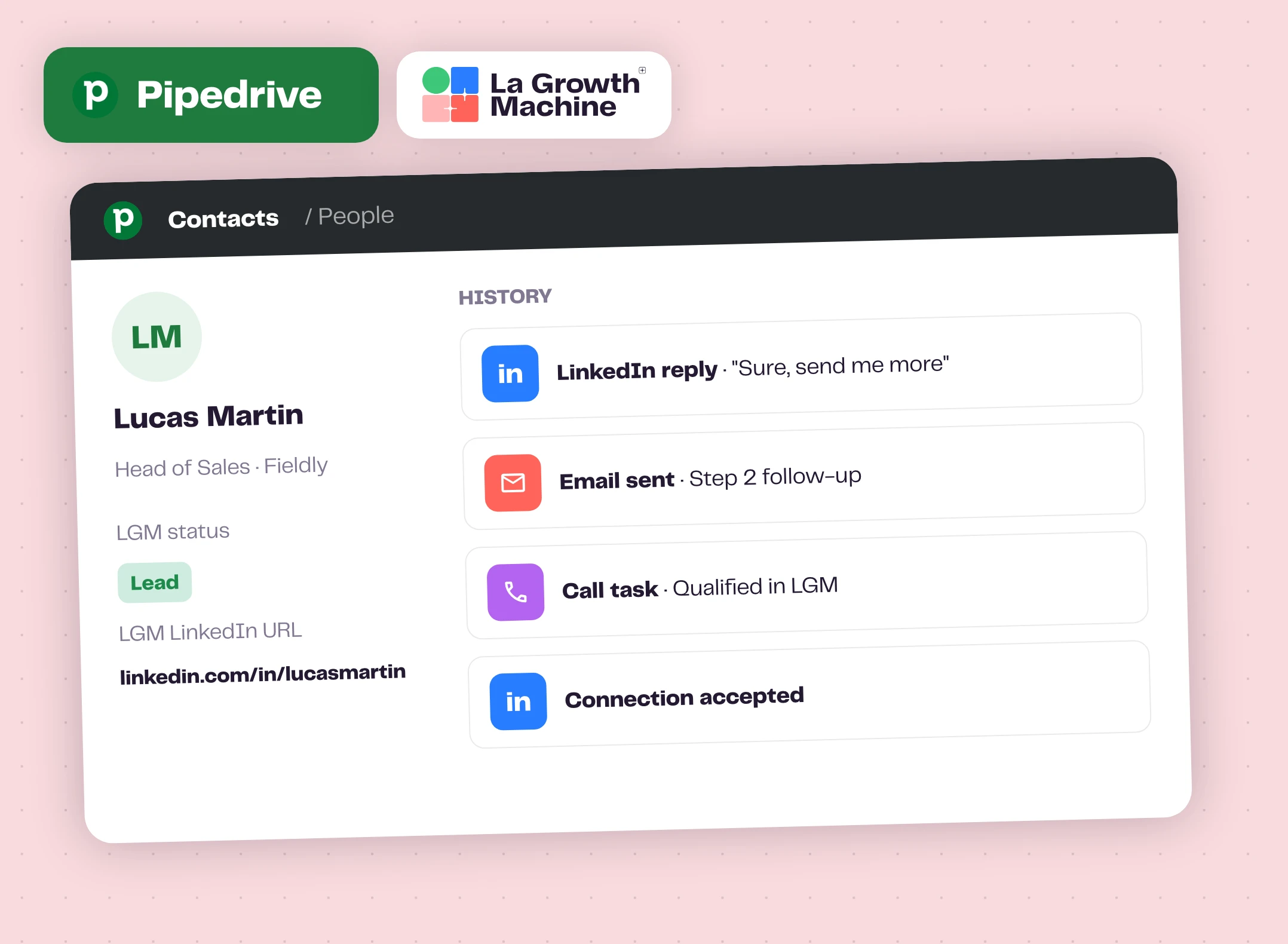
Every touch on the Pipedrive timeline
When a lead enters a synced campaign, La Growth Machine checks whether they already exist in Pipedrive, by email or by name and company, then creates or updates the contact. From there, every action is recorded on the contact's history.
Inbox conversations sync too, and call tasks show up in Pipedrive. Qualify the call in La Growth Machine and its status updates in your CRM.
What gets logged expand_more
- Emails sent, replies, opens and link clicks
- LinkedIn messages sent and replies
- LinkedIn connection requests and acceptances
- Calls
- Campaign status and qualification updates
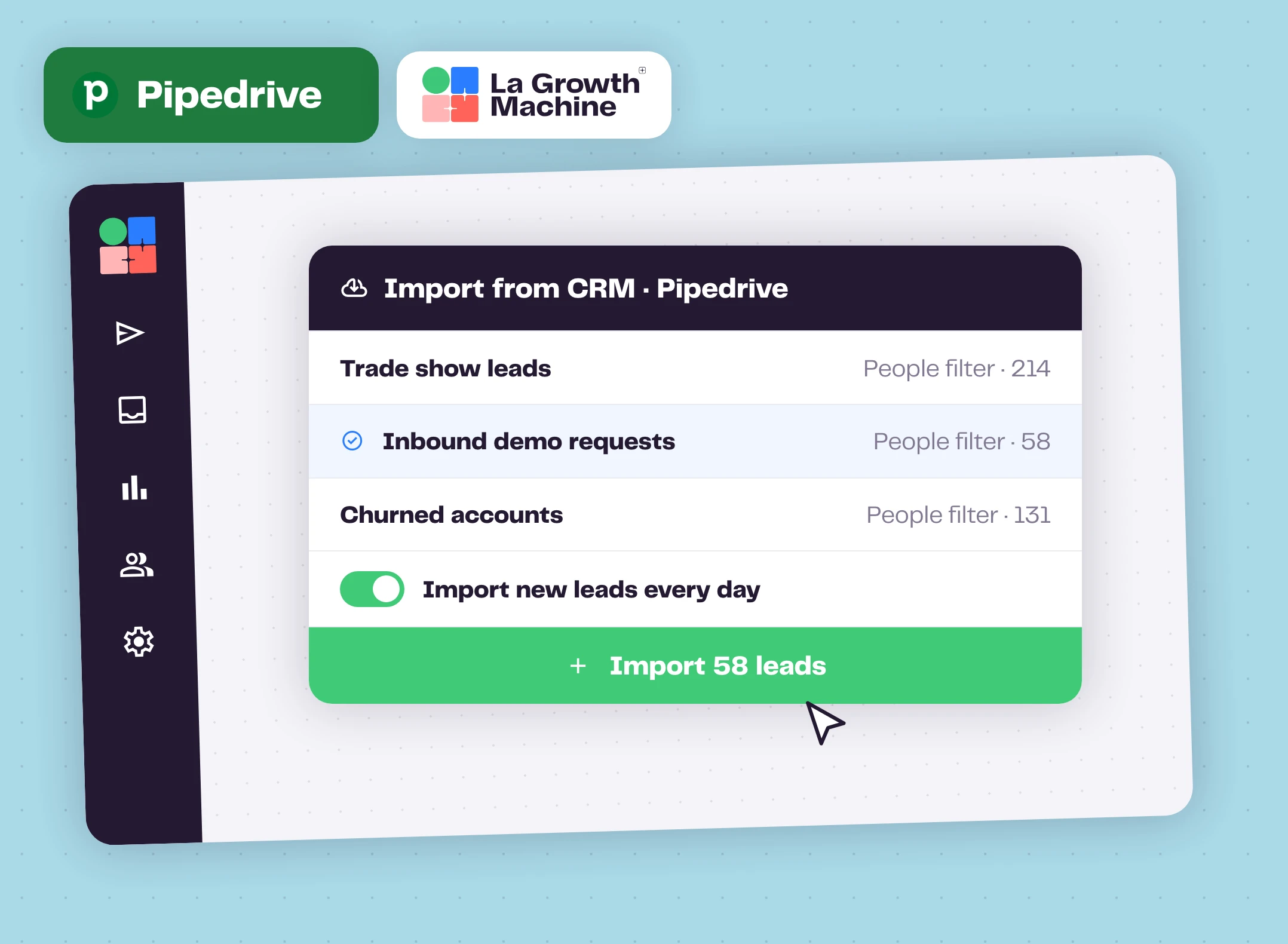
Start from your Pipedrive filters
Import any Pipedrive people filter into a La Growth Machine audience, from the leads page or while creating a campaign. Import as many lists as you need.
Tick Import new leads every day and La Growth Machine checks the filter every 24 hours, adds the new people and never imports the same contact twice. Auto-enrichment only spends credits on leads that aren't enriched yet.
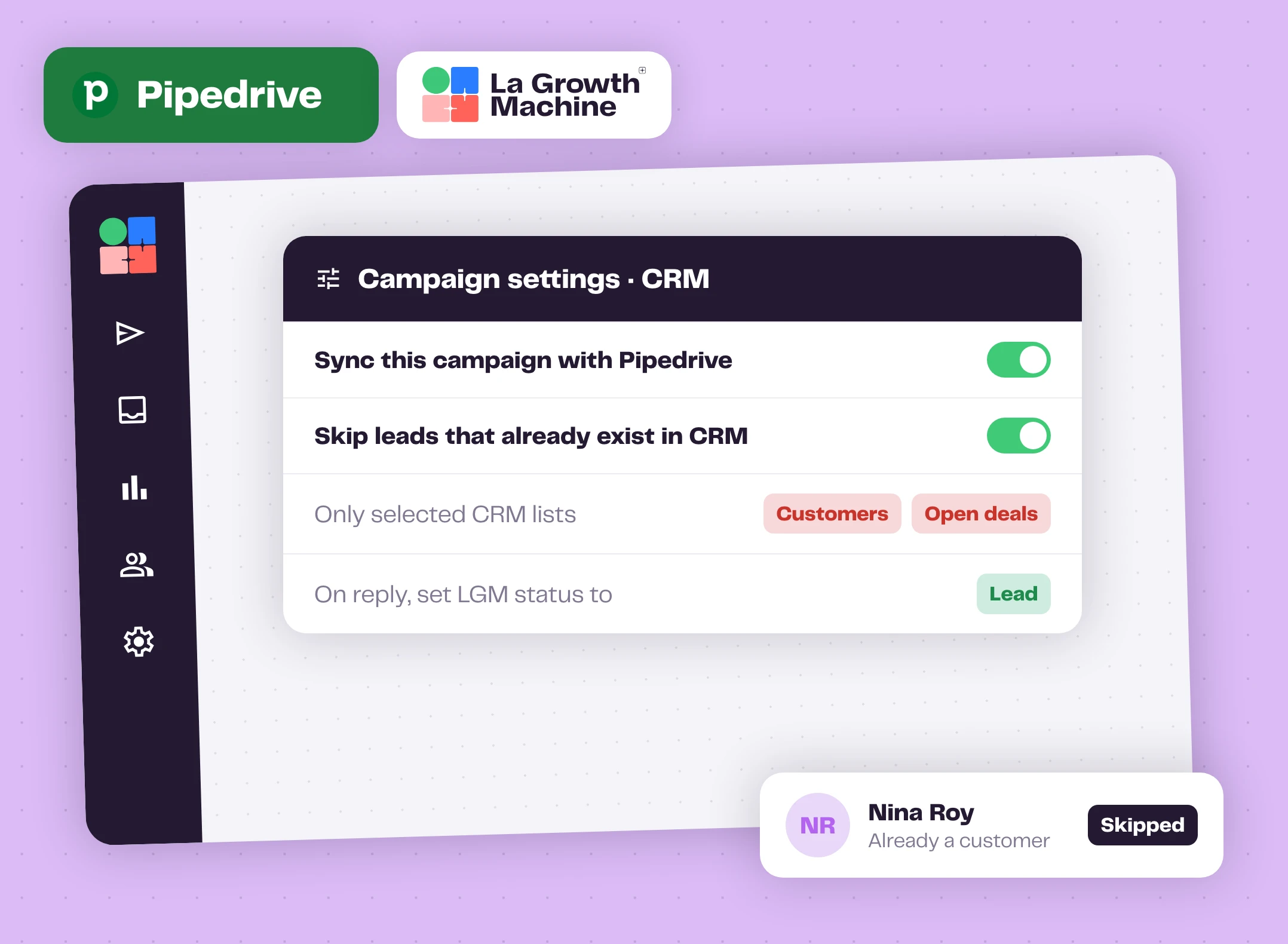
Never prospect a contact you already work
Turn on Skip leads that already exist in your campaign settings. La Growth Machine checks Pipedrive when the campaign starts and stops those leads before any message goes out: every CRM contact, or only the lists you pick, like customers or open deals.
Update the lead status from campaign events too, a reply or a link click for example. Those statuses can trigger your Pipedrive workflows, to create a deal or assign a task to a rep.
A lifecycle setup that works expand_more
- Campaign starts: Opportunity
- The lead replies: La Growth Machine switches it to Lead
- Your sales team qualifies
- Deal closed: Customer
How to get started?
Connected in about a minute.
- linkStep 1
Connect Pipedrive
In La Growth Machine settings, CRM, click Connect a Pipedrive account. You need Pipedrive admin rights.
- swap_horizStep 2
Map your fields
Use the LGM fields the integration creates, or your own Pipedrive fields.
- cloud_downloadStep 3
Import a filter
Leads, Import leads, Import from CRM, then choose a Pipedrive people filter.
- rocket_launchStep 4
Turn on the sync
Enable CRM sync and skip rules in the campaign settings, then launch.
Pipedrive works with these La Growth Machine features
Pipedrive logs what they do: emails, LinkedIn messages, calls and inbox conversations.
Multichannel Sequences
Combine LinkedIn and email steps in one sequence.
Discover the feature arrow_forward forumMultichannel Inbox
All your LinkedIn and email conversations in one place.
Discover the feature arrow_forward callCalls
Add calls to your campaigns, alongside LinkedIn and email.
Discover the feature arrow_forwardGo further with Pipedrive
Webinars, playbooks and guides from the La Growth Machine team and our partners.
Pipedrive vs HubSpot: the complete CRM comparison
How the two CRMs compare, and the outreach layer that feeds either one.
Read the article arrow_forward play_circleWebinar replayWhen to use a Sales CRM in cold outreach
Breakcold and La Growth Machine on turning outbound replies into qualified opportunities.
Watch the replay arrow_forward schoolAcademyHow to structure a sales pipeline with a CRM
A chapter of the La Growth Machine Academy.
Read the chapter arrow_forwardFrequently asked questions
Do I need Zapier or a webhook? add
No. The Pipedrive integration is native: you connect it once from your La Growth Machine CRM settings.
Who can connect Pipedrive? add
An administrator of your Pipedrive organization. If that's not you, invite a colleague with admin rights to your La Growth Machine workspace.
Does La Growth Machine create deals in Pipedrive? add
La Growth Machine syncs at the contact level. Use the statuses it updates to trigger a Pipedrive workflow that creates the deal or assigns a task.
Can I set the contact owner? add
Yes, with a Make scenario: store the Pipedrive user ID in a custom attribute and Make assigns the owner once the lead is synced. Our help center has the step-by-step guide.
Is the sync retroactive? add
No. Actions start syncing once Pipedrive is connected and the sync is turned on for the campaign.
Which plan do I need? add
The native Pipedrive sync and the import from Pipedrive are part of the Ultimate plan.