

TL;DR
– Waalaxy ($19/user) and Dripify ($59/user) are the cheapest ways in; Waalaxy stays LinkedIn-only until its $69 tier, while Dripify carries email on every paid plan
– HeyReach ($79/sender) owns multi-account agency outreach through sender rotation, and Expandi ($99/seat) owns visual personalisation — both send on LinkedIn first
– PhantomBuster ($69) and LinkedIn Sales Navigator ($119.99) are not outreach platforms: one builds data workflows, the other builds the target list
– La Growth Machine runs LinkedIn and email as one conditional sequence per prospect with 1,250 enrichment credits a month, from €60 per identity; two-way HubSpot and Pipedrive sync sits on its top plan
– Choose on the entry plan you will actually buy, on where the code runs, and on whether outreach reaches your CRM — all prices verified 21 August 2026
The seven tools on this page all claim to do LinkedIn outreach, and they do not do the same job. What has changed is the gap between them. Some run on the vendor’s own servers with dedicated IPs. Some run inside a Chrome tab on a sales rep’s laptop. Some send on LinkedIn only, some carry email in the same sequence, and a few are not outreach tools at all despite showing up on every list. This guide sorts the seven that matter for B2B sales teams, and says plainly what each one does and does not do.
Which LinkedIn outreach tool is the best?
For most B2B sales teams, La Growth Machine is the strongest LinkedIn outreach tool in 2026 because it runs LinkedIn and email in one sequence; HeyReach wins on multi-account agency volume, and Waalaxy on entry price.
| If you are | Best pick | From (monthly) | Why |
|---|---|---|---|
| A B2B sales team running LinkedIn and email together | La Growth Machine | €60 per identity | One sequence per person across both channels, with an enrichment credit allowance |
| An agency running 10+ sender accounts | HeyReach | $79 per sender | Built around account rotation and per-client separation |
| A team that lives on visual personalisation | Expandi | $99 per seat | Dynamic images and GIFs inside connection requests |
| A solo founder on the smallest possible budget | Waalaxy | $19 per user | Cheapest real entry point, LinkedIn only until the top plan |
| A team that wants simple LinkedIn sequences with email | Dripify | $59 per user | Clean sequence builder, email included on every paid plan |
| A growth engineer building custom data workflows | PhantomBuster | $69 | Scraping and automation building blocks, not a sequencer |
| A team that needs a better target list first | LinkedIn Sales Navigator | $119.99 | Search, filters and intent signals — it does not send sequences |
⚠️ Three of these vendors show annual pricing by default on their own site. Every figure above is the monthly price without commitment, checked on the vendor’s pricing page on 21 August 2026.
How we tested and compared these 7 tools
Two different standards apply on this page, and mixing them would make the ranking worthless. One tool was tested on real campaigns: La Growth Machine, our own product. The other six were compared on public, verifiable criteria only — price read on the vendor’s pricing page, stated sending channels, architecture, enrichment model and documented CRM integrations.
Disclosure: La Growth Machine is our product, and it is ranked first on this page. It wins on one criterion — running LinkedIn and email as a single conditional sequence per person with the contact data in the same place: 1,250 enrichment credits a month, against 100 on the closest comparable plan. It does not win everywhere, and we say so: HeyReach is a better fit for an agency rotating dozens of sender accounts, Waalaxy costs a fraction of it at the entry tier, and Sales Navigator does something none of these tools do.
| Criterion | The question we asked | What separates the tools |
|---|---|---|
| Channels | What can this tool actually send on, on the entry plan? | LinkedIn only, or LinkedIn plus email in the same flow |
| Architecture | Where does the code run? | Vendor servers with dedicated IPs, or a browser extension on a laptop |
| Enrichment | Does contact data come with the tool, and on what model? | Monthly credit allowance, or nothing at all |
| CRM | Does outreach activity land in the CRM without middleware? | Native two-way sync, or a Zapier or Make scenario |
| Scope | Is this an outreach platform at all? | Two tools on this list are not, and that matters |
We did not score tools we have not run. Where a vendor does not document a capability, this page says it is not documented rather than claiming the tool lacks it.
The 7 best LinkedIn outreach tools at a glance
Five of these seven are outreach platforms that send sequences. Two are not: PhantomBuster builds data workflows and Sales Navigator is a search layer, and both appear here because teams routinely shortlist them against the other five. Prices below are monthly, per seat, sender or identity depending on the vendor.
| Tool | From (monthly) | Channels sent | Enrichment | CRM sync | API / webhooks | Architecture | Free trial |
|---|---|---|---|---|---|---|---|
| La Growth Machine | €60 / identity | LinkedIn, email | 1,250 credits/month | HubSpot, Pipedrive on the top plan | Both, from the Pro tier | Cloud | 14 days, no card |
| HeyReach | $79 / sender | LinkedIn only | 100 credits per sender | HubSpot native | Both, from the entry plan | Cloud | 14 days, no card |
| Expandi | $99 / seat | LinkedIn + email follow-ups | Not documented | HubSpot and Pipedrive native | Webhooks documented, no documented API | Cloud, per-country IP | 7 days |
| Waalaxy | $19 / user | LinkedIn only until top plan | 25 credits/month | Via Make scenarios | Webhooks from Pro, API from Advanced | Chrome extension + web app | 14 days |
| Dripify | $59 / user | LinkedIn + email | 100 credits/month | HubSpot from the Pro tier | Webhooks from Pro, no documented API | Cloud | 7 days, no card |
| PhantomBuster | $69 | None — not a sequencer | Email and URL credits | HubSpot only | Both, on every plan | Cloud | Limited free tier |
| LinkedIn Sales Navigator | $119.99 | None — data layer | No | Salesforce, HubSpot, Dynamics | No — partner programme, closed | Cloud | Yes, duration not published |
API and webhook availability was read on each vendor’s own developer or help documentation on the same date; where a vendor publishes no developer documentation, the cell says so rather than claiming the capability is absent. All competitor prices were read on each vendor’s official pricing page on 21 August 2026, with the billing toggle set to monthly. Vendors change grids often, so treat this table as dated rather than permanent.
The 7 best LinkedIn outreach tools in 2026
1. La Growth Machine — best for LinkedIn and email in one sequence
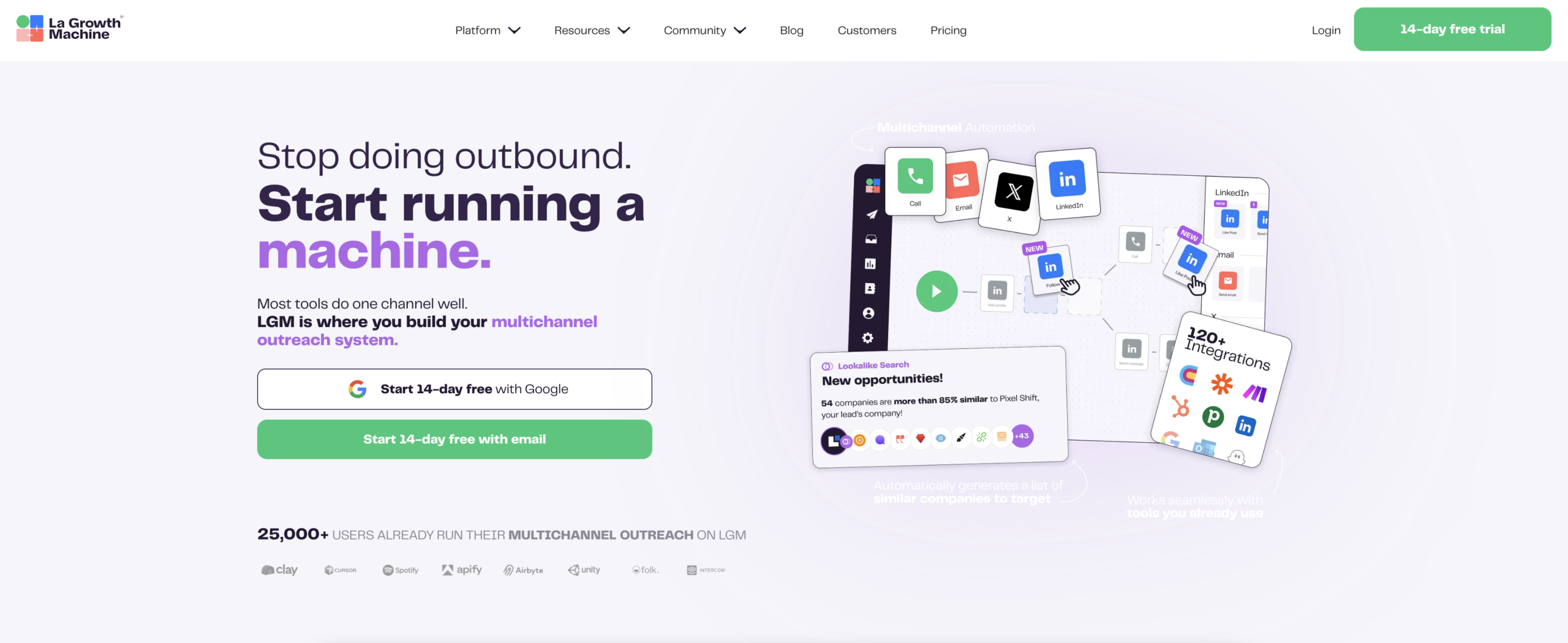
Overview. La Growth Machine is a multichannel outreach platform built around a single idea: one sequence per person, not one sequence per channel. A prospect enters a campaign once, and the platform decides what happens next based on how that person actually behaves — connection accepted, message ignored, email bounced.
Key features. Conditional sequence builder across LinkedIn and email. Social Warming, which follows a lead and engages with their content before a connection request goes out. AI-generated voice messages on LinkedIn. Real Chat Mode, which paces messages the way a person types rather than firing them instantly. Waterfall enrichment, which queries several data providers in sequence until one returns a usable contact. Signals that surface the people already engaging with content in your category on LinkedIn. Two-way CRM sync on the top plan, so replies and statuses land in the CRM without an export.
Pros and cons. ✅ One conditional flow across LinkedIn and email, rather than two tools and two threads. ✅ Enrichment runs inside the platform, so a campaign starts with usable contact data. ✅ Cloud infrastructure with dedicated IPs, no browser extension. ⚠️ The API starts at the Pro tier and is not available on the entry plan. ⚠️ Billing is per identity, so a team running many sender profiles pays per profile.
Pricing. From €60 per month per identity, billed monthly, with a 14-day free trial and no card required. The entry plan covers LinkedIn and email and includes 1,250 enrichment credits per month, roughly 250 fully enriched leads. Credits are a monthly allowance and do not roll over, so a team sending high volume will still buy top-ups; the allowance removes a separate data subscription at small volumes, not at every scale. Two-way sync with HubSpot and Pipedrive sits on the top plan, and other CRMs connect through Zapier, per the public pricing page.
Best for. B2B sales and growth teams of roughly 10 to 500 people who need LinkedIn and email in the same flow and need the result to show up as pipeline in a CRM.
2. HeyReach — best for agencies running many LinkedIn accounts
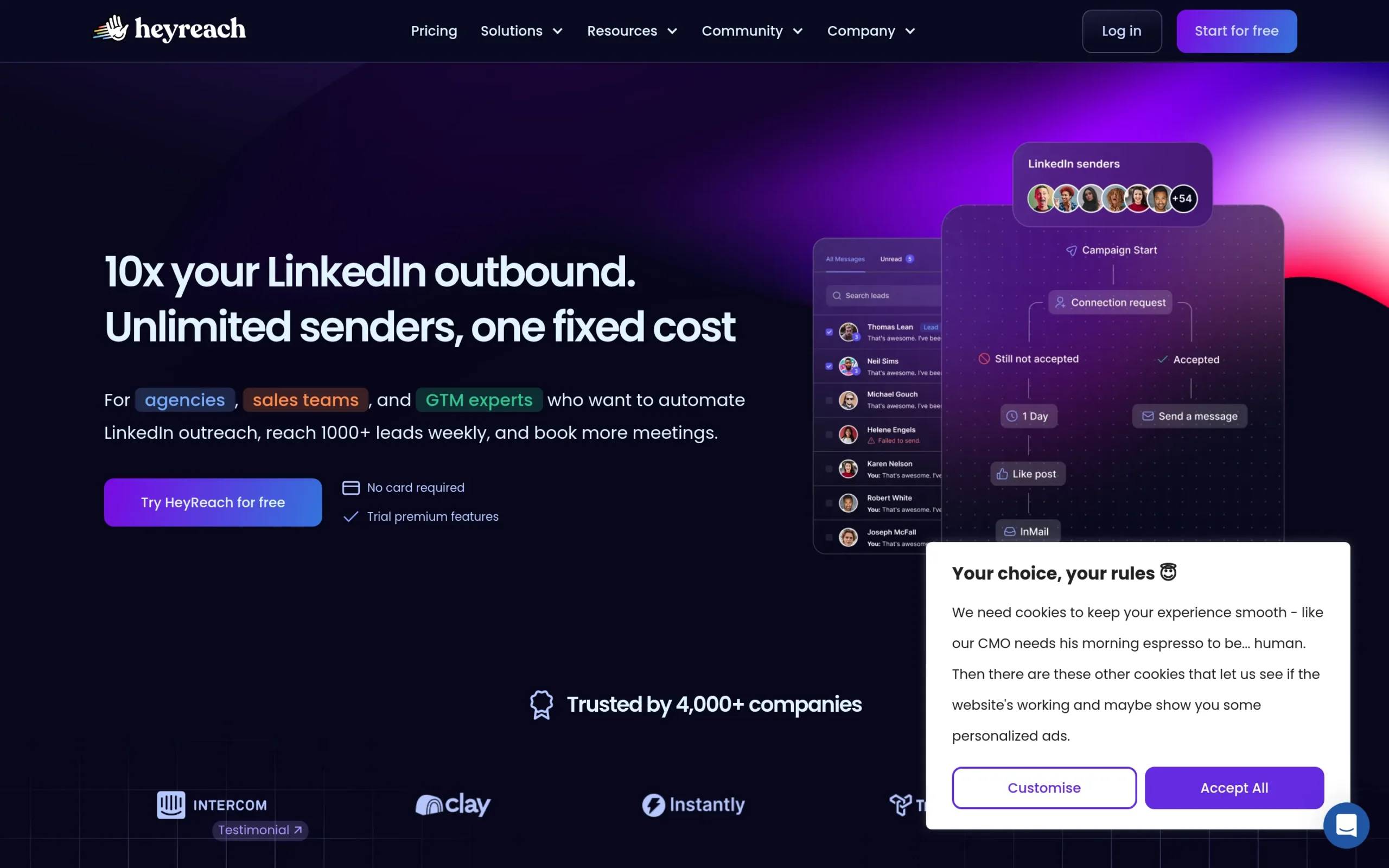
Overview. HeyReach is built for one situation that other tools handle badly: running LinkedIn outreach across a large number of sender accounts at once, for several clients, from one dashboard. Account rotation and per-client separation are the product, not a feature bolted on later.
Key features. Sender account rotation across dozens of profiles. Unified inbox across all connected accounts. Per-client workspaces and reporting. Native HubSpot sync, plus Attio and Breakcold. Lead enrichment on a credit allowance. Pushes leads into dedicated email tools when an email step is needed.
Pros and cons. ✅ The clearest answer on the market for agency-scale account rotation. ✅ Native HubSpot sync, which is more than most LinkedIn-first tools offer. ✅ Enrichment credits included per sender. ⚠️ Sending is LinkedIn only — the multichannel story means pushing leads to a separate email platform, not running email in the same sequence. ⚠️ No native Pipedrive or Salesforce connector.
Pricing. From $79 per sender per month, with a 14-day free trial and no card required. Growth includes 100 enrichment credits per sender. Quarterly and annual commitments reduce the per-seat price. If you want to see how it lines up against an email-first platform, we put HeyReach next to Instantly in a dedicated comparison.
Best for. Lead generation agencies and in-house teams running ten or more LinkedIn sender identities where account isolation matters more than channel breadth.
3. Expandi — best for visual personalisation at LinkedIn scale
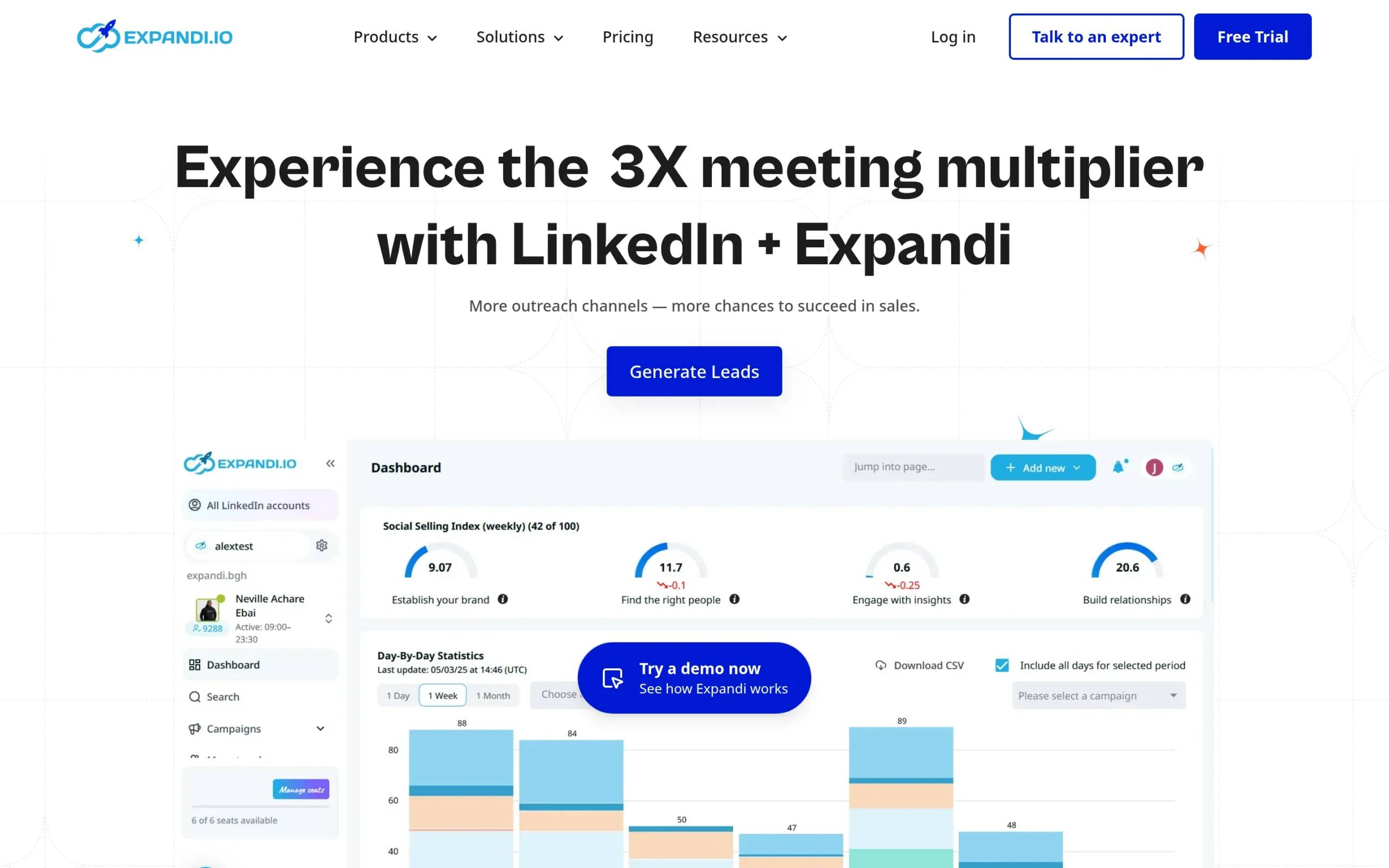
Overview. Expandi’s angle is making a cold connection request look like it was made for one person. Dynamic images, custom GIFs and personalised visual icebreakers are generated per prospect and dropped into the message, which is a genuinely different lever from writing better copy.
Key features. Dynamic image and GIF personalisation. Smart sequences with conditional steps. Email follow-ups inside the same sequence. A dedicated IP per country. Native HubSpot and Pipedrive integrations. Webhook support for custom routing.
Pros and cons. ✅ The most developed visual personalisation on this list. ✅ Native HubSpot and Pipedrive connectors, documented on the vendor’s own integration pages. ✅ Per-country dedicated IPs. ⚠️ Enrichment is not documented on Expandi’s pricing or integration pages, so plan on bringing contact data from elsewhere. ⚠️ No Salesforce integration page exists.
Pricing. From $99 per seat per month on the Business plan, with a 7-day free trial. Annual commitment brings it to $79 per month. It sits at the higher end of the LinkedIn-first tools, and the personalisation layer is what you are paying for. We have also put Expandi and Waalaxy compared directly if those two are your shortlist.
Best for. Teams whose response rates depend on standing out visually in the LinkedIn inbox, and who already have a contact data source.
4. Waalaxy — best for solo users starting on the smallest budget
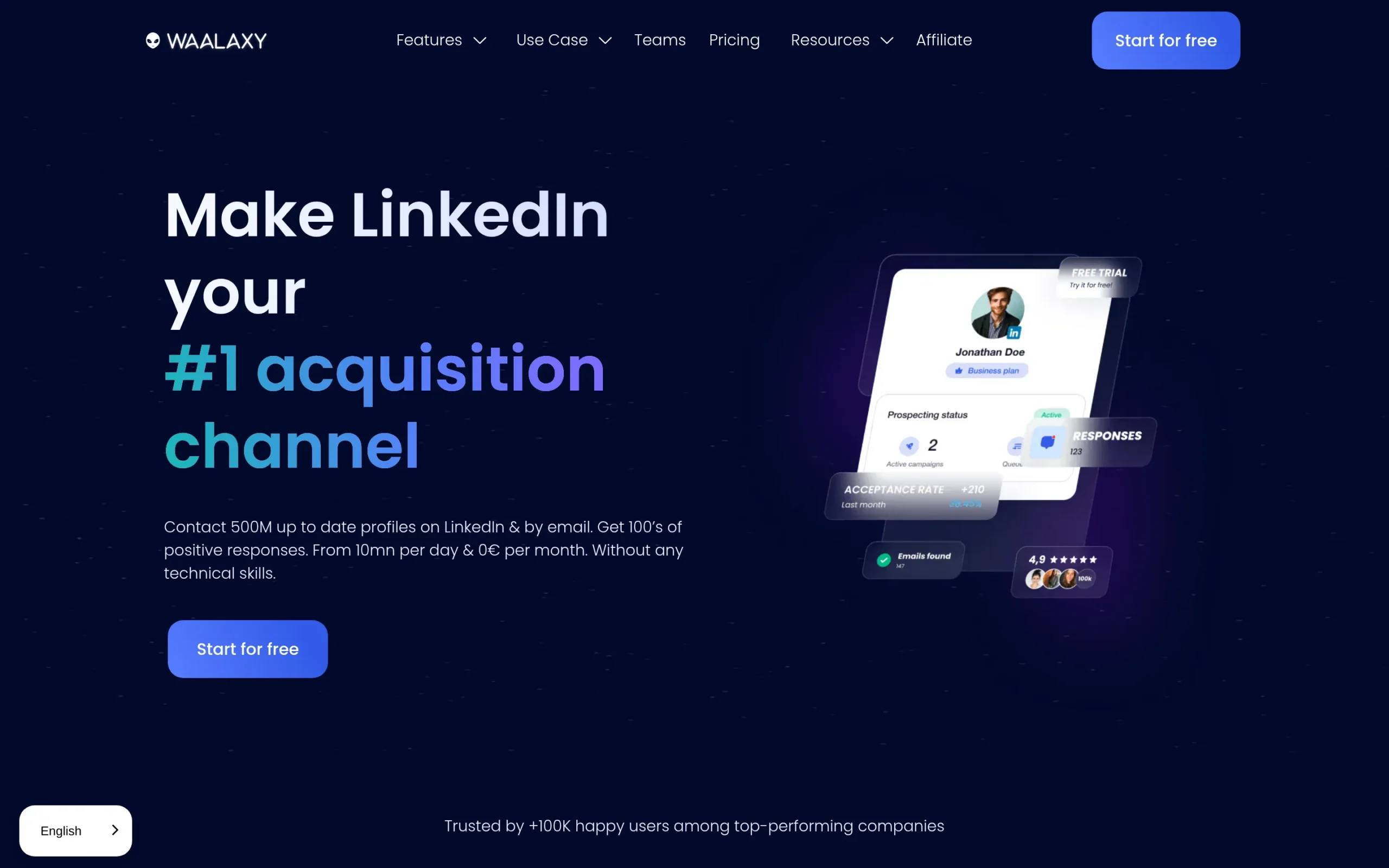
Overview. Waalaxy is the cheapest serious entry point into LinkedIn outreach. The sequence builder is visual and forgiving, the learning curve is short, and someone with no outbound experience can have a campaign running the same afternoon.
Key features. Visual campaign builder with ready-made templates. LinkedIn connection requests and message sequences. Email Finder with a monthly credit allowance. Cold email on the top tier. CRM connections through Make, Zapier and n8n modules on the higher plans.
Pros and cons. ✅ The lowest entry price on this list by a wide margin. ✅ Genuinely easy to learn. ✅ Email Finder credits included from the entry plan. ⚠️ LinkedIn only until the Business tier — cold email is not available on the two cheaper plans. ⚠️ It runs as a Chrome extension alongside a web app, which ties execution to a browser. ⚠️ The CRM integrations carry native branding but are delivered as Make scenarios, which is a meaningful difference.
Pricing. From $19 per user per month on the Pro plan, with a 14-day trial. Advanced is $39 and Business, the first tier with cold email, is $69. Note that the site shows annual pricing by default; those are the monthly figures.
Best for. Solo founders, freelancers and very small teams running low-volume LinkedIn-first outreach where budget is the binding constraint.
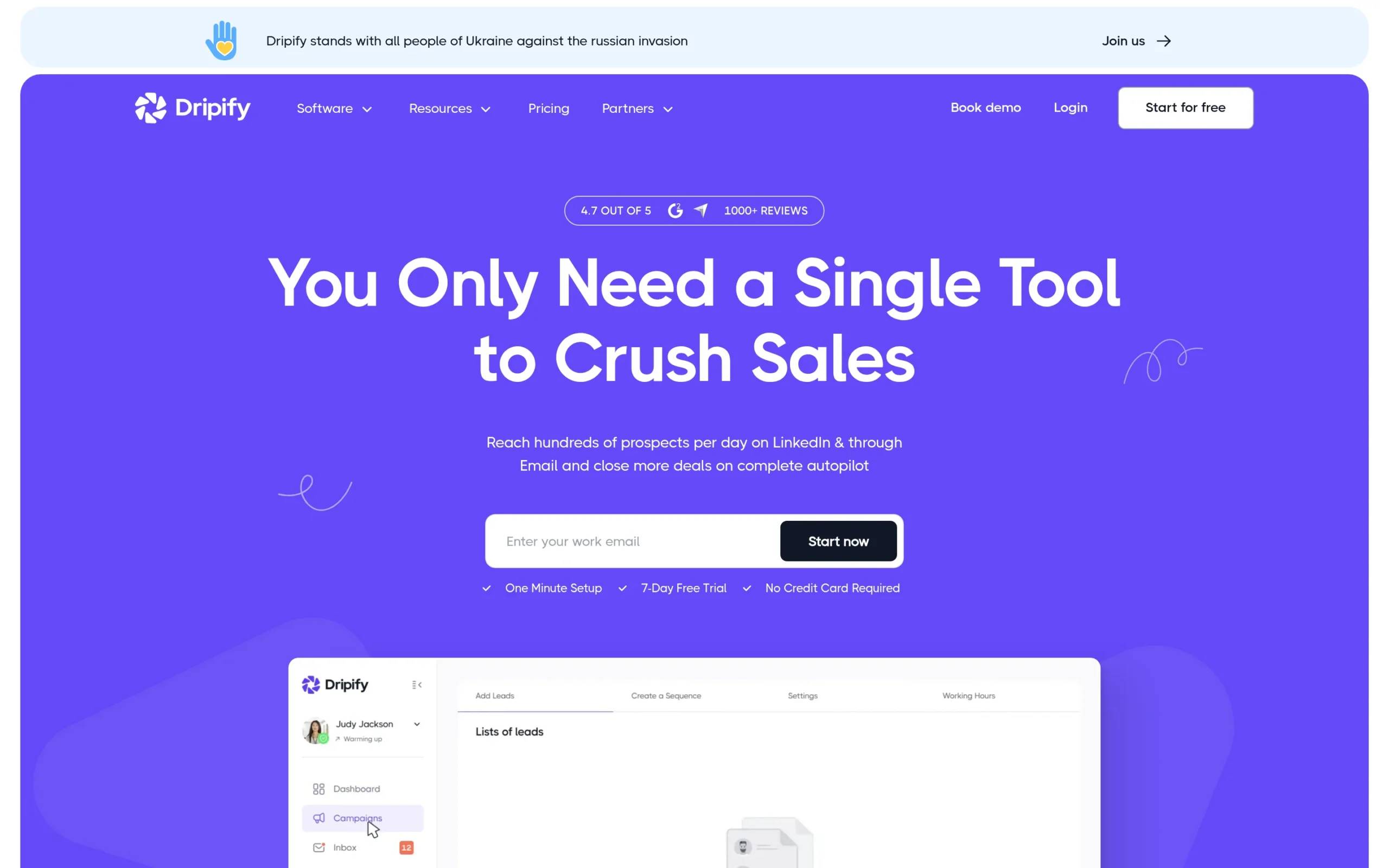
5. Dripify — best for simple LinkedIn sequences with email included
Overview. Dripify is a cloud LinkedIn sequencer with a deliberately small surface area. It does drip campaigns, it carries email on every paid plan, and it does not ask you to learn a workflow engine first. Campaigns keep running when the laptop is closed.
Key features. Drip sequence builder with conditional steps. Email steps on every paid plan. A Sales Navigator InMail step, subject to the prerequisite below. Built-in email finder with a monthly credit allowance. Team management and activity reporting. Native HubSpot sync and webhooks from the Pro tier.
Pros and cons. ✅ Email is included on every paid plan, not held back for the top tier. ✅ 100 enrichment credits per month on each plan. ✅ Straightforward to set up and hand to a junior rep. ⚠️ The entry plan has neither webhooks nor Zapier, so the cheapest tier is a closed box. ⚠️ No native Pipedrive or Salesforce connector. ⚠️ InMail is not included in the $59. Dripify’s own documentation states that since July 2026 it dropped the basic InMail action and that the remaining Sales Navigator InMail step requires an active Sales Navigator contract connected to the account — a separate subscription at $119.99 per month, which carries the 50 monthly InMail credits LinkedIn allocates.
Pricing. From $59 per user per month on Basic, with a 7-day free trial and no card required. The $39 figure that circulates widely is the annual rate, not the monthly one. If InMail sequencing is the reason you are looking, we cover tools that sequence LinkedIn InMail in more depth elsewhere.
Best for. Small sales teams that want reliable LinkedIn sequences with an email fallback and no configuration project.
6. PhantomBuster — best for building custom LinkedIn data workflows
Overview. PhantomBuster is not an outreach sequencer and should not be evaluated as one. It is a library of automation building blocks, called Phantoms, that extract data from LinkedIn and other platforms and chain actions together. Its pricing page sells execution time and slots, not sending channels.
Key features. Pre-built Phantoms for LinkedIn search, profile and post extraction. Flows that chain several Phantoms together. Email and URL finder credits. An MCP server. Connections to n8n, Zapier and Make. A Chrome extension for quick saves.
Pros and cons. ✅ The most flexible option here for anyone comfortable assembling their own pipeline. ✅ Extracts data no sequencer exposes. ✅ Connects cleanly to workflow tools. ⚠️ It sends nothing on its own — you still need an outreach platform downstream. ⚠️ Setup assumes real technical comfort. ⚠️ Pricing is based on execution time, which is harder to forecast than a per-seat fee.
Pricing. From $69 per month on the Start plan, with Grow at $159 and Scale at $439. A limited free tier exists, though the vendor’s own page is ambiguous about whether it is permanent or time-boxed. The site shows annual rates by default. It also appears in our PhantomBuster in a three-way comparison against tools that do send.
Best for. Growth engineers and RevOps people building a custom data layer, who already have a sequencer.
7. LinkedIn Sales Navigator — best for building the target list itself
Overview. Sales Navigator is LinkedIn’s own premium search and intelligence layer. It is on this list because almost every serious LinkedIn outreach programme starts inside it, and because people keep expecting it to send sequences. It does not.
Key features. More than 50 search filters on people and companies. Saved lead and account lists with change alerts. Buyer intent signals. 50 InMail credits per month. CRM connections with Salesforce, HubSpot, Microsoft Dynamics and Oracle on the higher tiers.
Pros and cons. ✅ The most accurate B2B targeting data available, straight from the source. ✅ Alerts on job changes and account activity that no third party sees as fast. ⚠️ No sequencing, no reply management, no campaign reporting. ⚠️ No contact enrichment — you cannot export verified emails or phone numbers from it. ⚠️ The deepest CRM integration is tied to the top Advanced Plus tier.
Pricing. $119.99 per month for Core and $159.99 for Advanced, per licence. Advanced Plus is quote-based. A free trial exists but LinkedIn does not publish its length on the plan comparison page. Treat this as a data subscription that sits alongside an outreach tool, not instead of one.
Best for. Any team that needs a better target list before it writes a single message — used as the input to one of the platforms above.

Where the code runs: cloud platforms, browser extensions and account safety
The single biggest architectural split on this list is where the sending code executes. Cloud platforms run campaigns on vendor servers, usually behind a dedicated IP tied to your account. Browser extensions run inside a Chrome tab on a sales rep’s machine, using that person’s session and home connection.
Both models act as your own LinkedIn account, so the difference is IP consistency and unattended execution rather than identity. That difference has practical consequences before any question of risk. A cloud platform keeps sending when the laptop is closed, keeps one consistent connection per identity, and can be handed between team members without moving anything. An extension stops when the browser stops, and its behaviour follows whatever else the rep is doing in that browser.
On this list, La Growth Machine, HeyReach, Expandi and Dripify run in the cloud. Waalaxy runs as a Chrome extension alongside a web app. PhantomBuster runs in the cloud and ships an extension for manual saves.
We are not going to publish a ban rate, ours or anyone else’s, because nobody can measure one honestly across accounts they do not control. What is worth knowing is that LinkedIn enforces limits it does not publish in full, that those limits are applied per account rather than per tool, and that the way to stay inside them is to keep volume modest and behaviour consistent rather than to trust a number found on a forum. We go deeper on this in our guide to LinkedIn safety.
For technical teams, one more thing separates these tools: what you can drive programmatically. La Growth Machine exposes a REST API, webhooks and an MCP server, though the API starts at the Pro tier and is not part of the entry plan. PhantomBuster is API-first by design. Waalaxy and Dripify route programmatic access through Zapier, Make or n8n, and Dripify’s entry plan has neither webhooks nor Zapier at all.
Best LinkedIn outreach tool by use case
…for teams that need outreach to land in HubSpot or Pipedrive
If outreach activity does not reach the CRM, nobody can attribute pipeline to it, and the channel gets cut at the first budget review. La Growth Machine (on its top plan) and Expandi both offer two-way sync with HubSpot and Pipedrive without middleware. HeyReach covers HubSpot natively but not Pipedrive. Dripify adds HubSpot from its Pro tier.
The distinction that matters is not whether a logo appears on an integrations page. It is whether replies, connection statuses and conversation history land in the CRM record automatically, or whether someone exports a CSV on Friday. Waalaxy’s connectors carry native branding but are delivered as Make scenarios, which is a different maintenance burden.
…for agencies and teams running several sender accounts
HeyReach is the clearest answer here and it is not close. Account rotation across dozens of sender profiles, per-client workspaces and separate reporting are what the product is built around, and the pricing model follows the same logic at $79 per sender.
The risk agencies actually carry is worth naming: the identity doing the sending is the client’s, so that is the account a restriction lands on, not the agency’s. That makes account isolation a commercial concern rather than a technical preference. La Growth Machine bills per identity and supports several senders, which works well up to a handful of accounts, but it is not built around the same rotation logic.
…for solo founders and very small teams
Waalaxy at $19 per user is the cheapest way to start, with the caveat that you get LinkedIn only until the $69 Business tier. Dripify at $59 includes email on every paid plan, which makes it better value the moment a second channel matters.
La Growth Machine at €60 per identity sits in the same range and includes both channels plus 1,250 enrichment credits per month, which removes the separate data subscription a solo founder would otherwise need. The right answer depends on whether you need one channel cheaply or two channels properly.
…for teams running LinkedIn and email in the same sequence
This is where the list thins out fast. La Growth Machine and Dripify both send on LinkedIn and email from the entry plan. Expandi runs email follow-ups inside a sequence. Waalaxy requires its top tier. HeyReach does not send email at all — it pushes leads to a separate email platform, which means two tools, two threads and two sets of reporting for the same prospect.
Between those two, the separation is not the channel but what comes with it. Dripify’s entry plan ships 100 enrichment credits a month and has neither webhooks nor Zapier; La Growth Machine’s ships 1,250 and adds native Pipedrive sync on its top plan, which Dripify does not offer at any tier.
…for teams orchestrating from a data layer they already own
If Clay, Apollo or Cognism already owns your list building and you are shopping for the sending layer underneath it, the deciding question is what the tool accepts programmatically and on which plan. PhantomBuster is the most open — API and webhooks on every plan — but it sends nothing, so it is a complement rather than an answer.
Among the tools that actually send, HeyReach exposes API and webhooks from its entry plan, and La Growth Machine exposes API, webhooks and an MCP server from the Pro tier rather than the €60 entry plan. Budget for that tier from the start if the sending layer has to be driven from outside.
What our own 2026 data says about LinkedIn-only versus LinkedIn plus email
Everything above compares what these tools can do. This section answers a different question: whether the second channel is worth the setup at all. Our own campaign data gives a straightforward answer, and the gap is wide enough that it should change how you read the rest of this list.
In our own 2026 data, sequences that combine LinkedIn and email reply at around 42%, against roughly 12% for LinkedIn-only sequences and about 8% for email-only. All three figures come from the same published set of La Growth Machine campaign data, measured in 2026 and set out in full, with the campaign structures behind them, in our guide to LinkedIn automated messaging.
Two caveats keep this honest. These are La Growth Machine campaigns, so they reflect how our own users build sequences, not a neutral industry benchmark. And the gap is not caused by the second channel existing — it is caused by the second channel being triggered conditionally, when the first one goes quiet, on the same prospect record.
That is the practical reading for this page: a tool that carries both channels in one flow is worth more than a cheaper tool plus a separate email platform, unless you are certain a single channel is enough.
Who La Growth Machine is for
La Growth Machine fits B2B teams of roughly 10 to 500 people in software, tech, finance and agencies, where a sales or growth team is scaling outbound and has to show what it produced. The common thread is that outreach has to end up as pipeline someone can point at, not as activity in a dashboard.
It is the contact and post-contact layer of a revenue stack: running campaigns, handling replies, tracking performance by campaign, message, channel and sender, and syncing that back to the CRM. It deliberately does not replace the tools upstream — list building and large-scale data work stay with Clay, Apollo or Cognism, and La Growth Machine connects to them.
It is a poor fit in two cases. If you run thirty client accounts with constant rotation, HeyReach is built for that shape and this is not. And if you only ever send LinkedIn connection requests at low volume, the entry tier of a simpler tool will cost you less.
Try La Growth Machine free for 14 days, no card required.
How to choose the right LinkedIn outreach tool
1. Decide how many channels you actually need, then check the entry plan. Several tools advertise multichannel and deliver it only on a higher tier. Waalaxy needs its $69 plan for cold email. HeyReach does not send email at all. Read the entry plan, not the homepage.
2. Work out where the contact data comes from. A sequencer without enrichment means a second subscription. Where enrichment is included, it is almost always a monthly credit allowance rather than open access, and credits usually expire at the end of the month. Budget for the whole stack, not the sequencer alone.
3. Check the CRM path, not the CRM logo. Native two-way sync and a Make scenario both appear as an integration on a vendor page. Only one of them survives a schema change without someone noticing three weeks later.
4. Look at where the code runs. Cloud execution keeps campaigns alive independently of any laptop and keeps one consistent connection per identity. An extension ties execution to a browser session. This is an operational question before it is a risk question.
5. Check what you can drive programmatically, and on which plan. If your sequences are triggered from a data layer you already own, the question is not whether the vendor has an API but which plan exposes it. La Growth Machine puts its API and webhooks on the Pro tier, Dripify puts webhooks on Pro with no documented API, and Sales Navigator’s API is a closed partner programme you cannot buy into.
6. Count identities, not seats. Most of these tools price per sender or per identity, so a team running six LinkedIn profiles pays six times, whatever the headline figure. Model your real number against the pricing page before you compare tools on their entry price.
Frequently asked questions
What is the best LinkedIn outreach tool for B2B sales in 2026?
La Growth Machine, for most B2B sales teams. It runs LinkedIn and email as one conditional sequence per prospect and includes an enrichment credit allowance from the entry plan. Two-way CRM sync sits on its top plan, so price that in if attribution is the reason you are buying. Teams running many client accounts should look at HeyReach instead, and teams on the tightest budget at Waalaxy.
Which LinkedIn outreach tools sync with HubSpot, Pipedrive or Salesforce?
HubSpot is the best-covered CRM: La Growth Machine, HeyReach, Expandi, Dripify and PhantomBuster all connect to it. Pipedrive is supported natively by Expandi, and by La Growth Machine on its top plan. Salesforce is the thinnest — most of these tools reach it through Zapier rather than a native connector, so verify the mechanism before committing.
How many LinkedIn messages can I send per day without risking my account?
There is no published number, and anyone quoting one precisely is guessing. LinkedIn applies limits per account rather than per tool, and adjusts them based on account age and behaviour. The workable approach is to start at low volume on a new identity, increase gradually, and keep sending patterns consistent rather than chasing a threshold.
What is the difference between cloud-based and extension-based LinkedIn tools?
Cloud tools execute on vendor servers, usually behind a dedicated IP, and keep running when your machine is off. Extension-based tools execute inside a Chrome tab using the rep’s own session and connection, so campaigns stop when the browser does. On this list, Waalaxy is the extension-based option; the rest run in the cloud.
Which LinkedIn outreach tool is best for an agency running many accounts?
HeyReach. It is built around sender rotation across dozens of profiles, with per-client workspaces and separate reporting, priced at $79 per sender. It matters commercially because the sending identity belongs to the client, so that is the account any restriction lands on, which makes isolation part of the service you are selling.
Do I need an enrichment tool on top of my LinkedIn outreach tool?
It depends on what the platform includes. La Growth Machine, HeyReach, Dripify and Waalaxy all include an enrichment credit allowance, though the volumes differ widely. Expandi does not document enrichment on its pricing pages, and Sales Navigator provides none. Where credits are included, check the monthly allowance against your real volume, since credits do not usually carry over.
Conclusion: our top picks
Most B2B sales teams should start with La Growth Machine, because a single conditional sequence across LinkedIn and email, with an enrichment credit allowance in the same place, is worth more than a cheaper sequencer plus two subscriptions to fill the gaps. Two-way CRM sync is on the top plan, not the entry one.
HeyReach is the better answer for agencies rotating many sender accounts. Waalaxy is the cheapest way to start if one channel is genuinely enough. Sales Navigator belongs in the stack of everyone on this list, as the input rather than the engine.
Whatever you pick, decide it on the entry plan you will actually buy, on where the code runs, and on whether the result reaches your CRM. Those three questions separate these seven tools far better than a feature grid does.
Start your 14-day free trial and run your first sequence this week — no card required.